systemsarchitecture-image-blog

Event Sourcing vs CQRS: Patterns for Modern Data Architecture

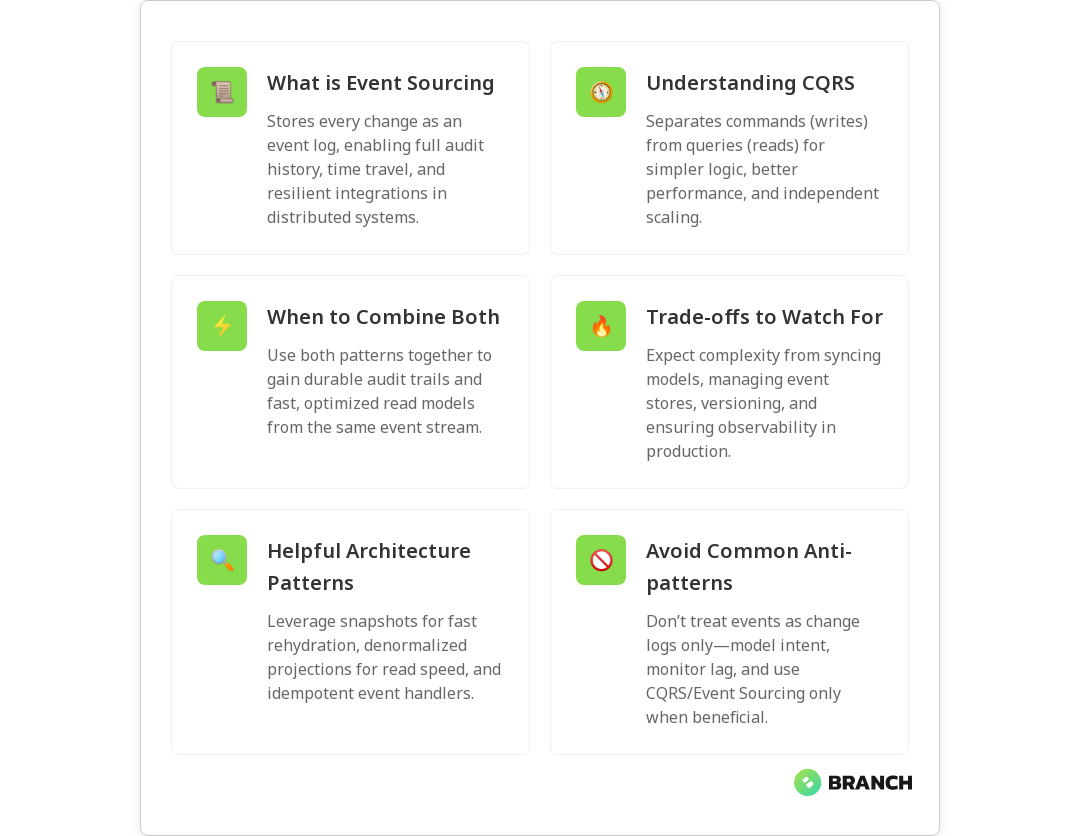
Event sourcing and CQRS are two patterns that often show up together in modern systems architecture conversations — like peanut butter and jelly, but for data. They solve different problems: event sourcing captures every state change as an immutable record, while CQRS separates how you write data from how you read it. In this article you’ll learn what each pattern does, when and how to combine them, the trade-offs to watch for, and practical tips for implementing them in real-world systems.

Why these patterns matter today

Modern applications demand scalability, traceability, and flexibility. Traditional CRUD models can become brittle when you need auditability, temporal queries, or independent optimization of read and write workloads. Event sourcing and CQRS address those concerns by changing how you think about state and queries:

  • Event sourcing records every change as an immutable event log, giving you a complete audit trail and the ability to rebuild state at any moment.
  • CQRS splits command (write) and query (read) responsibilities so you can optimize each side independently — faster reads, simpler write logic, or different storage technologies.

Major cloud providers and architecture guides recommend these patterns as building blocks for resilient, scalable systems — see Microsoft’s guidance on event sourcing and their separate guidance on CQRS for more technical background.

Core ideas: Event sourcing explained

Event sourcing replaces the typical “store the current state” approach with “store every state change as an event.” Instead of updating an account balance field, you append an event like AccountCredited or AccountDebited. The current state is then computed by replaying the events.

Benefits include:

  • Auditability: you have the full history of what happened and why.
  • Temporal queries and time travel: reconstruct state at any point in time.
  • Resilience for microservices: events are natural integration points between services.

Costs and trade-offs:

  • Increased complexity: event design, versioning, snapshots, and replay logic add engineering overhead.
  • Storage and operational concerns: event stores must be managed and scaled, and long event histories can require snapshots to speed up rehydration.

For practical guidance about combining event sourcing with CQRS and using event streams to power read models, AWS offers pragmatic advice in their prescriptive guidance on team-oriented service design and event-driven persistence patterns: AWS prescriptive guidance.

Core ideas: CQRS explained

CQRS (Command Query Responsibility Segregation) says: separate the models you use to modify state (commands) from the models you use to read state (queries). That separation lets you design each model for its specific purpose. For example, write model logic can focus on enforcing business rules while read models can be denormalized and optimized for fast queries.

Benefits include:

  • Performance: read stores can be tuned for low-latency queries without affecting write throughput.
  • Scalability: scale reads and writes independently to match demand.
  • Clarity: command handlers and query handlers remain simpler and more focused.

Limitations and implications:

  • Eventual consistency: reads may lag behind writes unless you engineer for synchronous update paths.
  • Operational complexity: maintaining multiple data stores and synchronization pipelines requires discipline.

Microsoft’s CQRS guidance explains how separation can simplify design and when combining CQRS with event sourcing is appropriate for auditability and flexible model evolution: CQRS guidance.

💡 Tip: Start with the problem, not the pattern. If you don’t need full audit logs, time-travel, or independent read scaling, CQRS or event sourcing might add unnecessary complexity. Use these patterns where their benefits clearly outweigh the cost.

How they work together: event sourcing + CQRS

Event sourcing and CQRS are often combined. The typical flow looks like this:

  1. Commands arrive at the write model which appends events to an event store (event sourcing).
  2. Event handlers create projections or materialized views optimized for queries (CQRS read model).
  3. Reads use the materialized views; writes use the event store and business logic.

This combination gives you a durable, auditable source of truth (the event log) and fast, tailored read models for different parts of your system. Practical patterns include using event streams to update in-memory databases for heavy-read endpoints and replaying events to recompute state after a model change, as recommended in cloud architecture guidance such as Microsoft’s event sourcing docs and AWS prescriptive patterns.

Projections, snapshots, and replays

Because replaying a long event stream for each request would be slow, systems use projections (materialized views) and snapshots:

  • Projections consume events and project current state into a read-optimized store (SQL, NoSQL, search index, in-memory cache).
  • Snapshots save a computed state periodically so rehydration needs only events since the last snapshot.
  • Replays let you rebuild projections after code changes or to handle schema evolution.

Microservices patterns documentation also recommends pairing event sourcing with CQRS into sagas or process managers when coordinating long-running transactions across services: Event sourcing patterns.

When to choose one, the other, or both

Practical rules of thumb:

  • Use plain CRUD if your data model is simple, audit needs are low, and you want to minimize complexity.
  • Use CQRS without event sourcing if you want separate read/write models but don’t need full event history (easier to adopt).
  • Use event sourcing if you need full audit trails, temporal queries, or strong traceability across business flows.
  • Use event sourcing + CQRS when you need the auditability of events plus read performance from optimized projections.

Choosing depends on product requirements, team expertise, and operations readiness. If you’re building systems that will power analytics or machine learning, designing a robust event pipeline can feed downstream models and help with reproducible training data — read more about how data engineering supports AI in our overview of Data Engineering for AI – it explains why well-structured data foundations help AI projects succeed.

Read more: Data Engineering Services – how tailored data infrastructure helps implement event-driven architectures cleanly.

Operational considerations and pitfalls

Adopting these patterns affects your entire stack — not just the application code. Consider:

  • Event store selection: durability, ordering guarantees, retention policies, and tooling. Kafka, EventStoreDB, and cloud-native event stores each behave differently.
  • Schema evolution: events are immutable, so versioning of event formats and backward/forward compatibility strategies are essential.
  • Monitoring and observability: you must track event processing, projection lag, and failed consumers.
  • Recovery and replay: plan for replays to update projections and test them regularly to avoid surprises.
  • Consistency models: communicating eventual consistency to product and UX teams is critical to avoid surprises for users.

Cloud and infrastructure teams also need to design infrastructure-as-code, backups, and cost controls for event storage — topics we go into in our Infrastructure as Code writeup, which highlights automation and governance strategies for operational reliability.

Read more: Cloud Cost Optimization – practical strategies to keep event-driven platforms cost-effective as they scale.

Patterns and anti-patterns

Helpful patterns:

  • Design for idempotency: event handlers should handle duplicate events safely.
  • Use time-based snapshots to speed up rehydration.
  • Keep read models denormalized and purpose-built for queries.
  • Adopt a robust event versioning strategy and backward-compatible consumers.

Common anti-patterns:

  • Treating events as mere change logs without modeling intent — events should represent business facts.
  • Using event sourcing to “replace” a relational design without clear benefits.
  • Failing to instrument and monitor projection lag, leading to unexpected stale reads.

Trends and ecosystem

As organizations move toward event-driven microservices and real-time analytics, the ecosystem around event sourcing and CQRS is growing. Cloud providers publish prescriptive guidance for combining these patterns at scale — for example, Microsoft’s architecture center gives practical steps for modeling and materializing views from events, and AWS prescriptive guidance covers team-level service design with event streams and sagas. For approachable explanations and practical patterns, see the Mia-Platform overview on understanding event sourcing and CQRS: Understanding Event Sourcing and CQRS.

Practical starter checklist

  • Define the business reasons: audits, time travel, scaling reads, or cross-service integration?
  • Start small: implement CQRS first for a high-read endpoint, then consider event sourcing if audit/history becomes required.
  • Pick an event store and projection technology that your team can operate reliably.
  • Design event schemas thoughtfully and version them from day one.
  • Invest in monitoring, replay tests, and documentation for event handlers and projections.
Read more: AI Development Services – why consistent, auditable data pipelines matter when you build AI solutions that rely on event-driven histories.

FAQ

What is modern data architecture?

Modern data architecture is an approach that emphasizes scalable, flexible, and often event-driven designs to support analytics, operational applications, and integrations. It typically includes data pipelines, event streams, materialized views, and cloud-native storage to enable real-time insights and reproducible data processing.

What is the difference between data architecture and data management?

Data architecture is the blueprint — the models, storage choices, flows, and integrations that determine how data moves and is stored. Data management is the operational discipline that enforces quality, governance, security, and lifecycle policies across that architecture.

How to create a data architecture?

Start by mapping business requirements: what data is needed, who consumes it, and how fresh it must be. Choose storage and processing patterns (batch, stream, event-driven), define schemas and contracts, and then implement pipelines, monitoring, and governance. Iterate with stakeholders and build reusable components.

What is a data architecture framework?

A data architecture framework is a structured approach or set of guidelines for designing and implementing data systems. It includes standards for data modeling, storage choices, integration patterns, governance, and security. Frameworks help teams make consistent, repeatable decisions.

What are the two main components of data architecture?

At a high level, the two main components are the data storage/processing layer (where data is persisted and transformed) and the data access/integration layer (how applications and analytics systems read and consume that data). Event-driven systems add an event bus or event store as a core component as well.

datacomparison2-image-blog

Kafka Connect vs Airbyte vs Fivetran: Data Integration Tool Comparison

In the world of modern data engineering, moving data reliably and efficiently is like keeping coffee flowing in an office critical, often taken for granted, and deeply missed when it fails. Kafka Connect, Airbyte, and Fivetran are three popular approaches to data integration, each with different philosophies, strengths, and trade-offs. In this article we’ll demystify how they compare across architecture, extensibility, cost, and operational complexity so you can pick the right tool for your team’s needs.

Why this comparison matters

Data integration sits at the center of analytics, AI, and operational systems. Pick the wrong tool and you wrestle with fragile connectors, hidden costs, or stale data pipelines. Choose well and you gain flexible, low-maintenance flows that power reliable insights and products. This guide will help you understand: what each tool is optimized for, real-world pros and cons, and a practical checklist to make a decision that scales with your business.

💡 Tip: Start with your highest-value data flows—those that impact customers or revenue—and evaluate tools against those specific use cases instead of trying to pick a universal winner.

At a glance: what each tool is

Kafka Connect

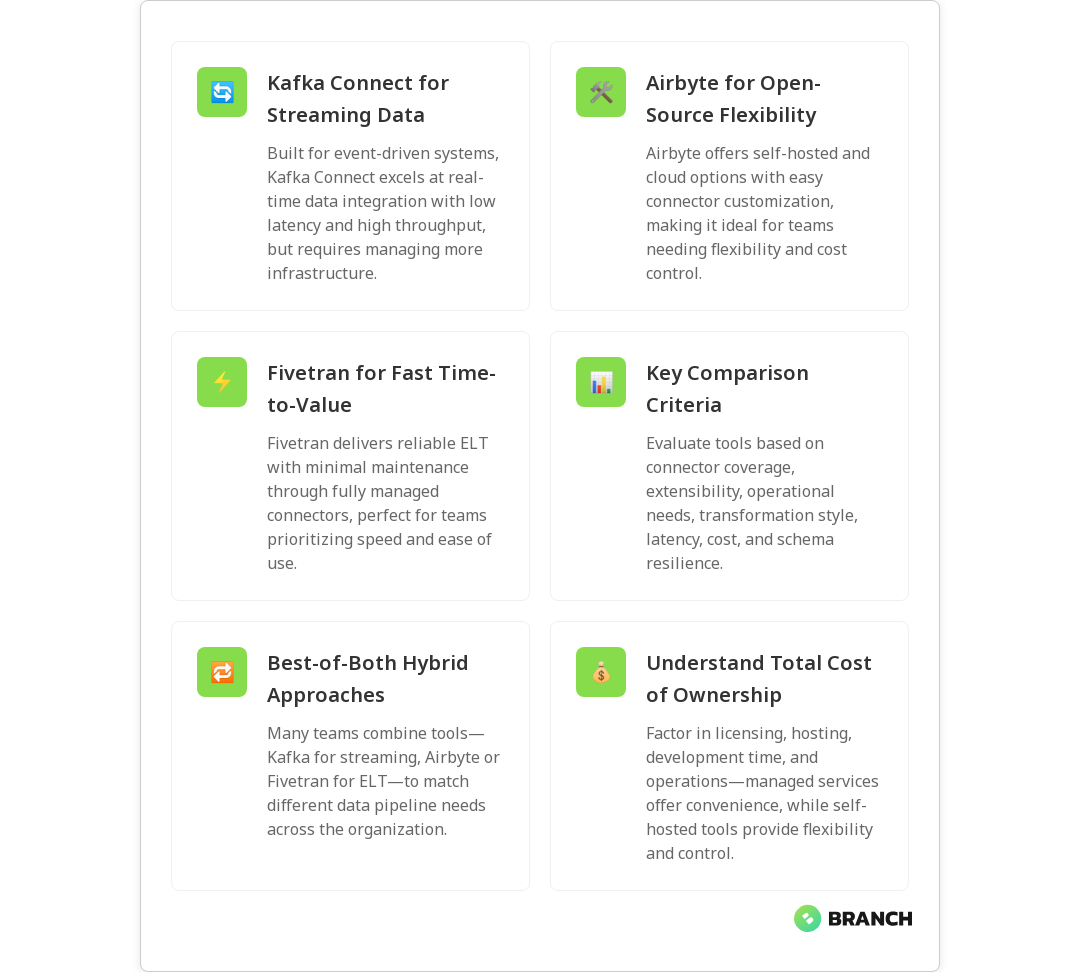
Kafka Connect is part of the Apache Kafka ecosystem and is designed for high-throughput, low-latency streaming integrations. It treats connectors as pluggable components for ingesting into or exporting from Kafka topics. Kafka Connect shines when you want continuous streaming, complex event-driven architectures, and tight integration with Kafka’s ecosystem (stream processing, schema registry, etc.). Expect to manage more infrastructure and configuration, but gain maximum control and performance.

Airbyte

Airbyte is an open-source ELT (Extract, Load, Transform) platform that emphasizes connector parity and rapid development. It offers a growing catalog of connectors and a framework that encourages users to build or customize connectors easily. Airbyte supports both self-hosted and cloud-managed deployments. It’s a good fit for teams that want straightforward ELT pipelines with the option to extend connectors or run custom transformations.

Fivetran

Fivetran is a managed data integration service that focuses on zero-maintenance connectors. It handles schema changes automatically and provides a broad library of pre-built connectors to data sources and destinations. Fivetran is designed for teams that prioritize rapid time-to-insight and minimal operational overhead—at a price. It’s especially appealing when you want predictable, hands-off data movement without building or maintaining connectors yourself.

Read more: Data Engineering Insights – useful background on why reliable pipelines are essential for AI and analytics.

Key comparison criteria

  • Connectivity & coverage: How many sources and destinations are supported out-of-the-box?
  • Extensibility: How easy is it to create or customize connectors?
  • Operational model: Managed service vs self-hosted control and maintenance.
  • Data transformation: Where and how transformations run (in-source, in-destination, or in-pipeline).
  • Latency & throughput: Batch vs streaming capabilities and performance limits.
  • Cost and licensing: Pricing predictability and total cost of ownership.
  • Reliability & schema handling: How robust are connectors to schema drift and errors?

Connectivity & coverage

Fivetran tends to lead on out-of-the-box connector breadth and maturity for business systems (SaaS apps, databases, ad platforms). Airbyte’s community and open-source model make it quickly extensible—if a connector doesn’t exist, you or the community can build one. Kafka Connect is often used for systems that already stream through Kafka or need custom, high-performance connectors; its ecosystem includes many connectors, but you may write custom ones more frequently.

Extensibility and developer experience

Airbyte offers a connector development kit that lowers the barrier for building custom connectors. Kafka Connect requires Java-based connector development or leveraging existing connector frameworks, and while powerful, it can be more developer-heavy. Fivetran, being managed, limits how much you can customize connectors—what you gain in convenience you lose in deep customizability.

💡 Tip: If you need a connector that talks to an internal API or uses a special auth flow, Airbyte or Kafka Connect gives more flexibility than Fivetran.

Transformations: ELT vs streaming transforms

Fivetran leans into ELT: extract and load first, then transform in the warehouse (dbt is a popular partner pattern). Airbyte supports ELT and can run transformations after load, either via embedded transformation features or by integrating with transformation tools. Kafka Connect is built for streaming; transformations are typically done with stream processing tools (Kafka Streams, ksqlDB, other consumers) or single-message transforms (SMTs) inside the connector.

Operational model and maintenance

Fivetran’s managed approach removes most operational burden—updates, scaling, and schema change handling are part of the service. Airbyte offers both self-hosted and hosted options, so you trade management effort for cost control and flexibility. Kafka Connect is typically self-hosted (though some cloud providers offer managed Kafka); you’ll manage cluster health, scaling, and connector lifecycle. The more control you want, the more operational responsibilities you accept.

Read more: Data Engineering Services – if you’re thinking about outsourcing parts of pipeline build and maintenance, this explains our approach.

Latency, throughput, and reliability

For high-throughput, low-latency streaming, Kafka Connect is often the go-to due to Kafka’s design. Airbyte can handle near-real-time jobs with incremental replication, but is generally oriented toward periodic ELT workloads. Fivetran focuses on reliable, possibly near-real-time syncs depending on connector, with strong guarantees around schema handling and retries. Consider your SLA for data freshness and peak data rates when choosing.

Security & compliance

Fivetran provides enterprise-grade security and compliance features out of the box, including SOC and ISO certifications in many cases, reducing compliance lift for customers. With self-hosted Airbyte or Kafka Connect, security is in your hands—great for environments with strict data protection requirements, but it requires strong operational discipline (networking, secrets management, logging, and monitoring).

💡 Tip: If you handle regulated data (PHI, PCI), weigh whether you prefer a managed vendor’s compliance certifications or a self-hosted stack where you control every lock and key.

Use-case driven recommendations

  • Streaming event-driven systems (high throughput): Kafka Connect is usually best—tight Kafka integration and low-latency guarantees.
  • Rapid ELT with lots of SaaS connectors and minimal ops: Fivetran for fast setup and low maintenance.
  • Flexible, open-source, extensible pipelines with cost control: Airbyte for teams that want the middle ground—connector parity, ability to customize, and both self-hosted and cloud options.
  • Hybrid needs (streaming + batch): Combine technologies—Kafka for real-time streams, and Airbyte/Fivetran for batch ELT into the warehouse.
Read more: Custom Data Engineering – for building pipelines that combine the right tools to meet business goals.

Cost considerations

Fivetran is subscription-based and often priced by rows/volume and connector type; it provides predictability but can be costly at scale. Airbyte’s self-hosted model can be more cost-effective but transfers operational costs (hosting, maintenance) to you. Kafka Connect cost is driven by Kafka infrastructure, storage, and operations. When estimating TCO, include engineering time, hosting, monitoring, and incident response, not just vendor fees.

Migration and coexistence strategy

You don’t always have to pick one tool forever. Many organizations use multiple systems: Kafka for streaming events, Airbyte for custom ELT jobs, and Fivetran for key SaaS sources where delegation is valuable. If you’re migrating from one to another, plan connector parity, data reconciliation, backfills, and a cutover window. Start small, validate data correctness, and iterate.

💡 Tip: Run the new pipeline in parallel with the old one for a week or two, compare outputs row-for-row on representative datasets, and automate those checks.

Common challenges and how to handle them

Schema drift

Sources change—columns are added, types evolve. Fivetran often masks this with automated schema evolution detection. With Airbyte and Kafka Connect, you’ll need processes and tooling (schema registries, automated tests) to detect and reconcile changes.

Data duplication and idempotency

Especially when replays, outages, or retries occur, ensuring idempotent loading is crucial. Kafka’s at-least-once semantics need consumer-side deduplication strategies. ELT flows need stable keys and change-detection mechanisms to avoid duplicates.

Monitoring and alerting

Operational visibility is non-negotiable. Use metrics, logs, and end-to-end data quality checks. Managed services may offer built-in dashboards; self-hosted stacks require integrating observability tools and alerts.

Trends to watch

  • Growing use of hybrid architectures that combine streaming and ELT.
  • Increased adoption of open-source connectors and community-driven catalogs.
  • More out-of-the-box data quality and observability features across platforms.
  • Tool consolidation—teams prefer fewer systems that cover more use cases without sacrificing control.
Read more: Cloud Infrastructure Services – helpful when you’re deciding between managed and self-hosted deployments and want to design a scalable environment.

Decision checklist: which to choose?

  1. Define data freshness SLAs: real-time, near-real-time, or batch?
  2. Catalog your sources: SaaS apps, databases, event streams, custom APIs?
  3. Decide who will operate the stack: internal ops team or managed vendor?
  4. Assess connector customization needs and future growth.
  5. Estimate total cost of ownership including engineering time.
  6. Prototype a representative pipeline and validate data correctness and performance.
💡 Tip: Prototype with a single high-priority pipeline for two weeks—measure data latency, error rate, and maintenance time—and use that as the basis for scaling decisions.

FAQ

What is data integration in simple words?

Data integration is the process of combining data from different sources into a single, unified view so it can be analyzed or used by applications. Think of it as plumbing that moves and aligns data—cleaning, transforming, and loading it where it’s useful.

Which tool is used for data integration?

There are many tools. Kafka Connect is a streaming-focused integration layer for Kafka; Airbyte is an open-source ELT platform emphasizing extensible connectors; and Fivetran is a managed service offering ready-made connectors and minimal operational overhead. The “right” tool depends on your data types, latency needs, and operational preferences.

What are the types of data integration?

Common types include batch integration (periodic loading), real-time/streaming integration (continuous event streams), and hybrid approaches that mix batch and streaming. Integration can also be categorized by method—ETL (extract, transform, load) or ELT (extract, load, transform).

Is data integration the same as ETL?

Not exactly. ETL is a specific pattern within data integration where data is extracted, transformed, then loaded into a target system. Data integration is a broader term that includes ETL, ELT, streaming approaches, and other methods of moving and merging data across systems.

What are the three main issues faced in data integration?

The three most common pain points are schema drift (source changes breaking downstream flows), data quality/inconsistencies (missing or malformed records), and operational overhead (monitoring, scaling, and fixing pipelines). Address these with automated schema handling, rigorous data validation, and strong observability practices.

Read more: AI Development Services – if you’re moving data to power AI, learn how robust pipelines become the foundation for reliable models.

Choosing between Kafka Connect, Airbyte, and Fivetran is less about picking the single best tool and more about matching each tool’s strengths to your organization’s needs. If you want control and streaming performance, Kafka Connect is compelling. If you value extensibility and open-source flexibility, Airbyte is attractive. If you want fast time-to-value and minimal ops, Fivetran is hard to beat. Mix and match where appropriate, prototype early, and measure everything because good data engineering is practical, measurable, and yes, a little heroic.

Read more: Custom Software Solutions – when pipelines need bespoke logic or integrations, tailored development helps make them production-ready.
datalife-image-blog

What Data Lineage Is (and Why It’s Critical for Data Governance)

Data lineage maps the life story of your data — where it came from, what happened to it, and where it ended up. In a world where business decisions, compliance audits, and machine learning models all rely on reliable data, lineage is the GPS and black box recorder rolled into one. This article explains what data lineage is, why it matters for governance, how to build it in practice, common challenges, and practical tips you can use today.

Why data lineage matters

Imagine an analyst finds a surprising drop in monthly revenue. Without lineage, tracing that number back to the source is like untangling a ball of holiday lights — frustrating and time-consuming. Data lineage provides the visibility to answer questions such as: Which source system contributed the value? Which transformations changed it? Which report uses that dataset? That traceability builds trust in analytics, speeds debugging, and helps meet regulatory requirements.

Governance programs depend on lineage because it ties policy to reality. Lineage shows where sensitive fields flow, who touches them, and where controls must be applied. For a concise overview of how lineage supports governance principles and compliance, see Dataversity’s guide to What Is Data Lineage?

💡 Tip: Start with the business-critical data domains (finance, customer, product). If you can map lineage for high-impact reports and pipelines first, you’ll quickly prove value and get buy-in for broader lineage efforts.

Core concepts and types of lineage

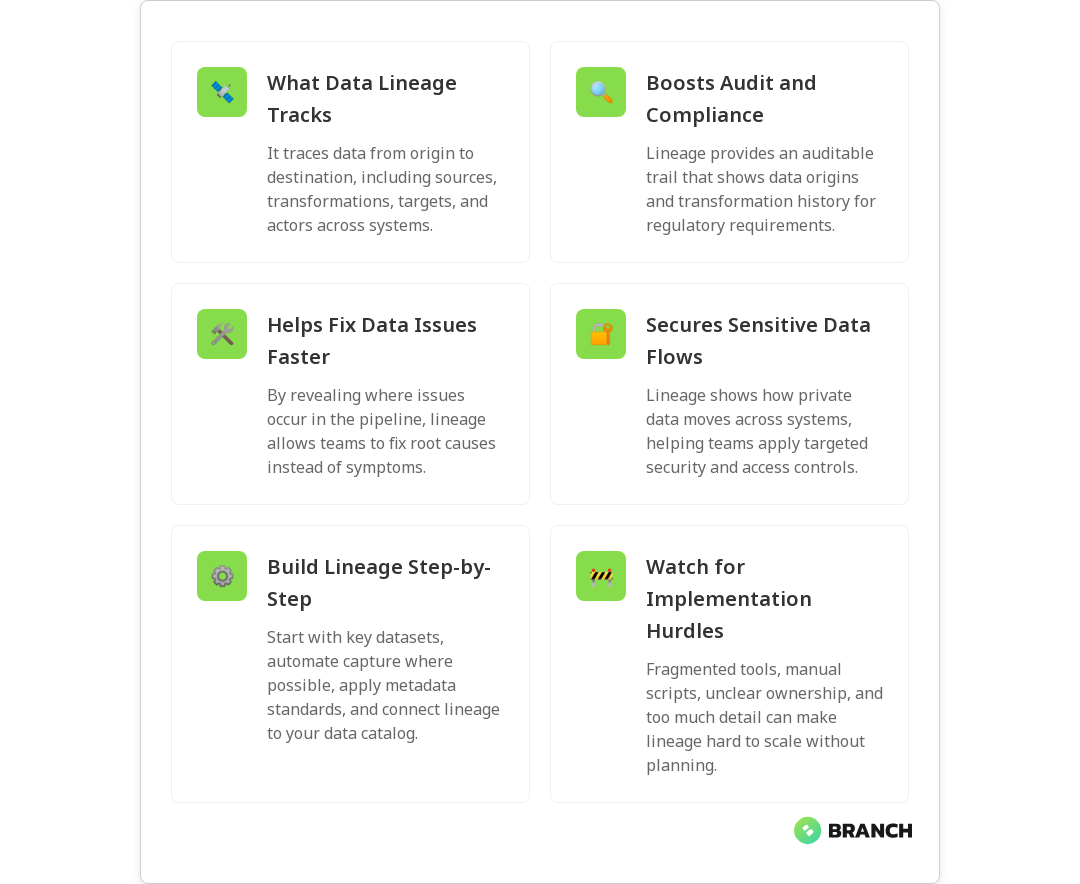
At its simplest, data lineage documents:

  • Sources — where the data originates (databases, APIs, files).
  • Transformations — what happened to the data (joins, filters, aggregations, ML feature engineering).
  • Targets — where the data lands (reports, dashboards, data warehouses, downstream systems).
  • Actors and processes — jobs, pipelines, and users that moved or modified the data.

There are a few ways to categorize lineage:

  • Physical lineage — concrete movement of files and tables through systems (what actually ran).
  • Logical lineage — higher-level relationships between fields and datasets (business view of flow).
  • Manual vs. automated lineage — manual documentation is helpful but brittle; automated lineage capture (via metadata, code parsing, or instrumentation) scales better.

For more on the different types and practical approaches, Informatica offers a helpful primer in their data lineage guide.

How lineage supports data governance

Lineage is the connective tissue that makes governance actionable. Here’s how it plays into common governance objectives:

  • Compliance and audit readiness: Auditors want to know the origin of reported numbers and whether controls were applied. Lineage creates an auditable trail.
  • Data quality and issue resolution: When quality problems appear, lineage helps isolate the responsible pipeline or transformation so teams can fix the root cause rather than patching symptoms.
  • Security and privacy: Knowing how sensitive attributes flow across systems enables targeted masking, encryption, or access controls.
  • Trust and collaboration: Business stakeholders are likelier to trust analytics when they can inspect how values were derived.

Research shows lineage increases transparency and trust while enabling teams to align handling practices with governance principles — see the university study “Tracing the Path” for an academic perspective on lineage’s governance impact: Tracing the Path: Data Lineage and Its Impact on Data Governance.

Read more: Data Engineering for AI – strong lineage relies on the same foundational practices that make AI systems reliable.

How to build data lineage — practical steps

Building lineage can feel intimidating, but a pragmatic approach reduces friction. Consider this phased strategy:

  1. Inventory and prioritize: Catalog critical datasets and reports. Focus on business-impact areas first (finance, compliance, customer metrics).
  2. Choose the right mix of capture methods: Use automated capture where possible (metadata extraction, ETL/ELT integration, code parsing). Supplement with manual entries for data flowing through non-instrumented systems.
  3. Adopt consistent metadata standards: Agree on naming, field definitions, and transformation documentation so lineage maps stay useful across teams.
  4. Integrate with a data catalog: Lineage paired with a catalog gives context — owners, SLA, sensitivity tags, and business glossaries — so governance actions are informed.
  5. Automate monitoring and alerts: Flag topology changes, unexpected schema drift, or failed pipelines so triage starts early.
  6. Embed into workflows: Make lineage part of release reviews, model validation, and incident postmortems so it’s a living asset, not a dusty diagram.

Platforms and vendor literature emphasize metadata-driven lineage and embedding lineage in catalogs to support governance and issue identification; Dataversity covers these strategies well in their overview What Is Data Lineage?.

💡 Tip: If your stack includes managed ETL/ELT tools or cloud data warehouses, enable built-in lineage hooks first — they often provide high-value lineage with minimal setup.
Read more: Data Engineering Services – useful if you need pipelines and metadata practices that make lineage feasible and scalable.

Common challenges and how to overcome them

Lineage implementations can stumble for practical reasons. Here are frequent pain points and simple remedies:

  • Fragmented toolchains: Multiple ETL tools, cloud providers, and legacy databases make lineage capture uneven. Remedy: prioritize connectors for high-value systems and use open lineage standards when possible.
  • Manual processes and shadow pipelines: Business users running spreadsheets or ad hoc scripts create blind spots. Remedy: focus on education and lightweight policies that encourage registering ad hoc flows in the catalog.
  • Ambiguous ownership: Without clear data owners, lineage maintenance lags. Remedy: assign dataset owners with responsibilities for lineage accuracy and periodic reviews.
  • Noise and irrelevant detail: Too much low-level lineage can overwhelm users. Remedy: provide both high-level logical views for business users and detailed physical traces for engineers.

Automating lineage helps reduce human error and maintenance overhead. Secoda’s blog describes how automated lineage improves governance and trust in analytic outputs: What is the role of data lineage in data governance?.

Read more: Data Engineering Solutions – tailored practices that reduce lineage friction and improve long-term maintainability.

Trends, tools, and where to invest

Lineage tooling has matured quickly. Look for solutions that:

  • Support automated capture across ETL/ELT, streaming, and BI tools.
  • Implement open lineage standards for portability and integration.
  • Include both physical and logical lineage views for different user personas.
  • Integrate with catalogs, access control, and data quality tooling for end-to-end governance.

Vendors and consultancies consistently highlight how lineage enables audit readiness, change management, and operational efficiency — for more on the specific governance benefits, Alation’s piece on lineage benefits is practical and business-minded: Understanding Data Lineage: Benefits and Integration.

💡 Tip: Treat lineage as cross-functional. Make sure data engineers, compliance officers, analysts, and product owners all have input into how lineage is represented and consumed.
Read more: Cloud Cost Optimization – knowing data flows helps cut costs by revealing duplication and unnecessary storage paths.

FAQ

What is the meaning of data lineage?

Data lineage documents and visualizes the lifecycle of data: its sources, transformations, systems, and destinations, creating a traceable history.

Why is data lineage important?

Lineage builds accountability, supports compliance, improves data quality, and increases trust in analytics by making every transformation traceable.

What are the different types of data lineage?

Types include physical lineage (actual flows), logical lineage (conceptual relationships), and manual vs. automated lineage capture.

How to build a data lineage?

Start by cataloging critical datasets, use automated capture, define consistent metadata standards, integrate with a catalog, and automate monitoring.

What is the difference between data lineage and data provenance?

Provenance focuses on data origin and ownership (authenticity), while lineage maps the full journey including transformations and flows across systems.

Final thoughts

Data lineage isn’t a nice-to-have ornament for your data warehouse — it’s a practical necessity for trustworthy analytics, governance, and efficient operations. Start small, automate what you can, and make lineage accessible to both engineers and business users. With lineage in place, audits become less terrifying, debugging becomes quicker, and your organization gains a clearer view of the data that powers decisions. If you want help building lineage-friendly pipelines and metadata practices, connecting those engineering choices to governance is what we do best.

datacomparison-image-blog

Delta Lake vs Apache Iceberg vs Apache Hudi: Open Table Format Showdown

Open table formats Delta Lake, Apache Iceberg, and Apache Hudi the plumbing of modern data architectures. They turn chaotic object storage into queryable, transactional tables that teams can actually trust. In this article you’ll get a practical, no-nonsense comparison of the three, learn when to pick one over the others, and see how operational strategies like compaction, metadata design, and concurrency control change real-world performance.

Why open table formats matter (and why your CFO should care)

Data lakes without structure can become data swamps: lots of bytes, little reliability. Open table formats add a metadata layer and transactional guarantees think ACID on top of object storage so downstream analytics, ML models, and business reports don’t break when someone backfills a partition or updates a record. The benefit is both technical (faster, more efficient queries; time travel for debugging) and financial (less wasted compute, fewer emergency engineering dives at 2 am).

Different formats adopt different philosophies: Delta Lake started within the Databricks ecosystem, Iceberg emphasizes a snapshot-based, engine-agnostic approach, and Hudi focuses on ingestion latency and update patterns. For a clear architectural overview, Dremio’s breakdown is a helpful primer on how each format organizes metadata and snapshots: Dremio architecture.

Read more: Data Engineering AI – learn why structured, reliable data is essential for AI systems and how data engineering supports that reliability.

Core concepts: table format vs file format

First, a short clarification often missed at meetings: a file format (Parquet, ORC, Avro) defines how rows and columns are encoded on disk. A table format (Delta, Iceberg, Hudi) defines how files are tracked, how transactions are coordinated, and how schema evolution and time travel are handled. Put simply: file formats store bytes; table formats manage the bytes and the story of those bytes over time.

Delta Lake’s blog gives a helpful explanation of how open table formats provide ACID transactions, time travel, and metadata handling that elevate raw files into trustworthy tables: Delta open table formats.

Feature-by-feature comparison

ACID transactions and metadata

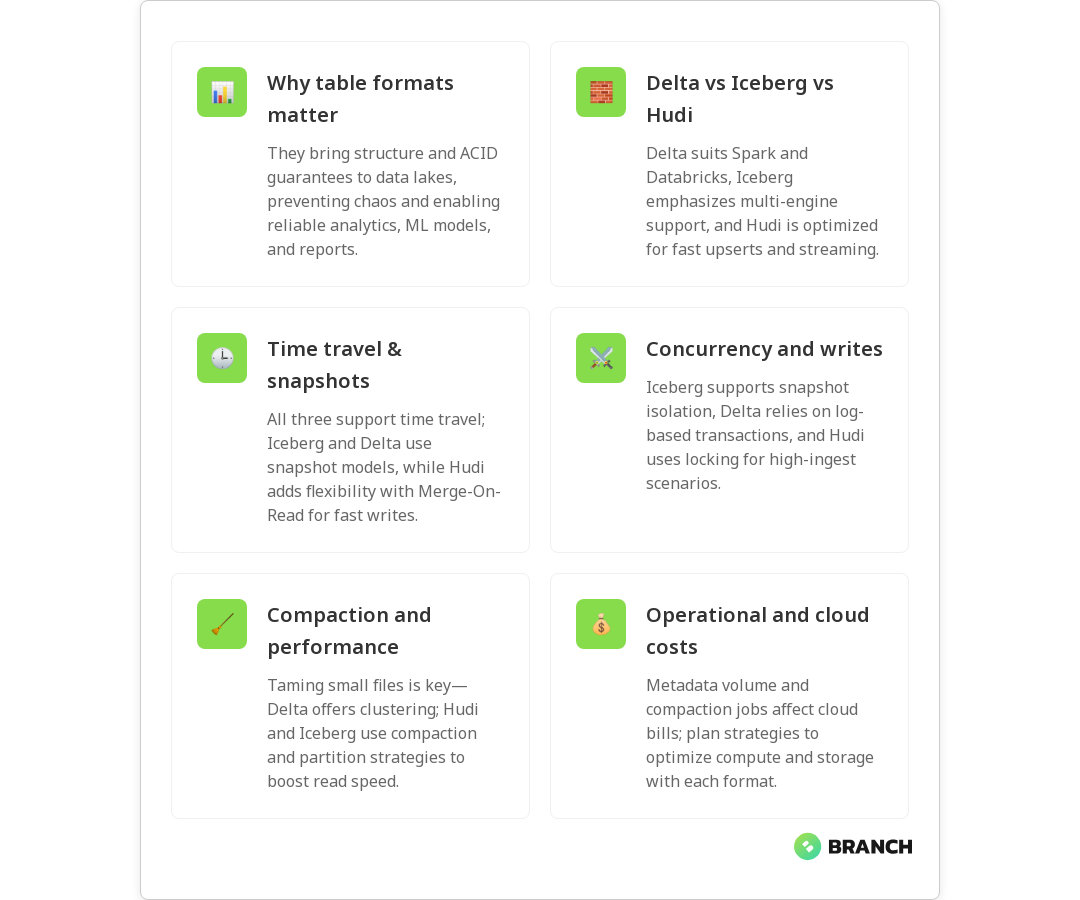
All three support ACID semantics, but the implementations differ. Delta Lake uses a transaction log (a sequence of JSON/Parquet checkpoint files) and strong metadata guarantees; Iceberg uses a manifest and snapshot model that separates table metadata from files; Hudi maintains its own metadata and can operate in two table types Copy On Write (COW) and Merge On Read (MOR) which change how updates and reads interact.

Snapshotting, time travel, and reads

Iceberg’s snapshot-based design makes time travel and consistent reads across engines pretty straightforward. Delta also offers time travel and a robust log-based approach. Hudi’s MOR gives a hybrid option: fast writes with later compaction to optimize reads, which is great when ingestion latency and update frequency are high.

Read more: Data Engineering Services – if you’re building pipelines that rely on reliable table formats, this explains how to design pipelines and governance around them.

Concurrency and transactional models

Concurrency control matters when many jobs write to the same table. Iceberg emphasizes optimistic concurrency and snapshot isolation; Delta Lake’s log-based approach offers a strong transactional model across many engines (especially with Spark); Hudi uses locking and timeline services suitable for high-ingest patterns.

For a direct comparison of transactional handling and ingestion strategies, the LakeFS comparison is practical: Hudi vs Iceberg vs Delta comparison.

Updates, deletes, and CDC

If your use case requires frequent updates, deletes, or change-data-capture (CDC) downstream, Hudi and Delta historically have been strong because they emphasize record-level mutations and ingestion semantics. Iceberg has been catching up fast with features that make update/delete and partition evolution smoother while maintaining an engine-agnostic posture.

Compaction, small files, and performance

Small files kill read performance and increase metadata churn. Each format has strategies: Delta provides a Compaction API and Z-Order clustering options; Hudi supports compaction for MOR tables and other tuning knobs; Iceberg suggests effective partition specs and file sizing practices. AWS provides a practical guide to compaction and optimization techniques across formats when running on cloud object stores: AWS guide to choosing a table format.

💡 Tip: When you see a table full of tiny Parquet files, don’t panic — plan a rolling compaction job. Use clustering or partition rewrites during low-traffic windows and target file sizes that match your compute engine’s sweet spot (usually tens to hundreds of MB).

Operational considerations and trade-offs

Picking a format is as much about operations as it is about features. Consider the following operational trade-offs:

  • Engine compatibility: Iceberg was designed to be engine-agnostic and works well across engines (Spark, Flink, Trino). Delta is tightly integrated into Databricks and Spark but has grown wider through the Delta Open Source initiative. Hudi focuses on ingestion patterns and integrates well with streaming ecosystems.
  • Operational maturity: Are your engineers already familiar with Spark-based optimizations? Delta and Hudi may be a smoother fit. If you expect to query from many engines, Iceberg’s snapshot model is compelling.
  • Ingestion patterns: If you need low-latency upserts from streaming sources, Hudi’s MOR and write-optimized patterns are beneficial. If you mostly append data and prefer a clear snapshot lifecycle, Iceberg might be simpler to operate.
Read more: Tailored AI Solutions – choosing a table format is just one part of a larger data strategy for AI and analytics; this piece shows how to align technical choices with business goals.

Costs and cloud considerations

File metadata operations and compaction jobs cost compute and sometimes drive storage metadata growth. Your cloud bill will reflect the choices you make: frequent small writes and inefficient file layouts increase both compute and egress costs. Plan compaction strategies, lifecycle policies, and monitoring to avoid surprises. For cost-related strategy tied to cloud operations, our cloud cost optimization guidance can be a big help.

Read more: Cloud Cost Strategies – practical steps to keep cloud spending aligned with your business impact.

Trends and where each project is heading

Open table formats are converging feature sets: Iceberg, Hudi, and Delta are borrowing good ideas from each other—better handling for updates, richer metadata services, and improved cross-engine compatibility. Expect faster innovation around metadata scaling, snapshot compaction, and cloud-native integrations. For a snapshot of architectural differences and evolving capabilities, Dremio’s analysis remains useful: Dremio architecture.

Choosing the right format for real-world use cases

High-level guidance to match format to need:

  1. Engine diversity and multi-tool querying: Choose Iceberg for broad engine compatibility and snapshot semantics.
  2. Frequent updates, upserts, and streaming ingestion: Choose Hudi for ingestion patterns that require low-latency record-level updates and flexible compaction strategies.
  3. Spark-native analytics and integrated tooling (and a tight Databricks fit): Choose Delta Lake for mature Spark integration, strong transaction logging, and features like Z-Order clustering.

In many enterprises, the right answer might be “it depends”—and sometimes teams run more than one format in the same ecosystem depending on workload types. The AWS comparison article gives actionable tips when selecting formats on cloud storage: AWS blog.

FAQ

What is meant by data governance?

Data governance is the set of processes, policies, roles, standards, and metrics that ensure effective and efficient use of data. In a data mesh, these responsibilities are federated across domains rather than centralized in one team.

What is the difference between data governance and data management?

Data management is the day-to-day operation of moving, storing, and processing data. Data governance defines the rules, roles, and policies that guide how data is managed and ensures it meets organizational requirements.

What are good data governance practices?

Best practices include clear ownership, standardized metadata, automated enforcement of policies, monitoring governance KPIs, and starting with a minimal viable governance approach that grows with domain maturity.

What are the three components of data governance?

Data governance typically consists of people (roles and responsibilities), processes (policies and workflows), and technology (tools and automation). In a mesh, these components are distributed and coordinated via a federated council.

What is a data governance framework?

A data governance framework defines the policies, standards, roles, and tools for managing and protecting data. In a data mesh, the framework emphasizes federation, metadata standards, and automation for scalable governance.

Final thoughts (the short version for the meeting with the execs)

If you need broad query engine compatibility and clear snapshot semantics, look at Iceberg. If you need record-level upserts, fast streaming ingestion, and flexible compaction, Hudi is compelling. If your stack is Spark-first and you value strong transaction logging and Databricks-synced features, Delta Lake is an excellent choice. Whatever you pick, add operational guardrails: compaction strategies, monitoring for small files, and clear schema evolution policies.

And remember: the format is a tool, not a destination. Align the choice with team skills, expected workloads, and long-term interoperability goals. If you want help mapping your use case to an implementation plan, our data engineering and AI teams can help build a practical roadmap and implementation strategy that keeps both engineers and finance people happy.

Read more: AI Development Services – how data choices feed into trustworthy AI and analytical systems.

cloudstorage-image-blog

AWS S3 vs Azure Blob Storage vs Google Cloud Storage for Data Lakes

Choosing storage for a data lake feels a bit like picking a city to move to: you want scalability, good neighborhood integrations, reasonable taxes (a.k.a. cost), and a sense that your stuff won’t vanish overnight. In cloud terms, that decision usually comes down to Amazon S3, Azure Blob Storage, or Google Cloud Storage. Each has strengths for different data lake patterns, analytics workflows, and team skills. In this article you’ll get a practical comparison across architecture, performance, pricing patterns, security, and real-world trade-offs so you can pick the best fit for your next data lake.

Why object storage is the default for data lakes

Modern data lakes are built on object storage because it can store massive amounts of unstructured and semi-structured data cheaply and reliably. Object stores provide flat namespaces, immutability options, lifecycle policies, and native APIs that work well with analytics engines, ETL pipelines, and machine learning systems.

All three major providers—Amazon S3, Azure Blob Storage, and Google Cloud Storage—are designed for high durability and availability and integrate tightly with their cloud ecosystems. If you want to compare vendor docs directly, see the product pages for Amazon S3, Azure Blob Storage pricing, and Google Cloud Storage.

Core differences at a glance

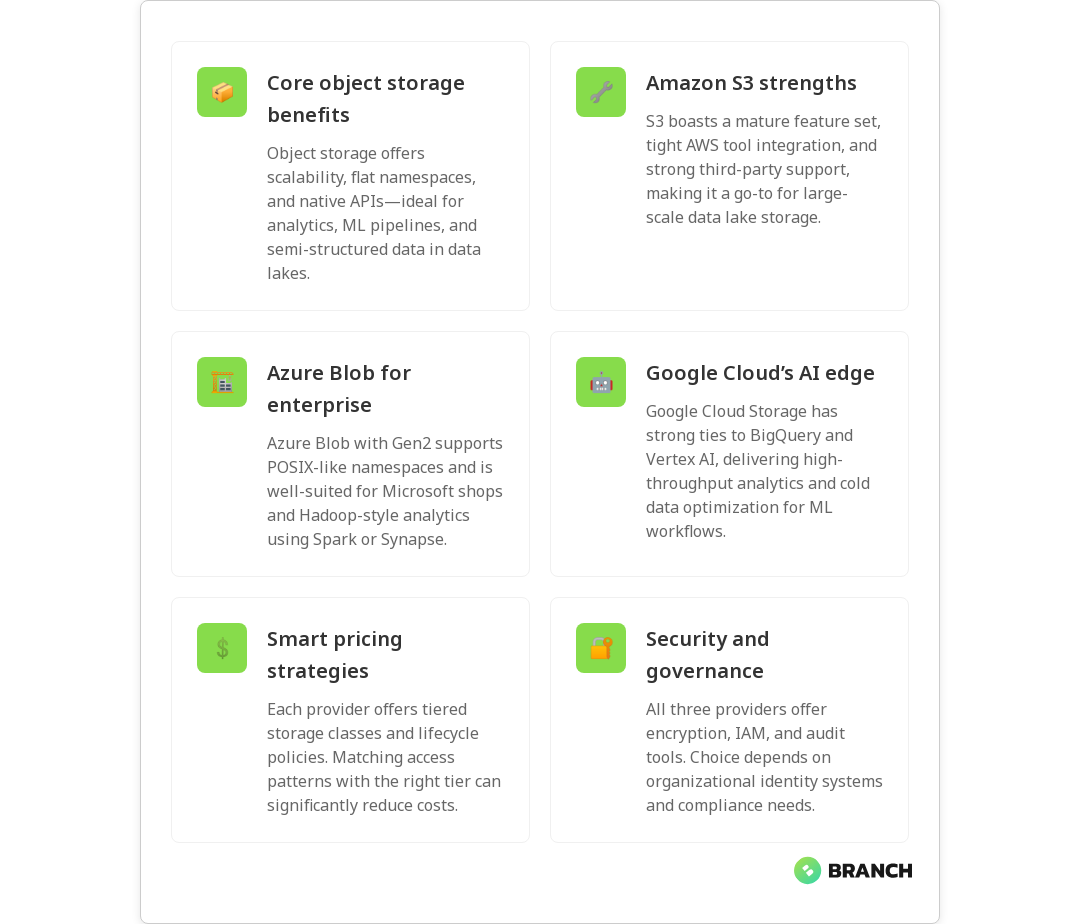
  • Amazon S3 – Mature feature set, unparalleled ecosystem integration with AWS analytics tools, broad third-party support, and advanced object-level features (versioning, replication, lifecycle rules).
  • Azure Blob Storage – Strong integration with Azure analytics (including Data Lake Storage Gen2 capabilities), hierarchical namespace option for POSIX-like behavior, and pricing tiers tuned for enterprise patterns.
  • Google Cloud Storage – Seamless integration with BigQuery and Vertex AI, storage classes optimized for long-tail and cold data, and excellent performance for analytics workloads.
💡 Tip: If your analytics stack is already tied to one ecosystem (e.g., BigQuery, Athena, Synapse), choose the storage service that integrates natively to avoid egress costs and save time.

Scalability, durability, and consistency

All three platforms promise very high durability (typically 11 nines in S3 terms or equivalent) and scale virtually without limits. Where they differ is consistency and performance characteristics:

  • S3: Strong read-after-write consistency for PUTs of new objects and eventual consistency for overwrite/delete in older timeframes, but AWS has improved consistency guarantees across regions and operations. Its worldwide adoption means many analytical tools have tuned connectors for S3.
  • Azure Blob (with Data Lake Gen2): Offers a hierarchical namespace which can behave more like a file system—this helps directories, renames, and small-file handling common in Hadoop-style workloads. Consistency is strong for most operations within a storage account.
  • Google Cloud Storage: Provides strong global consistency and is optimized for high-throughput analytics, often pairing nicely with BigQuery for serverless analytics over large datasets.

Data lake features and analytics integrations

The real power of object storage for data lakes is how it integrates with compute and analytics services.

  • Amazon S3 integrates with AWS analytics (Glue, Athena, Redshift Spectrum, EMR) and many third-party tools. S3’s vast feature set includes selective replication (cross-region replication), object locking for immutability, and event notifications to trigger pipelines.
  • Azure Blob + Data Lake Storage Gen2 targets big data workloads with a hierarchical namespace, making it friendly for Hadoop, Spark, and ADLS-native tools. It’s commonly used with Azure Synapse, Databricks on Azure, and Azure Data Factory.
  • Google Cloud Storage is built to work smoothly with BigQuery, Dataproc, and Vertex AI. If your roadmap includes heavy use of BigQuery or Vertex AI for ML, GCS often feels like the path of least resistance.
Read more: AI Solutions Backbone – why robust data foundations are essential for analytics and ML.

Pricing patterns and cost control

Pricing is complex: object storage costs include storage per GB, request costs, data retrieval (for cool/archival tiers), and data egress. Each provider offers tiers that let you trade cost for access speed.

  • AWS S3 – Multiple storage classes (Standard, Intelligent-Tiering, Standard-IA, Glacier) and pricing options. S3 Intelligent-Tiering can help manage unknown access patterns automatically.
  • Azure Blob – Hot, Cool, and Archive tiers and Reserved Capacity options to lower storage costs for predictable needs. Azure’s tiering and lifecycle policies work well with Gen2 for analytics cost control; see the Azure Blob Storage pricing page for details.
  • Google Cloud Storage – Standard, Nearline, Coldline, Archive tiers and seamless integration with long-term analytics; Google often markets lower costs for cold storage classes and strong network pricing for some patterns. Check the Google Cloud Storage page for the latest class descriptions.
💡 Tip: Track access patterns early and use lifecycle policies to automatically move rarely used data into colder tiers — huge savings with minimal effort.
Read more: Cloud Cost Strategies – practical techniques to control cloud spend across storage and compute.

Security, governance, and compliance

Security is table stakes. Each provider supports encryption at rest and in transit, role-based access, and logging. Differences emerge in tooling and integrations for governance:

  • IAM and policies: AWS IAM is granular and mature; Azure uses role-based access control (RBAC) integrated with Active Directory; Google Cloud IAM also offers fine-grained controls and organization policies.
  • Data governance: If you need enterprise governance frameworks, consider the provider whose ecosystem matches your identity and compliance needs (e.g., Azure for heavy Microsoft shops, AWS for broad third-party integrations).
  • Auditing and data protection: All three support logging, object immutability, and encryption keys (including customer-managed keys).
Read more: Azure Cloud Services – when to favor Azure for secure, enterprise-grade implementations.

Operational considerations and migrations

Operational realities often decide the winner more than theoretical benchmarks. Consider the following:

  1. Data transfer and egress: Moving petabytes between clouds is expensive. Plan initial ingress strategies (direct transfer appliances, edge ingest) and avoid unnecessary cross-cloud egress.
  2. Tooling and talent: Teams familiar with AWS will likely be more productive on S3; Azure-centric shops benefit from Blob + Gen2; Google-first data science teams often prefer GCS + BigQuery.
  3. Third-party ecosystem: S3 has the broadest third-party tool support, but Azure and GCS are catching up quickly with vendor integrations and managed services.
💡 Tip: Always prototype with a small dataset before full migration. Test ingestion speed, lifecycle rules, and query performance to uncover surprises early.
Read more: Cloud Infrastructure Services – guidance on building scalable, secure cloud storage and networking for data workloads.

Multi-cloud and hybrid scenarios

If you need multi-cloud redundancy or a hybrid footprint, evaluate cross-cloud toolchains and metadata layers like LakeFS, Delta Lake, or Apache Iceberg to provide consistent semantics across stores. Each provider offers interoperability guidance—see Google’s comparison of AWS, Azure, and GCP services for mapping and migration considerations at GCP’s service comparison.

How to choose: decision checklist

  • Is your analytics stack tied to one cloud (BigQuery, Redshift, Synapse)? Prefer the native provider.
  • Do you need a hierarchical namespace for many small files? Consider Azure Data Lake Gen2.
  • Are third-party tools and wide marketplace support critical? Amazon S3 remains the broadest choice.
  • Do you expect heavy ML usage with Vertex AI or managed notebooks? Google Cloud Storage pairs well with those.
  • How predictable are your storage costs? Explore reserved capacity and lifecycle policies on Azure and tiering options across providers to lower bills.
Read more: Technology Services – a vendor-agnostic view on matching architecture to business goals.

FAQ

Which is the best cloud storage?

There’s no single “best”—it depends on needs. Amazon S3 is often the safest choice for broad compatibility and mature features. Azure Blob (especially with Data Lake Gen2) is great for enterprise Microsoft shops and Hadoop-style workloads. Google Cloud Storage is ideal when you want tight integration with BigQuery and Vertex AI. Match the storage to your analytics stack, access patterns, and team skills.

What is the cost of 1TB cloud storage?

Costs vary by provider, tier, and region. Roughly speaking, hot/standard object storage might range from a few dollars to $25+ per month per TB depending on provider and tier, while colder tiers can be much cheaper (but charge for retrieval). Always check current pricing pages (for example, Azure’s Blob pricing) and model request and egress costs for your workload. See our Cloud Cost Optimization services for ways to keep bills under control.

Is cloud storage worth paying for?

Yes for most businesses. Cloud storage removes upfront hardware costs, gives near-infinite scalability, provides reliability, and offloads maintenance. For many teams the operational benefits—elasticity, integrated services, and managed durability—outweigh the monthly bill, especially when optimized with lifecycle rules and right-sized tiers. Our Cloud Infrastructure Services can help you implement best practices.

Which cloud storage is free?

No major provider offers large-scale object storage for free. Many provide limited free tiers or trial credits for new users, and there are free tiers for specific services (e.g., a few GBs of storage). For real-world data lakes, you should budget for paid storage and factor in lifecycle and access costs.

Is Google Drive a cloud storage?

Yes—Google Drive is a consumer-focused cloud storage product built for file syncing and collaboration, not for data lakes. It’s great for documents and small team files but lacks the scale, APIs, durability guarantees, and analytics integrations required for large-scale data lake architectures. For analytics workloads, choose an object store like Google Cloud Storage. Learn more in our Data Engineering Services.

Final thoughts

Picking between Amazon S3, Azure Blob Storage, and Google Cloud Storage is less about declaring a winner and more about matching platform strengths to your business, tooling, and cost profile. Prototype, measure, and plan lifecycle policies up front. If you need help making that architecture decision or executing a migration, Branch Boston’s teams can help design a secure, cost-effective data lake strategy that aligns with your analytics and AI goals.

Read more: Data Engineering Services – how expert data engineering helps build reliable data lakes and pipelines.
datameshfabric-image-blog

What Data Fabric Really Is (and How It Differs from Data Mesh)

Data architecture terms have a way of multiplying like rabbits at a tech conference: data lakehouse, data warehouse, data mesh, data fabric… it’s a lot. If you’ve ever wondered whether “data fabric” is a buzzword or a practical approach that will actually make your life easier, you’re in the right place. This article explains what a data fabric is, how it works, and how it differs from data mesh — plus when you might want one, the other, or both. You’ll walk away with a clear mental model and practical next steps for your organization.

What is data fabric?

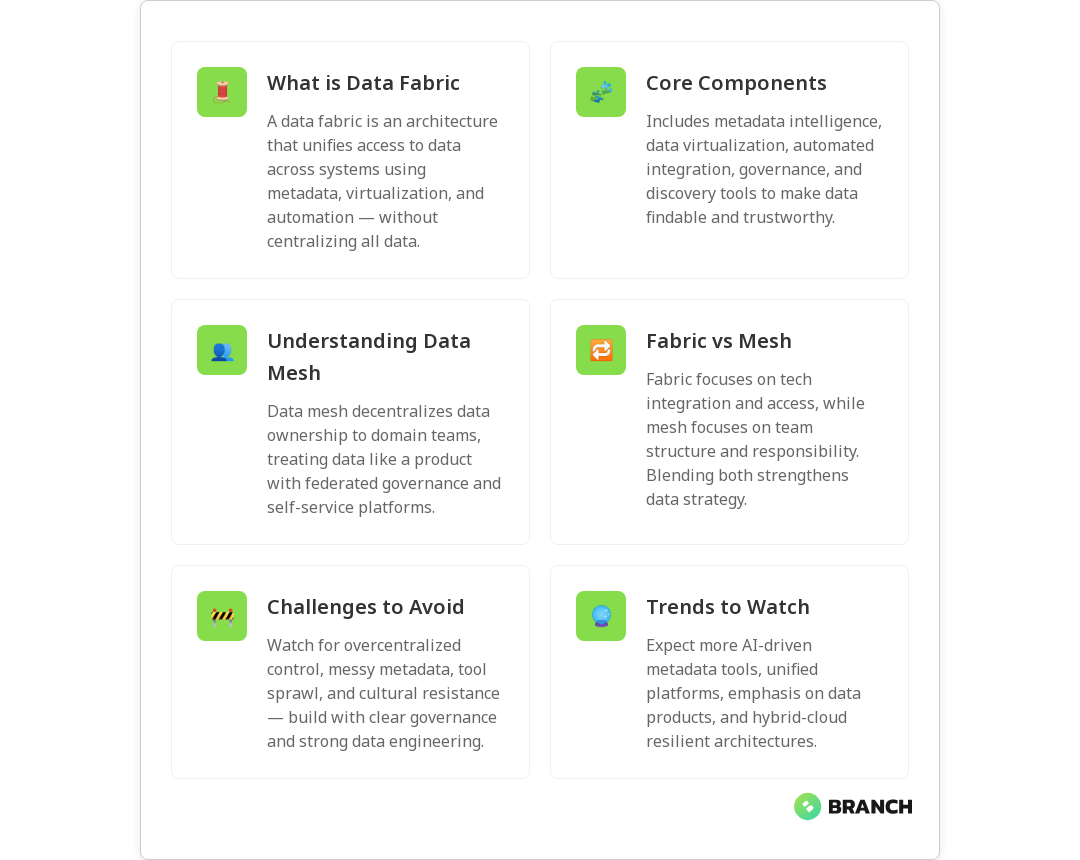
At its core, a data fabric is an architectural approach and set of technologies designed to make data available, discoverable, and usable across an organization’s hybrid environment — without moving everything into one monolithic store. Think of it like the fabric in a smart wardrobe: it stitches together disparate data sources, provides metadata-driven context, and offers unified access patterns so applications and analysts find the data they need quickly.

Rather than being a single product you install, data fabric is a layered solution that uses metadata management, data virtualization, catalogs, lineage, and automation to present a logical, connected view of data. Vendors and consultants often package pieces of this, but the idea is consistent: reduce friction and increase trust with an intelligent integration layer.

For a practical overview of how data fabric fits among other modern architectures, see IBM’s comparison of lakehouse, fabric, and mesh.

IBM overview

Key components of a data fabric

  • Metadata-driven intelligence: Metadata is the fabric’s thread — catalogs, semantic tags, business glossaries, and automated classification create the context that makes data usable.
  • Data virtualization: Present data from many sources through a unified API or layer so consumers can query it without physically copying it into a single store.
  • Automated data integration: Pipelines, change-data-capture, and smart connectors to keep the fabric aware of updates across systems.
  • Governance & lineage: Built-in policies, auditing, and lineage tracking so analysts can trust the data and auditors can sleep peacefully.
  • Discovery and marketplaces: Catalogs and data marketplaces let users find, understand, and request access to datasets.

Alation’s practical guide to what a data fabric is offers a good primer on how catalogs and governance fit into this picture.

Alation guide

What is data mesh — a quick companion primer

While data fabric emphasizes a technology-led integration layer, data mesh focuses on organizational change. Data mesh proposes domain ownership of data: teams that understand a product or business domain own the datasets as products. Its core principles are domain-oriented data ownership, data as a product, self-serve data platforms, and federated governance. The goal is to reduce bottlenecks at centralized teams and enable scale through clear responsibilities.

Data mesh is more about people and processes; data fabric is more about plumbing and automation. But — and this is important — they are not mutually exclusive. Many organizations blend technical fabrics with mesh-inspired governance to get the best of both worlds. Booz Allen has a thoughtful discussion about using both approaches together.

Booz Allen article

How data fabric and data mesh differ (and where they overlap)

  • Primary focus: Data fabric = integration and metadata-driven access. Data mesh = organizational design and domain ownership.
  • Governance style: Fabric often leans toward centralized enforcement of policies via platform capabilities; mesh favors federated governance with domain-defined standards.
  • Implementation path: Fabric implementations typically start by cataloging and virtualizing data, while mesh often begins with piloting domain data products and scaling autonomous teams.
  • Speed vs. autonomy: Fabric can speed cross-team access quickly by reducing data movement; mesh gives domains autonomy and responsibility, which can increase ownership but requires cultural change.
  • Complementary strengths: A fabric can provide the technical substrate (catalog, lineage, security) that helps mesh domains operate reliably. Conversely, mesh practices make fabric-delivered data products more meaningful and trustworthy.

IBM’s deeper dive into augmented data management explains how a metadata-driven fabric can support hybrid environments and even accelerate a mesh adoption when paired with automation.

IBM on augmented data management

💡 Tip: If you’re starting out, inventory your pain points first. Are teams blocked because data is physically inaccessible, or because ownership and quality are inconsistent? If the former, begin with data fabric capabilities; if the latter, pilot a data mesh domain. Combining both often provides the most practical path forward.

When to choose data fabric, data mesh, or both

There’s no one-size-fits-all answer, but here are pragmatic guidelines:

  • Choose data fabric when: You need rapid, secure access to distributed data sources across cloud and on-prem systems, and you want to reduce data duplication. Fabric excels where integration and metadata consolidation are the biggest bottlenecks.
  • Choose data mesh when: Your organization is large, domains have specialized knowledge, and you want to scale ownership and responsibility. Mesh is about governance by domain and treating data as a product.
  • Choose both when: You need a robust technical layer to support decentralized teams. Fabric supplies the discovery, lineage, and access mechanisms that let mesh-aligned domains publish reliable data products efficiently.

Practical example: Imagine a retail company with separate teams for online sales, stores, and supply chain. A fabric can expose unified views of inventory and sales across systems. A mesh approach can let each domain own and maintain its dataset as a product (store sales dataset, online transactions dataset), while the fabric ensures those datasets are discoverable and accessible enterprise-wide.

Operational benefits of combining both: reduced time to insight, stronger data quality, clearer ownership, and a self-serve experience for analytics teams.

Common challenges and how to avoid them

  • Overcentralizing governance: If fabric teams try to control every detail, mesh benefits evaporate. Align governance around standards and guardrails, not micromanagement.
  • Poor metadata hygiene: Fabric depends on accurate metadata. Invest in cataloging, lineage, and automated metadata capture from day one.
  • Tool sprawl: Don’t bolt on too many point products. Choose platforms that integrate well and can automate routine tasks like discovery and lineage capture.
  • Organizational resistance: Data mesh requires cultural change. Start with pilot domains, provide clear incentives, and pair domain teams with platform engineers to reduce friction.

Trends to watch

  • Automation and AI for metadata: Automated tagging, classification, and semantic enrichment of datasets are maturing and will make fabrics smarter and easier to maintain.
  • Convergence of platforms: Expect platforms that combine cataloging, virtualization, governance, and pipeline automation — reducing integration overhead.
  • Focus on data products: The “data as a product” concept is gaining mainstream traction, which means fabrics will need to support strong SLAs and discoverability for curated datasets.
  • Hybrid-cloud support: As businesses keep operating across clouds and on-prem systems, fabrics that handle hybrid environments seamlessly will be strategic.

Note: Many consultancies and solution providers recommend a pragmatic mix. Datalere, for example, outlines how a unified architecture that leverages the strengths of both frameworks reduces duplication and improves collaboration across domains.

Datalere discussion

How this ties into practical work your team might already do

If your organization is building AI features, powering analytics, or building custom software that relies on trustworthy data, the foundations of a fabric — cataloging, lineage, access controls — are directly useful. Strong data engineering practices are essential for either fabric or mesh approaches. If you want to learn more about designing data infrastructure that powers AI, check out this deeper look at data engineering as the backbone of AI solutions.

Read more: AI Backbone Solutions – Learn how solid data engineering foundations make both data fabric and data mesh strategies successful.

Likewise, if you’re evaluating vendor support for data pipelines and governance, a clear data engineering services partner can accelerate building either fabric capabilities or a self-serve platform that supports mesh teams.

Read more: Data Engineering Services – See how expert partners can accelerate building data fabric capabilities or self-serve platforms for mesh teams.

If your roadmap includes AI pilots or retrieval-augmented generation (RAG) — where consistent, high-quality data is essential — tailoring AI solutions to your data strategy will be critical. Consider pairing data architecture decisions with tailored AI planning.

Read more: Tailored AI Solutions – Learn how aligning AI with your data architecture makes RAG and analytics more effective.

Finally, most fabrics run best on a resilient cloud infrastructure that supports hybrid connectivity, security, and performance tuning. If moving or integrating systems to the cloud is part of the plan, review cloud infrastructure options early.

Read more: Cloud Infrastructure Services – Build a resilient foundation for data fabrics and mesh platforms with secure, hybrid-ready cloud architecture.

FAQ

What is data fabric for dummies?

Data fabric is a smart layer that connects and organizes an organization’s data — across clouds, databases, and apps — so people and systems can find and use it without worrying about where it lives. It uses catalogs, metadata, and virtual access to present a unified view.

What is the difference between data fabric and data mesh?

Data fabric is a technology-led approach focused on integration, metadata, and unified access. Data mesh is an organizational model that decentralizes ownership and treats domain datasets as products. They complement each other when combined.

What is the difference between ETL and data fabric?

ETL (Extract, Transform, Load) is a process to move and transform data. Data fabric is a broader architecture that includes ETL alongside metadata management, virtualization, discovery, and governance to create an enterprise-wide data layer.

What is the difference between data lakehouse and data fabric?

A data lakehouse is a storage architecture that blends flexibility of data lakes with structured analytics of warehouses. A data fabric is an integration and access layer that sits on top of multiple storage systems — including lakehouses.

What are the advantages of data fabric?

Data fabric provides faster discovery, reduced duplication, unified governance, better support for hybrid environments, and improved self-serve analytics. When paired with clear ownership (via mesh practices), it accelerates trusted data use.

Ready to make data less of a guessing game? Whether you’re thinking about fabric, mesh, or a hybrid approach, the right combination of technology and organizational change will help you turn scattered data into reliable business outcomes — and free up your teams to do the interesting work, not the plumbing.

datadata-image-blog

What Data Mesh Governance Really Means (and How to Implement It)

Data mesh is more than a buzzy architecture trend — it’s a shift in how organizations treat data as a product owned by domains rather than a centralized IT silo. That shift brings huge benefits: faster insights, better scalability, and less bottleneck drama in your data pipelines. But none of that works without governance that fits the mesh model: lightweight, federated, and practical. In this article you’ll learn what data mesh governance actually is, the principles behind it, a step-by-step implementation approach, and tips for avoiding common pitfalls.

Why governance matters in a data mesh

Governance is often thought of as the party pooper at the data table — the rules person who says “you can’t.” In a data mesh, governance is instead the table that keeps everyone sitting together and passing the serving dishes. When governance is done right, it balances domain autonomy with company-wide standards for quality, discoverability, security, and compliance.

Traditional centralized governance fails in a mesh because it becomes a bottleneck. The workaround is federated governance: shared policies and guardrails combined with domain-level responsibility. ThoughtWorks lays out the idea of minimum viable governance capabilities and iterating governance as domains mature, which is a sensible, pragmatic way to avoid overgoverning from day one (see ThoughtWorks recommendations).

Core principles of data mesh governance

  • Federation over centralization: Policies are shared but enforcement and product ownership live with domains.
  • Data as a product: Each dataset is a product with owners, SLAs, documentation, and quality metrics.
  • Automate policy where possible: Policies should be code-first, enforceable, and monitored.
  • Metadata and discoverability: Strong metadata standards make data findable and trustworthy.
  • Minimal viable governance: Start with the smallest set of guardrails and expand as needed, rather than imposing a monolith of rules upfront.

These principles are echoed across several current guides and examples of data mesh governance. Practical implementations emphasize mandatory metadata, separation of platform capabilities from product governance, and monitoring to measure governance performance (see Data Mesh governance examples).

💡 Tip: Start with a “governance lite” checklist: ownership, required metadata fields, privacy tagging, and a basic SLA. Iterate after you see what breaks.

Practical steps to implement data mesh governance

1. Define roles and accountability

First, name the people. Decide who is the data product owner in each domain, who sits on the federated governance council, and who manages the platform capabilities. The council should include leaders from domain teams and platform engineers so policies are practical, not theoretical.

Read more: Data Engineering for AI – one short sentence on why it’s relevant here.

2. Establish minimal standards and metadata requirements

Agree on mandatory metadata (owner, description, schema, tags for sensitivity and retention, quality metrics). Use metadata as the contract between producers and consumers. The contract makes data discoverable and sets expectations for quality and support.

💡 Tip: Make completeness of essential metadata a gate for publishing a data product. That single rule prevents a lot of future grief.

3. Automate enforcement and observability

Where you can, codify governance rules as automated checks: schema validation, sensitive data scanning, access control enforcement, and lifecycle policy automation. Platform teams provide the tools, while domains use them. AWS and cloud providers often offer modular governance tools that can be integrated into a data mesh (see AWS Data Mesh guidance).

Read more: Tailored AI Solutions – one short sentence on why it’s relevant here.

4. Separate platform capabilities from product governance

The platform should deliver reusable capabilities — secure storage, tagging, policy engines, pipelines — but it should not own the data products’ decisions. ThoughtWorks recommends this separation to keep governance scalable and domain-focused.

5. Iterate governance with domain maturity

Not every domain will be ready for the same level of autonomy on day one. Implement minimum viable governance capabilities initially and increase complexity only as domains demonstrate readiness. Track governance performance and adapt policies based on real-world data (see ThoughtWorks recommendations for iterative scaling).

Read more: Data Engineering Services – one short sentence on why it’s relevant here.

Organizational and cultural shifts you’ll need

Shifting to data mesh governance is as much cultural as it is technical. Expect these changes:

  • Product thinking: Domain teams must treat data as a product with customers and SLAs.
  • Shared responsibility: Security, privacy, and quality are joint responsibilities, not a single team’s burden.
  • Collaboration rituals: Regular governance council meetings, shared playbooks, and cross-domain communities of practice.

Having a governance council that includes domain and platform representatives helps keep policies grounded in operational reality. Examples of successful governance groups include those that mandate metadata standards and enforce project/dataset isolation when needed (see Data Mesh governance examples).

Technology choices and platform controls

Platform design should enable governance without dictating product-level decisions. Key capabilities to build or buy include:

  • Metadata catalog and search
  • Policy-as-code engines for access control and data handling
  • Automated data quality checks and lineage tracking
  • Tag-based access control and sensitive data discovery

Cloud-native offerings often provide building blocks for these capabilities. AWS has guidance on integrating data mesh practices with cloud governance features that help with tagging and secure integration of third-party data (see AWS Data Mesh).

Read more: Cloud Infrastructure Services – one short sentence on why it’s relevant here.

Common challenges and how to overcome them

  1. Overgoverning vs. undergoverning: Start small with a minimal viable set of rules and expand them as you learn. Monitoring will tell you when to tighten or loosen controls.
  2. Tool sprawl: Standardize on a platform stack for common needs but allow domains to choose implementations for domain-specific concerns.
  3. Resistance to ownership: Incentivize product thinking by linking data product SLAs to team goals and providing clear, low-friction deployment paths.
  4. Security and privacy compliance: Treat compliance requirements as constraints the governance council encodes into platform policies and automations.

Case studies and practical write-ups emphasize the need for a federated governance model that balances central policy and domain execution — the sweet spot for innovation without chaos (see Mesh-AI case study and Dataversity article).

💡 Tip: Use a “policy impact score” to prioritize which rules to automate first — pick the ones that prevent the most common or costly mistakes.

Trends to watch

  • Policy-as-code frameworks: More organizations are making governance machine-readable and enforceable via CI/CD pipelines.
  • Governance dashboards and SLOs: Expect to see governance health tracked with SLOs and dedicated dashboards showing metadata coverage, access violations, and data quality trends.
  • Interoperability standards: Community-driven standards for metadata and product interfaces will reduce friction between domains.

Following industry guidance can accelerate your implementation. Dataversity and ThoughtWorks provide accessible perspectives on aligning decentralized architecture with central oversight for innovation and compliance (see Dataversity and ThoughtWorks recommendations).

Read more: AI Development Services – one short sentence on why it’s relevant here.

Putting it into practice: a simple roadmap

  1. Month 0–2: Assemble governance council, define minimal metadata and ownership rules, and select your platform capabilities.
  2. Month 2–6: Pilot with one or two domains, automate key checks (sensitivity scanning, schema validation), and measure product-level SLAs.
  3. Month 6–12: Expand federated governance, onboard more domains, refine policies based on usage data, and build dashboards for governance KPIs.
  4. Beyond 12 months: Mature into a continuous-evolution model: policies adapt, automation improves, and domains take increasing responsibility.

FAQ

What is meant by data governance?

Data governance is the set of processes, policies, roles, standards, and metrics that ensure effective and efficient use of data. In a data mesh, these responsibilities are federated across domains rather than centralized in one team.

What is the difference between data governance and data management?

Data management is the day-to-day operation of moving, storing, and processing data. Data governance defines the rules, roles, and policies that guide how data is managed and ensures it meets organizational requirements.

What are good data governance practices?

Best practices include clear ownership, standardized metadata, automated enforcement of policies, monitoring governance KPIs, and starting with a minimal viable governance approach that grows with domain maturity.

What are the three components of data governance?

Data governance typically consists of people (roles and responsibilities), processes (policies and workflows), and technology (tools and automation). In a mesh, these components are distributed and coordinated via a federated council.

What is a data governance framework?

A data governance framework defines the policies, standards, roles, and tools for managing and protecting data. In a data mesh, the framework emphasizes federation, metadata standards, and automation for scalable governance.

Read more: Custom Software Development – one short sentence on why it’s relevant here.
💡 Tip: Keep one governance doc that explains “why” and another that shows “how” (playbooks, templates, and policy-as-code). It keeps legalese separate from practical guidance.

Data mesh governance is not a single tool or a rigid rulebook — it’s a practice that evolves as your teams and data products evolve. Start with small, enforceable guardrails, automate what you can, and let domain teams take ownership while the platform provides the rails. For practical examples and recommendations, see ThoughtWorks’ implementation guide and other contemporary case studies on federated governance (ThoughtWorks recommendations, Mesh-AI case study, Data Mesh governance examples, and AWS Data Mesh guidance).

datadatadata-image-blog

Great Expectations vs Deequ vs Soda: Data Quality Testing Tools Compared

Data quality is the unsung hero of reliable analytics, AI models, and production reporting — and when it fails, no one forgets. This article walks through three popular open-source tools for data quality testing — Great Expectations, Deequ, and Soda — so you can make a practical choice for your pipelines. You’ll get a comparison of capabilities, real-world trade-offs, deployment tips, and guidance on when to pick each tool depending on scale, team skills, and use cases.

Why data quality testing matters (and why you should care)

Bad data sneaks into systems every day: schema drift after a vendor changes a feed, null-filled records from a flaky ingest job, or subtle distribution shifts that silently poison a model. Data quality testing helps you detect and remediate these problems before they become business incidents. ThoughtWorks calls data quality “the Achilles heel of data products,” arguing that constraint-based testing and monitoring are essential parts of modern data delivery workflows (ThoughtWorks article).

At a high level, data quality testing does two things:

  • Verify incoming and transformed data meet expectations (validation in development and CI/CD).
  • Continuously monitor production data for regressions or anomalies (observability and alerting).
💡 Tip: Combine validation-as-code (tests that live with your pipelines) with monitoring (checks that run continuously in production). That two-pronged approach catches both bugs and regressions.

Quick introductions: Great Expectations, Deequ, and Soda

Before we dig into comparisons, here’s a brief primer on each tool so we’re all speaking the same language.

  • Great Expectations (GE) — Validation-as-code focused on expressive expectations, rich documentation, and data profiling. GE emphasizes human-readable expectations and stores “data docs” that explain what checks run and why. It’s especially popular for teams that want clear assertions and documentation as part of their pipelines.
  • Deequ — A library from Amazon for Spark-native data quality checks. Deequ is implemented in Scala and provides constraint- and metric-based validation that runs well on large distributed datasets. If your pipelines are Spark-heavy and you prioritize performance at scale, Deequ is worth a look.
  • Soda (Soda Core / Soda Cloud) — A lightweight scanner and observability tool that can run checks defined in YAML (SodaCL) and offers templated checks, monitoring, and alerting. Soda’s strength is a pragmatic approach to scanning and time-series monitoring of metrics with easy alert integrations.
Read more: Data Engineering Insights – how data quality fits into the larger data engineering lifecycle and AI applications.

Head-to-head comparison: what matters to engineering teams

Picking a tool is about matching features to constraints: pipeline technologies, team experience, scale, governance needs, and whether you want a heavy UI or prefer code-first checks. Below are the most important comparison dimensions.

1. Validation model and expressiveness

Great Expectations shines at expressive, human-readable expectations: completeness, uniqueness, value ranges, custom checks, and complex expectations composed from simpler ones. Telm.ai summarizes common GE metrics like completeness, uniqueness, timeliness, validity, and consistency (Telm.ai overview).

Deequ focuses on declarative constraints and statistical metrics (e.g., approximate quantiles, distribution comparisons) that are efficient in Spark. Soda provides a templated, YAML-driven approach that covers common checks quickly but can be less flexible for very bespoke validations.

2. Scalability and runtime

If your workloads run on Spark and you need checks to scale with big tables, Deequ’s Spark-native implementation gives it an edge. Great Expectations has Spark integration too, but Deequ is engineered specifically for distributed computation.

Soda is lightweight and can scan tables efficiently, but for very large datasets you’ll want to plan where scans run (e.g., within your cluster) and how frequently you scan to control costs.

💡 Tip: For petabyte-scale checks, lean on tools with native distributed compute. For smaller datasets, lightweight scanners can be faster and more cost-effective.

3. Observability, alerting, and documentation

Soda and Soda Cloud emphasize observability and alerting with templated monitors, time-series metric storage, and integrations for alerting. Great Expectations excels at documentation — auto-generated “data docs” explain expectations and test results in rich detail. ThoughtWorks highlights the value of integrating monitoring and alerting to ensure continuous data product health (ThoughtWorks article).

4. Configuration and developer experience

Great Expectations encourages validation-as-code: write expectations in Python (or YAML for some workflows), store them in version control, and run them in CI. Soda uses SodaCL (YAML) for quick, consistent configuration across teams. Deequ is code-first (Scala/Python), which is ideal for Spark engineers but can be less approachable for smaller teams without Scala skills. A Medium comparative analysis highlights these distinctions and suggests choosing tools based on pipeline complexity and team expertise (Medium comparison).

Read more: Data Engineering Services – if you need help integrating data quality tools into your pipelines, our services can help build governance and testing strategies.

5. Community, maturity, and integrations

Great Expectations has a strong open-source community and many integrations with data platforms. Deequ benefits from Amazon’s backing and a focused niche in Spark. Soda has gained traction for observability-first use cases and offers both open-source and commercial components for easier monitoring setup. Reviews and blog posts across the ecosystem point to complementary strengths and common practice of combining tools — for example, using Great Expectations for complex expectations and Soda for continuous monitoring (ThoughtWorks article).

When to choose which tool

  • Great Expectations — Choose GE when you want readable, version-controlled expectations, strong documentation, and a flexible Python-first developer experience. Great for teams focused on validation-as-code and governance.
  • Deequ — Choose Deequ when your processing is Spark-based and you need scalable, statistically robust checks on very large datasets.
  • Soda — Choose Soda when you want quick scanning, templated checks, and an observability-focused workflow with built-in alerting. Soda is often chosen for monitoring production data and lightweight scanning.
💡 Tip: You don’t always need to pick just one. Many teams mix tools — GE for validation, Deequ for Spark workloads, and Soda for production monitoring.
Read more: Cloud & Infrastructure – planning where checks run (cloud vs cluster) affects cost and latency; our cloud services can help architect the right solution.

Practical strategy to implement data quality testing

  1. Inventory critical datasets and identify business rules (start with the KPIs that matter most).
  2. Define a minimal set of checks: completeness, uniqueness, range/value validity, and schema checks.
  3. Add distribution and anomaly checks for model inputs or key metrics.
  4. Implement validation-as-code for development and CI (Great Expectations is a natural fit here).
  5. Set up continuous monitoring with templated scans and alerting (Soda or Soda Cloud works well).
  6. For big data or Spark-first pipelines, implement heavy-data checks with Deequ and export metrics to your observability layer.
  7. Automate incident playbooks that link alerts to remediation steps and owners.

Common pitfalls to avoid

  • Running expensive full-table scans too often — use sampling, incremental checks, or metric-level monitoring.
  • Writing brittle expectations that fail on normal, benign drift — favor tolerances and statistical checks where appropriate.
  • Not storing test history — historical metrics help detect gradual drift versus one-off spikes.
Read more: AI Development Services – if your models depend on data quality, our AI services include pipelines and monitoring that reduce data-related model risk.

Trends and what’s next in data quality tooling

The ecosystem continues to evolve toward observability and integration. Expect more hybrid approaches — validation-as-code combined with lightweight observability platforms, richer anomaly detection powered by time-series analytics, and better integrations into orchestration and alerting systems. Atlan and other observability-focused resources note growing support for templated checks and extensible test types as a major trend (Atlan overview).

There’s also a move to make checks more accessible to non-engineering stakeholders: simpler YAML configurations, auto-generated expectations from profiling, and clearer documentation so data consumers can understand what’s being validated.

FAQ

What is a data quality test?

A data quality test is an assertion that checks expected properties in data — for example, ensuring critical columns are not null, values fall into valid ranges, or distributions remain stable over time.

How do you test for data quality?

Define rules (expectations) for your data, implement them in pipelines or observability tools, and automate execution. Use validation-as-code in CI and monitoring tools for continuous checks in production.

What are common data quality checks?

Typical checks include completeness (no unexpected nulls), uniqueness (no duplicates), schema conformity (expected fields and types), validity (allowed values), timeliness, and distribution drift detection.

What are the 7 aspects of data quality?

The seven key aspects are accuracy, completeness, consistency, timeliness, validity, uniqueness, and integrity. Together, they form the foundation of reliable data quality programs.

What are the six data quality metrics?

Commonly tracked metrics include completeness, uniqueness, validity, timeliness, consistency, and accuracy. These dimensions help teams monitor and improve data reliability.

💡 Tip: Start with a small set of meaningful checks tied to business outcomes. Early wins build credibility for broader data quality programs.

Choosing between Great Expectations, Deequ, and Soda isn’t about finding the “perfect” tool — it’s about matching tool strengths to your stack, scale, and team. Many teams find success combining tools: expressive, version-controlled expectations for development and CI, paired with lightweight, metric-driven monitoring in production. If you’d like help designing a strategy or integrating these tools into your data platform, we’re always happy to chat and nerd out about pipelines.

clouddata-image-blog

Snowflake vs Databricks vs BigQuery: The Ultimate Cloud Data Platform Comparison

Choosing a cloud data platform can feel a bit like picking a favorite ice cream flavor while standing in a blizzard: there are lots of options, each promising to be the best for different cravings. Snowflake, Databricks, and Google BigQuery dominate the conversation, and each brings distinct strengths in performance, pricing, and developer experience. In this guide you’ll get a clear, practical comparison of their architectures, cost models, best-fit use cases, and migration considerations so you can decide which platform will actually help your team move faster (and sleep better).

Why this comparison matters

Data powers modern products and decisions. The platform you choose affects query speed, analytics agility, machine learning pipelines, and your cloud bill — sometimes dramatically. Picking the wrong option can mean slower time-to-insight, ballooning costs, or an overcomplicated architecture that only your most patient engineer understands.

We’ll walk through how Snowflake, Databricks, and BigQuery differ technically and operationally, and give practical guidance for selecting the right tool based on workload, team skills, and cost sensitivity. Along the way, we’ll reference recent analyses and comparisons so you can validate trade-offs with up-to-date info.

Quick platform overviews

Snowflake

Snowflake is a cloud-native, data warehouse-focused platform known for its separation of storage and compute, multi-cluster warehouses, and an SQL-first user experience. It’s engineered for rapid analytics, concurrency, and scale without much infrastructure tinkering. Snowflake’s credit-based pricing and capacity discounts reward predictable usage or pre-purchased capacity, and features like Snowpipe and Materialized Views help with near-real-time ingestion and faster query response.

For a recent cost and performance look at Snowflake relative to alternatives, check this concise comparison.

keebo.ai breakdown — a recent practical analysis of cost and performance trade-offs.

Databricks

Databricks started in the world of big data and ML with Apache Spark at its core. Today it’s a unified analytics platform that blends data engineering, machine learning, and analytics. Databricks shines when you need robust data pipelines, Delta Lake for ACID transactions on data lakes, and integrated ML lifecycle tools (like Delta Live Tables and Model Serving). If you want tight control over cluster behavior, autoscaling clusters and governance policies offer that flexibility.

BigQuery

Google BigQuery is a fully managed serverless data warehouse with a “just run your SQL” vibe. It excels at rapid ad-hoc queries on huge datasets, and its on-demand pricing and flat-rate options simplify cost models for different teams. BigQuery’s serverless nature reduces operations overhead, and it integrates tightly with Google Cloud’s ecosystem for analytics and ML.

For a direct comparison between BigQuery and Snowflake, this explainer is clear and practical.

DataCamp comparison — useful context on performance and pricing differences.

Performance and cost: trade-offs you need to know

Performance and cost are the twin lenses through which many decisions are made. The right choice depends on query patterns, concurrency needs, data freshness, and whether you run heavy ML workloads or mostly BI queries.

  • Snowflake: Predictable scaling and concurrency with multi-cluster warehouses. Good for mixed analytic workloads where many users run SQL queries concurrently. You pay for compute credits and storage separately.
  • Databricks: Excellent for ETL, streaming, and ML workloads thanks to Delta Lake and Spark optimizations. You manage clusters (though autoscaling helps) and can tune them for cost vs performance. Databricks often shines when you care about unified pipelines rather than pure query latency.
  • BigQuery: Serverless with strong query throughput and instant scaling. On-demand pricing is great for sporadic queries; flat-rate slots can reduce costs for high-volume, predictable workloads. Serverless means less infrastructure management, which is a cost savings in engineering time.
💡 Tip: Run a representative set of queries and pipelines on each platform before committing — real-world usage reveals true costs.
Read more: Cloud cost strategies – guidance on keeping cloud spend predictable and aligned with business goals.

Best-fit use cases

Here’s a practical way to think about which platform to pick depending on the job at hand:

  • BI and analytics at scale (many concurrent users, SQL-heavy): Snowflake or BigQuery. Snowflake’s concurrency features and BigQuery’s serverless scaling both work well; pick based on ecosystem and pricing preference.
  • Data engineering, ELT/ETL, streaming, and ML model production: Databricks. Delta Lake + integrated ML capabilities reduce friction across the pipeline.
  • Ad-hoc analytics with minimal ops overhead: BigQuery. If you don’t want to manage clusters or compute pools, serverless is attractive.
  • Hybrid/multi-cloud flexibility: Snowflake, since it’s cloud-agnostic across AWS, Azure, and GCP.
Read more: Data engineering services – when you need a partner to build reliable pipelines and governance across platforms.

Integration, migration, and architecture considerations

Moving to a new data platform is rarely a lift-and-shift — it’s typically an evolution: rethinking ETL patterns, governance, security, and orchestration.

  • Data locality and cloud provider lock-in: BigQuery is GCP-native; Snowflake and Databricks run on multiple clouds (Databricks is strong on AWS and Azure as well), but integrations and managed features vary by cloud. Consider where your other systems live.
  • Existing skills: If your team is SQL-first, Snowflake or BigQuery may have shorter ramp-up. For Spark-savvy teams focused on ML and complex transformations, Databricks will feel more natural.
  • Operational model: Serverless (BigQuery) reduces ops work. Snowflake reduces operational complexity with managed warehouses. Databricks provides deep control for ML pipelines but requires cluster management (mitigated by autoscaling).
  • Data governance: All three support encryption and role-based access, but details around fine-grained access and cataloging can differ. Plan for a metadata layer and consistent governance approach regardless of platform.
Read more: Azure cloud solutions – helpful if you’re mapping Databricks or Snowflake adoption into a broader Azure migration.

Common challenges and how to avoid them

Every platform has its pitfalls. Here’s practical advice to dodge the common ones:

  • Uncontrolled costs: Watch interactive queries, frequent small jobs, and forgotten compute clusters. Implement usage guardrails, alerts, and FinOps practices early.
  • Poor data quality: Garbage in, garbage out still applies. Invest in data validation, observability, and ownership models so bad data doesn’t become a recurring incident.
  • Fragmented metadata: Without a central catalog, teams duplicate efforts. Adopt a shared data catalog and documentation practices.
  • Underestimating egress and cross-region costs: Cloud provider pricing details matter — especially if you move data across clouds or regions frequently.
💡 Tip: Automate lifecycle policies (retention, cold storage tiering) and idle cluster shutdowns to cut down wasted spend on cloud credits.
Read more: Cloud infrastructure services – for designing secure, cost-effective cloud architectures that support your chosen data platform.

Trends and the near-term future

Over the next few years you should expect:

  • More convergence: Platforms will continue adding features that blur lines — Snowflake adding table formats that resemble lakehouse ideas, Databricks improving SQL and warehousing features, and BigQuery extending ML-first workflows.
  • Focus on open formats: Delta Lake, Apache Iceberg, and open table formats will reduce lock-in and encourage portable data lakes/lakehouses.
  • Cost management tooling: Better native FinOps features and third-party tools will become standard as teams demand predictable cloud spend.
  • Tighter ML integration: Expect deeper first-class ML support (model registries, feature stores, model serving) embedded in data platforms.
💡 Tip: Favor open formats like Delta Lake or Apache Iceberg for raw data storage so future platform shifts are less painful.

How to pick: a short decision checklist

  1. What’s the primary workload? (BI queries, ETL, streaming, ML)
  2. Where do your other systems live? (GCP, Azure, AWS, multi-cloud)
  3. How predictable is your query load? (predictable → reserved capacity; spiky → serverless/autoscale)
  4. What skills does your team already have? (SQL, Spark, data engineering)
  5. How important is operational simplicity vs. control?
  6. Can you run a short proof-of-concept on a subset of real workloads?

Run that PoC. It will reveal hidden costs, performance quirks, and predictable pitfalls faster than any sales deck.

FAQ

What is a data cloud platform?

A data cloud platform is a managed environment that stores, processes, and serves data at scale in the cloud. It combines storage, compute, security, and analytics or ML services so teams can run queries, pipelines, and models without managing physical infrastructure.

Which cloud platform is best for data analysts?

For SQL-first analytics with minimal operations, BigQuery and Snowflake are typically the best fits. BigQuery is strong for serverless, ad-hoc queries and GCP-native workloads; Snowflake provides multi-cloud support, strong concurrency, and a robust SQL experience.

Is Snowflake a cloud platform?

Yes. Snowflake is a cloud-native data platform (often described as a cloud data warehouse) running on AWS, Azure, and Google Cloud. It provides managed storage, compute, and analytics features designed for scalability and data sharing.

Is Databricks a cloud platform?

Yes. Databricks is a unified analytics platform built around Apache Spark. It’s available as a managed service across major cloud providers and is focused on scalable data engineering, machine learning, and advanced analytics workloads.

What is the most used cloud data platform?

Usage depends on region, industry, and workload. BigQuery is common in Google Cloud environments, Snowflake is widely adopted across multi-cloud enterprise analytics, and Databricks is strong in data engineering and ML. The “best” choice depends on workloads and team skills.

Read more: AI backbone – why robust data engineering is critical to realizing the value of any platform for analytics and AI.

Choosing between Snowflake, Databricks, and BigQuery is less about declaring a winner and more about matching platform strengths to your workloads, skills, and cost profile. Run tests, agree on governance, and remember: a great data strategy and solid pipelines will make any platform sing.

datateam-image-blog

What a Data Catalog Is (and Why Every Data Team Needs One)

Data is the engine behind modern business decisions, but like any engine, it needs an owner’s manual. A data catalog is that manual — a searchable, organized inventory of a company’s data assets that helps teams find, trust, and reuse data faster. In this article you’ll learn what a data catalog actually does, why it matters for analytics and AI, practical strategies for rolling one out, and common pitfalls to avoid. By the end you’ll be ready to argue (politely) that your team should have one.

Why a data catalog matters

Think of a data catalog as a well-labeled library for everything your organization produces: tables, files, ML features, dashboards, and snippets of truth that people keep discovering independently. Without a catalog, people spend hours guessing whether a dataset is trustworthy, what a field means, or who to ask for access. That costs time, creates risk, and slows innovation.

Good data catalogs improve discoverability, accelerate self-service analytics, support governance and compliance, and create transparency for AI models. Leading technology vendors describe catalogs as central metadata repositories that power discovery, automated metadata capture, and business context for data assets — core features if you want predictable outcomes from your data efforts (IBM on data catalogs, AWS on data catalogs).

💡 Tip: Treat a data catalog as a product for your internal users. Build for the people who search and make decisions, not just the engineers who manage storage.
Read more: Data Engineering Overview – Understanding data infrastructure helps explain why a catalog becomes indispensable.

What is a data catalog?

At its core, a data catalog is a metadata-driven inventory that documents what data exists, where it lives, what it means, how it’s used, and who’s responsible for it. Vendors and open-source projects implement this idea with automated harvesting, search indexation, lineage tracking, and collaboration features. For example, some platforms emphasize operational metadata capture and automated population so the catalog stays current as pipelines run (AWS), while others highlight governance, sensitivity tagging, and collaboration across stakeholders (Informatica).

Core components of a healthy data catalog

  • Metadata store: Technical and business metadata about datasets, tables, files, dashboards, and features.
  • Search and discovery: A fast search layer so users find data by name, tag, owner, or business term.
  • Data lineage: End-to-end tracing of where data came from, how it was transformed, and where it’s used.
  • Business glossary: Standardized definitions (revenue, active user, churn) to avoid semantic arguments.
  • Access controls and sensitivity tags: Who can see what, and which datasets contain sensitive PII or regulated information.
  • Usage analytics: Metrics that show which datasets are used most and by whom, helping prioritize maintenance.

In short, a catalog turns scattered metadata into an organized system that supports both governance and agility. Rather than poking around in direct SQL queries or guessing column meanings, users can find a dataset, read its description, check its lineage, and request access — all in one place.

How teams actually use data catalogs

Practical uses vary by team, but common patterns include:

  • Self-service analytics: Business analysts search for a trustworthy sales dataset and build a dashboard without nagging engineering for access.
  • Data governance: Compliance and privacy teams discover where PII lives and ensure policies are applied consistently.
  • Machine learning: Data scientists find feature tables, understand their provenance, and tag features for model explainability.
  • Data quality and ownership: Data stewards see usage patterns, triage issues faster, and identify stale assets for cleanup.

When a catalog is well-adopted, it reduces duplicated work (no more “golden table” copy created by a desperate analyst), improves reproducibility, and increases trust in analytics outputs.

💡 Tip: Encourage teams to add at least a one-line business description for every dataset. That small habit saves hours of detective work later.
Read more: Data Engineering Services – Practical engineering practices that keep data discoverable and reliable.

Implementation strategies and common challenges

Rolling out a data catalog is part technology project, part change management. Here are practical strategies and the bumps you’re likely to hit.

Start small and prioritize

Don’t attempt a full-company metadata sweep on day one. Pick a high-value domain (e.g., sales and finance) and onboard critical datasets first. Win a few quick user feedback cycles, then expand.

Automate metadata capture

Manual documentation doesn’t scale. Use tools or pipelines that automatically harvest technical metadata (schema, table stats, last updated), and combine that with hooks to capture business metadata from users. Vendors like AWS highlight automated metadata population as a key capability to keep catalogs accurate as systems change (AWS).

Define clear roles

Assign data stewards and owners who can approve descriptions, tags, and access requests. Without accountable roles, catalogs become dusty museums of ignored entries.

Balance governance with speed

Governance is essential, but heavyweight approvals will kill adoption. Use policy-as-code where possible to enforce simple guardrails (e.g., block public access to sensitive tags) while keeping day-to-day discovery fast.

Expect cultural work

Success depends as much on people as on tech. Promote the catalog as a tool that saves time and reduces risk, not a policing instrument. Celebrate contributions like helpful dataset descriptions and lineage diagrams.

💡 Tip: Launch a “data champions” program with 5–10 power users who get early access, provide feedback, and evangelize the catalog internally.
Read more: Tailored AI Solutions – How the right data practices support practical AI projects and reduce surprises.

Trends and the role of catalogs in AI

As AI becomes central to product experiences, data catalogs play a bigger role in ensuring models are trained on traceable, compliant data. Modern catalogs are evolving to support:

  • Feature registries: Catalogs are extending to manage ML features, their definitions, and lineage.
  • Data labeling and model transparency: Tags that document labeling processes and dataset biases help with audits and model interpretability.
  • Sensitivity and privacy tagging: Automated detection and labeling of PII assists in compliance and secure model training.

Vendors and practitioners emphasize metadata-driven approaches and collaboration to make AI outcomes repeatable and explainable. When your catalog includes model inputs and lineage, you reduce the “black box” feeling and make it easier to defend model decisions to stakeholders (Informatica, IBM).

Read more: AI Development Services – Practical AI implementations that benefit from disciplined data catalogs and governance.

Measuring success — what good looks like

Define metrics that demonstrate value: time-to-discovery, number of datasets with business descriptions, number of data stewards active, failed or blocked access requests, and reduction in duplicate datasets. Pair these quantitative metrics with user satisfaction surveys: if analysts are finding what they need faster and data owners are seeing fewer surprise access requests, you’re winning.

💡 Tip: Track “time-to-first-query” for new analysts. A drop in that number is a clear sign the catalog is paying for itself.

FAQ

What does data catalog mean?

A data catalog is a structured inventory of data assets and their metadata, including technical details, business context, and governance labels. It helps make data discoverable, understandable, and usable across the organization.

Why use a data catalog?

A data catalog reduces time spent searching for data, builds trust through lineage and ownership visibility, enforces governance, and accelerates analytics and AI initiatives by providing context around data assets.

What is data catalog in simple words?

It’s like a library catalog for your company’s data. It tells you what data exists, where it’s stored, what it means, and who to ask about it.

What is the difference between metadata and data catalog?

Metadata is information about data (like a column name, datatype, or last-modified timestamp). A data catalog is the system that organizes, indexes, and presents that metadata along with business context, lineage, and governance features.

What is the purpose of the data catalog?

The purpose is to make data discoverable, trustworthy, and governed. It helps teams quickly find the right data, understand its meaning and provenance, and use it safely while meeting compliance and policy requirements.