

Data is the engine behind modern business decisions, but like any engine, it needs an owner’s manual. A data catalog is that manual — a searchable, organized inventory of a company’s data assets that helps teams find, trust, and reuse data faster. In this article you’ll learn what a data catalog actually does, why it matters for analytics and AI, practical strategies for rolling one out, and common pitfalls to avoid. By the end you’ll be ready to argue (politely) that your team should have one.
Why a data catalog matters
Think of a data catalog as a well-labeled library for everything your organization produces: tables, files, ML features, dashboards, and snippets of truth that people keep discovering independently. Without a catalog, people spend hours guessing whether a dataset is trustworthy, what a field means, or who to ask for access. That costs time, creates risk, and slows innovation.
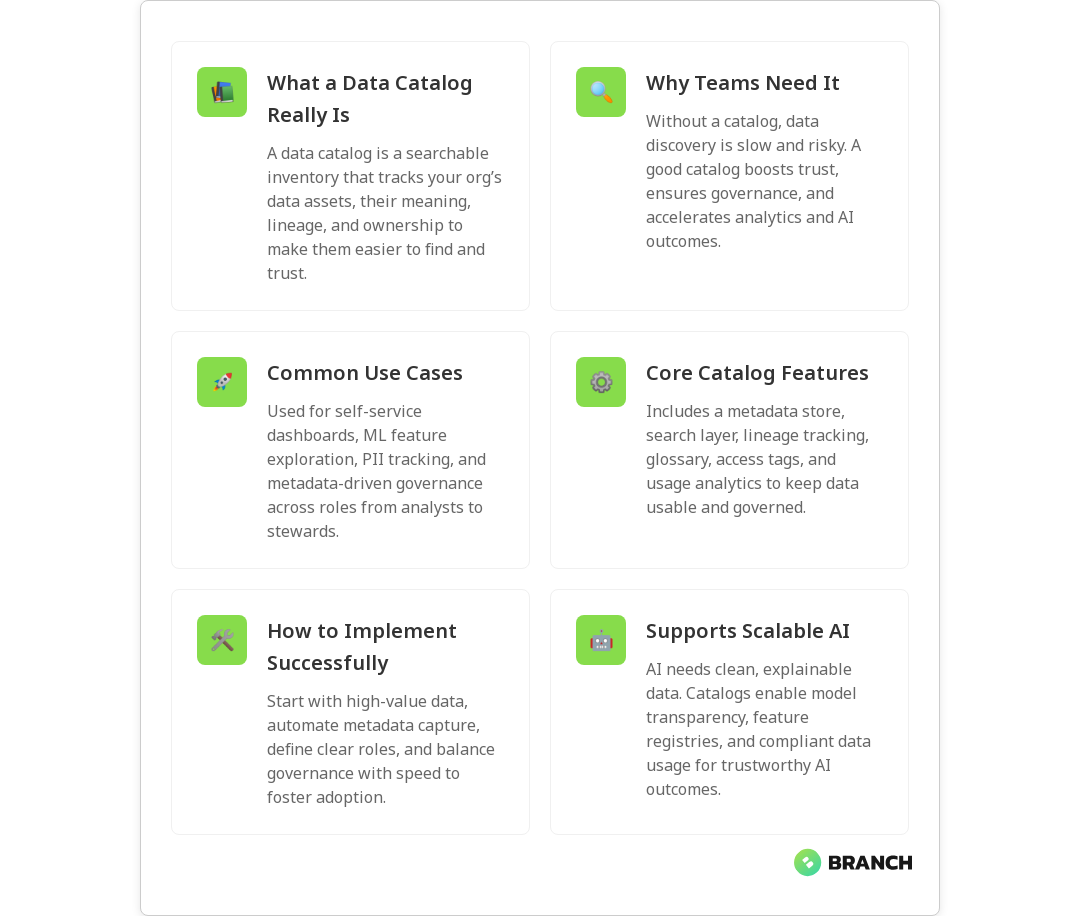
Good data catalogs improve discoverability, accelerate self-service analytics, support governance and compliance, and create transparency for AI models. Leading technology vendors describe catalogs as central metadata repositories that power discovery, automated metadata capture, and business context for data assets — core features if you want predictable outcomes from your data efforts (IBM on data catalogs, AWS on data catalogs).
What is a data catalog?
At its core, a data catalog is a metadata-driven inventory that documents what data exists, where it lives, what it means, how it’s used, and who’s responsible for it. Vendors and open-source projects implement this idea with automated harvesting, search indexation, lineage tracking, and collaboration features. For example, some platforms emphasize operational metadata capture and automated population so the catalog stays current as pipelines run (AWS), while others highlight governance, sensitivity tagging, and collaboration across stakeholders (Informatica).
Core components of a healthy data catalog
- Metadata store: Technical and business metadata about datasets, tables, files, dashboards, and features.
- Search and discovery: A fast search layer so users find data by name, tag, owner, or business term.
- Data lineage: End-to-end tracing of where data came from, how it was transformed, and where it’s used.
- Business glossary: Standardized definitions (revenue, active user, churn) to avoid semantic arguments.
- Access controls and sensitivity tags: Who can see what, and which datasets contain sensitive PII or regulated information.
- Usage analytics: Metrics that show which datasets are used most and by whom, helping prioritize maintenance.
In short, a catalog turns scattered metadata into an organized system that supports both governance and agility. Rather than poking around in direct SQL queries or guessing column meanings, users can find a dataset, read its description, check its lineage, and request access — all in one place.
How teams actually use data catalogs
Practical uses vary by team, but common patterns include:
- Self-service analytics: Business analysts search for a trustworthy sales dataset and build a dashboard without nagging engineering for access.
- Data governance: Compliance and privacy teams discover where PII lives and ensure policies are applied consistently.
- Machine learning: Data scientists find feature tables, understand their provenance, and tag features for model explainability.
- Data quality and ownership: Data stewards see usage patterns, triage issues faster, and identify stale assets for cleanup.
When a catalog is well-adopted, it reduces duplicated work (no more “golden table” copy created by a desperate analyst), improves reproducibility, and increases trust in analytics outputs.
Implementation strategies and common challenges
Rolling out a data catalog is part technology project, part change management. Here are practical strategies and the bumps you’re likely to hit.
Start small and prioritize
Don’t attempt a full-company metadata sweep on day one. Pick a high-value domain (e.g., sales and finance) and onboard critical datasets first. Win a few quick user feedback cycles, then expand.
Automate metadata capture
Manual documentation doesn’t scale. Use tools or pipelines that automatically harvest technical metadata (schema, table stats, last updated), and combine that with hooks to capture business metadata from users. Vendors like AWS highlight automated metadata population as a key capability to keep catalogs accurate as systems change (AWS).
Define clear roles
Assign data stewards and owners who can approve descriptions, tags, and access requests. Without accountable roles, catalogs become dusty museums of ignored entries.
Balance governance with speed
Governance is essential, but heavyweight approvals will kill adoption. Use policy-as-code where possible to enforce simple guardrails (e.g., block public access to sensitive tags) while keeping day-to-day discovery fast.
Expect cultural work
Success depends as much on people as on tech. Promote the catalog as a tool that saves time and reduces risk, not a policing instrument. Celebrate contributions like helpful dataset descriptions and lineage diagrams.
Trends and the role of catalogs in AI
As AI becomes central to product experiences, data catalogs play a bigger role in ensuring models are trained on traceable, compliant data. Modern catalogs are evolving to support:
- Feature registries: Catalogs are extending to manage ML features, their definitions, and lineage.
- Data labeling and model transparency: Tags that document labeling processes and dataset biases help with audits and model interpretability.
- Sensitivity and privacy tagging: Automated detection and labeling of PII assists in compliance and secure model training.
Vendors and practitioners emphasize metadata-driven approaches and collaboration to make AI outcomes repeatable and explainable. When your catalog includes model inputs and lineage, you reduce the “black box” feeling and make it easier to defend model decisions to stakeholders (Informatica, IBM).
Measuring success — what good looks like
Define metrics that demonstrate value: time-to-discovery, number of datasets with business descriptions, number of data stewards active, failed or blocked access requests, and reduction in duplicate datasets. Pair these quantitative metrics with user satisfaction surveys: if analysts are finding what they need faster and data owners are seeing fewer surprise access requests, you’re winning.
FAQ
What does data catalog mean?
A data catalog is a structured inventory of data assets and their metadata, including technical details, business context, and governance labels. It helps make data discoverable, understandable, and usable across the organization.
Why use a data catalog?
A data catalog reduces time spent searching for data, builds trust through lineage and ownership visibility, enforces governance, and accelerates analytics and AI initiatives by providing context around data assets.
What is data catalog in simple words?
It’s like a library catalog for your company’s data. It tells you what data exists, where it’s stored, what it means, and who to ask about it.
What is the difference between metadata and data catalog?
Metadata is information about data (like a column name, datatype, or last-modified timestamp). A data catalog is the system that organizes, indexes, and presents that metadata along with business context, lineage, and governance features.
What is the purpose of the data catalog?
The purpose is to make data discoverable, trustworthy, and governed. It helps teams quickly find the right data, understand its meaning and provenance, and use it safely while meeting compliance and policy requirements.