

Single sign-on (SSO) for learning management systems isn’t just a nice-to-have feature anymore—it’s become table stakes for organizations serious about reducing friction in their training programs. But here’s the thing: while most modern LMS platforms claim SAML support and promise seamless SSO integration, the reality is often more nuanced than the marketing materials suggest.
If you’re a learning and development leader, IT decision-maker, or operations manager evaluating LMS options, you’ve probably noticed that SSO conversations quickly veer into technical territory that feels disconnected from your actual business needs. This guide cuts through the jargon to explain how SSO actually works with LMS platforms, what implementation really looks like, and how to make smart decisions that serve both your users and your team’s bandwidth.
What Single Sign-On Actually Does for LMS Users
At its core, SSO allows your learners to access training materials using credentials they already have—typically their company login or a platform they’re already authenticated with. Instead of creating yet another username and password combination, they click a button, get redirected briefly, and land in the LMS ready to start learning.
For internal training programs, this means employees use their existing Active Directory, Google Workspace, or Okta credentials to access professional development, compliance training, or onboarding materials. For customer-facing training, learners might authenticate through your main product login, reducing the number of accounts they need to manage and creating a more seamless brand experience.
The business value is straightforward: research consistently shows that SSO leads to fewer forgotten passwords, reduced support tickets, higher completion rates, and a more professional user experience that doesn’t make learning feel like a separate, disconnected activity.
The Technical Foundation: How SSO Protocols Work with LMS Platforms
Most enterprise LMS platforms support SSO through standardized protocols, with SAML 2.0 being the most common. Here’s how the handoff actually works:
- User initiates login: Learner clicks “Sign in with Company Account” or similar button in the LMS
- Redirection to identity provider: LMS sends user to your organization’s identity provider (IdP) like Okta, Azure AD, or Google
- Authentication happens: User proves their identity with the IdP (or is already logged in)
- Assertion gets created: IdP creates a secure SAML assertion containing user identity and any relevant attributes
- User returns to LMS: IdP redirects user back to LMS with the encrypted assertion
- LMS validates and logs in: LMS verifies the assertion signature and creates or updates the user session
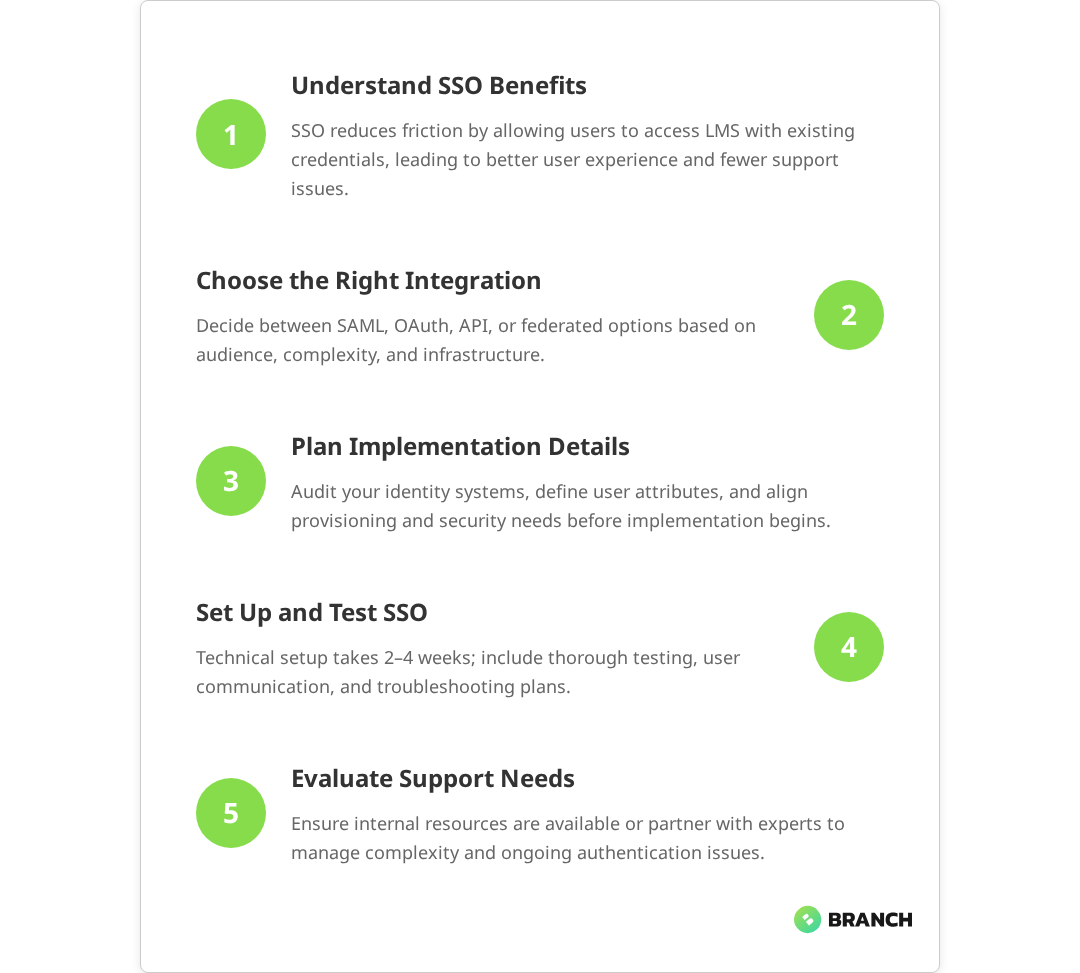
While this process sounds seamless, the devil is in the implementation details. Each identity provider has slightly different ways of formatting assertions, handling user attributes, or managing session timeouts. This is where the gap between “supports SAML” and “works perfectly with your specific setup” becomes apparent.
Common SSO Integration Patterns for LMS Platforms
Different organizations approach LMS SSO integration based on their user base, technical constraints, and business priorities. Here are the most common patterns we see:
| Integration Pattern | Best For | Technical Complexity | Key Considerations |
|---|---|---|---|
| Direct SAML Integration | Internal employee training | Medium | Requires IdP configuration, attribute mapping |
| OAuth/OpenID Connect | Consumer or mixed audiences | Medium-High | More flexible but requires custom development |
| API-Based Authentication | Embedded training experiences | High | Full control but significant development effort |
| Federated Identity Bridge | Multiple identity sources | High | Complex but handles diverse user bases |
The choice between these patterns depends heavily on your specific context. If you’re rolling out compliance training to 500 employees who all use the same Active Directory, direct SAML integration is probably your most straightforward path. If you’re building customer education that needs to work for users from dozens of different companies, you might need a more sophisticated approach.
Read more about the foundational steps in eLearning platform development and how authentication fits into the broader user experience.What the research says
- Multiple studies confirm that SSO implementations provide significant benefits including reduced password-related support tickets and improved user adoption rates in enterprise training programs.
- Industry research indicates that SAML 2.0 is the most widely adopted SSO protocol for LMS platforms, with OAuth 2.0 and OpenID Connect gaining traction for consumer-facing applications.
- Implementation studies show that attribute mapping for user roles and department information often requires custom configuration work, even with platforms that advertise “out-of-the-box” SSO support.
- Early evidence suggests that hybrid authentication models—allowing both SSO and traditional login methods—provide the most flexibility during deployment, though more research is needed on optimal rollout strategies.
The Reality of LMS SSO Implementation
Here’s where we need to have an honest conversation about what “SAML-supported” actually means in practice. While most modern LMS platforms do support standard SSO protocols, implementation often requires more technical work than organizations anticipate.
Common implementation challenges include:
- Identity provider compatibility: Your LMS might support SAML, but specific IdPs like Google Cloud Identity Platform (GCIP) may require custom configuration work
- Attribute mapping: Getting user roles, departments, or custom fields to flow correctly between systems often needs developer attention
- User provisioning: Deciding whether users are created automatically on first login or need to be pre-provisioned
- Session management: Coordinating session timeouts between your IdP and LMS to avoid confusing user experiences
- Group and role assignment: Ensuring users land in the right courses or learning paths based on their organizational attributes
The most common pain point we see is the assumption that IT teams will prioritize LMS integration work. Training and development initiatives often compete with core business applications for developer time, and SSO setup can sit in limbo while engineering teams focus on revenue-generating features.
When SSO Makes Sense (and When It Doesn’t)
Not every LMS deployment needs SSO, and rushing into complex authentication setups can sometimes create more problems than it solves. Here’s how to think through the decision:
SSO is usually worth the effort when:
- You’re deploying training to more than 50 regular users
- Learning is part of a larger workflow or business process
- You’re dealing with compliance requirements that make abandoned accounts a risk
- Users are already authenticated in related systems (your main product, intranet, etc.)
- You have technical resources available for proper implementation and testing
Simple username/password might be fine when:
- You’re running short-term training programs or one-off events
- Your audience is primarily external customers who don’t have company accounts
- Technical resources are limited and user adoption isn’t dependent on seamless login
- The LMS is used infrequently enough that login friction isn’t a major barrier
The key insight here is that SSO should solve a real user experience or administrative problem, not just check a technical box. If your learners are already comfortable managing training credentials separately, or if the implementation effort would delay your program launch significantly, sometimes the simpler approach wins.
Read more about LMS system integrations and how training data flows connect with broader enterprise systems.Implementation Planning and Resource Requirements
Successful LMS SSO integration requires coordination across multiple teams and careful attention to both technical and user experience details. Here’s what realistic planning looks like:
Pre-implementation discovery:
- Audit your existing identity infrastructure and user directories
- Map out required user attributes and how they should influence LMS access
- Define user provisioning and de-provisioning workflows
- Identify any compliance or security requirements that affect authentication flows
- Establish testing procedures for different user scenarios
Implementation phase considerations:
- Technical setup: 2-4 weeks for standard SAML integration, longer for custom requirements
- Testing and iteration: 1-2 weeks to work through edge cases and user scenarios
- User communication: Plan for change management if users are switching from existing login methods
- Monitoring and support: Establish processes for troubleshooting SSO-related login issues
The most successful implementations we’ve seen treat SSO setup as a collaborative effort between IT, learning teams, and end users, rather than a purely technical project handed off to developers.
Choosing Between Off-the-Shelf and Custom Solutions
When existing LMS platforms don’t quite fit your SSO requirements, you have several paths forward. The right choice depends on your specific constraints, timeline, and long-term learning strategy.
Extending existing LMS platforms works well when you love most aspects of a platform but need specific SSO capabilities. Many enterprise LMS vendors offer professional services to handle complex integration requirements, though this obviously increases your total cost of ownership.
Custom LMS development makes sense when your learning requirements are unique enough that off-the-shelf solutions feel limiting, or when tight integration with your existing product ecosystem is critical. The trade-off is significantly higher upfront investment and ongoing maintenance responsibility.
Hybrid approaches are increasingly common—using a standard LMS for most functionality while building custom authentication and user management layers that provide the exact experience your users need.
Read more about eLearning standards and how technical requirements like SCORM compliance interact with authentication systems.Working with Implementation Partners
Many organizations find that LMS SSO projects benefit from external expertise, particularly when internal development resources are limited or when you’re dealing with complex identity requirements.
The right implementation partner brings experience with both the technical integration work and the organizational change management aspects of rolling out new authentication systems. They can help you navigate the gap between vendor promises and implementation realities, while ensuring your solution actually serves your users’ needs.
Key capabilities to look for include experience with your specific LMS platform, familiarity with your identity infrastructure, and a track record of delivering projects that balance technical requirements with user experience priorities. The best partnerships feel collaborative rather than transactional—your implementation partner should understand your learning goals, not just execute technical specifications.
For organizations building custom learning platforms or extending existing LMS capabilities significantly, working with a team that combines LMS implementation expertise with enterprise systems integration capabilities can streamline the entire project while ensuring all the pieces work together seamlessly.
Making Your SSO Decision
The path forward depends on your specific context, but here are the key questions that should guide your decision:
- How many users will regularly access your LMS, and what’s their current authentication experience?
- Do you have internal technical resources available for integration work, or will you need external support?
- How critical is seamless authentication to your learning program’s success?
- What other systems need to integrate with your LMS beyond authentication?
- Are you building something that needs to scale significantly, or solving a specific near-term need?
The best SSO implementations serve your actual users and business requirements, rather than checking technical boxes or following industry best practices that don’t fit your reality. Sometimes that means accepting some login friction in exchange for faster deployment. Sometimes it means investing in custom development to create exactly the experience your users need.
If you’re evaluating LMS platforms with SSO requirements, or considering custom eLearning development that includes sophisticated authentication, the most important step is honest assessment of your technical capacity, user needs, and timeline constraints. From there, you can make informed trade-offs that serve your learning objectives without overcomplicating your technology stack.
Ready to explore how SSO integration might work for your specific LMS requirements? Let’s talk about your learning platform goals and what implementation approaches make sense for your organization.
FAQ
Do all modern LMS platforms really support SSO out of the box?
Most enterprise LMS platforms support SAML 2.0, but 'out of the box' can be misleading. While the technical capability exists, implementation often requires configuration work, attribute mapping, and testing with your specific identity provider. The gap between 'supports SSO' and 'works seamlessly with your setup' is where many organizations get surprised by the technical effort required.
How much developer time should I budget for LMS SSO integration?
For standard SAML integration with common identity providers, expect 2-4 weeks of developer time including setup, testing, and troubleshooting. More complex requirements like custom attribute mapping, multiple identity sources, or OAuth implementations can extend this to 6-8 weeks. The challenge is often securing developer time rather than the technical complexity itself.
Is SSO worth implementing for external customer training programs?
It depends on your customer base and how the training fits into their workflow. If customers are already logged into your main product and training is part of their user journey, SSO provides significant value. But if training is standalone or customers come from diverse organizations without unified identity systems, simple account creation might be more practical.
What happens when SSO integration breaks or users can't log in?
SSO issues typically stem from certificate expiration, identity provider configuration changes, or session timeout mismatches. Having fallback authentication methods and clear troubleshooting procedures is essential. Most LMS platforms allow bypass options for administrators, and good implementation includes monitoring and alerting for authentication failures.
Can we implement SSO gradually, or does it need to be all-or-nothing?
Most LMS platforms support hybrid authentication, allowing some users to authenticate via SSO while others use traditional login methods. This lets you roll out SSO to specific user groups, test thoroughly, and migrate users gradually. It's often the safest approach for large organizations or complex user bases.