Young Hispanic woman in technology career, authentic portrait of programmer or cybersecurity professional

What is RAG and How Can It Transform Your Business AI Strategy

Retrieval-Augmented Generation (RAG) is quickly becoming one of the most practical ways for businesses to harness AI without starting from scratch. Unlike building custom language models from the ground up, RAG combines the power of large language models with your existing knowledge base, creating AI systems that can answer questions, generate content, and solve problems using your organization’s specific data.

For CTOs, product owners, and digital leaders evaluating AI initiatives, RAG offers a compelling middle ground: you get sophisticated AI capabilities without the enormous costs and complexity of training your own models. But like any powerful technology, RAG’s success depends heavily on how thoughtfully you approach implementation—and whether your data foundation is ready for it.

How RAG Works: The Mechanics Behind the Magic

At its core, RAG is a two-step process confirmed by multiple technical sources. When someone asks your AI system a question, it first retrieves relevant information from your knowledge base (the “retrieval” part), then uses that information to generate a response through a language model (the “generation” part).

Here’s what happens under the hood:

  • Document processing: Your content—whether it’s PDFs, databases, or web pages—gets broken down into smaller, searchable chunks
  • Embedding creation: Each chunk is converted into mathematical representations (embeddings) that capture semantic meaning
  • Query processing: When someone asks a question, the system converts it into the same embedding format
  • Retrieval: The system finds the most relevant chunks by comparing embeddings
  • Generation: A language model uses the retrieved information to craft a contextual response

The elegance of this approach is that the language model doesn’t need to “know” your specific business information—it just needs to be good at understanding and generating text based on the context you provide.

đź’ˇ Tip: Start small with a well-defined use case and clean data before expanding your RAG system. Most failed implementations try to do too much too fast rather than proving value incrementally.

Why Most RAG Projects Struggle (And How to Avoid Those Pitfalls)

Despite RAG’s promise, many organizations find their initial implementations falling short of expectations. Research consistently shows that the most common culprit isn’t the AI technology itself—it’s the quality and organization of the underlying data.

Think of RAG as a highly efficient research assistant. If you hand that assistant a filing cabinet full of mislabeled, outdated, or inconsistent documents, even the best research skills won’t produce good results. The same principle applies to RAG systems: they amplify the quality of your input data, for better or worse.

The Data Quality Foundation

Before considering advanced RAG features or complex architectures, organizations need to address fundamental data hygiene:

  • Content consistency: Multiple studies confirm that similar information described using consistent terminology and structure significantly improves retrieval accuracy
  • Freshness: Technical analysis shows that outdated information directly leads to outdated AI responses, making data currency critical
  • Completeness: Missing context or incomplete documents create gaps in AI knowledge
  • Structure: Research demonstrates that well-organized content with clear headings and logical flow substantially improves retrieval accuracy
Read more: How DataOps practices can transform your data foundation for AI success.

Many teams get excited about advanced “agentic” RAG systems that can use tools, make decisions, and orchestrate complex workflows. While these capabilities can be powerful, they often add complexity and latency without addressing the core issue: if your base knowledge is weak, more sophisticated AI layers just amplify the weaknesses.

What the research says

  • Industry analysis confirms that RAG implementations with well-organized, consistent data foundations achieve significantly higher accuracy rates than those built on fragmented or poorly structured information
  • Studies show that starting with focused use cases and clean datasets leads to measurably better outcomes than attempting broad, comprehensive deployments from the outset
  • Research demonstrates that data freshness directly impacts response quality—systems using current information outperform those relying on outdated knowledge bases
  • Early evidence suggests that while advanced agentic approaches can handle complex reasoning tasks, they may not be necessary for many common business applications like FAQ systems or document search
  • Technical evaluations indicate that basic RAG architectures often provide the best balance of performance and maintainability for organizations beginning their AI journey

RAG Implementation Approaches: From Simple to Sophisticated

Not all RAG systems are created equal. The right approach depends on your specific use case, data complexity, and performance requirements. Here’s how different implementation strategies compare:

ApproachBest ForComplexityResponse SpeedAnswer Quality
Basic RAGFAQ systems, simple document searchLowFastGood for straightforward queries
Hybrid RAGMulti-format content, complex queriesMediumModerateBetter handling of varied content
Agentic RAGResearch tasks, multi-step analysisHighSlowExcellent for complex reasoning

When to Choose Each Approach

Basic RAG is well-documented as the optimal choice for customer support systems, internal knowledge bases, or any scenario where users need quick, direct answers to specific questions. It’s fast, reliable, and easier to troubleshoot when things go wrong.

Hybrid RAG combines semantic search with structured data queries, making it ideal for organizations with mixed content types—documents, databases, and structured records. This approach requires more sophisticated chunking and indexing strategies but handles diverse information sources more effectively.

Agentic RAG systems can reason across multiple sources, use external tools, and perform multi-step analysis. Research shows these systems excel at research tasks and complex reasoning but come with documented trade-offs in speed and complexity. Consider this approach only after proving value with simpler implementations.

Strategic Implementation: Building RAG That Actually Works

Successful RAG implementation isn’t just about choosing the right technology—it’s about aligning that technology with your business needs and organizational readiness.

Start With Clear Use Cases

Rather than implementing RAG as a general solution, identify specific pain points where AI-powered knowledge retrieval would provide clear value:

  • Customer support: Reduce response times by helping agents find relevant information faster
  • Sales enablement: Help sales teams access product information, case studies, and competitive intelligence
  • Employee onboarding: Create intelligent systems that can answer common questions about policies, procedures, and tools
  • Research and analysis: Enable teams to quickly find relevant insights across large document sets

Technical Architecture Considerations

The technical foundation of your RAG system will determine its long-term scalability and maintainability. Key architectural decisions include:

  • Chunking strategy: How you break down documents affects retrieval accuracy
  • Embedding models: Different models work better for different content types
  • Vector databases: Choose storage solutions that can scale with your data growth
  • Retrieval methods: Semantic search, keyword matching, or hybrid approaches
  • Update mechanisms: How new content gets incorporated into the system
đź’ˇ Tip: Plan your chunking strategy around how humans naturally organize and search for information in your domain. Function-based chunking often works better than arbitrary size limits.

Beyond the Hype: When RAG Isn’t the Right Answer

While RAG is powerful, it’s not a universal solution. Some business challenges are better addressed with conventional engineering, structured databases, or simpler automation.

Consider alternatives to RAG when:

  • Data is already highly structured: If your information lives in databases with clear schemas, traditional search and filtering might be more efficient
  • Simple data transformations: Converting formats, aggregating numbers, or basic reporting rarely need AI
  • Real-time requirements: RAG systems add latency that might not be acceptable for time-critical applications
  • Highly regulated environments: Some compliance requirements make the black-box nature of AI responses problematic

The key is matching the solution to the actual problem. AI becomes valuable when you need to handle natural language queries, work with unstructured content, or provide contextual responses that require some level of reasoning.

Measuring RAG Success: Metrics That Matter

Unlike traditional software projects, RAG systems require different success metrics. Response accuracy, user satisfaction, and retrieval relevance matter more than traditional performance metrics.

Important metrics to track include:

  • Retrieval precision: How often the system finds truly relevant information
  • Answer accuracy: Whether responses correctly address user questions
  • User adoption: How frequently people use the system in practice
  • Response time: Balancing thoroughness with speed expectations
  • Escalation rates: How often users need human assistance after using the AI system

Regular evaluation with real users provides insights that technical metrics alone can’t capture. Plan for iterative improvement based on actual usage patterns rather than theoretical performance.

Read more: LLMOps practices for maintaining and improving RAG systems in production.

Working With RAG Specialists: When to Build vs. Partner

Organizations face a critical decision: build RAG capabilities internally or work with specialized partners. The right choice depends on your technical capacity, timeline, and long-term AI strategy.

Building Internal RAG Capabilities

Consider internal development when you have:

  • Strong ML/AI engineering teams already in place
  • Time to iterate and learn from early implementations
  • Unique domain requirements that require deep customization
  • Long-term commitment to building AI competencies

Partnering with RAG Specialists

External partnerships make sense when you need:

  • Faster time to market with proven approaches
  • Access to specialized knowledge about RAG architectures and best practices
  • Focus on your core business while leveraging AI expertise
  • Risk mitigation through experienced implementation

A thoughtful partner can help you avoid common pitfalls, establish solid foundations, and build internal capabilities over time. Look for teams that emphasize data quality, practical implementation, and knowledge transfer rather than just deploying the latest AI features.

At Branch Boston, our approach to RAG and AI integration focuses on aligning technology choices with your specific business context. We help organizations assess their readiness, design appropriate architectures, and implement systems that actually solve real problems rather than just showcasing impressive technology.

Getting Started: A Practical RAG Implementation Roadmap

Ready to explore RAG for your organization? Here’s a practical approach that balances ambition with pragmatic execution:

Phase 1: Foundation Assessment (2-4 weeks)

  • Audit existing content and data sources
  • Identify high-value use cases with clear success metrics
  • Evaluate technical infrastructure and team capabilities
  • Define success criteria and measurement approaches

Phase 2: Pilot Implementation (4-8 weeks)

  • Start with a focused use case and clean data subset
  • Implement basic RAG architecture with robust evaluation
  • Test with real users and gather feedback
  • Iterate on chunking, retrieval, and generation strategies

Phase 3: Scaling and Enhancement (8-12 weeks)

  • Expand to additional content sources and use cases
  • Implement production monitoring and maintenance processes
  • Consider hybrid approaches or advanced features based on learnings
  • Plan for ongoing content updates and system evolution

This phased approach allows you to prove value quickly while building the foundation for more sophisticated applications. Each phase provides concrete deliverables and learning opportunities that inform subsequent decisions.

If you’re considering custom AI development or need help with data strategy and architecture to support your RAG implementation, our team can help assess your specific situation and recommend the most practical path forward.

FAQ

How much data do I need to make RAG worthwhile?

RAG can be effective with relatively small, well-organized datasets—even a few hundred high-quality documents can provide value. The key is having content that's relevant to your use case and properly structured. Quality matters much more than quantity, especially in the early stages of implementation.

Can RAG work with real-time data or does it only handle static documents?

RAG systems can incorporate real-time data, but this requires additional architecture for continuous updates and reindexing. Static documents are easier to start with, but dynamic content like databases, APIs, or frequently updated documents can be integrated with the right technical approach and update mechanisms.

What's the difference between RAG and just using ChatGPT for business questions?

Generic AI models like ChatGPT don't know your specific business information and can't access your internal documents or databases. RAG systems combine AI language capabilities with your proprietary knowledge base, ensuring responses are based on your actual content rather than general training data. This provides more accurate, relevant, and trustworthy answers for business-specific questions.

How do I know if my organization is ready for RAG implementation?

Key readiness indicators include: having a clear use case with measurable value, reasonably organized content that people currently search through manually, technical infrastructure that can support AI workloads, and stakeholder buy-in for iterative development. If you're spending significant time manually searching documents or answering repetitive questions, RAG might provide clear value.

What are the ongoing costs and maintenance requirements for RAG systems?

RAG systems require ongoing costs for hosting, API usage, and content updates, plus maintenance time for monitoring performance, updating embeddings when content changes, and fine-tuning retrieval strategies. Budget for both infrastructure costs and team time—successful RAG implementations need regular attention to maintain accuracy and relevance as your content evolves.
1763550737591-bnqn1s2rp4l

How to Build a Visual Identity System

A visual identity system isn’t just a logo and a color palette—it’s the visual DNA that makes your organization recognizable, trustworthy, and memorable across every touchpoint. Research consistently shows that comprehensive visual identity systems, when applied consistently across all touchpoints, create recognition, build trust, and enhance memorability far beyond what individual design elements can achieve. Yet too many teams treat it as an afterthought, slapping together assets without considering how they’ll work together at scale, or worse, over-investing in polish before they’ve figured out what actually matters to their audience.

For B2B leaders evaluating their brand presence, the stakes are real. Your visual identity system directly impacts how prospects perceive your expertise, how partners engage with your content, and how your own team presents your work consistently. Multiple studies confirm that consistent and well-designed visual identity signals reliability, builds trust, and strengthens recognition across all stakeholder groups. Get it right, and you create a foundation for growth. Get it wrong, and you’re fighting an uphill battle for credibility in every conversation.

This guide breaks down how to build a visual identity system that serves your business goals—not just your aesthetic preferences—with practical frameworks for scoping, creating, and implementing a system that evolves with your organization.

What Makes a Visual Identity System Actually Systematic

The difference between a collection of brand assets and a true visual identity system lies in intentional relationships. A system anticipates how elements will combine, conflict, and scale across different contexts, from business cards to software interfaces to conference presentations.

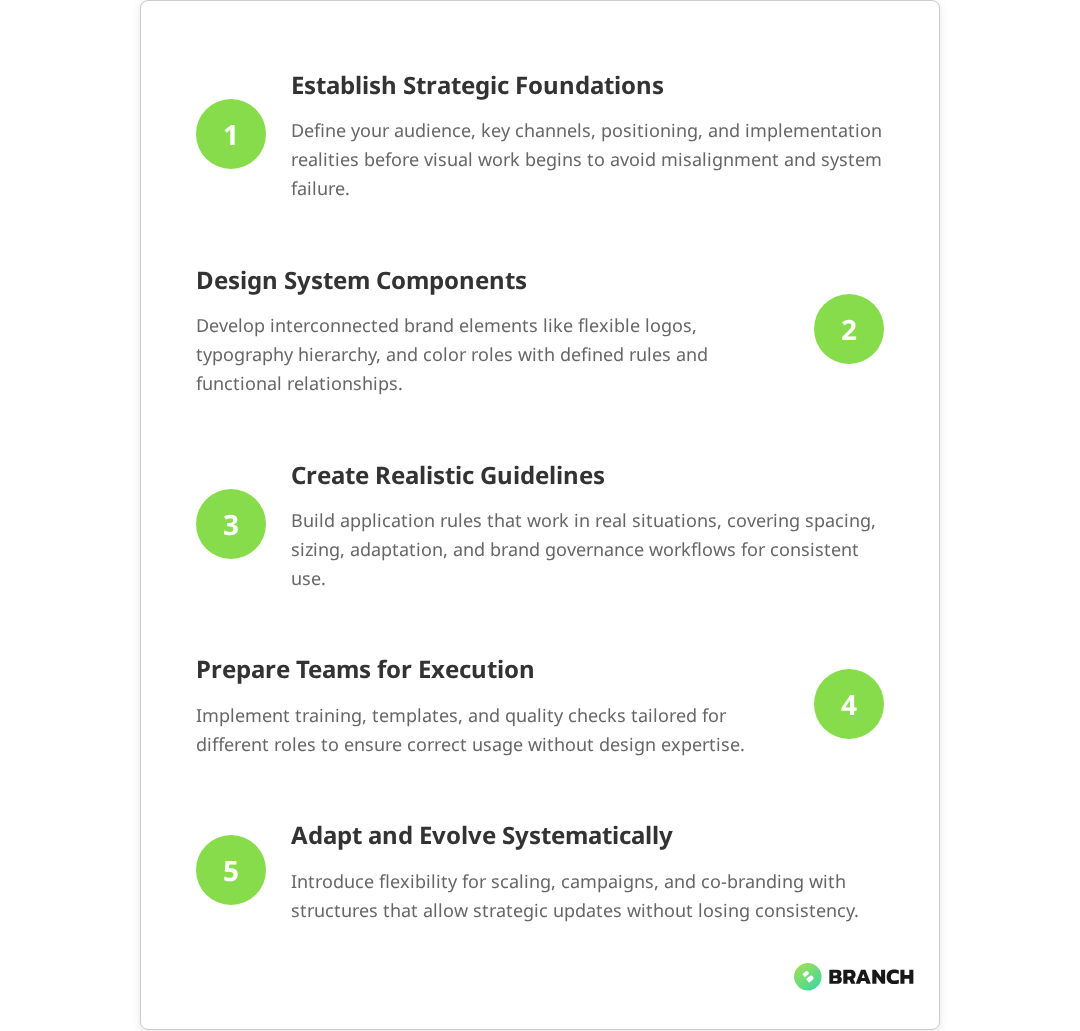
At its core, an effective visual identity system includes:

  • Brand foundation elements: logo variations, typography hierarchy, color palette with specific usage rules
  • Application guidelines: how elements combine in real scenarios, spacing requirements, size limitations
  • Flexibility frameworks: approved ways to adapt the system for different audiences, channels, or campaign needs
  • Governance structure: who makes decisions about changes, how new applications get approved, what’s off-limits

The key insight here is that a visual identity system succeeds not because every element is perfectly designed in isolation, but because the relationships between elements are clearly defined and consistently applied. Multiple expert sources confirm that effectiveness relies on clearly defined rules, relationships, and consistent application of visual elements under documented guidelines to create a unified brand experience. This is why many beautifully designed brands fall apart in practice—they lack the connective tissue that makes individual components work together.

Read more about strategic foundations that inform effective visual identity systems.

The Strategic Foundation: Why Visual Identity Systems Fail

Most visual identity projects stumble at the strategy stage, not the design stage. Research shows that branding failures stem primarily from strategic failures rather than design execution, with poor brand strategy development identified as a ‘fatal error’ that leads to brand downfall. Teams jump straight to aesthetics without establishing the strategic framework that should guide every visual decision. This leads to systems that look good in isolation but don’t serve the business effectively.

Common strategic failures include:

  • Audience misalignment: designing for the wrong stakeholder (often internal preferences rather than audience needs)
  • Channel blindness: not considering where and how the identity will actually be used
  • Scale naivety: creating systems that work for current needs but break as the organization grows
  • Implementation gaps: beautiful guidelines that no one can actually execute consistently

Studies indicate that 71% of customers switch brands due to misaligned values or poor messaging, highlighting how audience misalignment undermines brand effectiveness when teams prioritize internal design preferences over customer-focused implementation.

Before any visual work begins, successful identity projects establish clear answers to these strategic questions:

Strategic AreaKey QuestionsOutput
Audience DefinitionWho needs to recognize and trust us? What visual cues matter to them?Primary and secondary audience profiles with visual preferences
Channel MappingWhere will this identity live? What are the technical constraints?Priority touchpoint list with specifications and limitations
Brand PositioningWhat do we want to be known for? How do we differ from alternatives?Clear positioning statement that guides visual choices
Implementation RealityWho will use this system? What are their skills and constraints?Implementation requirements and governance framework
đź’ˇ Tip: Test your strategic foundation by having someone outside your team explain back what your brand should feel like based on your positioning. If they can't capture it clearly, your visual identity system won't either.

What the research says

  • Companies with clear, consistent brand strategies achieve up to 23% higher revenue compared to those with inconsistent branding, demonstrating the fundamental importance of strategic clarity over aesthetic preferences.
  • Visual identity systems that include comprehensive governance structures—with defined decision-making roles and approval workflows—maintain brand integrity more effectively than systems relying on individual judgment calls.
  • Organizations that plan for scalability from the outset avoid costly rebrands, while those that design only for current needs often face system breakdowns as they grow across new channels and team structures.
  • Early research suggests that the most common failure point is the gap between creating beautiful guidelines and achieving consistent implementation, though more systematic study of this implementation challenge is needed.

Building the Core System: Components and Relationships

With strategy established, the actual system development follows a structured approach that prioritizes relationships over individual elements. This isn’t about making everything look the same—it’s about making everything work together intentionally.

Logo Architecture and Flexibility

Your logo isn’t a single asset—it’s a family of related marks that work across different contexts. Most organizations need at least three variations:

  • Primary mark: full logo for ideal conditions (sufficient space, high visibility)
  • Secondary mark: simplified version for small or low-contrast applications
  • Icon/symbol: standalone element for social media, favicons, or branded patterns

Multiple credible sources in the branding and design industry confirm that these three variations help brands adapt their visual identity for different sizes, orientations, and uses while maintaining brand recognition. Each variation should feel connected but serve different functional needs. The relationship between these elements—shared color, typography, or visual style—creates the systematic foundation that extends to other brand components.

Typography That Actually Works

Typography hierarchy goes beyond picking fonts. An effective system defines specific relationships between different text treatments, ensuring that headlines, body copy, and supporting text work together to guide attention and comprehension.

Key considerations include:

  • Accessibility requirements: contrast ratios, reading levels, screen reader compatibility
  • Technical constraints: web fonts vs. system fonts, licensing across teams, file size implications
  • Brand personality alignment: how typography choices reinforce your positioning and audience expectations
  • Scalability: how the hierarchy adapts from business cards to billboards to mobile interfaces
Read more about extending visual identity into scalable design systems with cohesive UX components.

Color Strategy Beyond Pretty Palettes

Color decisions in a visual identity system aren’t aesthetic choices—they’re functional ones. Every color needs a job, and the palette needs to work across different media, accessibility requirements, and cultural contexts your audience brings to the interaction. Research emphasizes that color choices in branding should be deliberate and functional, with colors having defined roles and meeting accessibility standards for inclusive communication.

A systematic approach to color includes:

  • Primary palette: 2-3 core colors that represent your brand in high-impact applications
  • Secondary palette: 3-5 supporting colors that provide flexibility without diluting brand recognition
  • Neutral system: grayscale progression that works with your brand colors and provides hierarchy options
  • Functional colors: specific colors for interactive states, error messaging, or category organization

Each color group needs defined usage rules, accessibility considerations, and approved combinations. This prevents the common problem where brand colors look great in presentations but create readability issues in actual applications.

Application Guidelines That People Actually Follow

The most beautifully designed system fails if people can’t implement it consistently. Effective application guidelines anticipate real-world constraints and provide clear decision-making frameworks rather than rigid rules.

Practical guidelines address:

  • Minimum size requirements: when to use which logo variation based on actual dimensions
  • Color adaptation rules: how to maintain brand integrity when your preferred colors don’t work
  • Spacing and proportion: mathematical relationships that ensure visual balance across applications
  • Approval processes: who decides when something is “on-brand” and what happens when it’s not

Implementation Strategy: From Guidelines to Reality

The gap between beautiful brand guidelines and consistent implementation kills most visual identity systems. Multiple sources confirm that companies often develop strong visual identity rules that look good on paper but are not practical or tested in real-world settings, leading to inconsistent application and eventual brand erosion. Success requires thinking beyond the design phase to consider who will use the system, how they’ll access it, and what support they’ll need to execute it effectively.

Team Alignment and Training

Different team members need different levels of brand system knowledge. Your sales team doesn’t need to understand color theory, but they need to know which presentation template to use for different prospect types. Your marketing team needs deeper system knowledge to create new materials that feel cohesive.

Effective implementation includes:

  • Role-specific training: tailored guidance for different team functions and skill levels
  • Template libraries: pre-built assets that make correct implementation easier than incorrect implementation
  • Decision trees: clear frameworks for choosing between options when guidelines don’t cover specific situations
  • Quality checkpoints: regular review processes that catch inconsistencies before they become habits
💡 Tip: Build your brand system like software—with user testing, iteration, and clear documentation that assumes the person implementing it has different priorities and constraints than the person who designed it.

Scaling and Evolution: When to Adapt vs. When to Hold Firm

A rigid visual identity system breaks under the pressure of real business needs. A system without boundaries loses its effectiveness through inconsistent application. The key is building flexibility into the system itself rather than making exceptions on a case-by-case basis.

Strategic flexibility might include:

  • Audience-specific variations: approved ways to adapt tone or emphasis for different stakeholder groups
  • Campaign extensions: guidelines for temporary brand expressions that connect to but don’t dilute the core identity
  • Partnership accommodations: frameworks for co-branding that maintain your identity integrity
  • Evolution pathways: processes for updating the system as your organization and market evolve

The organizations that get this right treat their visual identity system as a living framework rather than a fixed set of rules. They build in mechanisms for learning, feedback, and systematic improvement that keep the brand relevant and effective over time.

When to Build In-House vs. When to Bring in Specialists

The decision to develop a visual identity system internally or work with external specialists depends more on strategic complexity than design complexity. If your brand challenges are primarily about internal alignment and consistent execution, you might have the capabilities in-house. If you’re repositioning for new markets, differentiating in crowded competitive landscapes, or scaling across multiple audience segments, specialist experience becomes valuable.

Consider external support when you need:

  • Strategic objectivity: outside perspective on positioning and audience needs
  • Technical expertise: complex applications across digital and physical touchpoints
  • Change management: experience helping organizations adopt new brand systems
  • Efficiency: faster development timeline than internal resources allow

The best collaborations happen when organizations are clear about what they want to own internally (ongoing management, template updates, campaign applications) versus what they want specialist help with (strategic foundation, core system development, implementation training).

Teams like Branch Boston specialize in translating complex organizational needs into clear, systematic visual expressions that work across different stakeholder groups and technical environments. The value isn’t just in design execution—it’s in strategic thinking that connects brand expression to business objectives and operational realities.

Measuring Success: Beyond “Does It Look Good?”

Visual identity systems succeed when they solve business problems, not when they win design awards. Effective measurement focuses on adoption rates, consistency levels, and business impact rather than aesthetic preferences.

Key success metrics include:

  • Adoption consistency: how often team members choose the right brand elements without guidance
  • Implementation speed: how quickly new materials can be created that feel cohesive with existing brand expression
  • Stakeholder recognition: whether your target audience recognizes and responds positively to your brand across different contexts
  • Operational efficiency: reduction in time spent on brand-related decisions and revisions

The most successful visual identity systems become invisible infrastructure—they make everything else work better without calling attention to themselves. When your team stops having conversations about whether something “feels on-brand” because the system makes those decisions obvious, you’ve built something that serves your organization effectively.

FAQ

How long does it take to develop a complete visual identity system?

Development timelines vary based on organizational complexity and scope, but most comprehensive systems take 8-16 weeks from strategy through implementation guidelines. This includes stakeholder alignment (2-3 weeks), core system development (4-6 weeks), application design (3-4 weeks), and implementation support (2-3 weeks). Rushing this process usually creates gaps that require expensive fixes later.

What's the difference between a visual identity system and a brand style guide?

A style guide documents existing brand elements, while a visual identity system creates intentional relationships between elements that work across different contexts. Style guides are often static documents; identity systems include frameworks for making new decisions consistently. Think of it as the difference between a parts catalog and an assembly manual.

How do I know if our current brand assets can be evolved or if we need to start from scratch?

Audit your existing assets against your strategic positioning and audience needs. If your current elements support your positioning and work across required channels, evolution is often more efficient than starting over. However, if there's a fundamental misalignment between your visual expression and business strategy, or if quality or technical issues prevent consistent implementation, rebuilding may be necessary.

What happens when team members disagree about brand applications?

This is why governance structure is critical. Effective systems include decision-making frameworks and designated brand stewards who can resolve questions quickly. The goal isn't to eliminate all subjective judgment but to provide objective criteria for brand decisions. Most disagreements resolve when there are clear functional criteria (audience fit, technical feasibility, strategic alignment) rather than just aesthetic preferences.

How often should we update or refresh our visual identity system?

Minor updates happen continuously as you learn what works in practice. Major refreshes typically happen every 5-10 years or when there's significant business strategy change. However, the system itself should be built to accommodate evolution—new applications, audience segments, or channel requirements—without requiring complete overhauls. Regular audits help you distinguish between system problems and implementation problems.

Phishing Cyber Security Ransomware Fingerprint Email Encrypted Technology, Digital Information Protected Secured

How to Turn Employees into Cybersecurity Defenders

Your employees might be your biggest cybersecurity vulnerability—or your strongest line of defense. Research consistently shows that 67% of organizations report employees lack basic security awareness, yet comprehensive training programs can transform staff into effective threat detectors and responders. The difference often comes down to how you approach cybersecurity awareness training.

Most organizations treat cybersecurity training like a compliance checkbox: mandatory, generic, and forgotten the moment someone clicks “complete.” Studies confirm that this approach—treating training as information to absorb rather than skills to practice—fails to create lasting behavioral change. But what if we flipped the script? What if instead of just making people “aware” of threats, we actually equipped them to recognize, respond to, and prevent cyberattacks?

This isn’t about turning your marketing team into ethical hackers (though that would be cool). It’s about building a security-minded culture where everyone—from the C-suite to summer interns—thinks like a defender. Here’s how to make it happen.

Why Most Cybersecurity Training Misses the Mark

Let’s be honest: a lot of cybersecurity awareness training exists primarily to satisfy legal requirements and provide organizational cover. When a breach happens, leadership can point to training records and say, “We did our part.” But did you really?

The problem with checkbox training is that it treats cybersecurity like information to absorb rather than skills to practice. Multiple studies confirm this approach is fundamentally flawed—recent research involving 19,500 employees found no significant relationship between annual mandated training completion and phishing susceptibility. Employees sit through presentations about phishing, password hygiene, and social engineering, then return to their desks with no practical way to apply what they’ve learned.

Common training pitfalls include:

  • Vague objectives like “increase security awareness” without defining specific behaviors
  • One-size-fits-all content that doesn’t reflect different roles or risk levels
  • No assessment or reinforcement to measure actual skill development
  • Annual training dumps instead of ongoing, bite-sized learning
  • Generic threat scenarios that don’t match your organization’s actual risk profile
💡 Tip Before launching any cybersecurity training initiative, define 3-5 specific behaviors you want employees to adopt—like verifying sender identity before clicking links or using the IT helpdesk for suspicious emails.

Real behavioral change requires more than awareness. It requires practice, feedback, and reinforcement. Think of it like learning to drive: you wouldn’t send someone onto the highway after just showing them a PowerPoint about traffic laws.

Building Security Behaviors, Not Just Awareness

Effective cybersecurity training focuses on observable, measurable behaviors rather than abstract knowledge. Research consistently shows that behavioral outcomes—such as reduced phishing click rates and increased reporting of suspicious emails—are more meaningful indicators of training effectiveness than knowledge assessments or completion rates. Instead of asking “Do employees know about phishing?” ask “Can employees correctly identify and report suspicious emails in their actual work environment?”

This shift from knowledge to behavior requires rethinking your entire approach to training design and delivery.

Define Clear Learning Outcomes

Start by identifying the specific actions you want employees to take when they encounter different types of security threats. Work with your security team to map out realistic scenarios based on actual threats your organization faces—an approach consistently recommended by cybersecurity training experts who emphasize that training around realistic, role-based threat scenarios significantly improves learning retention and behavior change.

Read more about structuring effective eLearning development processes.
Threat TypeTarget BehaviorSuccess Metric
Phishing emailsReport suspicious messages without clicking links95% of simulated phishing attempts reported correctly
Social engineering callsVerify caller identity through established channelsZero unauthorized information disclosures
Suspicious downloadsScan all files and verify sources before installation100% compliance with software approval process
Password breachesUpdate passwords immediately when notifiedPassword changes completed within 24 hours
Physical securityChallenge unknown individuals in secure areasTailgating incidents reported and addressed

Create Role-Specific Training Paths

A finance team member faces different cybersecurity risks than someone in customer service or IT. Effective training acknowledges these differences and provides relevant, targeted guidance.

Consider these role-based variations:

  • Executives: Focus on targeted attacks, travel security, and decision-making under pressure
  • Finance teams: Emphasize wire fraud prevention, invoice verification, and financial data protection
  • HR staff: Cover candidate verification, sensitive document handling, and recruitment scams
  • Customer service: Practice social engineering resistance and customer identity verification
  • Remote workers: Address home network security, public Wi-Fi risks, and secure communication tools

What the research says

  • Organizations implementing continuous, bite-sized training achieve 86% reductions in phishing click rates over 12 months, compared to minimal improvements from annual training sessions.
  • Behavioral-focused training programs that emphasize specific actions (like verifying sender identity) show significantly better results than generic awareness sessions focused on abstract knowledge.
  • Role-specific training tailored to actual workplace threats generates higher employee engagement and better security outcomes than one-size-fits-all approaches.
  • Early evidence suggests gamification elements can improve engagement, though more research is needed to determine optimal implementation strategies that avoid trivializing serious security topics.
  • Organizations that measure behavioral changes rather than just completion rates report more reliable indicators of actual security improvement and risk reduction.

Designing Training That Sticks

The most effective cybersecurity training feels less like a lecture and more like a video game—challenging, engaging, and immediately rewarding when you get it right. Here’s how to design training experiences that create lasting behavioral change.

Use Realistic Scenarios and Simulations

Instead of generic examples, base your training scenarios on actual threats your organization has faced or industry-specific attack patterns. This relevance helps employees see the direct connection between training and their daily work.

Simulated phishing campaigns, for example, provide safe practice opportunities where employees can make mistakes without consequences. The key is combining these simulations with immediate feedback and coaching rather than punishment.

Implement Spaced Learning and Microlearning

Annual training marathons create information overload and poor retention. Instead, deliver cybersecurity content in small, focused modules spread throughout the year. Research shows that organizations using continuous micro-learning approaches (5-10 minute sessions) achieve dramatically better results than those relying on annual training dumps. A 5-minute monthly scenario is often more effective than a 2-hour annual session.

💡 Tip Schedule cybersecurity training to coincide with real security events or seasonal threats—like tax season phishing scams or holiday shopping fraud—when the content feels most relevant.

Gamify Learning Without Trivializing Risks

Gamification elements like progress tracking, badges, and leaderboards can increase engagement, but avoid turning serious security topics into trivial games. Focus on achievement and mastery rather than competition that might encourage risky shortcuts.

Consider team-based challenges where departments compete to improve their collective security posture, fostering collaboration rather than individual showmanship.

Measuring Real Security Impact

Traditional training metrics—like completion rates and satisfaction scores—tell you nothing about whether employees can actually defend against cyber threats. Research confirms that while knowledge assessments and compliance metrics are common, they do not reliably indicate whether employees actually change their behavior in real-world situations. Effective measurement focuses on behavioral change and security outcomes.

Track Leading and Lagging Indicators

Leading indicators predict future security performance, while lagging indicators measure what already happened. You need both for a complete picture.

Leading indicators:

  • Percentage of employees who report suspicious emails
  • Time between security alert and employee response
  • Accuracy in identifying phishing attempts during simulations
  • Adoption rates for security tools like password managers

Lagging indicators:

  • Reduction in successful phishing attacks
  • Decrease in malware infections
  • Fewer security incidents requiring IT intervention
  • Lower rates of password-related breaches

Create Feedback Loops

Regular assessment isn’t about catching people making mistakes—it’s about identifying knowledge gaps and adjusting training accordingly. Use assessment data to refine content, identify high-risk areas, and personalize future learning paths.

Read more about compliance-focused training design and measurement strategies.

Building a Security-Minded Culture

Training alone won’t turn employees into cybersecurity defenders. You need organizational support, clear policies, and a culture where security concerns are welcomed rather than dismissed as paranoia.

Leadership Modeling and Support

When executives visibly follow security protocols and discuss cybersecurity in company communications, it signals that security isn’t just an IT problem—it’s everyone’s responsibility. Leaders should participate in training, share their own learning experiences, and publicly recognize employees who identify potential threats.

Make Reporting Safe and Rewarding

Many employees hesitate to report suspicious activity because they fear looking foolish or getting in trouble for “crying wolf.” Create clear reporting channels, respond to every report (even false alarms) with gratitude, and share success stories where employee vigilance prevented real attacks.

Integrate Security into Daily Workflows

The best security practices feel like natural extensions of existing work processes rather than additional burdens. Work with department heads to identify opportunities to build security checks into routine workflows—like email verification steps or access review processes.

When to Build vs. Buy Cybersecurity Training

The make-or-buy decision for cybersecurity training depends on your organization’s size, resources, and specific security requirements. Here’s how to evaluate your options.

Off-the-Shelf Solutions Work When:

  • Your security risks align with common industry threats
  • You have limited training development resources
  • Compliance requirements are straightforward and well-defined
  • You need training deployed quickly across the organization

Custom Development Makes Sense When:

  • Your industry faces unique or highly sophisticated threats
  • Existing tools don’t match your technical environment or workflows
  • You need deep integration with existing security systems
  • Off-the-shelf content doesn’t reflect your organization’s risk profile

Hybrid Approaches Often Work Best

Many organizations find success combining commercial platforms for foundational content with custom modules for organization-specific risks. This approach balances cost efficiency with relevance and allows for rapid deployment while maintaining customization where it matters most.

Partnering for Cybersecurity Training Success

Building effective cybersecurity training requires expertise in adult learning, security threats, and behavior change psychology. Unless training development is your core business, partnering with specialists often delivers better outcomes faster.

Look for partners who understand that cybersecurity training is fundamentally about behavior change, not information transfer. The best partners will start by understanding your specific security risks, organizational culture, and existing capabilities before proposing solutions.

At Branch Boston, we work with organizations to design cybersecurity training programs that create measurable behavior change. Our approach combines security expertise with learning design principles to build training that employees actually use—and that actually works.

Whether you need a comprehensive security awareness program or targeted training for specific roles, we can help you turn your workforce into your strongest cybersecurity asset. Our custom eLearning development process ensures training aligns with your organization’s unique risk profile and culture.

Ready to transform your approach to cybersecurity training? Let’s discuss your specific needs and explore how we can help build a more security-minded organization.

FAQ

How often should we conduct cybersecurity awareness training?

Rather than relying on annual training marathons, implement continuous learning with monthly or quarterly micro-sessions. This approach improves retention and allows you to address emerging threats quickly. Supplement regular training with simulated phishing campaigns and just-in-time learning when security events occur.

What's the difference between cybersecurity awareness and cybersecurity training?

Awareness focuses on general knowledge about threats and risks—knowing that phishing exists. Training develops specific skills and behaviors—knowing how to identify and report phishing attempts in your actual work environment. Effective programs combine both but emphasize actionable skills over abstract concepts.

How do we measure if cybersecurity training is actually working?

Move beyond completion rates and satisfaction scores to measure behavioral outcomes. Track metrics like phishing simulation performance, security incident reports from employees, reduction in successful attacks, and adoption of security tools. Combine leading indicators (employee reporting rates) with lagging indicators (actual breach prevention).

Should cybersecurity training be mandatory for all employees?

Yes, but with role-appropriate content and expectations. While everyone needs foundational security awareness, customize depth and focus based on each role's risk level and responsibilities. Executives need different training than customer service representatives, though both need core skills like phishing recognition.

How long does it take to see results from cybersecurity training?

Initial behavior changes often appear within 2-4 weeks of well-designed training, but cultural transformation takes 6-12 months. You should see improvements in simulation performance relatively quickly, while metrics like voluntary threat reporting and security incident reduction develop over time as trust and confidence build.

streamprocessing-image-blog

AWS Kinesis vs Azure Event Hub vs Google Pub/Sub for Stream Processing

Stream processing is the engine behind real-time features: fraud detection, live analytics, telemetry from IoT devices, and any system that needs to act on events as they happen. Choosing between Amazon Kinesis, Azure Event Hubs, and Google Pub/Sub matters because each platform offers different guarantees, scaling models, and ecosystem integration — and those differences directly affect reliability, cost, and developer experience. In this article you’ll get a practical comparison of the three, guidance for picking the right one for your use case, and common pitfalls to avoid.

Why stream processing matters (and why it’s more than “messaging”)

Traditional batch processing is like checking a mailbox once a day: you get everything in one go and react afterward. Stream processing is more like watching an inbox that’s constantly refreshing — you can detect patterns, alert, and adjust in near real time. For businesses, that means faster customer experiences, reduced risk, and new product capabilities that simply weren’t possible with periodic processing.

đź’ˇ Tip: Start by measuring the shape of your data: event size, arrival rate, and ordering needs. Those three numbers often point clearly to the right streaming platform.

Core concepts to keep in mind

  • Throughput and partitions: How many concurrent events per second, and how the system shards data.
  • Retention: How long messages are kept for reprocessing or late consumers.
  • Ordering guarantees: Whether events are ordered per key/partition and whether exactly-once processing is available.
  • Integration: How well the service plays with your compute, analytics, monitoring, and cross-cloud needs.
  • Operational model: Fully managed convenience vs. control for custom tuning.

Quick overview: What each service is best at

Amazon Kinesis

Kinesis Data Streams is designed for very high write throughput and integrates tightly with AWS compute (Lambda, Kinesis Data Analytics, EMR, etc.). It scales by shards, each shard providing a set throughput. Kinesis also supports multiple consumers via enhanced fan-out and can persist events for replay. If your stack is AWS-centric and you need fine-grained throughput control, Kinesis is a natural fit.

Azure Event Hubs

Event Hubs is a scalable, low-latency event ingestion service built for Azure-first architectures. It offers partitioning, capture to storage, and strong integrations with Azure analytics (Azure Data Explorer, Azure Fabric’s Real-Time Intelligence). If you’re leveraging Azure analytics or want tight integration with Azure’s real-time tooling, Event Hubs is very compelling — Microsoft even documents patterns that connect AWS Kinesis as a source into Azure Eventstreams, which helps hybrid or multi-cloud scenarios.

Microsoft Learn: Add Amazon Kinesis shows practical integration steps if you’re mixing AWS and Azure services.

Google Pub/Sub

Pub/Sub is a globally distributed, fully managed messaging system with automatic horizontal scaling and a focus on simplicity and global reach. It’s a solid match when you need cross-region duplication, global routing, or serverless pipelines with strong autoscaling behavior. Pub/Sub’s model abstracts a lot of partitioning complexity away, which can be a benefit for teams that prefer to avoid manual shard management.

Low-level comparison: operational and technical differences

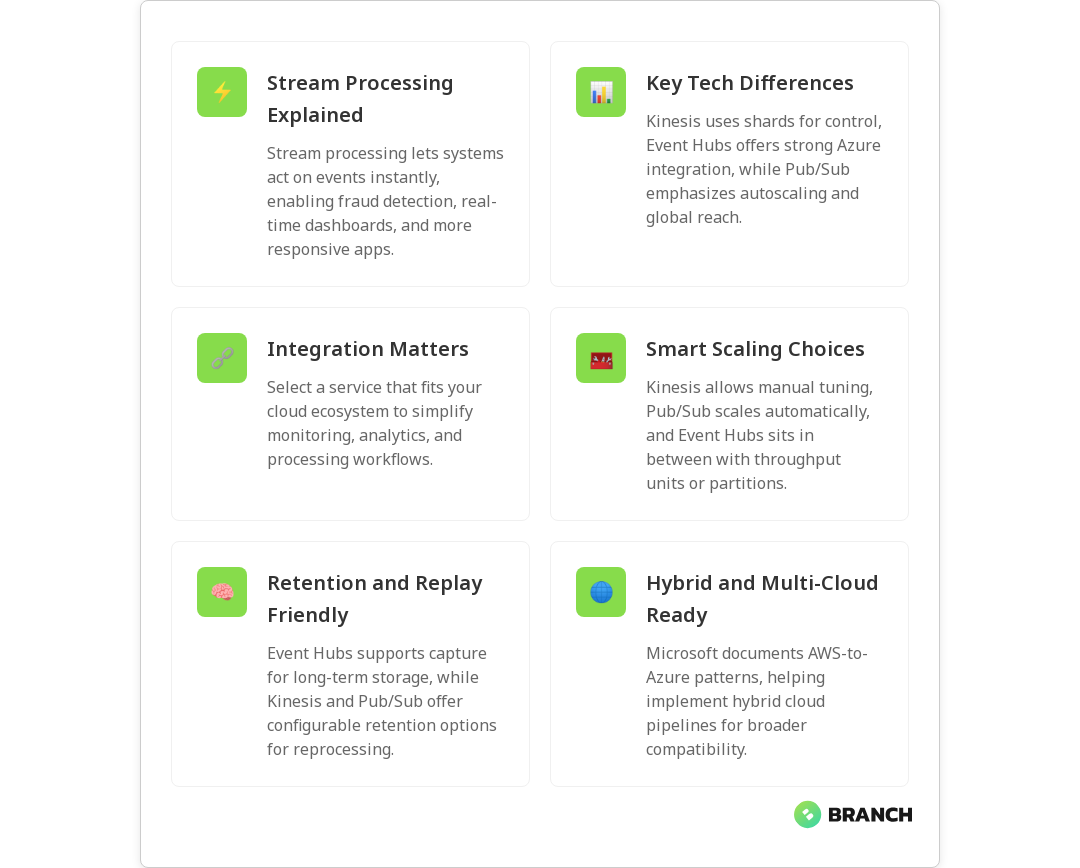
  • Scaling model: Kinesis requires shard planning (though it can autoscale with tools), Event Hubs uses throughput units or partitions, and Pub/Sub abstracts scaling with automatic horizontal scaling.
  • Retention: Kinesis lets you configure retention up to days (or extended via extended retention features), Event Hubs offers configurable retention and capture into storage for long-term retention, and Pub/Sub keeps messages for a default time with options for snapshotting and replay.
  • Ordering and delivery: Kinesis and Event Hubs provide ordering within a partition/partition key; Pub/Sub can guarantee ordering with ordering keys but requires configuration. For exactly-once semantics, additional layers or processing frameworks are typically used.
  • Integrations & ecosystem: Kinesis is native to AWS services; Event Hubs plugs into Azure analytics and real-time intelligence features (see Microsoft’s comparison of Azure Real-Time Intelligence and comparable solutions); Pub/Sub is tightly coupled with Google Cloud services like Dataflow.
  • Latency: All three are low-latency, but perceived latency depends more on consumer architecture (serverless vs long-running processes), network hops, and regional configuration.

Microsoft Learn: Real-Time Intelligence compare explains how Event Hubs and Azure analytics work together, which helps when you plan an Azure-centric streaming pipeline.

Real-world selection criteria: pick based on business needs, not buzz

  1. Ecosystem alignment: If your systems live mostly in one cloud, default to that vendor’s streaming service — integration saves time and risk.
  2. Operational expertise: Do you have SREs who want to tune shards/throughput, or a small team that prefers hands-off scaling? Kinesis offers strong control; Pub/Sub offers the least operational overhead.
  3. Throughput predictability: For predictable high throughput, Kinesis’s shard model can be cost-effective. For spiky global workloads, Pub/Sub’s autoscaling can reduce headroom waste.
  4. Retention and replay needs: If you anticipate frequent reprocessing, choose a service with easy capture to durable storage (Event Hubs capture to storage is useful here).
  5. Multi-cloud and hybrid: If you need to stitch streams across clouds, plan integration layers early; Microsoft documentation includes patterns for bringing AWS Kinesis into Azure real-time pipelines, which is handy for hybrid scenarios.
💡 Tip: Don’t optimize purely for price. Lower upfront costs can mean higher operational load or limited scaling later. Estimate total cost of ownership with expected growth, not just P50 usage.

Architecture patterns and processing frameworks

Choice of processing framework often matters as much as the messaging layer. Popular frameworks include Apache Flink for stateful stream processing, Kafka Streams where Kafka is used, and cloud-native options like Kinesis Data Analytics or Google Cloud Dataflow. You’ll commonly see these patterns:

  • Ingest → Process → Store: Events land in the broker, a stream processor enriches/aggregates, results go to a database or analytics store.
  • Capture for long-term analysis: Event Hubs’ capture feature or consumer-side writes to object storage are common to enable historical reprocessing.
  • Lambda/event-driven: Serverless functions consume events for lightweight transforms, alerts, or fan-out tasks.

A practical note: many teams use a broker purely for ingestion and buffering, then run stateful processing in a framework that provides stronger semantics (checkpointing, windowing, state backends) to achieve exactly-once or low-latency aggregations.

Scott Logic: Comparing Apache Kafka, Amazon Kinesis, Microsoft Event Hubs is a helpful technical read on differences in retention and messaging behavior across systems.

Costs and performance tuning tips

  • Shard/partition planning: Underprovisioning shards in Kinesis leads to throttling; overprovisioning wastes cost. Monitor throttles and consumer lag.
  • Consumer scaling: For high fan-out, use enhanced fan-out in Kinesis or multiple consumer groups in other systems to avoid impacts to primary throughput.
  • Batching and serialization: Batch small events where possible and choose compact serialization (Avro/Protobuf) to reduce bandwidth and cost.
  • Monitoring: Instrument lag, throughput, and error metrics; set alerts on consumer lag and throttles.

Common challenges and how to avoid them

  • Hidden ordering assumptions: Developers assume global ordering; always design for partition-level ordering and use keys accordingly.
  • Late-arriving data: Implement windows with late data handling and retention strategies to reprocess if needed.
  • Cross-cloud complexity: Integrating streams across providers introduces latency and additional failure modes — use documented connectors and test thoroughly (Microsoft’s docs show patterns for integrating AWS Kinesis into Azure Eventstreams).
đź’ˇ Tip: Build replay drills into your runbooks. Practice reprocessing a day’s worth of traffic to validate retention, snapshot restoration, and downstream idempotency.

When to choose each service — quick decision guide

  • Pick Kinesis if: you’re heavily invested in AWS, need precise throughput control, and want tight integration with AWS analytics and Lambda.
  • Pick Event Hubs if: you’re Azure-first, plan to use Azure analytics and capture features, or want a first-class integration with Azure real-time tools.
  • Pick Pub/Sub if: you need global distribution, automatic scaling, and a simple model for serverless pipelines across regions.
Read more: Data Engineering for AI – the data pipeline principles here directly apply to designing reliable streaming pipelines.

Whichever service you choose, expect to combine the broker with a processing framework that provides the semantics you need (windowing, state, exactly-once) and plan for observability and reprocessing from the start.

Read more: Cloud Infrastructure Services – helps with migration and architecture choices when moving streaming workloads to the cloud.

Trends and what to watch

  • Convergence with analytics: Cloud providers are blurring lines between ingestion and analytics (capture pipelines, integrated real-time analytics). Check provider docs to see best practices for integration.
  • Serverless stream processing: More serverless processors and connectors are emerging to simplify devops.
  • Multi-cloud streaming fabrics: Cross-cloud event meshes and connectors are maturing to support hybrid architectures, but complexity remains.
Read more: AI Development Services – if you’re using streaming data to power AI models, this explains how to operationalize inference and model updates.

FAQ

What do you mean by stream processing?

Stream processing is the continuous computation of events as they arrive. Instead of waiting for batches, systems ingest events in real time, apply transformations or aggregations, and produce outputs or actions immediately. It’s the backbone of live dashboards, alerting systems, and many IoT and financial systems.

How is stream processing different from traditional data processing?

Traditional (batch) processing groups data and processes it at intervals. Stream processing handles each event — or small windows of events — continuously, which reduces latency and enables near-instant reactions. Architecturally, stream processing often requires different considerations for state management, windowing, and fault tolerance.

Why use stream processing?

Use stream processing when you need low-latency responses, continuous analytics, or the ability to react to events as they happen (fraud alerts, personalization, telemetry monitoring). It helps businesses reduce time-to-action and create features that rely on immediate context.

What is stream processing in IoT?

In IoT, stream processing handles high-volume telemetry from sensors and devices. It aggregates, filters, and analyzes the data in real time to detect anomalies, trigger actuations, or update dashboards. Given IoT’s scale and often spiky traffic, choosing a platform that can autoscale and handle throughput is crucial.

What is a stream processing framework?

A stream processing framework is the software layer that consumes events from a broker and performs stateful or stateless computations (windowing, joins, aggregations). Examples include Apache Flink and cloud-native services like Kinesis Data Analytics or Dataflow. Frameworks handle checkpointing, state management, and recovery semantics needed for reliable processing.

Read more: Data Engineering Services – practical help for building robust pipelines and choosing frameworks that fit your business requirements.
Businessman check marks,checkboxes with electronic survey form or digital document file.organizations and human resource management.big data analysis for survey statistics

How Does Adaptive Learning Personalize Education?

Picture this: two employees are taking the same compliance training. One is a seasoned manager who just needs a quick refresher on updated policies, while the other is a new hire who needs comprehensive coverage of every detail. Traditional eLearning serves them identical content at identical pacing. Adaptive learning, on the other hand, recognizes their different needs and adjusts accordingly delivering targeted refreshers to the manager while providing detailed explanations and additional practice opportunities to the newcomer.

For B2B organizations evaluating learning technologies, adaptive learning represents a shift from one-size-fits-all training to truly personalized education experiences. Research confirms that these systems can effectively adjust content difficulty, pacing, and delivery methods based on individual learner performance. But beneath the marketing promises lies a complex ecosystem of algorithms, content architectures, and integration challenges that decision-makers need to understand before committing resources.

The Mechanics Behind Adaptive Learning

Adaptive learning systems operate on a deceptively simple principle: they continuously assess learner performance and adjust content delivery based on that assessment. Multiple studies demonstrate that this continuous assessment approach, often through real-time diagnostics and interactions, enables systems to dynamically personalize learning paths and improve both engagement and learning effectiveness.

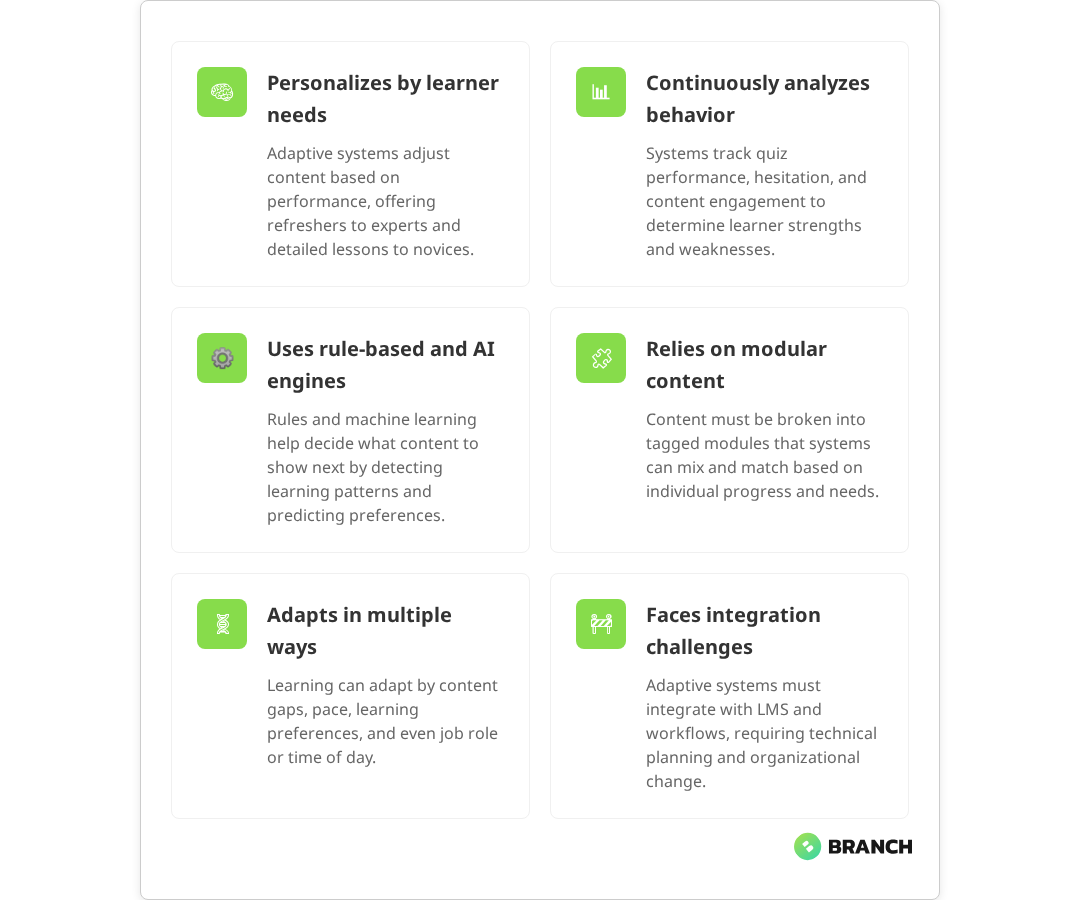
Assessment and data collection forms the foundation. The system tracks not just whether answers are correct or incorrect, but also response time, hesitation patterns, and the types of mistakes being made. Some platforms monitor how long learners spend on different content types, which resources they access repeatedly, and where they tend to drop off.

The algorithmic engine then processes this data to make real-time decisions about what to present next. Simple rule-based systems might follow predetermined branching logic: if a learner scores below 70% on a quiz, they’re routed to remedial content. Research shows that these rule-based systems use “if this, then that” logic to systematically apply predetermined rules for routing learners to appropriate content based on performance thresholds.

More sophisticated machine learning approaches can identify subtle patterns in learning behavior and adjust content difficulty, pacing, or modality accordingly. Current evidence shows that machine learning algorithms can achieve high accuracy in predicting learning preferences and can automatically adjust material based on response times, quiz scores, and individual learning styles.

Content architecture must be designed with granular modularity in mind. Rather than linear courses, adaptive systems require libraries of discrete learning objects that can be dynamically recombined. Research on learning object technology demonstrates that this granular modularity is foundational for enabling true adaptability and individualization in learning systems. This means breaking down traditional training materials into smaller, tagged components that the algorithm can mix and match based on individual learner needs.

đź’ˇ Tip: When evaluating adaptive learning platforms, ask vendors to demonstrate how their system handles learners who consistently score well but take unusually long to complete assessments. This reveals whether the platform can distinguish between different types of learning challenges.

What the research says

  • Controlled studies show that adaptive learning systems can effectively personalize content delivery by analyzing learner performance data and adjusting difficulty, pacing, and modality in real-time.
  • Machine learning-based adaptive systems demonstrate high accuracy (up to 96%) in predicting learning preferences and enabling personalized content delivery across different learning styles.
  • Content must be structured as modular, tagged components rather than linear courses research confirms this granular architecture is essential for enabling dynamic content recombination.
  • While learners often report preferences for certain content modalities (visual, auditory, etc.), extensive research shows no reliable evidence that matching instruction to supposed “learning styles” actually improves outcomes.
  • Integration challenges with existing learning management systems and organizational workflows remain a significant barrier, requiring careful technical planning and change management.

Types of Personalization in Adaptive Learning

Not all adaptive learning systems personalize education in the same way. Understanding the different approaches helps organizations choose solutions that align with their specific training objectives and learner populations.

Content-Based Adaptation

This approach adjusts what learners see based on their demonstrated knowledge gaps. If someone struggles with financial regulations but excels at customer service protocols, the system might skip basic customer service modules while providing additional regulatory compliance resources and practice scenarios. Evidence shows that these systems effectively use performance data to identify areas of weakness and provide targeted resources while allowing learners to bypass content they’ve already mastered.

Pace-Based Adaptation

Some learners need time to absorb complex concepts, while others prefer to move quickly through familiar territory. Pace-based systems monitor completion times and comprehension levels to adjust the speed of content delivery. Research confirms that these systems use engagement metrics and comprehension indicators to allow fast learners to accelerate while providing additional context for those who need more time. Fast learners might skip foundational explanations, while those who need more time get additional context and examples.

Learning Style Adaptation

While extensive research shows that the concept of distinct learning styles has limited scientific support, learners do show preferences for different content modalities. Current evidence indicates that matching instruction to presumed learning styles doesn’t improve outcomes, though individuals may have preferences for processing information in different formats. Adaptive systems might present visual learners with more diagrams and infographics, while offering audio summaries to auditory processors. The key is avoiding rigid categorization while still providing variety in content presentation.

Contextual Adaptation

Advanced systems consider factors beyond just learning performance. They might adjust content based on job role, industry context, or even the time of day when learning typically occurs. A sales training platform might emphasize different techniques for enterprise software reps versus retail associates.

Read more: How custom AI applications create more nuanced personalization than off-the-shelf solutions.

Implementation Options and Trade-offs

Organizations have several paths for implementing adaptive learning, each with distinct advantages and constraints that affect both cost and effectiveness.

Implementation ApproachBest ForKey BenefitsPrimary Limitations
Off-the-shelf PlatformStandard training needs, quick deploymentLower upfront cost, established algorithmsLimited customization, generic content approach
Platform + Custom ContentSpecific industry requirementsTailored content with proven technologyHigher content development costs
Custom-Built SolutionComplex organizational needs, unique workflowsComplete control over features and integrationSignificant development time and cost
AI-Enhanced Existing LMSOrganizations with established LMS investmentsLeverages existing infrastructureMay require significant technical integration

The Integration Reality

Many adaptive learning initiatives stumble on integration challenges that weren’t apparent during initial vendor demonstrations. Research identifies that a major challenge in implementation is achieving seamless interoperability with existing educational and organizational infrastructure. Organizations typically need their adaptive learning system to work seamlessly with existing learning management systems (LMS), HR information systems, and content authoring tools.

The complexity isn’t just technical it’s also organizational. Adaptive learning often requires changes to how training content is created, how progress is measured, and how learning analytics are interpreted. Teams accustomed to linear course completion metrics may need to adjust to more nuanced progress indicators.

Making the Build vs. Buy Decision

The choice between custom development and platform adoption depends on several factors beyond just budget considerations.

When Off-the-Shelf Makes Sense

  • Your training needs align with common industry patterns
  • You need to deploy quickly with limited technical resources
  • Content can be adapted to work within platform constraints
  • Integration requirements are straightforward

Evidence shows that off-the-shelf adaptive platforms are particularly effective for standard training needs, offering rapid deployment and lower initial costs with pre-built algorithms that work well for common use cases like compliance training and onboarding.

When Custom Development Is Worth Considering

  • Existing platforms can’t accommodate your specific workflow requirements
  • You have unique data sources that should inform learning personalization
  • Integration with proprietary systems is critical
  • The total cost of ownership for platform licensing exceeds custom development costs

Research confirms that custom solutions provide complete control over features and integration, making them ideal for complex organizational needs, though they require significantly higher development time and cost investment.

Some organizations are finding middle-ground approaches, using AI tools to enhance existing training content with adaptive elements rather than replacing entire learning infrastructure. This can be particularly effective for organizations that have invested heavily in custom training content but want to add personalization features.

đź’ˇ Tip: Before committing to any adaptive learning approach, pilot with a small group of learners whose needs vary significantly. This reveals whether the system can actually deliver meaningful personalization or just cosmetic variations.

Measuring Adaptive Learning Success

Traditional learning metrics like completion rates and quiz scores don’t capture the full value of adaptive learning systems. Organizations need more sophisticated approaches to measuring effectiveness.

Learning efficiency becomes a key indicator are learners achieving the same or better outcomes in less time? Knowledge retention over time often improves with adaptive approaches, but requires longer-term tracking to demonstrate. Learner engagement metrics might show reduced dropout rates or increased voluntary exploration of additional content.

Perhaps most importantly, business impact should ultimately validate the investment. This might mean measuring performance improvements in the specific skills being trained, reduced time-to-competency for new hires, or decreased support requests after product training.

Working with Development Partners

Whether pursuing custom development or significant platform customization, choosing the right development partner significantly impacts project success. Look for teams that understand both the technical aspects of adaptive algorithms and the pedagogical principles behind effective learning design.

Effective partners will ask detailed questions about your learner populations, existing content assets, and success metrics before proposing technical architectures. They should be able to explain trade-offs between different algorithmic approaches in plain language and help you understand how various design decisions will impact both development timeline and ongoing maintenance requirements.

For organizations considering custom eLearning development, the partnership should extend beyond just technical implementation to include instructional design expertise and change management support for teams adapting to new learning approaches.

Organizations exploring AI-enhanced training solutions benefit from working with teams that can navigate both the possibilities and limitations of current AI technology, helping avoid over-promising on personalization capabilities while maximizing the value of available tools.

For teams evaluating custom training platforms, look for partners with experience integrating learning systems into existing organizational workflows and data infrastructure.

The Future of Adaptive Learning

Adaptive learning continues to evolve, with emerging AI capabilities opening new possibilities for personalization. Natural language processing enables more sophisticated analysis of written responses, while computer vision can analyze learner engagement during video content. However, the core challenge remains the same: creating learning experiences that genuinely improve outcomes rather than just appearing more sophisticated.

The most successful implementations focus on solving specific, measurable learning challenges rather than pursuing personalization for its own sake. As the technology matures, expect to see more focus on seamless integration with existing workflows and more transparent algorithmic decision-making that instructors and learners can understand and trust.

FAQ

How much data does an adaptive learning system need to start personalizing effectively?

Most systems begin making basic adaptations after just a few interactions, but meaningful personalization typically requires data from 10-20 learning activities per user. The quality and granularity of the data matters more than volume systems that track detailed interaction patterns can personalize more effectively with less data than those relying solely on quiz scores.

Can adaptive learning work with existing training content, or does everything need to be rebuilt?

Existing content can often be adapted, but it typically needs to be restructured into smaller, modular components that the system can recombine dynamically. Linear courses work poorly in adaptive systems. The extent of restructuring required depends on how your current content is organized and tagged. Well-structured content libraries adapt more easily than monolithic courses.

How do you ensure adaptive learning algorithms don't create unintended bias or limit learning opportunities?

This requires ongoing monitoring of learning pathways across different user groups and regular auditing of algorithmic decisions. Effective systems include mechanisms for learners to access content the algorithm might not have recommended, and they track whether personalization is inadvertently limiting exposure to important topics. Transparency in algorithmic decision-making helps identify potential bias issues early.

What level of technical expertise is needed to maintain an adaptive learning system?

Platform-based solutions typically require minimal technical maintenance beyond standard LMS administration. Custom systems need ongoing attention to algorithm performance, content updates, and integration maintenance. Most organizations benefit from having at least one team member who understands learning analytics, whether internal or through a support partnership with the development team.

How do you handle learners who don't want personalized learning experiences?

Effective adaptive systems include options for learners to follow standard pathways or manually override algorithmic recommendations. Some learners prefer predictable, linear progression through content. The key is making personalization feel helpful rather than controlling, and providing clear ways for learners to understand and influence how the system adapts to their needs.

Conducting research into the market to identify prospective customers

How to Maintain Brand Consistency Across Channels

Picture this: a potential customer discovers your company through a LinkedIn ad, visits your website, downloads a white paper, and then attends your webinar. At each touchpoint, they should feel like they’re engaging with the same brand—not four different companies that happen to share a name.

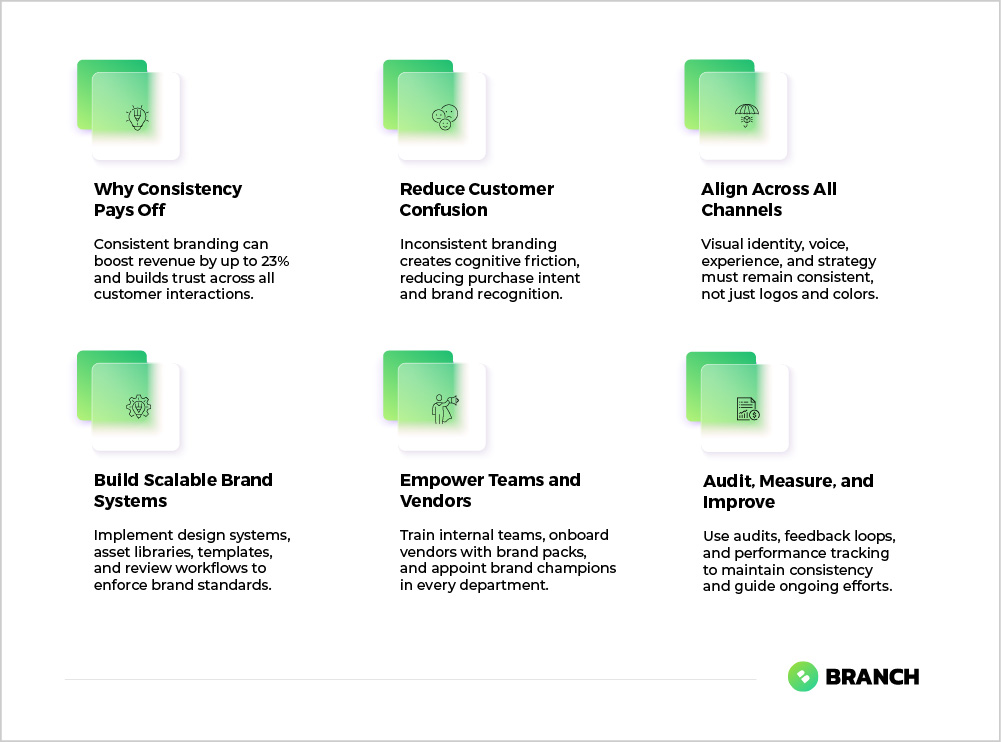
Brand consistency across channels isn’t just about using the same logo everywhere (though that helps). It’s about creating a cohesive experience that builds trust, recognition, and ultimately drives business results. Research shows that consistent brand presentation can increase revenue by up to 23% and foster stronger customer engagement. Yet many B2B organizations struggle with this, especially as their digital footprint expands and teams grow.

For digital decision-makers—whether you’re a CTO evaluating a rebrand, a marketing leader launching new channels, or an operations director coordinating across teams—understanding how to maintain brand consistency is crucial. When done well, it reduces confusion, accelerates recognition, and makes every marketing dollar work harder.

Why Brand Consistency Matters More Than Ever

In today’s fragmented digital landscape, your prospects encounter your brand across dozens of potential touchpoints. They might see your display ad on an industry publication, receive your email newsletter, browse your website, download your mobile app, and interact with your sales team—all in the span of a week.

Each inconsistency creates friction. When your website uses different fonts than your emails, or your social media voice doesn’t match your white papers, you’re essentially asking prospects to learn your brand multiple times. This cognitive load translates directly into lost opportunities, as psychological research shows that brand inconsistencies increase mental effort for consumers and reduce purchase intentions.

The challenge intensifies as organizations grow. Growth introduces challenges such as decentralized teams, communication silos, multiple departments, and external vendors all contributing to brand materials. Without clear systems and guidelines, brand drift becomes inevitable.


đź’ˇ Tip Document your brand’s current state before trying to fix inconsistencies. Audit all your channels in a single week to identify the biggest gaps between what you intend and what actually exists.


The Anatomy of Cross-Channel Brand Consistency

True brand consistency operates on multiple layers, and understanding these layers helps you prioritize your efforts. Multiple expert sources confirm that brand consistency encompasses visual identity, voice and messaging, customer experience, and overarching strategy:

Visual Identity Layer

This includes logos, colors, typography, imagery style, and layout principles. It’s the most obvious layer—and often the only one organizations focus on. But visual consistency alone isn’t enough.

Voice and Messaging Layer

How you communicate—your tone, key messages, and even the types of words you choose—should feel consistent whether someone’s reading your website copy or your LinkedIn posts.

Experience Layer

This covers how people interact with your brand across touchpoints. Navigation patterns, content organization, user flows, and even response times all contribute to brand experience.

Strategic Layer

Your core positioning, value propositions, and brand promises should remain consistent even as you adapt them for different audiences and channels.

Read more about developing a strategic foundation that supports consistent positioning across all channels.

What the research says

  • Studies demonstrate that consistent branding builds trust and recognition, with some research showing revenue increases of up to 23% for brands with consistent presentation across channels.
  • Psychological research reveals that brand inconsistencies create cognitive load for consumers, making decision-making harder and reducing purchase intentions.
  • Organizations struggle more with brand consistency as they scale, particularly when multiple departments, external vendors, and new team members contribute to brand materials without clear guidelines.
  • Early evidence suggests that combining visual references with written guidelines helps reduce interpretive variation, though the optimal format for different organization sizes is still being studied.
  • Cross-functional review processes and shared success metrics appear to improve brand consistency, but more research is needed on the most effective governance structures for different industries.

Common Pitfalls and How to Avoid Them

Most brand consistency problems aren’t the result of malicious intent—they’re the natural byproduct of growth and complexity. Here are the patterns we see most often:

The “Guidelines in a Drawer” Problem

Many organizations have beautiful brand guidelines that nobody actually uses. The PDF sits on a shared drive while teams create materials based on their best guess of what “looks right.”

The fix: Make guidelines accessible and actionable by creating templates that embed your standards, not just documents that describe them.

The “Interpretive Design” Trap

When new designers or vendors join your team without proper reference materials, they inevitably interpret your brand through their own lens. This leads to gradual drift as each iteration moves slightly away from your original intent.

The fix: Provide concrete visual references alongside written guidelines. Show examples of how your brand applies across different contexts and formats.

The “Channel Silos” Issue

Different departments often optimize for their specific channels without considering the broader brand experience. Social media develops its own voice, the website team focuses purely on conversion, and sales creates materials that feel disconnected from marketing.

The fix: Establish cross-functional review processes and shared success metrics that account for brand consistency alongside channel-specific goals.

Read more about developing visual identity systems that work consistently across diverse applications.

Building Systems That Scale

Sustainable brand consistency requires systems, not just good intentions. Here’s how to build infrastructure that supports consistency as you grow:

System Component Purpose Key Elements Maintenance Effort 
Design System Standardize visual elements and interactions Color palettes, typography, components, spacing rules Medium
Asset Library Centralize approved brand materials Logos, images, templates, approved copy blocks Low
Style Guide Document voice, tone, and messaging standards Writing principles, example copy, messaging hierarchy Low
Template System Enable consistent creation of new materials Presentation templates, email layouts, social media formats High
Review Process Catch inconsistencies before they go live Approval workflows, brand checkpoints, feedback loops Medium

Starting With Templates and Patterns

One of the most effective approaches is to identify recurring design elements and communication patterns across your channels. Instead of reinventing layouts and messaging for each new piece, create reusable templates that embed your brand standards.

This approach works particularly well for:

  • Email newsletter layouts
  • Social media post formats
  • Presentation templates
  • White paper covers and layouts
  • Web page templates

Making Guidelines Actionable

The most successful brand guidelines aren’t just reference documents—they’re working tools. Consider creating:

  • Quick reference cards for key brand elements that team members can keep at their desks
  • Digital asset kits with pre-sized logos and graphics for common applications
  • Copy paste messaging blocks for consistent boilerplate content
  • Color and font files that can be directly imported into design tools

Read more about creating scalable design systems that support consistent brand implementation.

Technology and Tool Considerations

The right technology stack can either support or undermine your consistency efforts. Here are key considerations for different types of tools:

Content Management Systems

Your CMS should make it easy to maintain consistent layouts and styling. Look for systems that allow you to create and enforce templates, manage approved imagery, and control typography across all content.

Design Tools and Asset Management

Consider tools that allow teams to access approved brand assets directly within their workflow. Whether that’s a Digital Asset Management (DAM) system for large organizations or shared design libraries in tools like Figma for smaller teams.

Email and Marketing Automation

Your marketing automation platform should support consistent branding across all email communications. This includes template controls, approved image libraries, and the ability to maintain consistent sender information.

Social Media Management

Social media tools should support brand-consistent posting through template systems, approved hashtag sets, and consistent posting schedules that align with your overall brand voice.

đź’ˇ Tip When evaluating tools, test how easily new team members can create brand-consistent materials. If it takes more than a few clicks to access approved assets or templates, adoption will suffer.

Organizational Alignment and Processes

Technology and guidelines only work when people actually use them. Successful brand consistency requires organizational changes that make consistent execution easier than inconsistent execution.

Cross-Functional Brand Stewardship

Rather than making brand consistency solely a marketing responsibility, consider appointing brand champions across different departments. These champions can:

  • Review materials before they go live
  • Provide brand guidance to their teams
  • Identify when new guidelines or templates are needed
  • Serve as a feedback loop to improve brand systems

Onboarding and Training

Every new team member who will create customer-facing materials needs brand training. This isn’t just a one-time presentation—it’s an ongoing education process that should include:

  • Hands-on practice using your brand tools and templates
  • Review of common mistakes and how to avoid them
  • Clear escalation paths when brand questions arise
  • Regular refreshers as your brand evolves

Vendor and Partner Management

External partners—from PR agencies to event vendors—can either reinforce or undermine your brand consistency. Establish clear brand requirements in all vendor contracts and provide comprehensive brand packages that include:

  • Current brand guidelines
  • High-resolution logo files in multiple formats
  • Approved messaging and boilerplate copy
  • Examples of successful brand applications
  • Contact information for brand questions

Measuring and Maintaining Consistency

Brand consistency isn’t a set-it-and-forget-it initiative. It requires ongoing attention and regular course corrections. Here’s how to build maintenance into your processes:

Regular Brand Audits

Schedule quarterly reviews of your major brand touchpoints. Look for drift in visual elements, messaging consistency, and user experience patterns. Document any inconsistencies and prioritize fixes based on customer impact.

Feedback Systems

Create easy ways for team members to report brand inconsistencies or request new guidelines. This might be as simple as a shared Slack channel or as formal as a ticketing system, depending on your organization size.

Performance Tracking

While brand consistency is hard to measure directly, you can track related metrics like brand recognition surveys, customer feedback about professionalism, and time-to-market for new branded materials.

When to Engage Specialists

Many organizations can handle basic brand consistency improvements internally, but there are situations where specialist help makes sense:

Consider specialist support when:

  • You’re undergoing a major rebrand or merger
  • Your current brand guidelines are outdated or incomplete
  • You’re launching new channels or customer touchpoints
  • Internal teams lack design or brand strategy expertise
  • You need to coordinate across multiple departments or locations

A thoughtful digital partner can help you audit your current state, develop comprehensive brand systems, create templates and tools that make consistency easier, and train your teams on implementation. The investment often pays for itself through reduced design time and improved customer recognition.

Read more about comprehensive branding and design services that ensure consistency across all customer touchpoints.

Moving Forward

Brand consistency isn’t about perfection—it’s about creating systems that make the right choices easier than the wrong ones. Start with your highest-impact touchpoints, build templates and guidelines that people actually want to use, and create feedback loops that help you improve over time.

The goal isn’t to eliminate all variation across your channels. Different channels serve different purposes and may require different approaches. The goal is to ensure that this variation feels intentional and aligned with your overall brand strategy, rather than accidental and confusing.

Whether you tackle this internally or work with specialists, focus on building sustainable systems rather than just fixing immediate problems. With the right foundation in place, brand consistency becomes a competitive advantage that compounds over time.

FAQ

How do I maintain brand consistency when working with multiple vendors and freelancers?

Create a comprehensive brand package that includes guidelines, logo files, messaging templates, and examples. Include brand compliance requirements in all vendor contracts and designate a single point of contact for brand questions. Consider requiring brand approval before final delivery of any customer-facing materials.

What's the most common mistake companies make when trying to improve brand consistency?

Focusing only on visual elements while ignoring voice, messaging, and user experience consistency. True brand consistency requires alignment across all touchpoints, not just matching colors and fonts. Many organizations also create guidelines that are too complex or inaccessible for daily use.

How often should we update our brand guidelines?

Review your brand guidelines annually and update them as needed when you launch new channels, change positioning, or notice widespread inconsistencies. Minor updates can happen quarterly, but major overhauls should be infrequent to avoid confusing teams and diluting brand recognition.

Should different product lines have different branding approaches?

This depends on your business strategy. If products serve very different audiences or markets, some variation may be appropriate. However, maintain consistent core elements like overall visual style, company positioning, and quality standards. Consider a ‘branded house’ approach with consistent parent brand elements and subtle product-specific variations.

How do we measure whether our brand consistency efforts are actually working?

Track metrics like brand recognition in surveys, consistency scores in brand audits, time required to create new materials, and customer feedback about professionalism. Also monitor internal metrics like how often teams ask for brand guidance or request new templates—decreasing questions often indicates better systems.

ux Graphic designer creative sketch planning application process development prototype wireframe for web mobile phone . User experience concept.

UX Design vs UI Design

If you’ve ever found yourself in a meeting where someone confidently declares that your app “needs better UX” while pointing at a button color, you’re not alone. The UX design vs UI design distinction has become one of the most misunderstood topics in digital product development—and frankly, the confusion is costing teams time, money, and sanity.

Here’s the thing: research shows that most talented designers work across both UX and UI, regardless of what their business cards say. But understanding the difference between these disciplines matters enormously when you’re building digital products, hiring design talent, or evaluating agency partners. It’s the difference between solving the right problem and just making things prettier.

This guide cuts through the buzzwords to give you a clear, practical understanding of UX versus UI design—when you need each, how they work together, and what to look for when building your team or choosing a design partner.

The Real Difference: Strategy vs Execution

Let’s start with what these terms actually mean in the real world, not the textbook definitions that make everyone’s eyes glaze over.

User Experience (UX) design is about understanding and solving problems. UX designers dig into why users struggle, what they’re trying to accomplish, and how to make those goals easier to achieve. They’re the ones asking uncomfortable questions like “Should this feature even exist?” and “Are we solving the right problem?”

User Interface (UI) design is about making solutions clear and usable. UI designers focus on the visual and interactive elements that users actually see and touch—buttons, typography, colors, animations, and layouts. They turn strategy into something people can actually use.

Think of it this way: UX is the architect who figures out where the rooms should go and how people move through the building. UI is the interior designer who makes sure you can actually find the light switches and that the whole experience feels cohesive and pleasant.

đź’ˇ Tip: When evaluating design work, remember that UI can be judged from screenshots, but UX requires understanding the full user journey and context. Don't let pretty visuals distract from fundamental usability problems.
Aspect UX Design Focus UI Design Focus 
Primary Question “What problem are we solving and why?” “How do we make this clear and usable?”
Key Activities User research, journey mapping, information architecture, prototyping Visual design, interaction design, component systems, accessibility
Success Metrics Task completion rates, user satisfaction, business goal achievement Interface consistency, visual hierarchy, interaction feedback
Deliverables Research insights, user flows, wireframes, strategy recommendations High-fidelity mockups, design systems, interactive prototypes
Evaluation Method User testing, analytics analysis, stakeholder interviews Design reviews, usability heuristics, visual consistency audits

Why the Lines Get Blurry (And Why That’s Actually Fine)

In the wild, the UX versus UI distinction isn’t nearly as clean as industry blog posts suggest. Most successful designers naturally span both areas because great digital products require both strategic thinking and excellent execution.

Here’s what you’ll typically find in practice:

  • Hybrid designers: Many professionals labeled “UX/UI Designer” handle everything from user research to final visual design. This works well for smaller teams and projects where context-switching costs are manageable.
  • Specialized collaborators: Larger projects often benefit from dedicated UX researchers and strategists working alongside UI specialists who focus on visual systems and interaction details.
  • T-shaped skills: The best designers have deep expertise in one area but enough knowledge in the other to collaborate effectively and spot potential issues early.

The key insight? Role labels matter less than actual competencies. When you’re evaluating design talent or agencies, focus on their ability to explain the reasoning behind their decisions, whether that’s user research methodology or visual design choices.

Read more about how UX research and UI execution work together in practice.

What the research says

Understanding how UX and UI design work in practice is supported by extensive industry research and best practices:

  • Most designers work across disciplines: Studies show that successful designers often combine UX and UI skills, with many handling both strategic thinking and visual execution depending on project needs and team size.
  • Larger projects benefit from specialization: Research indicates that complex products perform better when UX researchers focus on user strategy while UI specialists handle visual systems and interaction details.
  • Research-driven design delivers results: Multiple studies demonstrate that UX decisions based on user interviews, usability testing, and data analysis consistently outperform assumption-based design approaches.
  • Visual design impacts usability: While UI focuses on aesthetics, research shows that visual hierarchy, color choices, and interaction design significantly affect task completion rates and user satisfaction.

The Skills That Actually Matter

Whether you’re hiring individual designers or evaluating agency partners, here are the competencies that separate good design work from expensive decoration:

For UX-Focused Roles:

  • Research rigor: Can they design and conduct user interviews, surveys, and usability tests? Do they base decisions on qualitative and quantitative data rather than assumptions?
  • Systems thinking: Do they understand how individual features fit into broader user journeys and business objectives?
  • Problem definition: Can they articulate what problem they’re solving and why it matters to both users and the business?
  • Communication skills: Can they present findings and recommendations clearly to both technical and non-technical stakeholders?

For UI-Focused Roles:

  • Visual hierarchy: Do they understand how typography, color, and spacing guide user attention and comprehension?
  • Interaction design: Can they design micro-interactions and transitions that provide clear feedback and feel responsive?
  • System consistency: Do they build reusable components and patterns that scale across different screens and contexts?
  • Technical awareness: Do they understand implementation constraints and work collaboratively with developers?

Regardless of specialization, strong designers should be able to explain the why behind their decisions. If someone can’t articulate the reasoning for a design choice, that’s a red flag—whether they’re talking about user research methodology or button placement.

When to Prioritize UX vs UI Investment

Understanding when to focus your resources on UX versus UI work can make the difference between a product that solves real problems and one that just looks good in screenshots.

Prioritize UX Investment When:

  • Users consistently struggle to complete key tasks, regardless of how polished the interface looks
  • You’re seeing high abandonment rates or low feature adoption despite technical functionality
  • Stakeholders disagree on priorities or success metrics for the product
  • You’re entering a new market or serving a new user segment
  • Analytics show users taking unexpected paths through your product

Prioritize UI Investment When:

  • Users understand and complete tasks successfully but find the experience frustrating or unprofessional
  • Your brand doesn’t align with your digital touchpoints
  • The interface feels inconsistent across different screens or features
  • Accessibility requirements aren’t being met
  • Development teams struggle to implement designs consistently
Read more about how UI design connects to broader brand strategy and positioning.

In many cases, you’ll need both—but understanding where your biggest challenges lie helps you sequence the work and allocate resources more effectively.

Building Your Design Capability: Internal vs External Options

Once you understand what kind of design support you need, you face the classic build-versus-buy decision. Here’s how to think through your options:

When to Build Internal Design Capability:

  • You have ongoing, high-volume design needs across multiple products or features
  • Deep domain knowledge is critical for design decisions
  • You need designers embedded in cross-functional product teams
  • Design work requires close coordination with proprietary systems or data

When to Partner with External Design Specialists:

  • You need specific expertise (like accessibility compliance or complex data visualization) that doesn’t justify a full-time hire
  • Project timelines require more design capacity than you can reasonably hire
  • You want an outside perspective on entrenched user experience problems
  • Design needs are project-based rather than ongoing

Many successful organizations use a hybrid approach: internal designers who understand the business deeply, supplemented by external specialists for specific projects or expertise gaps.

đź’ˇ Tip: When vetting design partners, ask them to walk you through their process for a project similar to yours. Look for clear research methodologies, not just impressive portfolio pieces.

Red Flags to Watch For

Whether you’re hiring individual designers or evaluating agencies, here are warning signs that suggest surface-level understanding of UX and UI principles:

  • Portfolio over process: They show lots of pretty screenshots but can’t explain their research methods or design decisions
  • Persona theater: They create detailed user personas without corresponding research to back them up
  • One-size-fits-all solutions: They propose the same design patterns regardless of your specific user needs or business constraints
  • Resistance to measurement: They can’t define success metrics or seem uncomfortable with data-driven iteration
  • Siloed thinking: UX and UI work happen in isolation without clear handoffs or collaboration

Strong design partners will be curious about your users, your business model, and your technical constraints. They’ll ask uncomfortable questions and push back on assumptions—including their own.

How Branch Boston Approaches UX and UI Design

At Branch Boston, we’ve learned that the most successful digital products emerge when UX strategy and UI execution work hand-in-hand from day one. We don’t believe in throwing wireframes over the wall and hoping for the best.

Our approach blends research-driven problem-solving with thoughtful visual design:

  • Discovery first: We start every project by understanding your users’ actual needs and behaviors, not just what stakeholders think they want
  • Collaborative design: Our UX researchers, UI designers, and developers work together throughout the process, catching potential issues early and ensuring solutions are both user-friendly and technically sound
  • Evidence-based decisions: Every design choice—from information architecture to button colors—ties back to user research, business objectives, or technical constraints
  • Scalable systems: We build design systems that work across your entire product ecosystem, not just the immediate project

Whether you need strategic UX thinking, polished UI execution, or both, we tailor our approach to your specific context and constraints. No cookie-cutter solutions, no design theater—just clear, usable experiences that serve your users and your business.

Read more about our UX and UI design services and approach.

Making It Work: Practical Next Steps

Ready to move beyond the UX versus UI debate and start building better digital experiences? Here’s how to get started:

  1. Audit your current state: Look at your existing digital touchpoints. Where do users struggle? Where do stakeholders disagree? Where does the experience feel inconsistent?
  2. Define success clearly: What does “better design” actually mean for your organization? Higher conversion rates? Reduced support tickets? Improved user satisfaction scores?
  3. Identify your biggest gaps: Do you need strategic thinking about user needs, or execution help making things clearer and more polished?
  4. Start with research: Whether you’re doing this internally or with a partner, begin with real user feedback rather than stakeholder assumptions
  5. Plan for iteration: Great design is rarely right on the first try. Build processes for testing, measuring, and refining based on real usage data

Remember: the goal isn’t perfect UX or flawless UI—it’s creating digital experiences that actually serve your users and advance your business objectives. Sometimes that means beautiful, sometimes it means functional, and ideally it means both.

Read more about building scalable design systems that bridge UX strategy and UI execution.

FAQ

Do I need separate UX and UI designers, or can one person handle both?

It depends on your project complexity and team size. Many skilled designers work effectively across both UX and UI, especially on smaller projects. However, larger, more complex products often benefit from dedicated specialists—UX researchers who focus on user needs and strategy, and UI designers who specialize in visual systems and interaction details. The key is ensuring whoever you work with can explain their reasoning, whether that's research methodology or design decisions.

How can I tell if a designer or agency actually understands UX versus just doing UI work?

Ask them to walk through their research process for a recent project. Strong UX practitioners will describe user interviews, usability testing, or data analysis that informed their decisions. They should be able to explain not just what they designed, but why, and how they validated those choices. Be wary of anyone who shows only polished visuals without explaining the underlying user research or problem-solving approach.

What's more important for my B2B product—getting the UX strategy right or polishing the UI?

Start with UX strategy if users struggle to complete key tasks or if stakeholders disagree on priorities. Focus on UI polish if users can accomplish their goals but find the experience frustrating or unprofessional. Most successful B2B products need both, but understanding your biggest pain points helps you sequence the work and allocate resources more effectively.

How do I know when to hire design help internally versus working with an external agency?

Consider internal hiring for ongoing, high-volume design needs where deep domain knowledge is critical. Partner with external specialists when you need specific expertise, have project-based rather than ongoing needs, or want an outside perspective on entrenched problems. Many successful organizations use both—internal designers who understand the business deeply, supplemented by external specialists for particular projects or skills gaps.

What should I expect to pay for quality UX and UI design work?

Design investment varies widely based on project scope, complexity, and the level of research required. Expect UX research and strategy work to take more time upfront but save costs later by reducing the need for major redesigns. UI design costs depend on the complexity of your visual systems and the level of polish required. Quality design partners will help you understand these trade-offs and prioritize work based on your budget and business objectives.

Young woman during class in the university

Why Microlearning Works for Sales Teams

Sales teams face a unique challenge: they need to absorb new information quickly, retain it under pressure, and apply it in real-time conversations with prospects. Traditional training sessions—think day-long workshops or lengthy eLearning modules—often fall short because they dump too much information at once, making it hard for busy salespeople to retain what matters most. Research in sales training consistently shows that information-dense sessions create cognitive overload, leading to disengagement among busy sales professionals.

Enter microlearning for sales: bite-sized, focused learning experiences that deliver just enough information to solve a specific problem or reinforce a key concept. Studies indicate that microlearning increases knowledge retention by up to 80% compared to traditional training formats, with companies reporting an 82% average completion rate and a 130% increase in employee engagement and productivity. But here’s the thing—microlearning isn’t magic. It works brilliantly in some contexts and falls flat in others. The trick is knowing when and how to use it effectively.

If you’re leading a sales organization, managing L&D programs, or evaluating training solutions, this article breaks down why microlearning resonates with sales teams, when it makes sense, and how to implement it without falling into common traps.

What Makes Sales Learning Different

Sales professionals operate in a fast-paced, results-driven environment where time is scarce and attention spans are shorter than a cold call pickup rate. Unlike other roles where learning can happen in controlled environments, salespeople need to apply what they’ve learned immediately—often while a prospect is on the other end of the line. Multiple studies confirm that sales teams operate under high-pressure conditions where knowledge must be applied in real-time during customer interactions.

This creates specific constraints:

  • Just-in-time needs: Sales reps often need quick refreshers right before a call or meeting
  • Mobile-first consumption: Learning happens between meetings, during commutes, or while waiting in lobbies
  • Performance pressure: Every interaction counts toward quota, so training must translate directly to better outcomes
  • Varied experience levels: Teams typically include seasoned veterans and fresh hires who need different approaches

Traditional training methods struggle with these realities. A two-hour product training session might cover everything, but how much will your rep remember three weeks later when they’re explaining features to a skeptical CFO?

đź’ˇ Tip: Sales teams retain information better when they can practice applying it immediately. Design microlearning modules that end with a quick role-play scenario or real-world application exercise.

What the research says

Multiple studies support microlearning’s effectiveness for sales teams, but it’s important to understand both the strengths and limitations of the evidence:

  • Knowledge retention improves significantly: Companies using microlearning report up to 80% increases in retention rates compared to traditional formats, with completion rates averaging 82%
  • Mobile-first approaches match sales behavior: Enterprise research shows that sales professionals increasingly rely on mobile platforms for work activities, making mobile-optimized training essential
  • Just-in-time learning reduces performance gaps: Sales teams using bite-sized, accessible content can refresh knowledge immediately before customer interactions, leading to better application of training concepts
  • Engagement increases with shorter formats: Multiple sources document 130% increases in employee engagement when microlearning replaces lengthy training sessions
  • Evidence on complex skill development remains limited: While microlearning excels at knowledge reinforcement, research on its effectiveness for developing advanced sales skills like consultative selling is still emerging

Why Microlearning Fits the Sales Context

Microlearning works for sales teams because it aligns with how they naturally consume information and solve problems. Industry research confirms that sales professionals benefit from short, focused modules that match their need for just-in-time, relevant information. Rather than front-loading everything in lengthy sessions, microlearning delivers focused content when and where it’s needed most.

Reinforcing Existing Knowledge

One of microlearning’s biggest strengths is reinforcing concepts that salespeople already understand but need to keep sharp. Think of it as the difference between learning to drive and practicing parallel parking—you don’t need to re-learn the fundamentals, but you do need regular practice to stay confident.

For sales teams, this might include:

  • Objection handling techniques for common customer concerns
  • Key product differentiators and competitive advantages
  • Pricing and discount approval processes
  • Compliance requirements for specific industries

Just-in-Time Performance Support

The best microlearning acts as performance support—quick reference materials that salespeople can pull up right when they need them. Research shows that microlearning is most effective when used as just-in-time performance support, providing concise, on-demand content at the point of need. This isn’t about teaching new concepts; it’s about providing easy access to critical information during real work moments.

Read more about how professional eLearning projects are scoped to maximize real-world application.

The Anatomy of Effective Sales Microlearning

Not all microlearning is created equal. The most effective programs for sales teams share certain characteristics that make them stick and actually improve performance.

ElementWhat WorksWhat Doesn’t Work
Duration2-5 minutes of focused content10+ minute modules that try to cover too much
Content TypeScenario-based practice, quick reference guides, knowledge checksDense information dumps or overly gamified content
DeliveryMobile-optimized, searchable, integrated with existing toolsDesktop-only platforms that require separate logins
TimingAvailable on-demand, with optional spaced repetition remindersMandatory scheduled sessions that interrupt workflow
Follow-upJob aids, checklists, or templates for immediate useTheoretical knowledge without practical application tools

Job Aids: The Secret Weapon

Here’s something that learning professionals know but many organizations overlook: job aids are often more valuable than the training itself. These are practical reference tools—checklists, templates, decision trees, or quick reference cards—that support performance after the learning moment ends.

For sales teams, effective job aids might include:

  • Discovery question frameworks for different buyer personas
  • Competitive comparison sheets with key talking points
  • Objection response scripts organized by common scenarios
  • Pricing calculator tools with approval workflows

The beauty of job aids is that they bridge the gap between learning and doing. A microlearning module might teach the concept of value-based selling, but a job aid provides the actual questions to ask during a discovery call.

When Microlearning Isn’t Enough

Let’s be honest about microlearning’s limitations. It excels at reinforcement and just-in-time support, but it’s not a silver bullet for all sales training needs.

Microlearning struggles with:

  • Complex skill development: Consultative selling, advanced negotiation, or relationship building require deeper practice
  • New product launches: When your entire value proposition changes, teams need comprehensive understanding, not quick bites
  • Soft skills and leadership: Communication, coaching, and management skills benefit from discussion, feedback, and peer interaction
  • Cultural or process changes: Shifting from transactional to consultative selling requires sustained support and reinforcement over time

This is where blended learning approaches shine. The most effective sales training programs combine microlearning with other modalities—live workshops for complex skills, peer discussions for best practice sharing, and coaching sessions for personalized feedback.

đź’ˇ Tip: Start with learning objectives, not modalities. Ask 'What do our salespeople need to do differently?' before deciding whether microlearning, workshops, or blended approaches make the most sense.

Implementation: Getting Microlearning Right

Rolling out microlearning successfully requires more than just chunking existing content into smaller pieces. Here’s how to approach it strategically:

1. Map Content to Real Sales Moments

The most powerful microlearning connects directly to specific moments in your sales process. Instead of generic “product knowledge” modules, create content tied to actual scenarios:

  • Pre-call preparation: Quick competitor intel or prospect research templates
  • During discovery: Question frameworks and qualification criteria
  • Proposal stage: ROI calculation tools and objection response guides
  • Closing: Contract term explanations and negotiation parameters

2. Design for Mobile-First Consumption

Sales teams are rarely at their desks when they need information most. Industry evidence shows that mobile-friendly microlearning enables on-the-go learning and fits into the busy schedules of sales reps, enhancing both engagement and knowledge retention. Your microlearning platform needs to work seamlessly on phones and tablets, with content that’s easily searchable and quickly accessible.

3. Integrate with Existing Workflows

Don’t create another app that salespeople have to remember to use. The best microlearning solutions integrate with existing CRM systems, sales enablement platforms, or communication tools that teams already rely on daily.

4. Build in Spaced Repetition

Microlearning’s effectiveness multiplies when combined with spaced repetition—strategically timed reminders that help move information from short-term to long-term memory. This might mean sending weekly knowledge check quizzes or monthly refreshers on key competitive differentiators.

Read more about tailored eLearning approaches designed specifically for sales team performance.

Measuring What Matters

Here’s where many organizations go wrong: they measure microlearning completion rates instead of business impact. A 90% completion rate means nothing if your sales team isn’t closing more deals or shortening sales cycles.

Better metrics to track:

  • Time to productivity: How quickly new hires reach quota after onboarding
  • Knowledge retention: Performance on scenario-based assessments weeks or months after training
  • Behavior adoption: Actual use of sales methodologies, tools, or processes covered in training
  • Sales outcomes: Changes in conversion rates, deal size, or sales cycle length

This requires connecting your learning data with your CRM and sales performance systems—not always easy, but essential for proving ROI and identifying what’s actually working.

Building vs. Buying: Strategic Considerations

Most organizations face a build-versus-buy decision when implementing microlearning. Here are the key factors to consider:

ApproachBest ForKey Considerations
Off-the-shelf platformsStandard sales skills, quick deploymentLimited customization, generic content, ongoing subscription costs
Custom developmentUnique processes, complex integrations, specific industry needsHigher upfront investment, longer timeline, full control over content and experience
Hybrid approachOrganizations wanting platform flexibility with custom contentBest of both worlds but requires careful vendor evaluation and integration planning

For most B2B sales teams, some level of customization is necessary because your sales process, competitive landscape, and buyer personas are unique. Generic microlearning rarely addresses the specific objections your reps face or the particular value propositions that resonate with your market.

Working with Specialists

Effective microlearning for sales teams requires expertise in learning design, sales methodology, and technology implementation. Many organizations benefit from partnering with specialists who understand both the learning science and the sales context.

A good partner will help you:

  • Conduct learning needs analysis: Identifying specific gaps between current and desired sales performance
  • Design scenario-based content: Creating realistic practice opportunities that mirror your actual sales environment
  • Build integrated delivery systems: Ensuring content is accessible within existing workflows and tools
  • Establish measurement frameworks: Connecting learning metrics to business outcomes that matter

Look for partners who ask detailed questions about your sales process, buyer journey, and existing performance challenges. Anyone who promises a one-size-fits-all solution probably doesn’t understand the complexity of what you’re trying to solve.

At Branch Boston, we’ve helped B2B organizations design and build custom microlearning solutions that connect directly to sales performance outcomes. Our approach combines learning design expertise with technical implementation, ensuring that your content doesn’t just educate—it drives measurable business results. Our custom eLearning development process starts with understanding your specific sales challenges and buyer journey before designing any content or technology solutions.

FAQ

How long should each microlearning module be for sales teams?

Most effective sales microlearning modules run 2-5 minutes and focus on a single concept or skill. This allows busy salespeople to consume content between meetings or during brief downtime. Anything longer risks losing attention or becoming too comprehensive to be truly 'micro.'

Can microlearning replace traditional sales training completely?

No, microlearning works best as part of a blended approach. It excels at reinforcement and just-in-time support but struggles with complex skill development like consultative selling or advanced negotiation. Use microlearning alongside workshops, coaching, and peer discussions for comprehensive sales development.

What's the best way to get sales reps to actually use microlearning content?

Integration is key—embed microlearning within existing workflows rather than creating separate systems. Make content searchable and mobile-optimized, tie it to specific sales moments, and provide immediate value through job aids and reference materials. Avoid mandatory completion requirements that feel like busy work.

How do we measure if microlearning is actually improving sales performance?

Focus on business metrics rather than completion rates. Track time to productivity for new hires, knowledge retention through scenario-based assessments, actual adoption of sales methodologies, and changes in conversion rates or deal sizes. Connect learning data with CRM systems to identify real impact.

Should we build custom microlearning content or use an off-the-shelf platform?

It depends on your specific needs and resources. Off-the-shelf platforms work for standard sales skills and quick deployment, while custom development is better for unique processes, complex integrations, or industry-specific requirements. Most B2B organizations benefit from some level of customization to address their specific competitive landscape and buyer personas.

E-learning, education and university banner, student's desktop with laptop, tablet and books

How to Meet WCAG Standards in eLearning Accessibility

Creating accessible eLearning isn’t just about checking compliance boxes it’s about building learning experiences that work for everyone. While Web Content Accessibility Guidelines (WCAG) provide the technical framework, true eLearning accessibility requires understanding how people with disabilities actually interact with digital content and designing with empathy from the ground up.

For B2B organizations developing training programs, accessibility compliance has shifted from “nice to have” to business-critical. Whether you’re rolling out compliance training, onboarding programs, or skills development courses, WCAG standards ensure your content reaches all learners while protecting your organization from legal risks that are increasing across industries.

The challenge? Most teams approach accessibility as a final audit step rather than a design principle. This reactive approach leads to costly retrofits, frustrated learners, and compliance gaps that undermine your training goals.

Understanding WCAG in the eLearning Context

WCAG guidelines organize around four core principles perceivable, operable, understandable, and robust but applying them to eLearning content requires translating abstract rules into practical design decisions.

Perceivable content means learners can access information through multiple senses. In eLearning, this translates to providing captions for videos, alt text for images, and sufficient color contrast for text. But it goes deeper: complex diagrams need detailed descriptions, and audio narration should supplement visual elements rather than simply reading them aloud.

Operable interfaces ensure learners can navigate and interact with content using different input methods. This means keyboard navigation works seamlessly, interactive elements have clear focus indicators, and timing constraints accommodate different processing speeds. For eLearning platforms, this includes ensuring course navigation, quiz interactions, and media controls all function without a mouse.

Understandable content focuses on clarity and predictability. Learning content should use clear language, consistent navigation patterns, and logical information hierarchy. Error messages need to be specific and helpful, especially in assessment scenarios where learners need to understand what went wrong and how to correct it.

Robust implementation ensures your eLearning content works across assistive technologies. This means following semantic HTML structures, implementing ARIA labels correctly, and testing with actual screen readers not just accessibility scanning tools.

Read more about structuring an accessible eLearning development process from the ground up.
WCAG PrincipleeLearning ApplicationCommon Implementation Gap
PerceivableCaptions, transcripts, alt text, color contrastDecorative images getting descriptive alt text
OperableKeyboard navigation, focus management, timing controlsCustom interactive elements lacking keyboard support
UnderstandableClear language, consistent navigation, helpful errorsTechnical jargon without context or definitions
RobustSemantic HTML, ARIA implementation, cross-platform testingRelying on visual styling instead of semantic structure

What the research says

  • Multiple studies demonstrate that B2B organizations face increasing legal risks from accessibility non-compliance, with ADA lawsuits targeting companies across sectors including those with eLearning platforms.
  • Research consistently shows that automated accessibility scanning tools alone miss 30-50% of accessibility issues, particularly those related to user experience and contextual understanding.
  • Early evidence suggests that implementing accessibility during the design phase costs 2-4 times less than retrofitting existing content, though more comprehensive cost-benefit studies are still needed.
  • Studies of screen reader users indicate that content relying heavily on visual cues creates significant navigation barriers, even when basic alt text is provided highlighting the need for more comprehensive accessibility design.
  • Current research shows mixed results on the most effective timing for accessibility testing, but emerging evidence suggests that involving users with disabilities during design phases improves both compliance and learning outcomes.

Beyond Technical Compliance: Designing for Real Users

The most significant gap in eLearning accessibility isn’t technical it’s empathy. Organizations often approach WCAG compliance as a checklist exercise, running automated accessibility scans and calling it done. But real accessibility means understanding how different users actually experience your content.

Consider a learner using a screen reader navigating through a branching scenario. If your content relies heavily on visual cues arrows pointing to different paths, color-coded feedback, or spatial relationships between elements the screen reader experience becomes confusing or impossible to follow. Technical compliance might be achieved through alt text, but the learning experience fails.

Effective accessible design starts with inclusive personas that represent learners with different abilities and contexts:

  • Visual impairments: Screen reader users, low vision learners who need magnification, and colorblind learners who can’t distinguish color-coded information
  • Motor limitations: Learners who navigate by keyboard, voice control, or switch devices rather than mouse or touch
  • Cognitive considerations: Learners who need more processing time, prefer linear navigation, or benefit from simplified language and clear structure
  • Situational constraints: Learners in noisy environments who can’t use audio, on slow connections that affect media loading, or using older assistive technologies
đź’ˇ Tip: Test your eLearning content with actual users who have disabilities during the design phase, not just at the end. Their feedback reveals usability issues that technical audits miss entirely.

Practical Implementation Strategies

Making eLearning accessible requires weaving WCAG principles into every stage of content development, from initial design to final testing. Here’s how to build accessibility into your workflow:

Content Planning and Architecture

Start accessibility work during the content planning phase. Create content outlines that prioritize clear information hierarchy and logical flow. When designing interactive elements like simulations or branching scenarios, map out how screen reader users will understand the relationships between different content sections.

Establish content guidelines that support accessibility by default:

  • Use descriptive headings that create a logical outline structure
  • Write concise, jargon-free explanations with context for technical terms
  • Design interactions that work through multiple input methods
  • Plan alternative formats for complex visual information

Media and Multimedia Accessibility

Video content presents both the biggest accessibility challenges and the greatest opportunities for inclusive design. Captions benefit not just deaf learners, but anyone in noisy environments or non-native speakers. Transcripts serve screen reader users while also improving content searchability.

Audio descriptions for video content require more planning but dramatically improve the experience for learners with visual impairments. Instead of generic descriptions, focus on information that supports learning objectives describing visual demonstrations, charts, or on-screen text that isn’t spoken aloud.

For interactive simulations and software training, consider providing multiple pathways through the content. Some learners benefit from step-by-step text instructions alongside the interactive elements, while others prefer detailed video walkthroughs with comprehensive audio descriptions.

Read more about eLearning technical standards that support accessibility implementation.

Assessment and Interaction Design

Accessible assessment design goes beyond ensuring quiz questions work with screen readers. Consider how different learners process and respond to questions:

  • Timing considerations: Provide generous time limits or allow self-paced progression
  • Multiple response methods: Support both mouse/touch and keyboard input for all interactive elements
  • Clear feedback: Explain not just whether answers are correct, but why, and provide guidance for improvement
  • Error prevention: Use clear instructions and confirmation dialogs to prevent accidental submissions

Organizational Implementation: Building Sustainable Accessibility

Technical accessibility skills matter, but sustainable eLearning accessibility requires organizational change. The most successful implementations establish clear accountability and integrate accessibility into existing quality processes.

Some organizations implement “no accessibility, no publication” policies content that doesn’t meet accessibility standards simply can’t be deployed to the learning management system. This approach requires front-loading accessibility work but prevents costly retrofit projects and ensures consistent learner experiences.

Training teams need both awareness and practical skills. Content creators should understand how their design decisions affect different learners, while developers need hands-on experience with assistive technologies and WCAG testing methods.

RoleKey Accessibility ResponsibilitiesEssential Skills/Tools
Instructional DesignerInclusive content planning, clear information architectureAccessibility personas, content structure planning
Content DeveloperAccessible authoring, alternative format creationAuthoring tool accessibility features, caption creation
Developer/TechnicalWCAG implementation, assistive technology testingScreen readers, accessibility testing tools, ARIA implementation
Project ManagerTimeline planning, resource allocation, compliance trackingAccessibility project planning, budget considerations
đź’ˇ Tip: Build accessibility into your content review process alongside quality assurance. Catching accessibility issues during development costs far less than fixing them post-launch.

Technology Choices and Platform Considerations

Your choice of authoring tools and learning management systems significantly impacts how easily you can achieve WCAG compliance. Not all eLearning platforms handle accessibility equally well, and some make compliance nearly impossible despite good intentions.

When evaluating eLearning technology, test accessibility features with actual assistive technologies, not just vendor demonstrations. Common platform limitations include:

  • Custom interactive elements that don’t support keyboard navigation
  • Authoring tools that strip semantic HTML structure during content export
  • LMS interfaces that create accessibility barriers even when content is compliant
  • Media players that lack proper captioning or audio description support

Consider both current compliance and future flexibility. Platforms that use standard web technologies generally provide more options for accessibility customization than proprietary systems with limited modification capabilities.

For organizations building custom eLearning solutions, early architectural decisions determine long-term accessibility success. Choosing frameworks with built-in accessibility support and establishing coding standards that prioritize semantic HTML create a foundation that supports ongoing compliance efforts.

Testing and Quality Assurance

Effective accessibility testing combines automated scanning tools with human evaluation and real user testing. Automated tools catch obvious issues like missing alt text or insufficient color contrast, but they miss context-dependent problems that affect actual usability.

Screen reader testing should be part of your standard QA process, not an afterthought. Popular screen readers like NVDA (free) or JAWS provide insight into how learners actually experience your content. Test not just whether content is announced, but whether the experience makes sense and supports learning goals.

Keyboard navigation testing reveals interaction design issues that affect multiple disability types. Try navigating through your entire course using only the keyboard if it’s frustrating or impossible, it needs design changes, not just technical fixes.

Consider establishing accessibility testing protocols that mirror your existing quality assurance processes:

  • Content review: Check information hierarchy, language clarity, and alternative formats during content development
  • Technical testing: Automated accessibility scans, screen reader testing, keyboard navigation verification
  • User experience validation: Testing with learners who have disabilities, ideally throughout the development process

Working with Digital Partners for Accessible eLearning

Many organizations find that achieving meaningful eLearning accessibility requires expertise beyond their internal capabilities. The right digital partner brings both technical accessibility knowledge and understanding of how accessibility integrates with instructional design and learning effectiveness.

Look for partners who demonstrate accessibility expertise through their process, not just their promises. Ask about their accessibility testing methods, their experience with different assistive technologies, and how they handle accessibility requirements during project planning and budgeting.

Effective partnerships establish accessibility requirements upfront and build them into project timelines and deliverables. Accessibility work that’s treated as an add-on typically receives insufficient attention and resources.

At Branch Boston, we integrate accessibility into our eLearning development process from initial content planning through final testing. Our team includes accessibility specialists who work alongside instructional designers and developers to ensure WCAG compliance supports rather than compromises learning effectiveness. We’ve found that the best accessible eLearning happens when accessibility expertise informs design decisions from the start, rather than trying to retrofit compliance after content is complete.

Whether you’re developing custom courseware, implementing a new LMS, or retrofitting existing content for compliance, we help B2B organizations create learning experiences that truly work for all users. Our approach focuses on sustainable accessibility practices that integrate with your existing content development workflows.

If you’re ready to explore how accessible eLearning can improve both compliance and learning outcomes for your organization, learn more about our custom eLearning development services or discover how we approach LMS implementation with accessibility built in from day one.

For organizations evaluating their full eLearning strategy, our comprehensive eLearning services cover everything from initial accessibility audits through complete platform implementations.

FAQ

What's the difference between WCAG AA and AAA compliance for eLearning?

WCAG AA is the standard most organizations aim for and what's typically required for legal compliance. It covers essential accessibility needs like sufficient color contrast, keyboard navigation, and screen reader compatibility. WCAG AAA has stricter requirements (like higher contrast ratios) but can be difficult to achieve for all content types. For most eLearning applications, AA compliance provides solid accessibility while remaining practically achievable.

How much does it cost to retrofit existing eLearning content for WCAG compliance?

Retrofit costs vary widely depending on your content complexity and current accessibility level. Simple text-based courses might need only captions and alt text additions, while interactive simulations could require significant redesign. Generally, retrofitting costs 2-4 times more than building accessibility in from the start. We recommend conducting an accessibility audit first to understand the scope and prioritize high-impact improvements.

Can our existing LMS handle WCAG-compliant content, or do we need a new platform?

Most modern LMS platforms support accessible content, but the quality varies significantly. The key is testing your specific platform with assistive technologies like screen readers. Some platforms handle accessible content well but have inaccessible interfaces for course navigation or user management. An accessibility audit of your current system helps determine whether you need platform changes or just content improvements.

What's the best way to handle accessibility for complex eLearning interactions like simulations?

Complex interactions require multiple accessible pathways rather than trying to make one interface work for everyone. Consider providing step-by-step text instructions alongside interactive elements, detailed audio descriptions for visual processes, and keyboard alternatives to drag-and-drop interactions. The goal is ensuring all learners can achieve the same learning objectives, even if they interact with content differently.

How do we maintain accessibility compliance as we create new eLearning content?

Build accessibility into your standard content development workflow rather than treating it as a separate task. This means training your content creators on accessible design principles, establishing accessibility checkpoints in your review process, and testing with assistive technologies during development. Many organizations find that 'no accessibility, no publication' policies ensure consistent compliance across all new content.

Brand recognition and style creation tiny person neubrutalism concept. Individuality and identity management with logo, colors and font creation for company visual communication vector illustration.

Design Systems vs Style Guides: Understanding the Difference That Drives Digital Success

If you’re a digital leader evaluating design consistency tools or working with agencies on product interfaces, you’ve likely encountered both “design systems” and “style guides” in project conversations. While these terms are often used interchangeably, understanding their fundamental differences can significantly impact your product’s scalability, team efficiency, and long-term maintenance costs.

The distinction isn’t just semantic it’s operational. Multiple design system experts confirm that style guides document how things should look, while design systems provide reusable, coded components that make those standards functional across your digital products. For B2B organizations managing complex interfaces, multiple stakeholders, or evolving product portfolios, this difference translates directly into faster development cycles, fewer quality assurance issues, and better alignment between design and engineering teams.

What Makes a Style Guide Different from a Design System?

A style guide is fundamentally a reference document. Research from design system practitioners shows that style guides establish visual standards colors, typography, spacing, imagery guidelines that help maintain brand consistency across touchpoints. Think of it as a comprehensive rulebook that says “our primary blue is #1E3A8A” or “use 24px line height for body text.” Style guides are static by nature, serving as the single source of truth for visual decisions.

A design system, by contrast, is a living toolkit. It includes the style guide’s visual standards but extends into functional, coded components that teams can immediately implement. Rather than just documenting button styles, a design system provides an actual button component with built-in states (hover, disabled, loading), accessibility features, and interaction behaviors already coded and tested.

The key difference lies in integration with development workflows. While style guides require developers to interpret and manually implement visual specs, design systems bridge that gap by providing ready-to-use components that maintain consistency automatically.

đź’ˇ Tip: When evaluating digital partners, ask specifically about coded component libraries versus documented style guides. Teams offering design systems should demonstrate actual functional components, not just visual documentation.

The Evolutionary Path: From Documentation to Implementation

Most organizations follow a predictable progression in their design maturity:

  1. Style Guides: Visual standards and brand documentation
  2. Component Libraries: Collections of reusable UI elements
  3. Design Systems: Integrated design and code with shared processes
  4. Pattern Libraries: Complex, behavior-driven component ecosystems

Each stage solves different scale challenges. Style guides work well for small teams or single products, but as organizations grow multiple products, larger teams, faster release cycles the manual interpretation of documented standards becomes a bottleneck.

Read more: Understanding UX Design vs UI Design to see how these disciplines intersect with design systems.

Why Design Systems Matter for B2B Organizations

The business case for design systems becomes clearer when you consider the operational challenges facing most B2B product teams:

  • Cross-team consistency: Multiple designers and developers need to create cohesive experiences without constant coordination overhead
  • Faster iteration: Product teams need to ship features quickly while maintaining quality and brand alignment
  • Reduced technical debt: One-off implementations and custom solutions create maintenance burdens over time
  • Accessibility compliance: Built-in accessibility features reduce the risk of compliance gaps

Design systems address these challenges by providing organizational infrastructure, not just design artifacts. They include processes for how teams collaborate, documentation for implementation, and governance structures for maintaining quality at scale. Research consistently shows that comprehensive design systems reduce the need for constant coordination among multiple designers and developers while enabling faster feature delivery.

The Technical Integration Advantage

Modern design systems leverage tools that automatically sync design decisions with code implementation. Design tokens variables that store design decisions like colors, spacing, and typography can be updated in one place and propagated across all touchpoints. This means a color change or accessibility improvement can be implemented system-wide without manual updates to individual components.

For organizations managing multiple products or customer-facing interfaces, this level of systematic control becomes essential for maintaining professional consistency while enabling rapid development.

What the research says

  • Multiple studies confirm that design systems significantly improve cross-team consistency by establishing a shared design language across teams and departments, reducing redundancy and coordination overhead.
  • Organizations using comprehensive design systems report faster feature development cycles and reduced quality assurance issues compared to those relying solely on style guides.
  • Accessibility research demonstrates that design systems with built-in accessibility features help organizations maintain WCAG compliance more consistently than ad-hoc implementations.
  • Design systems that include proper governance structures and documentation are shown to reduce technical debt by preventing one-off implementations and custom solutions.
  • Early evidence suggests that design token systems can reduce design-to-development handoff time, though more research is needed on optimal implementation approaches across different organizational contexts.

When to Choose Style Guides vs Design Systems

The choice between style guides and design systems depends largely on your organization’s scale, technical maturity, and development velocity needs:

FactorStyle Guide Fits WhenDesign System Fits When
Team SizeSmall, co-located teams (2-5 designers/developers)Multiple teams or distributed workforce
Product ScopeSingle product or simple web presenceMultiple products, platforms, or complex interfaces
Development PaceInfrequent updates, stable feature setRapid iteration, frequent feature releases
Technical ResourcesLimited front-end development capacityDedicated engineering support for component maintenance
Consistency NeedsBrand consistency across marketing materialsFunctional consistency across user experiences

Important consideration: Many organizations benefit from starting with a comprehensive style guide and evolving toward a design system as their needs mature. This approach allows teams to establish visual standards before investing in the technical infrastructure required for full design system implementation.

Common Misconceptions and Implementation Realities

One frequent misunderstanding involves confusing well-organized design files with actual design systems. A Figma library with organized components, while valuable, isn’t a design system unless those components are also implemented in code with consistent behavior and accessibility features.

Similarly, many teams underestimate the organizational change management required for design system adoption. Unlike style guides, which primarily affect designers, design systems require buy-in and process changes across design, engineering, product management, and quality assurance teams.

Resource Investment Considerations

Design systems require upfront technical investment but typically provide efficiency gains over time. The initial development of coded components, design tokens, and documentation represents a significant resource commitment. However, this investment pays dividends in faster feature development, reduced QA cycles, and improved consistency.

Style guides, by contrast, require less initial technical investment but may create ongoing inefficiencies as teams manually implement and maintain design standards across multiple touchpoints.

đź’ˇ Tip: Consider your team's current workflow friction points. If designers frequently need to explain implementation details to developers, or if QA regularly catches consistency issues, you may benefit from design system components over documented guidelines.

How Digital Partners Can Support Your Design Consistency Goals

Whether you need style guide development or full design system implementation, working with experienced digital partners can accelerate your progress and avoid common pitfalls. Agencies with design system expertise can help you:

  • Audit your current design standards and identify gaps or inconsistencies
  • Establish scalable design tokens and component architectures
  • Create documentation and governance processes for long-term maintenance
  • Train internal teams on design system adoption and contribution workflows

The right partnership approach depends on your internal capabilities and long-term goals. Some organizations benefit from full design system development and handoff, while others prefer collaborative approaches where internal teams learn system creation and maintenance skills alongside external experts.

When evaluating potential partners, look for teams that can demonstrate both design expertise and technical implementation capabilities. The most effective design systems emerge from close collaboration between design and engineering disciplines, not from purely visual or purely technical approaches.

Branch Boston’s design systems and guidelines services focus on this integrated approach, helping B2B organizations build scalable design infrastructure that serves both immediate consistency needs and long-term product growth.

Making the Right Choice for Your Organization

The decision between style guides and design systems ultimately comes down to matching your tool choice with your organization’s current needs and growth trajectory. Consider these key factors:

Start with your biggest pain points. If brand inconsistency across marketing materials is your primary concern, a comprehensive style guide may be the right first step. If development teams struggle with interface consistency or spend significant time recreating similar components, design system investment makes more sense.

Evaluate your technical infrastructure. Design systems work best when your development team can integrate component libraries into existing build processes. Organizations with limited front-end architecture may benefit from style guide establishment before advancing to systematic component implementation.

Consider your timeline and resources. Style guides can typically be developed and implemented more quickly, while design systems require longer-term planning and technical coordination. However, design systems often provide faster returns on investment for teams with frequent interface development needs.

For organizations ready to invest in scalable design infrastructure, exploring comprehensive UX/UI design services that include systematic component development can provide the foundation for long-term consistency and efficiency gains.

Understanding visual identity system development can also help teams see how design systems extend and operationalize brand standards in digital environments.

FAQ

Can we build a design system without starting with a style guide?

While possible, most successful design systems benefit from established visual standards first. Style guides provide the foundation—colors, typography, spacing rules—that inform component design. However, small teams or simple products might successfully develop both simultaneously, especially with experienced design partners.

How long does it typically take to implement a design system versus a style guide?

Style guides often take 4-8 weeks to develop and document, depending on complexity and stakeholder alignment needs. Design systems require 12-24 weeks for initial component development, plus ongoing maintenance. The timeline difference reflects the technical implementation and cross-team coordination required for functional components.

What's the difference in ongoing maintenance between style guides and design systems?

Style guides require periodic updates when brand standards change, typically managed by design teams. Design systems need continuous technical maintenance—component updates, accessibility improvements, new feature integration—requiring dedicated development resources. However, design systems often reduce overall maintenance burden by centralizing changes.

Can existing Figma component libraries be converted into design systems?

Figma components provide excellent starting points for design systems, but they're not design systems themselves until implemented in code. The conversion process involves translating visual components into functional code with proper behavior, accessibility features, and integration with development workflows. This typically requires collaboration between design and engineering teams.

How do we know when our organization has outgrown style guides and needs a design system?

Key indicators include: designers frequently explaining implementation details to developers, QA catching consistency issues regularly, multiple teams recreating similar interface elements, or slow feature development due to component creation overhead. If your team spends significant time on interface consistency rather than user experience innovation, design system investment likely makes sense.