

The eternal L&D question: should you build your next training program around video-based learning or interactive modules? If you’re a learning and development leader, operations manager, or product owner wrestling with this decision, you’re not alone. The choice isn’t just about learner preferences it’s about production costs, maintenance overhead, scalability, and whether your content will still be relevant (and editable) six months from now.
Here’s the thing: most conversations about video versus interactive learning get stuck on surface-level benefits. “Videos are engaging!” “Interactive modules are more hands-on!” But the real decision comes down to understanding how each format behaves in the wild how they’re produced, maintained, and experienced by your actual learners over time.
This guide cuts through the hype to help B2B teams make evidence-informed decisions about content formats. We’ll explore the mechanics of each approach, when each format shines (and when it doesn’t), and how to think about the trade-offs that actually matter for your organization’s goals and constraints.
The Real Mechanics Behind Video-Based Learning
Video-based learning feels intuitive record an expert, add some slides, maybe throw in a quiz at the end. But the production and maintenance realities are more complex than they appear on the surface.
Production Workflow and Resource Requirements
Creating professional video content involves multiple specialized roles and tools. A typical corporate training video requires scriptwriting, recording setup, video editing, audio post-production, and often graphic design for supporting materials. Even a simple “talking head” video can involve:
- Pre-production: script development, storyboarding, equipment setup
- Production: recording (often multiple takes), backup footage, audio capture
- Post-production: video editing, audio sync, graphics integration, format rendering
- Review cycles: stakeholder feedback, revisions, re-rendering
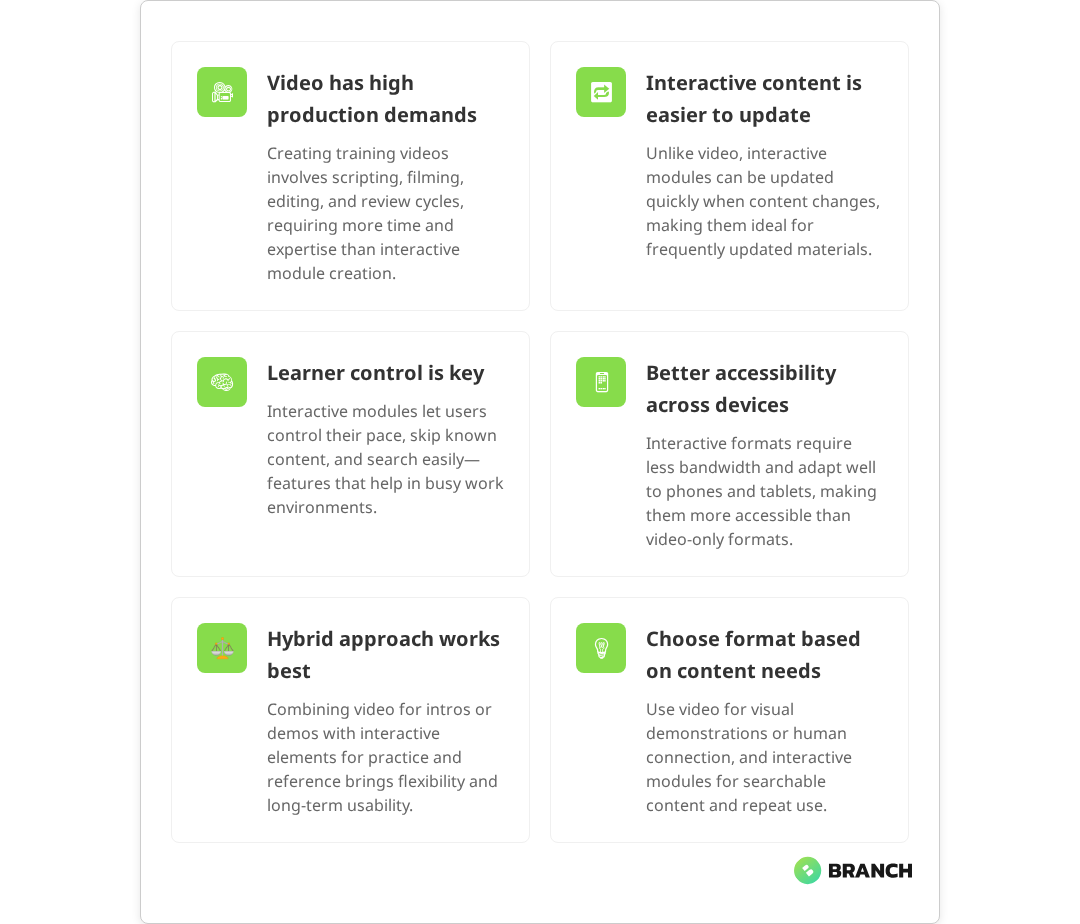
The linear nature of video production means that changes midway through the process can be expensive and time-consuming. Industry analysis confirms that video production’s sequential stages mean adjustments often require redoing previously completed work, with revisions during post-production involving additional editing hours, re-shoots, or complex visual effects workarounds. Unlike text-based content, where you can quickly edit a paragraph, video changes often require re-recording segments or complex editing workarounds.
The Maintenance Challenge
Here’s where video-based learning gets tricky for B2B organizations: content decay. Your software interface changes, your compliance requirements update, or your company restructures. Suddenly, that polished video showing the old dashboard becomes not just outdated it’s actively misleading.
This challenge is well-documented in the learning industry. Research shows that content decay the decline in relevance when underlying facts or interfaces change is particularly problematic for video content. Updating video content isn’t like editing a document. Small changes often require partial re-recording, which means reassembling the production team, matching audio quality, and ensuring visual consistency. Many organizations end up with a growing backlog of outdated videos that teams simply stop using rather than fixing.
Read more about building maintainable eLearning content that scales with your organization.
Interactive Modules: Beyond Point-and-Click
Interactive modules often get reduced to “click-through presentations with quizzes,” but modern interactive learning can include simulations, branching scenarios, adaptive pathways, and contextual feedback systems. The key difference isn’t just engagement it’s learner agency.
Types of Interactive Learning Formats
| Format Type | Best Use Cases | Production Complexity | Maintenance Overhead |
|---|---|---|---|
| Text-heavy modules | Policies, procedures, reference materials | Low | Low |
| Scenario-based simulations | Decision-making, soft skills, compliance | High | Medium |
| Interactive walkthroughs | Software training, onboarding | Medium | High (if software changes) |
| Adaptive assessments | Skill validation, personalized learning | High | Low |
The Scalability Advantage
Well-designed interactive modules excel at accommodating different learning paces and preferences. Learners can scan content quickly, dive deep into complex sections, or bookmark specific information for later reference. This flexibility becomes particularly valuable in B2B environments where learners have varying expertise levels and time constraints.
Interactive formats also tend to be more searchable and indexable. Studies show that interactive formats provide enhanced learner control and engagement through integrated features like quizzes and scenario simulations, facilitating easier navigation compared to traditional linear videos. When someone needs to quickly reference a specific procedure or policy detail, they can often find and consume the relevant information faster than scrubbing through a video.
The User Experience Reality Check
Let’s talk about what actually happens when learners encounter your content in the wild. The ideal scenario learners sitting quietly through a 20-minute training video rarely matches reality in busy B2B environments.
Learner Control and Pace
Modern digital workers expect to control their learning experience. They want to skip sections they already know, revisit complex topics, and access information just-in-time when they need it. Video content, by its nature, pushes learners into a linear, time-bound experience that may not match their workflow needs.
Interactive modules, especially text-based ones, allow learners to scan, search, and consume content at their own pace. Research confirms that online learning through modules allows learners to easily access educational materials and choose the time and place to study, with the flexibility to control their movement through content. This isn’t just a preference it’s often a practical necessity when learning needs to fit around meetings, deadlines, and interruptions.
Multi-Device and Accessibility Considerations
Consider where and how your learners actually access training content. Video requires significantly more bandwidth typically 1.5-3 Mbps for 720p HD and 5-8 Mbps for 1080p Full HD works poorly on small screens, and can be challenging for learners with hearing impairments or those in noise-sensitive environments. Interactive text-based content is generally more accessible across devices and circumstances.
What the research says
The evidence on video versus interactive learning reveals some clear patterns that can guide your format decisions:
- Production and maintenance costs: Multiple industry studies confirm that video production requires 2-3x more initial investment than interactive modules, with ongoing maintenance costs significantly higher due to the complexity of updates and revisions.
- Content adaptability: Research consistently shows that interactive formats, particularly those that change frequently, provide better flexibility for updates and revisions compared to linear video content.
- Learner accessibility: Studies demonstrate that text-based interactive content performs better across different devices and circumstances, with lower bandwidth requirements and better accessibility for diverse learning environments.
- Engagement patterns: While video can be highly engaging, early research suggests that interactive elements provide learners with more control over their learning experience, though the optimal balance varies by content type and learner context.
- Long-term viability: Evidence indicates that organizations often struggle with maintaining video libraries over time, with content decay becoming a significant challenge for dynamic business environments.
When Video Excels: The Right Tool for the Job
Despite the challenges, video-based learning has clear strengths that make it the right choice for specific situations. The key is recognizing when those strengths align with your content goals and organizational constraints.
Complex Visual Processes
Some concepts are genuinely easier to understand when shown rather than described. Physical procedures, software demonstrations with multiple steps, or processes that involve spatial relationships often benefit from video format. The moving image can capture nuances that screenshots and text descriptions miss.
Building Human Connection
Video allows learners to connect with subject matter experts in ways that text cannot. When credibility and personal connection matter such as leadership communication, cultural training, or complex change management video can provide the human element that builds trust and engagement.
Standardized Message Delivery
For content that must be delivered consistently across large organizations compliance training, safety procedures, or key policy communications video ensures every learner receives exactly the same message. This consistency can be valuable for audit purposes and reducing interpretation variability.
The Hybrid Approach: Best of Both Worlds
The most effective B2B learning strategies don’t force an either/or choice. Instead, they use each format where it provides the most value, often within the same learning experience.
Content-Based Format Decisions
Rather than choosing video or interactive for an entire program, consider making format decisions at the content level:
- Introductory overviews: Short videos for context and motivation
- Detailed procedures: Interactive step-by-step guides with searchable text
- Complex demonstrations: Video walkthroughs with supplementary text references
- Assessment and practice: Interactive scenarios and simulations
- Reference materials: Text-based resources for ongoing access
Progressive Enhancement Strategy
Start with text-based content that covers the essential information, then enhance with video where it adds clear value. Government guidance on progressive enhancement shows this approach allows you to launch faster, test learner engagement, and invest in video production for content that proves its worth over time, while ensuring broad accessibility and compatibility.
Read more about custom eLearning development that combines multiple content formats effectively.
Making the Decision: A Framework for B2B Teams
Here’s a practical framework for deciding between video-based learning and interactive modules based on your specific context and constraints.
Evaluation Criteria
Ask these questions for each piece of content you’re planning:
- Update frequency: How often will this content need to change? High-change content favors interactive formats.
- Learning context: Will learners consume this during focused study time or as just-in-time reference? Reference use favors interactive.
- Content complexity: Does understanding require seeing movement, spatial relationships, or sequential actions? Complex visual processes may benefit from video.
- Production resources: Do you have access to video production capabilities, or is text-based development more realistic?
- Learner environment: Are your learners in quiet, controlled environments, or do they need flexible access across various contexts?
Resource Planning Considerations
| Factor | Video-Based | Interactive Modules |
|---|---|---|
| Initial Development Time | High (3-4 weeks typical) | Medium (1-2 weeks typical) |
| Skill Requirements | Video production expertise | Instructional design, some tech |
| Update Difficulty | High (often requires re-production) | Low to medium |
| Ongoing Maintenance | Difficult, often neglected | Manageable with right tools |
| Accessibility | Requires captions, transcripts | Generally more accessible |
Implementation and Partnership Considerations
Whether you choose video, interactive modules, or a hybrid approach, successful implementation requires careful planning around production workflows, content management, and ongoing maintenance.
Build vs Buy vs Partner
Consider your options for content creation:
- In-house development: Best for organizations with existing L&D teams and simple content needs
- Template-based tools: Good for standardized content formats but may limit customization
- Specialist partnership: Valuable for complex projects, custom requirements, or when you need to scale quickly
A specialized eLearning development team can help you navigate format decisions based on your specific learner needs, content requirements, and organizational constraints. They can also build content architectures that support both video and interactive elements without forcing you into a single format.
The Path Forward
The choice between video-based learning and interactive modules isn’t really about which format is “better” it’s about which approach fits your specific content, learners, and organizational realities. The most successful B2B learning programs take a pragmatic, evidence-informed approach that prioritizes learner outcomes over format preferences.
Start by understanding your learners’ actual needs and constraints, then choose formats that serve those needs efficiently. Don’t be afraid to start simple and evolve your approach as you learn what works in your environment.
If you’re planning a learning initiative that could benefit from professional guidance on format selection, content architecture, or custom development, consider working with a team that specializes in B2B digital learning solutions. The right partnership can help you avoid common pitfalls and build learning experiences that actually get used and maintained over time.
FAQ
How do I know if my content is better suited for video or interactive modules?
Start with your content's update frequency and learning context. If the information changes regularly (like software procedures or policies), interactive modules are typically easier to maintain. If learners need to see complex visual processes or sequential actions, video may be more effective. Consider also whether learners will use this as reference material (favoring interactive) or as one-time training (where video might work well).
What's the real cost difference between video and interactive learning development?
Initial video production is typically 2-3x more expensive than interactive modules due to equipment, editing, and specialized skills required. However, the bigger cost difference emerges over time: video updates often require partial or complete re-production, while interactive content can usually be edited directly. Budget for the total lifecycle cost, not just initial development.
Can I start with one format and switch to another later?
Yes, but plan for this transition carefully. Many organizations start with interactive text-based content because it's faster to develop and easier to iterate. You can then add video elements where they provide clear value. Going from video to interactive is harder because you'll need to recreate content from scratch rather than enhance existing material.
How do I handle learners who strongly prefer video vs those who prefer text-based learning?
The most effective approach is often hybrid: provide core information in searchable, scannable text format, then enhance with video where it adds genuine value (like demonstrations or expert credibility). This gives fast learners the ability to scan and skip, while providing richer content for those who benefit from video explanation.
What should I look for in a partner if I want help with content format decisions?
Look for teams with experience in your specific industry or use case, and ask to see examples of how they've solved similar format challenges. A good eLearning partner should be able to explain the trade-offs clearly, show you maintenance workflows, and provide realistic timelines for different approaches. They should also be comfortable recommending simpler solutions when appropriate, rather than always pushing for the most complex option.