datamesh-image-blog

What Data Mesh Really Is (and Isn’t)

Data mesh is a phrase you’ve probably heard at least once in a meeting that promised to “fix everything” about data. It’s more than buzzword bingo, but less than a magical one-size-fits-all cure. In this article I’ll unpack what data mesh actually means, why organizations are excited about it, where teams trip up, and practical steps to decide whether it belongs in your data strategy. By the end you’ll have a clear picture of the principles, trade-offs, and real-world considerations so you can stop nodding politely and start planning intentionally.

Why data mesh matters now

Companies are drowning not in data, but in poorly organized data—siloed teams, clogged pipelines, inconsistent definitions, and a small central team trying to serve everyone’s requests. Data mesh reframes the problem: instead of centralizing everything in a giant warehouse, it distributes ownership to the teams who understand the domain best. That shift promises faster delivery, better data products, and less friction between engineers, analysts, and business owners.

This idea has gained traction across industry commentary and vendor writing; for a concise primer, see the overview on Wikipedia or Oracle’s practical explainer on domain-oriented ownership and self-service platforms at Oracle.

What data mesh actually is

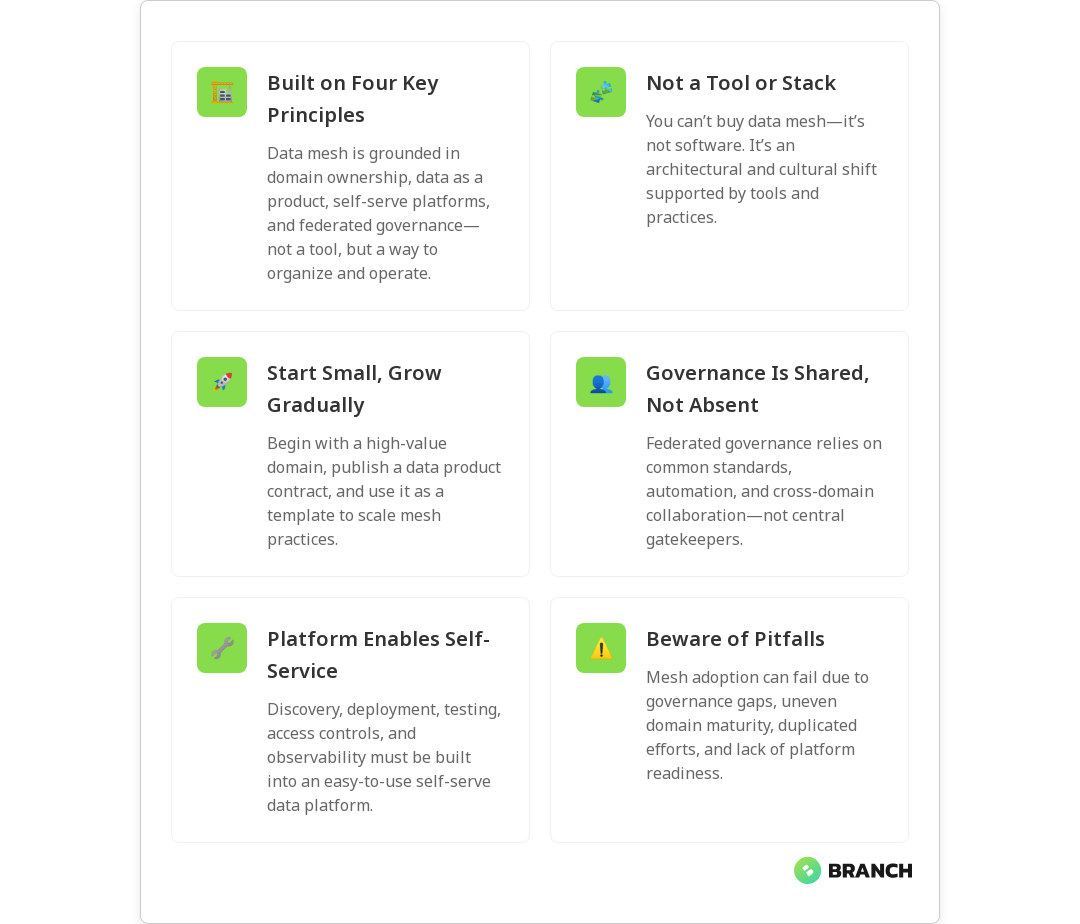
At its core, data mesh is an organizational and architectural approach that rests on four primary principles:

  • Domain ownership: Data responsibility is pushed to the teams closest to the source (the domain teams), rather than a centralized data team owning every dataset.
  • Data as a product: Domains treat their data outputs like products—with discoverability, documentation, SLAs, and a product mindset toward consumers.
  • Self-serve data platform: A reusable platform provides tools, infrastructure, and automation so domain teams can publish reliable data products without reinventing the wheel.
  • Federated computational governance: Governance is enforced through shared policies, standards, and automated checks rather than a single gatekeeping team.

These principles come from several recognized descriptions and industry guides; for example, IBM summarizes the domain-based and cloud-native aspects of the pattern in their overview at IBM.

💡 Tip: Start with small, high-value domains. Treat the initial domain as a minimum viable data product—document it, set a simple SLA, and let it serve as a template for other teams.

What data mesh isn’t

There are a lot of misconceptions floating around. Data mesh is not:

  • A technology stack: You don’t buy data mesh as a product. It’s an organizational pattern supported by tooling.
  • An excuse to avoid governance: Decentralization without governance equals chaos. Mesh demands federated governance—shared rules, metadata standards, and automated validation.
  • Instant scale: It can take time to make distributed ownership work; the upfront effort in coordination and platform-building is real.

Starburst and Monte Carlo have clear write-ups on common myths—useful reads if you want to avoid the classic “we decentralized and now no one knows where the data is” problem (see Starburst and Monte Carlo).

How data mesh compares to other architectures

When people ask if data mesh is a data warehouse, lakehouse, or fabric, the answer is: “No — and it can work with them.” Think of mesh as an organizational overlay rather than a replacement for storage or compute patterns.

  • Data warehouse vs. data mesh: Warehouses centralize curated data in one place. A data mesh decentralizes ownership and distributes curated outputs across domains. You might still run many domains’ data products into a shared warehouse for analytics, or you might keep them in domain-owned stores accessible via standardized APIs.
  • Lakehouse vs. data mesh: Lakehouses blend lake and warehouse concepts at the storage/compute layer. Mesh focuses on who owns and governs the data products that may live in a lakehouse, warehouse, or across multiple storage systems.

Oracle’s explainer highlights how mesh complements these architectures by emphasizing domain-oriented ownership and self-service access to data, rather than prescribing a specific storage model (see Oracle).

Practical strategies for adopting data mesh

Moving to a data mesh is as much about people and process as it is about technology. Here’s a practical roadmap that teams have found useful:

  1. Define the domains and prioritize: Map business domains (sales, product, supply chain) and choose one or two to pilot. Pick domains where the business impact is clear.
  2. Create a data product contract: Require each domain to publish a short contract for their data product—what it contains, consumers, update cadence, quality expectations, and contact owner.
  3. Build a self-serve platform incrementally: Start with essential capabilities: data discovery, cataloging, CI/CD for data pipelines, observability, and access controls. Don’t try to solve everything at once.
  4. Establish federated governance: Form a lightweight council with domain reps and platform engineers to agree on standards and automated checks.
  5. Measure and iterate: Track product-level KPIs like consumer adoption, MTTR (mean time to repair), data product uptime, and time-to-delivery for new data features.
💡 Tip: Make the platform boringly reliable. Teams will adopt a mesh if the platform reduces friction—good docs, templates, and automated tests go a long way.
Read more: Data engineering for AI – a useful perspective on why data foundations matter for AI projects and how pipelines and quality affect downstream models.

Organizational impact and governance

Data mesh shifts accountability. Domain teams must get comfortable owning production data—this often requires cultural changes, reskilling, and incentives aligned with data product quality. Governance moves from policing to enabling: automated policy enforcement, clear standards, and tooling that helps domains comply rather than bog them down.

A federated governance model should include:

  • Common metadata and cataloging standards
  • Privacy and compliance guardrails codified in the platform
  • Automated lineage and observability to troubleshoot quickly
  • Shared SDKs and templates to lower adoption cost
Read more: Tailored AI solutions – helpful when thinking about how domain-tailored data products feed specialized AI or analytics use cases, and why one-size-fits-all approaches fail.

Technical considerations: platform and tooling

A self-serve data platform is the plumbing of a mesh. It should provide:

  • Discovery and catalog tools so consumers find and evaluate data products.
  • Pipeline templates and CI/CD for data product delivery.
  • Automated testing, lineage, and monitoring for quality and observability.
  • Access control, encryption, and policy enforcement integrated with identity systems.

Whether you build the platform on cloud services, open-source tools, or a mix depends on skills, budget, and governance needs. Cloud providers and vendor solutions can accelerate time-to-value, but you still need organizational alignment and strong product contracts.

Read more: Cloud infrastructure services – for guidance on designing scalable and secure cloud environments that underpin a reliable self-serve data platform.

Pitfalls and downsides

Data mesh promises a lot, but there are real drawbacks if you rush in without preparation:

  • Uneven maturity: Domain teams vary in their ability to produce and sustain data products. Without training and templates, quality will be inconsistent.
  • Duplicate work: Without clear standards and reusable components, teams can rebuild similar pipelines and tooling, increasing cost.
  • Governance gaps: Federated governance requires automation and agreement—without it, you end up with fragmented security and compliance exposure.
  • Initial overhead: Building a self-serve platform and setting cultural incentives takes time and investment up front.

Monte Carlo and Starburst both call out how organizational readiness and tooling maturity are often underestimated – read their posts if you want cautionary tales and practical warnings (see Monte Carlo and Starburst).

Read more: Data engineering services – if you’re considering external help to stand up pipelines, governance, and the platform components while your teams transition.

Trends and where data mesh is headed

Expect the ecosystem to mature along three axes:

  • Better platform components: More out-of-the-box tools for discovery, lineage, and policy-as-code will reduce the custom build burden.
  • Stronger metadata interoperability: Standards and catalogs will improve cross-domain discoverability and reduce duplication.
  • Hybrid adoption patterns: Many organizations will adopt mesh principles selectively—combining centralized and decentralized approaches where each fits best.

In short: data mesh is evolving from a bold idea into a set of practical patterns and products you can adopt incrementally.
FAQ

What is a data mesh?

A data mesh is an organizational and architectural approach that decentralizes data ownership to domain teams, treats data as a product, provides a self-serve platform, and uses federated governance to maintain standards and compliance.

What are the four principles of data mesh?

The four principles are domain ownership, data as a product, a self-serve data platform, and federated computational governance. These are the pillars that guide how teams structure ownership, delivery, and governance.

What is the difference between data warehouse and data mesh?

A data warehouse is a centralized storage and compute architecture optimized for analytics. Data mesh is an organizational design that can work with or alongside warehouses: mesh decentralizes who owns and publishes curated data products, while a warehouse remains a place where data might be stored or consumed.

What is the difference between data lakehouse and data mesh?

A lakehouse is a technical architecture combining lake and warehouse features at the storage level. Data mesh is about ownership and governance across domains; a lakehouse can be the backing store for domain data products in a mesh, but doesn’t by itself enforce distributed ownership or product thinking.

What are the downsides of data mesh?

Downsides include organizational readiness requirements, potential duplication of effort, uneven data product quality across domains, upfront investment to build the self-serve platform, and the need for automated governance to ensure compliance and security.

Data mesh is not a silver bullet, but for organizations willing to invest in people, process, and a reliable platform, it can reduce bottlenecks and create more usable data. If you’re thinking about taking steps toward mesh, start small, enforce standards with automation, and measure product-level outcomes—then expand what works, not what sounds trendy.

💡 Tip: If your central team is overwhelmed, pick one domain to pilot mesh practices and use that pilot as a learning lab. Success in one domain provides templates, metrics, and momentum.

Curious to explore hands-on help with pipelines, platforms, or AI built on strong data foundations? We help teams design practical approaches that match their culture and goals—no mesh-shaped hammer required.

datatransformation-image-blog

Modern Data Transformation: dbt vs Dataform vs Apache Airflow

Data transformation is the engine that turns raw data into decisions. But in 2025, teams have a buffet of tools-dbt, Dataform, and Apache Airflow-that each promise to transform your data stack into something reliable, testable, and, dare I say, elegant. This article unpacks how these tools differ, where they overlap, and how to choose the right one for your projects. By the end, you’ll know practical strategies for adoption, common pitfalls to avoid, and how these projects fit into a modern analytics and ML pipeline.

Why data transformation matters (and why the tool choice matters too)

Raw data is messy: missing values, inconsistent schemas, and cryptic codes from third-party systems. Transformation is where you apply business logic, enforce quality checks, and produce clean, consumable datasets for analysts and models. The right transformation tooling accelerates delivery, enforces software engineering practices, and makes collaboration repeatable.

dbt (data build tool) emphasizes SQL-first transformations with version control, tests, and modularity. Dataform was built for cloud data warehouses-especially BigQuery-and offers an integrated environment for building SQL workflows. Apache Airflow is a general-purpose orchestrator that schedules and chains tasks across diverse systems, including transformation jobs.

High-level comparison: dbt, Dataform, and Airflow

Let’s compare them by philosophy and typical use cases:

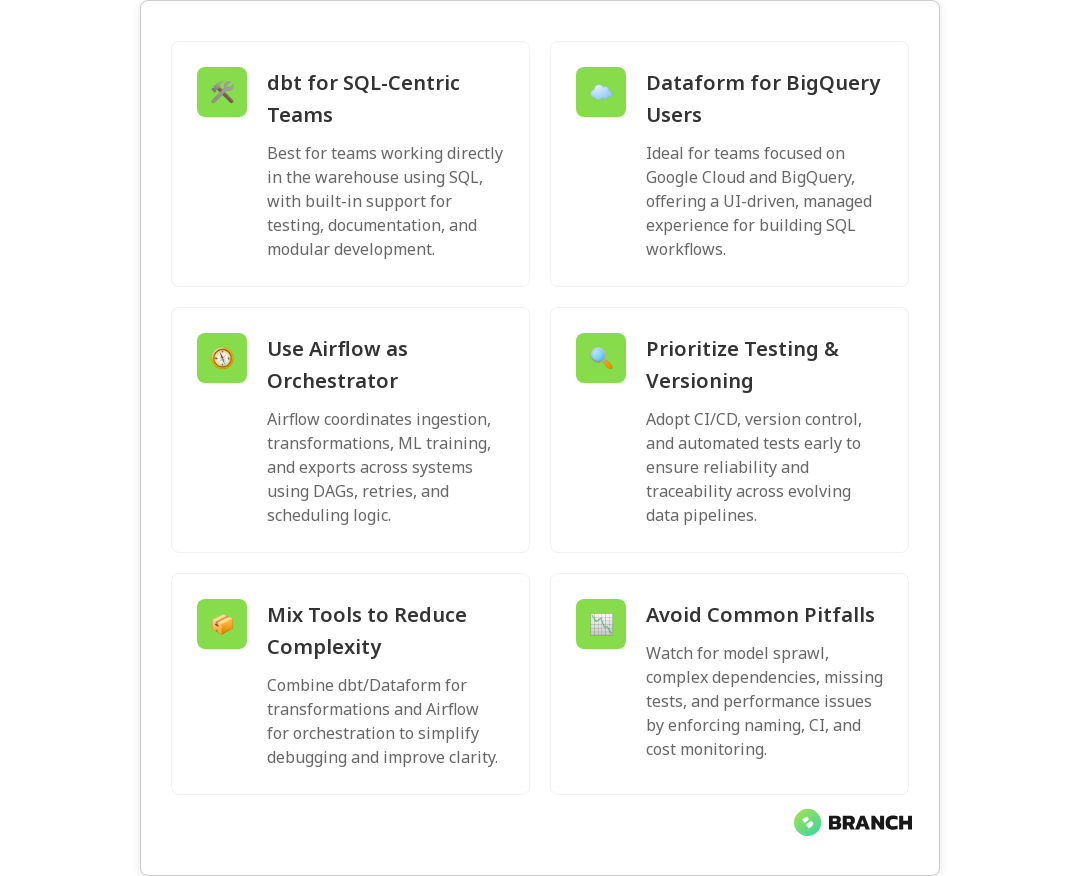
  • dbt: Focused on in-warehouse transformations using SQL and modular models. dbt champions software engineering practices like testing, documentation, and reusable macros. It’s ideal when your transformations live primarily in the data warehouse and you want a clear, versioned lineage.
  • Dataform: Designed as a managed, warehouse-friendly development environment. It provides a tight BigQuery integration and simplifies building SQL-based pipelines with a GUI and repository-backed workflows. For teams deeply embedded in Google Cloud/BigQuery, Dataform streamlines the developer experience.
  • Apache Airflow: A workflow orchestrator, not a transformation engine. Airflow schedules and monitors tasks-transformations, data ingestion, ML training jobs, and more-across heterogeneous systems. Use Airflow when your pipeline spans many systems and needs flexible control flow, retries, and dependency management.

For a practical technical comparison that highlights the developer experience differences between dbt and Dataform, see this dbt vs Dataform comparison.

How teams typically combine these tools

In many modern stacks, these tools are complementary rather than exclusive:

  • Use dbt to implement transformations, tests, and documentation inside the warehouse. Its model-centric approach yields clean, version-controlled datasets.
  • Use Dataform when you want a streamlined developer experience closely tied to BigQuery, especially if you value an integrated UI and simple deployment.
  • Use Airflow to orchestrate the broader flow: trigger ingestion, kick off dbt or Dataform jobs, run ML training, and manage downstream exports.

In short: dbt/Dataform = transformation logic; Airflow = conductor. That conductor can also call transformations built with dbt or Dataform.

💡 Tip: Treat dbt and Dataform as your transformation “source of truth” for data models and tests, and Airflow as the scheduler and error-handling router. This separation keeps logic versioned and orchestration flexible.

Practical strategies for choosing and implementing

Choosing the right approach depends on people, platform, and policy. Here are practical strategies to guide the decision:

1. Start with your warehouse and team skills

If your team is SQL-first and your warehouse supports dbt well (Snowflake, BigQuery, BigLake, Redshift, Databricks SQL), dbt is typically the fastest path to disciplined transformations. If you’re firmly BigQuery and want an integrated UI experience, Dataform can speed onboarding.

2. Use software engineering practices from day one

Whatever tool you pick, version control, CI/CD, code review, and automated testing matter. dbt has built-in testing and documentation features that map naturally to software engineering workflows. Dataform also supports repo-backed development. For orchestration, integrate Airflow tasks into CI so scheduled changes are predictable.

3. Combine tools when it reduces complexity

Don’t try to make a single tool do everything. Use dbt/Dataform to produce reliable datasets, and Airflow to orchestrate and monitor. This makes debugging easier: transformation errors show up in dbt tests, while scheduling issues appear in Airflow logs.

4. Plan for observability and lineage

Choose tools and deployments that expose lineage and metadata. dbt generates a lineage graph and docs site; integrating that with your observability stack reduces mean time to resolution when data consumers complain.

Read more: Data Engineering for AI – a guide to why disciplined pipelines are essential for reliable AI systems.

Common challenges and how to avoid them

Even with the right tools, teams hit roadblocks. Here are the predictable ones and how to mitigate them:

  • Model sprawl: Over time, hundreds of dbt models can accumulate. Solve this with naming conventions, model folders, and regular cleanup sprints.
  • Complex dependencies: If transformations depend on many upstream systems, use Airflow to enforce ordering and retries, and design idempotent tasks.
  • Testing gaps: Tests only help if you run them. Integrate dbt tests into CI and run them before merging changes to main branches.
  • Performance surprises: Transformations can be expensive. Monitor query costs, use materializations (incremental, snapshots), and profile queries for hot spots.
Read more: Data Engineering Services – why governance, architecture, and quality practices matter when building pipelines.

Best practices and patterns

  1. Small, well-tested models: Prefer many small dbt models over a few massive queries. Small models are easier to test and maintain.
  2. Idempotency: Ensure transformation jobs can run multiple times without corrupting results. This is particularly important when Airflow retries tasks.
  3. Incremental builds: Use incremental materializations for large tables to control cost and speed.
  4. Document models: Use dbt docs or Dataform descriptions so downstream users understand what each dataset represents.

Trends and the future of transformation tooling

A few trends are shaping how teams approach transformation:

  • Warehouse-native tools win for speed: As warehouses gain compute and features, in-warehouse transformations (dbt, Dataform) reduce data movement and latency.
  • Tighter integration with orchestration: Airflow and managed schedulers are increasingly orchestrating dbt/Dataform runs, offering transactional workflows across systems.
  • Data contracts and tests: Automated tests and contractual guarantees between producers and consumers are becoming standard in mature teams.
  • Metadata-first operations: Lineage, observability, and cost attribution tools are integrated into pipelines to help ops teams manage scale and budget.
Read more: Cloud Infrastructure Services – context on how cloud architecture choices influence transformation strategies.

When to pick each tool

  • Pick dbt if you want a mature, SQL-first transformation framework with strong community packages, tests, and documentation features. It’s the go-to when you want reproducible, versioned models and developer-friendly macros.
  • Pick Dataform if you’re heavily invested in BigQuery and prefer an integrated, warehouse-native developer experience with streamlined deployment inside Google Cloud.
  • Pick Airflow if your workflows span many systems-APIs, cloud functions, ML training, and ETL processes-and you need a flexible DAG-based orchestrator to manage retries, backfills, and complex dependencies.
💡 Tip: If you’re unsure, start with dbt for transformation logic and use a simple scheduler (Airflow or cloud scheduler) to orchestrate. You can add Dataform later if your team standardizes on BigQuery and wants its UI conveniences.

FAQ

What does data transformation mean?

Data transformation is the process of converting raw data into a structured, consistent format suitable for analysis, reporting, or machine learning. It includes cleaning (removing duplicates, handling nulls), standardizing formats, aggregating records, and applying business rules so that consumers can reliably use the data.

What is an example of data transformation in real life?

Consider an e-commerce company: raw order events show up with different timestamp formats, product codes, and customer IDs. Transformation combines these events into a clean orders table with standardized timestamps, resolved product names, calculated lifetime value, and flags for fraud or returns. That orders table then feeds dashboards and recommendation models.

What are the steps of data transformation?

Typical steps include extraction (getting raw records), cleaning (deduplication and standardization), enrichment (joining reference data), aggregation (summaries for reporting), validation (tests and checks), and loading (writing transformed data to a destination). Tools like dbt or Dataform focus on the cleaning/enrichment/aggregation/validation steps inside the warehouse.

What is data transformation in ETL?

In ETL (Extract, Transform, Load), transformation is the middle step where extracted data is converted to the desired structure and quality before loading into the target system. Modern variations often invert this pattern to ELT (Extract, Load, Transform) where data is loaded into the warehouse first and transformed there—this is where dbt and Dataform excel.

Why would you transform data?

Transforming data makes it accurate, understandable, and usable. It turns inconsistent, noisy inputs into trusted datasets that support analytics, reporting, and ML. In short: transformed data saves time, reduces errors, and enables reliable business decisions.

Read more: AI Development Services – how clean, transformed data is a prerequisite for reliable AI solutions.

Final thoughts

dbt, Dataform, and Airflow each solve different problems in the transformation lifecycle. dbt and Dataform help you write, test, and version transformations inside the warehouse; Airflow orchestrates the wider workflow. Use them together when appropriate: write reliable models with dbt or Dataform, and let Airflow handle scheduling, retries, and cross-system dependencies. With these patterns in place-automated tests, documentation, lineage, and observability-your data will stop being a mysterious treasure map and start being a reliable roadmap for decision-making.

Read more: Latest Insights – for more articles and case studies about building resilient data and analytics systems.

batchprocessing-image-blog

Batch Processing vs Stream Processing In Data Optimization

Deciding between batch and stream processing is like choosing between a slow-cooked Sunday roast and a speedy breakfast smoothie — both feed you, but one is designed for depth and the other for immediacy. In data-driven organizations, the choice affects latency, cost, infrastructure, and ultimately how quickly you can act on insights. This article walks through the core differences, real-world use cases, architecture considerations, and practical tips to help you optimize data workflows for business impact.

Why this matters

Data is the engine behind decisions — whether that’s adjusting inventory, preventing fraud, or serving personalized content. Batch processing is built for exhaustive, high-volume work that runs on a schedule; stream processing is for continuous, low-latency insights. Picking the wrong approach can slow innovations, inflate costs, or make your analytics irrelevant by the time results arrive. Understanding both lets you match the right tool to the right job and design systems that are both fast and reliable.

Read more: Data Engineering for AI – learn why solid data infrastructure is the foundation for any processing choice.

Core differences at a glance

Think of batch vs stream along a few dimensions:

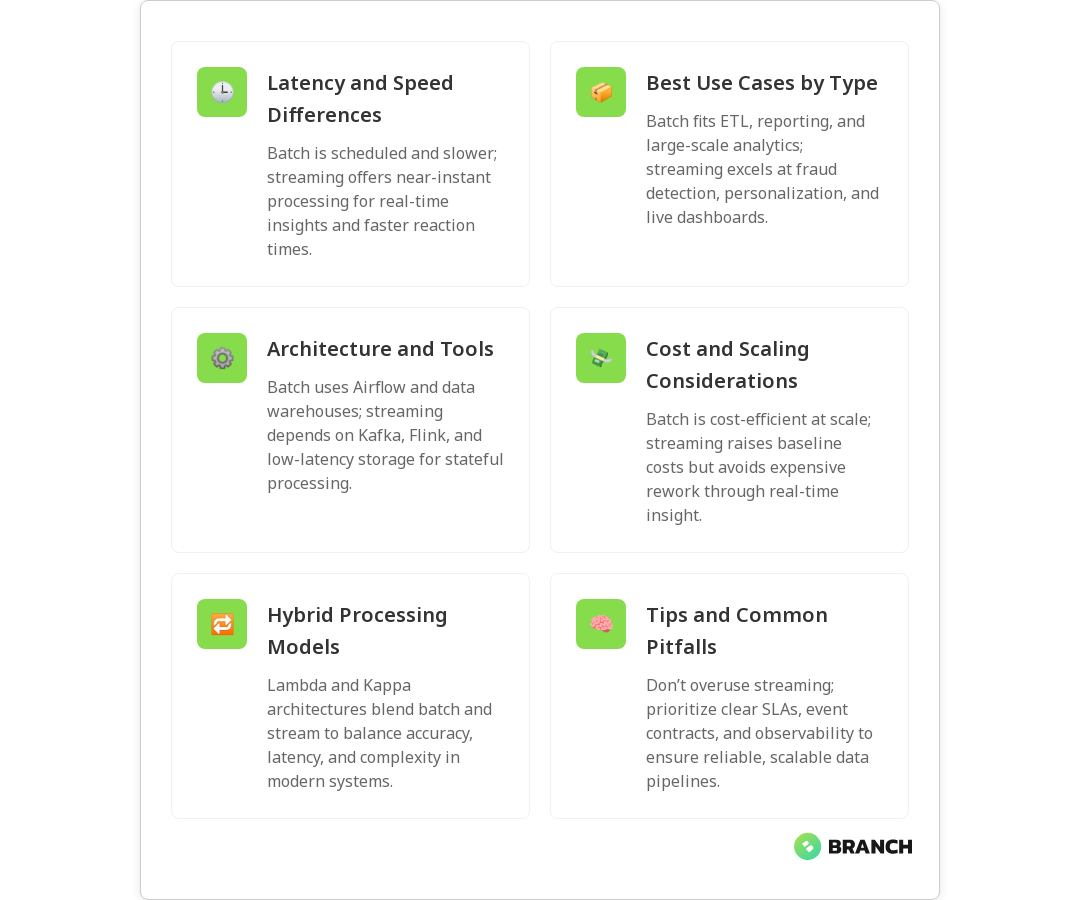
  • Latency: Batch runs on a schedule (minutes to hours), while streaming processes events as they arrive (milliseconds to seconds).
  • Throughput: Batch can efficiently process massive volumes in bulk; streaming is optimized for continuous flow and consistent throughput over time.
  • Complexity: Streaming often requires more complex architecture (state management, windowing, handling late arrivals) than batch jobs.
  • Use cases: Batch is great for ETL, historical analytics, and reporting; streaming shines for monitoring, fraud detection, personalization, and operational dashboards.

For a practical comparison and decision checklist, see a clear walk-through from DataCamp on when to use each approach (DataCamp overview).

When to choose batch processing

Batch processing is the reliable workhorse. Choose it when:

  • You can tolerate latency and prefer processing large windows of data at once.
  • Historical accuracy and repeatability matter (monthly financial closes, complex aggregations, machine learning model training).
  • Cost per unit of work matters — batch jobs often compress overhead across many records and can be more cost-effective for huge datasets.
  • Your data arrives in predictable bursts or schedules (e.g., daily logs, nightly ETL).

Common examples include billing runs, nightly data warehouses updates, and long-run ML model retraining. In many enterprises, batch remains the backbone for heavy-duty analytics because it’s simple to reason about and easier to test.

When to choose stream processing

Stream processing is the adrenaline shot for modern data systems. Choose streaming when:

  • Near real-time decisions are critical (fraud alerts, live personalization, anomaly detection).
  • Data arrives continuously and you need continuous results rather than periodic summaries.
  • Operational monitoring, A/B testing feedback loops, or event-driven services rely on up-to-the-second information.

Implementing streaming requires attention to out-of-order events, late-arriving data, and stateful computations. Databricks’ documentation lays out key trade-offs like stateless vs stateful processing and how to manage late arrivals in streaming systems (Databricks docs).

Architecture and tooling — what changes under the hood

Batch architectures typically use orchestrators (like Airflow), scheduled compute clusters, and ELT pipelines feeding a data warehouse or lake. Streaming architectures use event brokers (Kafka, Kinesis), stream processors (Flink, Spark Structured Streaming), and low-latency stores for state.

Key considerations:

  • Stateful processing: Streaming frameworks must manage in-memory or persistent state for aggregations and joins across time windows.
  • Fault tolerance: Exactly-once semantics are harder but increasingly available in streaming stacks.
  • Operational complexity: Streaming teams often need more specialized skills (observability for lag, backpressure handling, and recovery patterns).
Read more: Data Engineering Services – if you’re evaluating people and processes for these architectures, this explains how to structure the team and pipelines.

Hybrid approaches: the best of both worlds

Most mature data platforms aren’t strictly batch or strictly streaming. Hybrid models combine immediate streaming for low-latency needs with batch for deep historical processing. Two common patterns:

  • Lambda architecture: Streams handle real-time views, while a batch layer recomputes accurate historical results. This gives quick approximations and eventual correctness, but it can be operationally heavy.
  • Kappa architecture: Uses a streaming-first approach where reprocessing is handled by replaying the event log; simpler operationally if the streaming stack supports it well.

Prophecy outlines how architects weigh these models and why many teams choose hybrid routes to balance correctness, latency, and complexity (Prophecy discussion).

💡 Tip: If you’re unsure which path to take, start with the outcome: define acceptable latency and cost. Build a small streaming proof-of-concept for the highest-value real-time use case and keep batch for nightly reconciliation — you’ll learn fast and reduce risk.

Performance, cost, and scaling

Cost profiles differ. Batch jobs can be scheduled to run when resources are cheap (off-peak), and they can amortize startup costs over huge workloads. Streaming requires always-on infrastructure or autoscaling that reacts rapidly to load, which can increase baseline spend. However, streaming can reduce downstream cost by preventing expensive rework (e.g., catching issues early).

Scaling considerations:

  • Horizontal scaling: Both models scale horizontally, but streaming systems often need careful partitioning strategies to avoid skew and hot keys.
  • Latency vs cost trade-offs: Pushing for sub-second responses may require different hardware, caching, and operational overhead.
  • Reprocessing: Batch makes reprocessing simple (rerun the job); streaming needs event replay and idempotency patterns to avoid duplication or gaps.
Read more: Cloud Cost Optimization – practical ways to control spending when you adopt always-on streaming infrastructure.

Implementation challenges and practical tips

Common pitfalls teams run into:

  • Over-specifying streaming: Not every analytics problem needs real-time answers. Streaming everything increases complexity and cost.
  • Ignoring data quality: Both batch and streaming rely on reliable schemas and validation. Streaming adds the challenge of validating data as it arrives.
  • Under-investing in observability: Monitoring throughput, lag, and state sizes is essential for stable streaming systems.

Practical implementation tips:

  • Start with clear SLAs for latency and correctness. The SLA should drive design choices.
  • Use event-driven design — define clear event contracts and versioning plans for producers and consumers.
  • Build replayability: keep an immutable event log so you can reprocess if needed.
  • Invest in testing: unit tests for transformations, integration tests for end-to-end flows, and chaos tests for failure modes.

Trends and what to watch

Streaming capabilities are improving with better state stores, managed services, and libraries that provide stronger guarantees. Atlan and Monte Carlo discuss how streaming is increasingly used for operational monitoring and immediate business responses, while batch remains central to deep analytics and planning (Atlan perspective, Monte Carlo analysis).

Look for:

  • More managed streaming offerings that reduce operational overhead.
  • Better support for exactly-once semantics and stateful stream processing.
  • Tighter integration between streaming and data warehouses to blur the lines between real-time and batch analytics.
Read more: Technology Services Overview – see how integrated services help teams choose and implement the right data patterns for business goals.

Making the decision: checklist

  1. Define the business question and maximum acceptable latency.
  2. Estimate data volume and burstiness to understand cost implications.
  3. Assess team skills: do you have streaming expertise or prefer simpler batch operations?
  4. Decide on tolerance for inconsistency vs the need for immediate decisions.
  5. Plan for observability, replayability, and schema governance from day one.

When in doubt, build a small, focused proof-of-concept. It’s cheaper to learn on a limited scale than to refactor an entire platform later.

FAQ

What is data processing?

Data processing is the set of operations applied to raw data to transform it into meaningful information. This includes collection, cleaning, transformation, aggregation, analysis, and storage. The output supports reporting, decision-making, machine learning, or other downstream uses.

What are the three methods of data processing?

The three commonly referenced methods are batch processing (processing data in scheduled groups), real-time or stream processing (processing data continuously as it arrives), and interactive processing (ad-hoc queries and analytics). Each method serves different latency, cost, and workload characteristics.

What is an example of data processing?

An example is an overnight ETL job that ingests logs, cleans and aggregates them, and loads summarized results into a data warehouse for next-morning reports. Another example is a fraud detection service that processes credit-card transactions in real time to block suspicious charges.

What are the four types of data processing?

Depending on how categories are defined, you might see four types described as batch processing, real-time/stream processing, interactive processing, and distributed processing. The fourth category emphasizes scaling across many machines to handle large datasets or high throughput.

What are the four different types of data processing activities?

Commonly identified activities include data collection (ingest), data validation and cleaning, data transformation and aggregation, and data storage and delivery (exporting results to dashboards, models, or downstream systems). These activities exist across batch and stream workflows, though their timing differs.

Read more: Custom Software Services – if your processing needs require bespoke applications, this explains how custom software fits into data strategy.

Choosing between batch and stream processing isn’t an either/or decision for most organizations — it’s about matching the right tool to the right business need, then building the observability and governance that make those tools reliable. When you get that mix right, your data becomes not just an archive but a dependable decision engine. And if you ever want a hand designing that engine, you know where to find us — we like coffee, clean data, and a good challenge.

ELT-image-blog

Why Is Everyone Moving From ETL to ELT In Modern Data?

If you’ve been paying attention to data teams, you might’ve noticed a migration trend: ETL is getting a lot of foot traffic toward ELT. It’s not just a fad — it’s a response to cloud-scale storage, fast analytical engines, and a need for more flexible, fast-moving analytics. In this article you’ll learn what separates ETL from ELT, why modern organizations prefer ELT for many workloads, practical strategies for making the switch, and the common pitfalls to avoid.

Quick refresher: ETL vs ELT (the elevator pitch)

ETL stands for Extract, Transform, Load — you pull data out of sources, transform it into a clean shape, then load it into a data store. ELT flips the middle two steps: Extract, Load, then Transform inside the destination system. That simple swap matters because modern cloud warehouses and processing engines can handle transformation work at scale, which changes how teams think about storage, speed, and experimentation.

For a concise comparison you can skim the AWS guide, which highlights how ELT leverages cloud warehouses to keep raw data and transform later.

Why it matters now — the forces pushing teams toward ELT

Several industry shifts have made ELT not just possible, but often preferable:

  • Cheap, elastic cloud storage: Storing raw data is far less expensive than it used to be. Instead of throwing away context during early transformations, teams can keep original records for reprocessing or auditing.
  • Massively parallel processing: Cloud data warehouses and lakehouses (Snowflake, BigQuery, Redshift, etc.) can perform large-scale transformations efficiently, enabling post-load processing at speed.
  • Diverse data types: Semi-structured and unstructured data (JSON, events, logs) fit better into a schema-on-read model. ELT supports loading these formats quickly and shaping them later, which is covered in detail in Atlan’s comparison.
  • Faster experimentation: Analysts and data scientists can access raw data immediately to prototype queries and build models without waiting for rigid, upfront schema decisions.

dbt’s perspective is helpful here: treating transformations as code and performing them in the warehouse enables iterative, repeatable analytics engineering rather than one-off, opaque pipeline steps (dbt’s blog).

Key benefits driving ELT adoption

  • Agility and speed: Load-first pipelines let analysts access data sooner. That reduces the time between data arrival and insight.
  • Reproducibility and auditability: Keeping raw, untransformed data means you can reproduce past results or apply new logic retrospectively — important for compliance and debugging.
  • Simplified pipeline architecture: ELT reduces the need for heavy transformation layers in transit, letting the warehouse serve as a single transformation platform. AWS highlights how this can simplify modern stacks (AWS guide).
  • Better support for diverse data: ELT plays well with semi-structured data, logs, and event streams that don’t fit neatly into rigid ETL schemas — a point Atlan covers when discussing schema-on-read workflows.
  • Cost-performance trade-offs: While cloud compute costs for transformations exist, many organizations find overall operational and development costs go down because of faster iteration and consolidated tooling — see the practical cost discussion in Estuary’s article.

💡 Tip: If you feel nervous about losing control when you move transformations “into the warehouse,” start with non-critical pipelines. Use dbt or similar tools to version control transformations and make change-review part of your workflow.

Practical strategies to migrate from ETL to ELT

Moving to ELT is rarely a single switch — it’s a set of architecture and process changes. Here’s a practical path teams use:

  1. Audit your current pipelines. Catalog sources, SLA needs, latency expectations, and which transformations are brittle or frequently changing.
  2. Classify transformations. Separate low-risk, repeatable, and analytical transforms (good candidates for ELT) from mission-critical, operational transformations that must happen before data is used in OLTP systems.
  3. Adopt a cloud-native warehouse or lakehouse. ELT benefits most when the target system can scale compute for transformations. Qlik and other vendors have notes on how ELT handles large and diverse datasets efficiently (Qlik explainer).
  4. Use transformation-as-code tools. Tools like dbt let analytics teams define transformations in code, run tests, and deploy with CI/CD practices — making ELT reproducible and governable.
  5. Start small and iterate. Migrate a handful of pipelines, measure cost and latency, and refine operational playbooks before scaling broadly.
  6. Monitor and optimize. Track transformation costs, query performance, and data quality. Use cost-optimization practices as you grow — Estuary’s piece dives into cost trade-offs you’ll want to measure (Estuary blog).

Read more: Data Engineering in AI – learn how scalable pipelines and reliable raw data power effective AI systems.

Architecture patterns that work well

Teams commonly use this layered approach:

  • Raw zone: Ingest raw events and source extracts unchanged. Retain a copy for lineage and reprocessing.
  • Staging zone: Light cleanup to make data queryable (partitioning, minimal parsing) but avoid heavy business logic.
  • Transform/curated zone: Run ELT transformations here using SQL or transformation frameworks to create analytics-ready tables and marts.
  • Consumption layer: BI views, ML feature tables, and APIs that serve applications.

💡 Tip: Treat transformations like software: add version control, tests, and code reviews. This reduces “it worked yesterday” surprises and helps teams trust ELT outputs.

Read more: Data Engineering Services – if you want help building or auditing a migration plan, this is the kind of strategic support that speeds adoption.

Common challenges and how to mitigate them

ELT is powerful, but it isn’t a silver bullet. Watch for these issues:

  • Query cost and compute spikes: Transformations in the warehouse consume compute. Mitigation: schedule heavy jobs during off-peak windows, use partitioning/clustering, and apply query optimization. Also, use FinOps practices to monitor spend.
  • Performance degradation: Poorly written transformations can slow down the warehouse. Mitigation: enforce SQL best practices, materialize intermediate results, and use transformation-as-code testing.
  • Governance and data quality: Storing raw data shifts responsibility to downstream, so strong governance is essential. Mitigation: data catalogs, lineage tracking, and automated tests.
  • Security and compliance: Raw data often contains sensitive fields. Mitigation: mask or encrypt sensitive columns at rest, and ensure access controls and audit logs are in place.

Read more: Cloud Cost Strategies – useful for keeping transformation costs under control as you scale ELT workloads.

When ETL still makes sense

ELT is great for analytics and many modern applications, but there are valid reasons to keep ETL in certain contexts:

  • Operational systems that require cleansed, validated data before use (e.g., input into transactional systems).
  • Very tight latency constraints where transformations must be applied before downstream systems act on data in real time.
  • Environments with strict on-prem constraints where the warehouse cannot bear transformation load.

Choosing between ETL and ELT is less about picking a camp and more about selecting the right tool for the job.

Tailored AI Solutions

Trends: what’s next for ELT and data platforms?

  • Analytics engineering and SQL-first workflows: As tools like dbt mature, teams are treating transformations as maintainable engineering artifacts.
  • Lakehouse convergence: Platforms that blur the line between data lakes and warehouses support both ELT and low-cost storage of raw data at scale.
  • Real-time ELT: Streaming ingestion plus near-real-time transformations are growing, enabling faster analytics without losing the benefits of a raw landing zone.
  • Data mesh and decentralized ownership: With ELT, domain teams can own their transformations while central teams enforce governance and shared standards.

Qlik and others note ELT’s suitability for large, diverse datasets — a capability aligned with these trends (Qlik explainer).

FAQ

What is meant by data integration?

Data integration is the process of combining data from different sources into a unified view for analysis, reporting, or operational use. It often involves ingestion, transformation, cleaning, and harmonization so that data consumers can trust and use the information without worrying about source-specific quirks.

Is data integration the same as ETL?

Not exactly. ETL is one method of performing data integration (extract, transform, load), but data integration is the broader goal. ELT is another approach where transformation happens after loading into a central system. Both aim to make disparate data usable, but differ in when and where the transformations occur.

What are the types of data integration?

Common types include batch integration (periodic bulk loads), real-time or streaming integration (continuous ingestion), and hybrid models that mix the two. Integration can also be categorized by architecture: point-to-point, hub-and-spoke, enterprise service bus, or modern data mesh/lakehouse approaches.

What does data integration involve?

It typically involves extracting data from sources, transporting or loading the data, transforming or harmonizing fields and formats, ensuring data quality, and delivering it to target systems or users. Governance, metadata management, and lineage tracking are also essential parts of a robust integration strategy.

What is a real time example of data integration?

A common real-time example is ingesting clickstream events from a website into a streaming platform (like Kafka), loading those events into a cloud warehouse or lakehouse, and then running near-real-time ELT transformations to update dashboards and personalized recommendation engines. This pipeline lets marketing and product teams act on user behavior within minutes or seconds.

Infrastructure as Code

Bottom line: ELT is less a rebel overthrowing ETL and more an evolution that fits the cloud era. It gives teams flexibility, preserves raw context, and unlocks faster experimentation — as long as you plan for governance, cost, and performance. If you’re thinking about the move, start with a clear inventory, protect sensitive data, and treat transformations like code. Happy migrating — and enjoy the newfound freedom to experiment with raw data (within governance constraints, of course).