mlsorting-image-blog

Real-Time ML vs Batch ML: When to Use Each Approach

Machine learning powers everything from your phone’s photo sorting to complex fraud detection systems. But not all ML is created equal — some models need lightning-fast responses while others can be trained and run on a schedule. In this article you’ll learn the practical differences between real-time (online/streaming) ML and batch ML, when each approach makes sense, and how to design systems that balance speed, cost, and accuracy.

Whether you’re building personalized recommendations, monitoring system health, or deciding how fresh your training data needs to be, this guide will walk you through decision criteria, architecture options, operational tradeoffs, and helpful tips for production-ready ML. Expect clear examples, friendly advice, and a little humor to keep the cloud bill from giving you nightmares.

Why the distinction matters

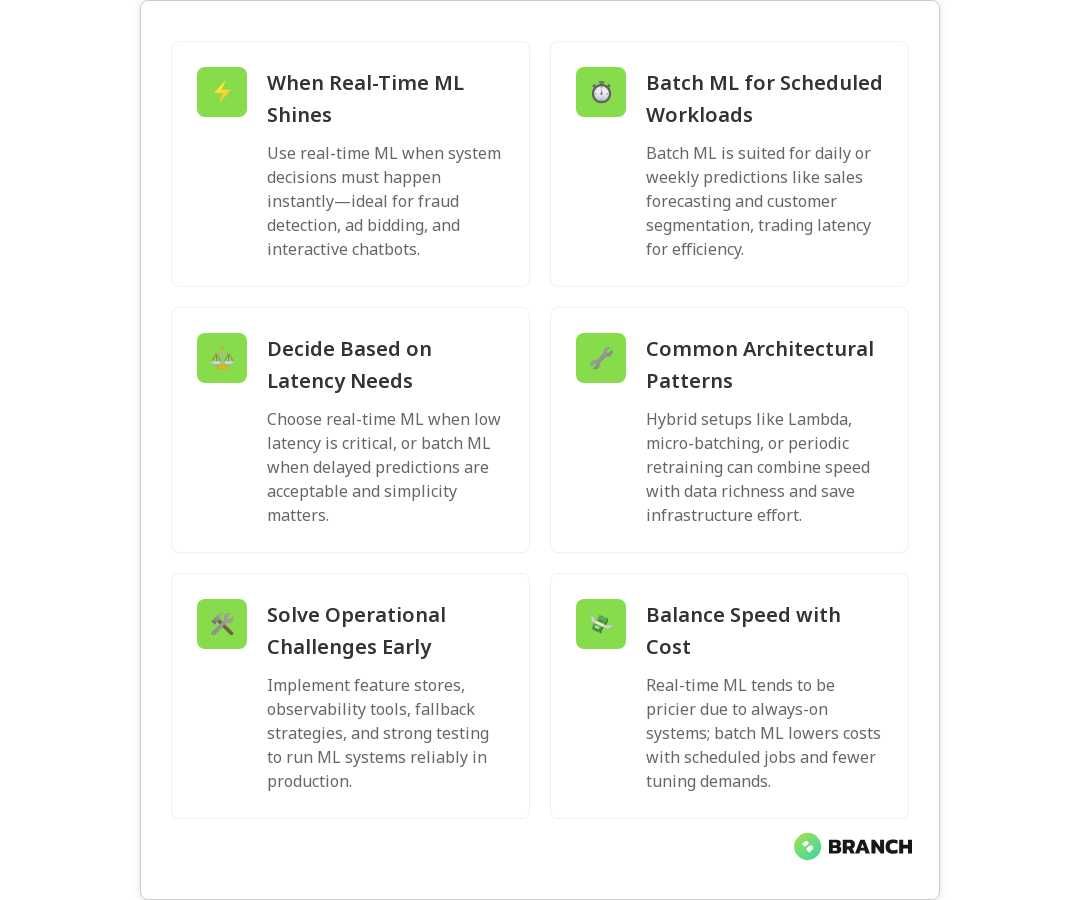
Choosing between real-time and batch ML affects architecture, cost, operational complexity, and user experience. Real-time ML minimizes latency and enables instant decision-making — ideal for scenarios where speed changes outcomes. Batch ML reduces operational overhead and often lets you work with larger datasets more efficiently, which can improve model accuracy when immediate responses aren’t required.

The right choice influences everything downstream: data pipelines, feature engineering, model evaluation cadence, monitoring, and the team skills you’ll need. Picking the wrong mode can produce slow responses, expensive infrastructure, or stale predictions that hurt your business — and nobody wants that.

What is real-time ML?

Real-time ML (also called online or streaming ML) processes data and emits predictions with minimal delay. Typical latencies range from milliseconds to a few seconds. Use real-time ML when decisions must be immediate or when models must adapt quickly to new data patterns.

Common real-time ML use cases

  • Fraud detection during a payment transaction — block or flag suspicious behavior instantly.
  • Ad bidding and personalization — show the right creative while the user is on site.
  • Real-time monitoring and anomaly detection for infrastructure or IoT devices.
  • Chatbots and conversational agents that require instant context-aware replies.
💡 Tip: If your business metric depends on sub-second decisions (like blocking a fraudulent payment), real-time ML is rarely optional. If you can wait until tomorrow, batch ML will save you time and money.

What is batch ML?

Batch ML processes data in groups on a schedule — hourly, daily, weekly — and typically retrains models or generates predictions for downstream reporting or offline systems. Latency is measured in minutes to days, and workflows are optimized for throughput and resource efficiency rather than speed.

Common batch ML use cases

  • Daily sales forecasting used for inventory planning.
  • Monthly customer segmentation and churn modeling for strategic marketing.
  • Large-scale model retraining that needs entire datasets for feature engineering and validation.
  • Data warehouse analytics and business intelligence where immediate answers aren’t required.
💡 Tip: Batch ML is your friend when models benefit from more data, longer training runs, or simplified operations. If latency isn’t critical, batch reduces complexity and cost.

Decision criteria: When to choose each approach

Here are practical factors to weigh when picking real-time versus batch:

  • Latency needs: If decisions must happen immediately, choose real-time. If minutes or hours are acceptable, batch is usually fine.
  • Data volume and velocity: High-velocity streams often push you toward streaming architectures; large historical data favors batch processing for training.
  • Model freshness: Real-time supports continuous updating and quick adaptation to drift; batch relies on periodic retraining.
  • Cost: Real-time systems typically require more always-on infrastructure and more complex pipelines, which increases cost. Batch can leverage spot instances and scheduled workloads for savings.
  • Complexity and time to market: Batch ML is typically faster to implement and easier to debug. Real-time adds complexity: low-latency feature stores, streaming joins, and stricter testing.
  • User experience impact: If prediction freshness materially changes UX (e.g., live recommendations), favor real-time.
  • Regulatory and audit needs: Batch processes can be easier to reproduce and audit, which helps with compliance and explainability.

Architectures and hybrid approaches

The modern reality is often hybrid. You might use batch training to build robust models from historical data and then deploy them into a real-time inference layer. Several architectural patterns help balance the tradeoffs:

  • Lambda architecture: Maintains both batch and real-time layers so you can get low-latency views and periodically recompute accurate results.
  • Kappa architecture: Focuses on streaming everywhere, keeping a single code path for both historical reprocessing and real-time processing.
  • Micro-batching: Processes small time-windowed batches (seconds to a few minutes) to reduce overhead while approaching real-time latency.
  • Model serving with periodic retrain: Serve models in real time but retrain on a batch schedule to incorporate new data and reduce drift.
  • Online learning: Some algorithms update weights incrementally as new data arrives — useful when you need continual adaptation but want to avoid full retraining.

Each pattern requires different tooling and engineering disciplines. Real-time layers often rely on streaming platforms and low-latency feature lookups; batch layers rely on robust ETL, data lakes, and distributed training.

Read more: Data Engineering for AI – essential reading on how pipelines and quality data underpin both batch and real-time ML.

Operational considerations

Operationalizing ML is where projects often stall. Here are the top operational topics to address early:

  • Feature stores: Centralize feature definitions to ensure parity between training and serving, especially critical for low-latency real-time features.
  • Monitoring and observability: Track data drift, model performance, latency, and resource utilization. Alerts should trigger retraining or rollback workflows.
  • Testing and reproducibility: Unit and integration tests for data pipelines and models; reproducible training pipelines for audits.
  • Scalability: Design for peak load — real-time inference services must scale horizontally; batch training may require distributed compute like GPUs or clusters.
  • Fallback strategies: Serve safe default predictions or heuristics when model latency spikes or data is incomplete.
  • Security and privacy: Mask or anonymize sensitive data and ensure compliance when streaming user information in real time.
Read more: AI Development Services – an overview of building practical, production-ready AI that balances model quality and operational needs.

Cost and tradeoff analysis

Real-time systems tend to increase operational costs because of always-on infrastructure, higher IOPS, and the need for specialized engineers. Batch systems reduce compute peaks by scheduling heavy jobs and are often cheaper to run. When evaluating total cost of ownership, consider:

  • Cloud compute and networking costs for streaming vs scheduled jobs.
  • Engineering and maintenance overhead for low-latency pipelines.
  • Business impact of faster decisions — sometimes faster predictions increase revenue enough to justify higher cost.
  • Potential cost-savings from hybrid approaches like micro-batching or asynchronous precomputation.
Read more: Cloud Infrastructure Services – guidance on designing scalable, secure environments for real-time and batch ML workloads.

Practical examples and patterns

E-commerce personalization

Batch approach: Generate nightly segments and recommendations based on aggregated behavior. Cheaper and easier to audit, but may miss trending products.

Real-time approach: Update recommendations based on current session behavior, cart updates, and recent clicks. Higher conversion potential but more complex infrastructure and feature management.

Fraud detection

Batch approach: Analyze historical fraud patterns to refine scoring models and rules on a daily cadence.

Real-time approach: Score transactions in-flight to block fraudulent payments instantly, often combining model scores with fast rule engines.

Predictive maintenance

Batch approach: Run heavy analytics on accumulated sensor data to plan maintenance cycles.

Real-time approach: Trigger alerts when anomaly detectors observe sudden changes in streaming telemetry.

Read more: Tailored AI Solutions – learn how custom AI strategies balance business goals with technical constraints, often using both real-time and batch techniques.

Common challenges and how to manage them

  • Data inconsistencies: Ensure the same feature computations are used at training and serving. Use a feature store and enforce schemas.
  • Model drift: Monitor model performance over time; automate retraining triggers for drift detection.
  • Pipeline fragility: Add retries, backpressure, and graceful degradation to streaming systems.
  • Testing: Implement synthetic and production shadow testing to validate models under load without impacting users.
  • Skill gaps: Building real-time systems often demands experience in distributed systems, streaming technologies, and observability.
FAQ

What is an example of machine learning?

Examples include image recognition, product recommendations, fraud detection, and sales forecasting — systems that learn from data to improve outcomes.

What are types of machine learning?

The main types are supervised, unsupervised, and reinforcement learning. Subfields include semi-supervised, self-supervised, and online/real-time learning.

What is machine learning with real-time example?

A real-time ML example is fraud detection during online payments, where a model scores transactions instantly to block suspicious activity.

Is machine learning the same as AI?

Machine learning is a subset of AI. AI is the broader field of intelligent systems, while ML specifically refers to algorithms that learn from data.

What is deep learning vs machine learning?

Deep learning uses neural networks with many layers to handle complex data like images and text. Traditional ML methods work well on structured data with lower compute needs.

Final thoughts

There’s no universal winner between real-time and batch ML — only the right tool for the job. Start by identifying the business requirement for latency, accuracy, and cost. Favor batch when operations simplicity and cost efficiency matter, and pick real-time when speed drives business outcomes. In many practical systems, a hybrid approach gives you the best of both worlds: robust models trained on large batches, served with low-latency layers that keep experiences fresh.

If you’re designing ML products and want help balancing architecture, data pipelines, and operational needs, consider partnering with teams experienced in both data engineering and production ML. They’ll help you avoid common pitfalls and pick an approach that scales with your goals — and keep your cloud bill from becoming a villain in your product story.


Millennial and Gen Z new investing using Ai finanace interact with an AI data finance assistant on a tablet, showcasing the integration of artificial intelligence in financial management.

How to Build an Effective Data Pipeline for Real-Time Analytics

Real-time analytics has moved from a nice-to-have to a business imperative for many organizations. Whether you’re tracking customer behavior on an e-commerce platform, monitoring IoT sensor data, or analyzing financial transactions as they happen, research suggests that processing and acting on data within seconds or minutes can create significant competitive advantages, often improving decision speed by 30% to 80%.

But here’s the reality: building an effective data pipeline for real-time analytics isn’t just about choosing the latest streaming technology. It requires careful consideration of your actual business requirements, architectural decisions that balance complexity with reliability, and operational practices that keep everything running smoothly when things inevitably go wrong. Multiple industry studies confirm that effective real-time pipelines require aligning business objectives with architectural design and operational management—balancing system complexity with performance while maintaining production stability.

This guide walks through the practical considerations, common pitfalls, and proven approaches for building real-time data pipelines that actually deliver value—not just technical sophistication for its own sake.

When Real-Time Analytics Actually Makes Sense

Before diving into the technical implementation, it’s crucial to establish whether your organization truly benefits from real-time data processing. Research confirms that the complexity and cost of streaming systems are substantial—requiring advanced hardware, sophisticated engineering, and continuous infrastructure maintenance—while many use cases can be adequately served by faster batch processing approaches.

Clear indicators you need real-time processing:

  • Fraud detection systems that must block suspicious transactions within milliseconds—industry evidence shows this capability is critical for preventing fraudulent activity before damage occurs
  • Dynamic pricing engines that respond to market conditions or inventory levels
  • Operational dashboards for monitoring critical infrastructure or manufacturing processes
  • Personalization engines that adapt content based on immediate user behavior
  • Alert systems for security incidents or system failures

When faster batch processing might suffice:

  • Business reporting and analytics that inform strategic decisions
  • Customer segmentation and marketing campaign optimization
  • Historical trend analysis and forecasting
  • Compliance reporting with daily or weekly refresh requirements
💡 Tip: Before building a real-time pipeline, try reducing your batch job intervals to 15-30 minutes. Many teams discover this provides sufficient freshness without the complexity of full streaming architecture.

A practical middle ground involves building incremental batch jobs that run frequently. Industry implementations show that this approach can deliver near real-time freshness—often within 5-15 minutes—while maintaining the simpler operational model of batch processing. You can always evolve to true streaming later if business requirements demand it.

Core Components of Real-Time Data Pipelines

Effective real-time analytics pipelines share several key architectural elements. Understanding how these components work together helps in making informed technology choices and avoiding common integration pitfalls.

Data Ingestion and Streaming

Reliable data ingestion from various sources is the foundation of any real-time pipeline. Technical literature confirms that effective ingestion ensures data is immediately available for processing, directly impacting the pipeline’s integrity, accuracy, and timeliness. This typically involves:

Event-driven sources: Applications that emit events naturally, such as web applications logging user clicks, mobile apps tracking interactions, or IoT devices sending sensor readings. These sources can stream directly to message brokers like Apache Kafka.

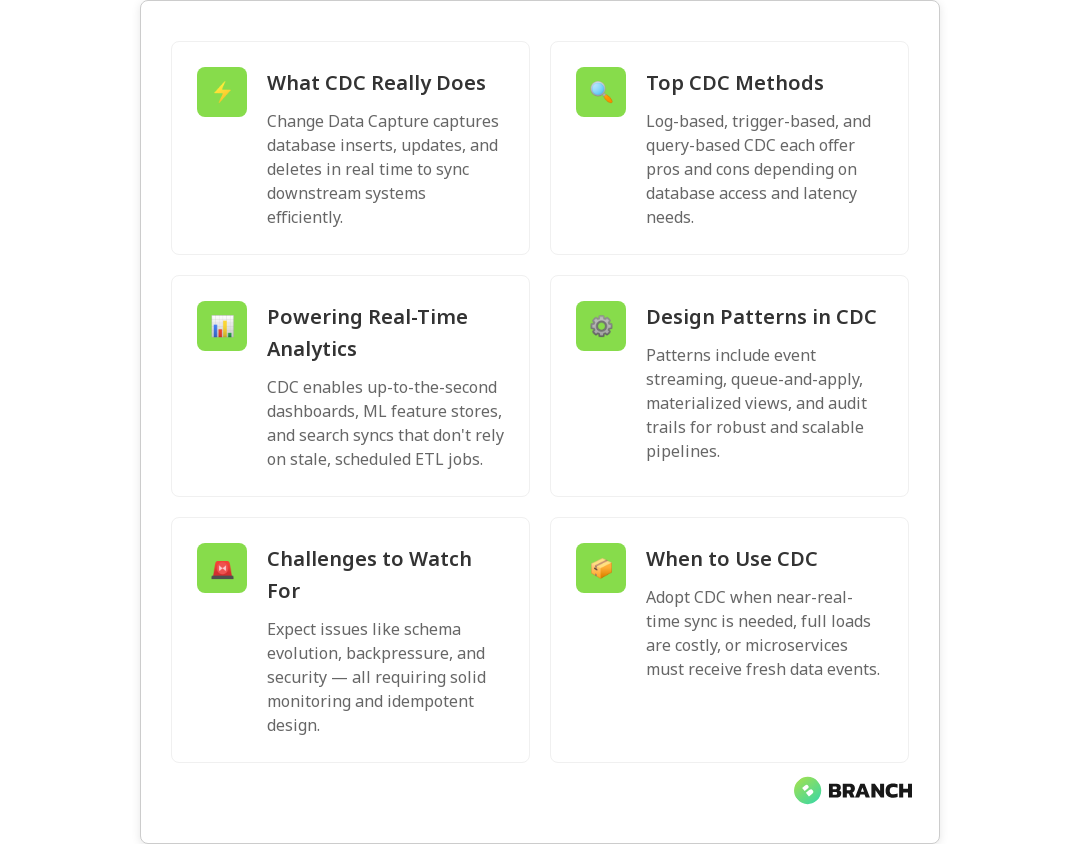
Database changes: Many organizations need real-time access to data stored in transactional databases. Change Data Capture (CDC) tools monitor database transaction logs and emit events when rows are inserted, updated, or deleted—enabling efficient, near real-time streaming of data updates to target systems. For databases that don’t support CDC natively, you can implement “high water mark” strategies that regularly check for new or modified records based on timestamps.

Read more: Change Data Capture (CDC): The Complete Guide to Real-Time Data Sync.

File-based sources: Some data arrives as files dropped into cloud storage or SFTP locations. While not naturally real-time, you can use file system watchers or cloud storage events to trigger processing as soon as files arrive.

Stream Processing and Transformation

Once data is flowing, you need systems to process, clean, and transform it in real-time. Popular options include:

TechnologyStrengthsBest ForConsiderations
Apache Kafka + Kafka StreamsNative integration, exactly-once processingEvent sourcing, stateful transformationsRequires Kafka expertise
Apache Spark Structured StreamingFamiliar SQL interface, batch + stream unifiedComplex analytics, ML integrationHigher latency than pure stream processors
Apache FlinkLow latency, advanced event time handlingFinancial trading, real-time ML inferenceSteeper learning curve
Cloud-native (Kinesis Analytics, Dataflow)Managed service, auto-scalingRapid prototyping, ops-light teamsVendor lock-in, cost at scale

Data Storage and Serving

Real-time pipelines often implement a layered storage approach:

Bronze layer (raw data): Stores data exactly as received, providing an audit trail and enabling reprocessing if transformation logic changes.

Silver layer (cleaned data): Contains validated, deduplicated, and standardized data that’s reliable for downstream consumption.

Gold layer (business-ready data): Aggregated, enriched data optimized for specific analytics use cases, often pre-computed to enable fast query responses.

This layered approach improves data quality, enables easier debugging, and allows different downstream systems to consume data at the appropriate level of processing.

What the research says

  • Real-time processing provides substantial competitive advantages through faster decision-making, with studies showing 30-80% improvements in decision speed and notable increases in revenue and customer satisfaction
  • Streaming systems involve significantly higher complexity and costs compared to batch processing, requiring advanced hardware and sophisticated engineering expertise
  • Fraud detection systems demonstrate the critical need for millisecond-level response times, as delays of even seconds can allow fraudulent activity to cause substantial damage
  • Change Data Capture (CDC) has become the standard approach for real-time database synchronization, enabling efficient streaming of incremental changes without full table scans
  • Many business use cases—including reporting, analytics, and compliance—can be adequately served by frequent batch processing rather than full streaming architectures
  • Early evidence suggests that incremental batch processing at 15-30 minute intervals can provide a practical middle ground, though organizations should evaluate their specific latency requirements carefully

Technology Stack Decisions

Choosing the right technologies for your real-time pipeline depends on factors like data volume, latency requirements, team expertise, and operational capabilities. Here’s how to evaluate your options:

Message Brokers and Event Streaming

Apache Kafka has become the de facto standard for event streaming, offering strong durability guarantees, horizontal scalability, and a rich ecosystem of connectors. Kafka Connect provides pre-built integrations for common data sources, reducing the development effort for initial ingestion.

For teams preferring managed services, cloud providers offer Kafka-compatible options (Amazon MSK, Confluent Cloud) or native alternatives (Amazon Kinesis, Google Pub/Sub, Azure Event Hubs). These services handle infrastructure management but may limit flexibility or increase costs at scale.

Stream Processing Engines

The choice between processing engines often comes down to team skills and specific requirements:

Choose Apache Spark when your team already has Spark experience, you need to mix batch and streaming workloads, or you’re implementing complex analytics that benefit from Spark’s DataFrame API and ML libraries. Industry analysis confirms that Structured Streaming provides a familiar SQL interface and unified batch+stream model, though it typically has higher latency than pure stream processors due to its micro-batch architecture.

Choose Apache Flink for low-latency requirements (sub-second processing), complex event processing with precise event time semantics, or stateful streaming applications that need advanced windowing capabilities. Technical reviews indicate that Flink excels at latency-sensitive applications like financial trading and real-time ML inference, though it has a steeper learning curve.

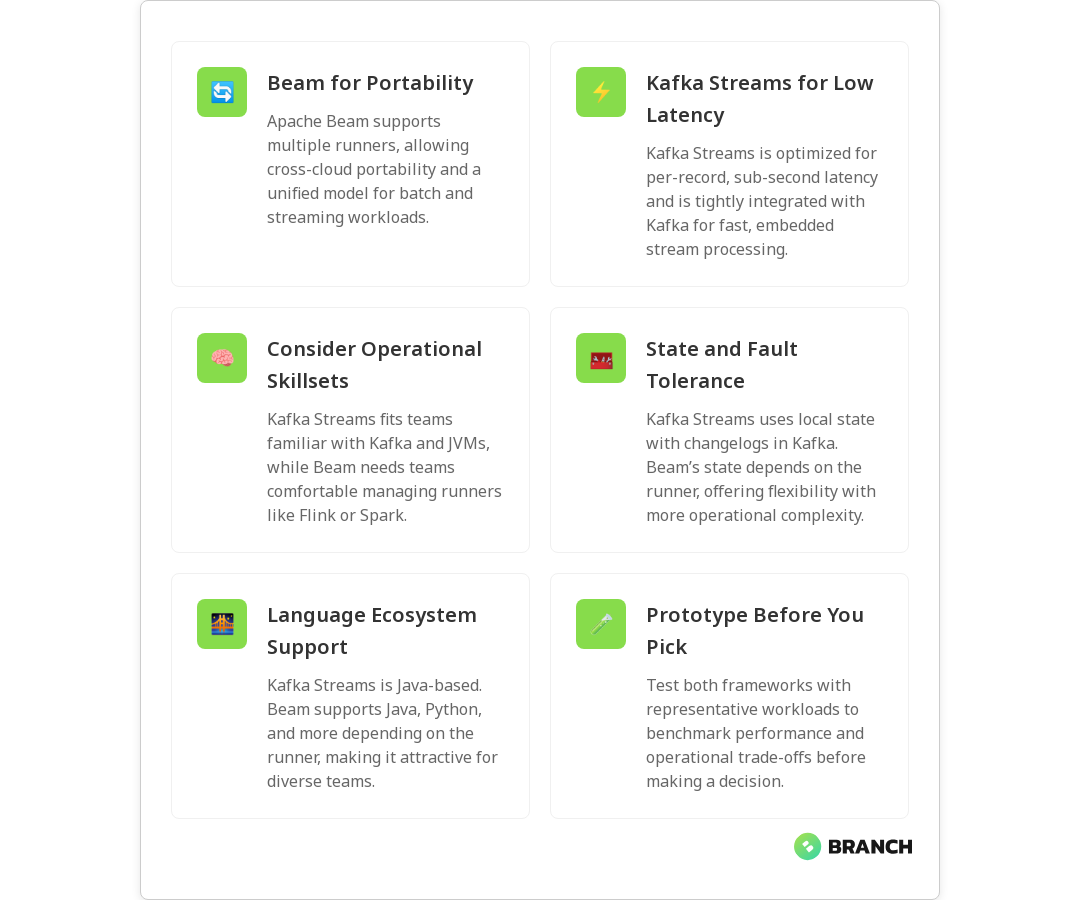
Choose Kafka Streams when you’re already using Kafka extensively, need lightweight processing that can be embedded in applications, or want to avoid operating a separate cluster for stream processing. Research shows that Kafka Streams offers native integration and exactly-once processing, but this advanced functionality requires solid Kafka expertise.

💡 Tip: Start with the stream processing technology your team knows best. The operational complexity of learning a new system often outweighs minor technical advantages, especially in early implementations.

Data Storage for Analytics

Real-time analytics often requires multiple storage systems optimized for different access patterns:

  • Time-series databases (InfluxDB, TimescaleDB) excel at storing and querying metrics and sensor data with time-based patterns
  • Columnar stores (ClickHouse, Apache Druid) provide fast aggregation queries over large datasets
  • Search engines (Elasticsearch) enable flexible text search and log analysis
  • Key-value stores (Redis, DynamoDB) serve pre-computed results for low-latency lookups
  • Data lakes (S3, Delta Lake) provide cost-effective storage for raw and processed data

Many successful implementations combine multiple storage systems, with stream processing populating each store according to its strengths. The key is avoiding over-engineering—start with fewer systems and add complexity only when specific requirements demand it.

Implementation Patterns and Best Practices

Building reliable real-time pipelines requires attention to operational concerns that aren’t always obvious during initial design. Here are patterns that help ensure your system works reliably in production:

Handling Failures and Recovery

Real-time systems must gracefully handle various failure modes without losing data or creating duplicate records. Key strategies include:

Idempotent processing: Design your transformations so that processing the same input multiple times produces the same output. This allows safe retries when transient failures occur.

Exactly-once semantics: Where possible, choose technologies that guarantee each record is processed exactly once, even in the presence of failures. Kafka Streams and some Flink configurations provide this guarantee.

Checkpointing and state management: Regularly save processing state so that failed jobs can resume from the last successful checkpoint rather than reprocessing all data from the beginning.

Monitoring and Observability

Real-time pipelines can fail silently or fall behind on processing, making robust monitoring essential:

  • Lag monitoring: Track how far behind your processing is compared to the incoming data stream
  • Throughput metrics: Monitor records processed per second to detect performance degradation
  • Error rates: Alert on increases in processing errors or data quality issues
  • End-to-end latency: Measure time from data creation to availability in analytics systems
  • Data freshness: Verify that downstream systems are receiving recent data

Consider implementing automated healing mechanisms that can restart failed jobs, scale processing resources, or route traffic around problematic components.

Schema Evolution and Data Quality

Real-time systems need strategies for handling schema changes and ensuring data quality without stopping the pipeline:

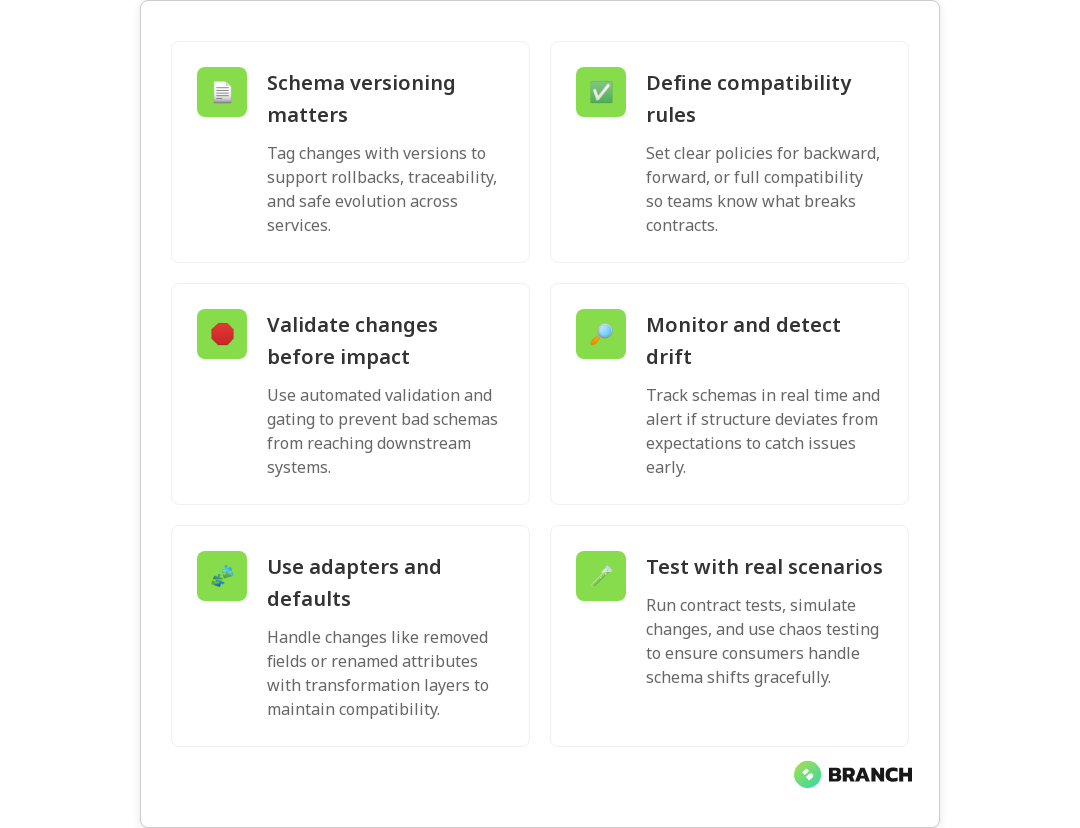
Schema registry: Maintain a centralized registry of data schemas with versioning support. This enables backwards-compatible evolution and helps downstream consumers adapt to changes.

Dead letter queues: Route records that fail processing to separate queues for manual inspection and reprocessing once issues are resolved.

Data validation: Implement validation rules that can flag anomalous data without blocking processing. This might include range checks, required field validation, or statistical outlier detection.

Scaling and Performance Optimization

As data volumes grow, real-time pipelines require careful scaling strategies to maintain performance while controlling costs:

Horizontal Scaling Strategies

Most stream processing systems scale by increasing parallelism—running more instances of processing tasks across multiple machines. Key considerations include:

Partitioning strategy: How you partition your data streams affects both parallelism and the ability to maintain order. Common approaches include partitioning by customer ID, geographic region, or time windows.

State partitioning: For stateful processing (like windowed aggregations), ensure related data is processed by the same instances to maintain consistency.

Auto-scaling policies: Implement metrics-based scaling that adds processing capacity when lag increases or removes capacity during low-traffic periods.

Performance Tuning

Real-time pipeline performance depends on optimizing several layers:

  • Batch sizing: Processing records in small batches often improves throughput while maintaining low latency
  • Memory management: Configure appropriate memory limits and garbage collection settings for your processing engines
  • Network optimization: Minimize network overhead through compression, connection pooling, and local data processing where possible
  • Storage layout: Use appropriate partitioning and indexing strategies for your storage systems

When to Build vs. Buy vs. Partner

The decision to build real-time analytics capabilities in-house, adopt vendor solutions, or work with a specialist partner depends on several factors:

Build In-House When:

  • You have experienced data engineers and platform teams
  • Your requirements are highly specific or rapidly evolving
  • Real-time analytics is a core competitive differentiator
  • You have the capacity to operate complex distributed systems

Consider Vendor Solutions When:

  • You need rapid time-to-value with standard analytics use cases
  • Your team lacks streaming technology expertise
  • You prefer operational simplicity over customization
  • Budget allows for higher per-unit processing costs

Partner with Specialists When:

  • You need custom solutions but lack internal expertise
  • The project has challenging integration requirements
  • You want to build internal capabilities while delivering immediate value
  • Risk tolerance is low and you need proven implementation patterns

Many organizations find success with hybrid approaches—using managed services for infrastructure while partnering with specialists for custom analytics logic and integration work.

Working with a Data Engineering Partner

If you’re considering external expertise for your real-time analytics initiative, look for partners who demonstrate several key capabilities:

Proven streaming architecture experience: Ask for specific examples of real-time pipelines they’ve built, including the challenges they faced and how they solved them. Look for experience with your data volumes and latency requirements.

Technology agnosticism: Strong partners recommend technologies based on your specific needs rather than pushing a particular vendor or tool. They should understand the trade-offs between different approaches.

Operational readiness focus: Beyond building the initial pipeline, ensure they have experience with monitoring, alerting, disaster recovery, and the other operational concerns that keep systems running reliably.

Organizations like Branch Boston bring together the strategy, engineering, and operational expertise needed to design and implement real-time analytics systems that solve business problems rather than just demonstrating technical capabilities. Our streaming data and real-time analytics services focus on building systems that deliver measurable business value while remaining maintainable for your team.

When evaluating potential partners, consider their approach to knowledge transfer and team enablement. The best engagements leave your team more capable of operating and evolving the systems independently. Look for partners who provide documentation, training, and ongoing support options that match your team’s needs.

Additionally, consider how the partner handles data strategy and architecture planning. Real-time analytics pipelines are significant investments that should align with your broader data architecture and business strategy. Partners who help you think through these connections often deliver more sustainable solutions.

FAQ

How do I know if my use case really needs real-time processing versus faster batch jobs?

The key test is whether delays of 15-30 minutes significantly impact business outcomes. If your use case involves fraud detection, real-time personalization, or operational monitoring where immediate action is required, you likely need true streaming. For reporting, analytics, and most business intelligence use cases, frequent batch processing often provides sufficient freshness at lower complexity and cost.

What's the biggest operational challenge teams face with real-time data pipelines?

Monitoring and debugging distributed streaming systems is consistently the biggest operational challenge. Unlike batch jobs that either succeed or fail clearly, streaming systems can fall behind, process duplicates, or fail silently. Implementing comprehensive monitoring for lag, throughput, error rates, and end-to-end latency is essential for reliable operations.

Should I start with cloud-managed services or open-source tools for my first real-time pipeline?

Start with managed services if you need to deliver value quickly and don't have streaming expertise in-house. They handle operational complexity but may limit flexibility later. Choose open-source tools if you have the expertise to operate them and need greater control over customization and costs. Many teams successfully start with managed services and migrate to self-managed solutions as they scale.

How do I handle schema changes in real-time pipelines without breaking downstream systems?

Implement a schema registry with versioning support, design your data formats to be backwards-compatible (adding fields rather than changing existing ones), and build downstream systems that can gracefully handle missing or new fields. Use dead letter queues for records that fail processing due to schema mismatches, allowing you to fix issues without losing data.

What's a reasonable timeline for implementing a production-ready real-time analytics pipeline?

For a basic pipeline with standard technologies and simple transformations, expect 8-12 weeks from requirements to production. Complex integrations, custom analytics logic, or high-availability requirements can extend this to 3-6 months. Factor in additional time for team training, monitoring setup, and operational runbooks. Starting with a proof-of-concept for 2-4 weeks helps validate the approach before full implementation.

Incorporating AI into business preview

Data Engineering as the Backbone of AI Solutions

Home » Data Engineering and Data Architecture

Incorporating AI into business preview
 

In the rapidly evolving world of artificial intelligence (AI), one fact remains constant: data is the lifeblood of every AI system.

But raw data, in its natural form, is messy, unstructured, and often unreliable. Transforming this raw material into actionable insights requires robust data engineering—the unsung hero behind every successful AI solution.

Understanding Data Sources

Data is a broad and dynamic entity that extends beyond traditional databases and spreadsheets. It can originate from a variety of sources, including web traffic logs, transactional systems, and even machine-generated telemetry data. Organizations today are dealing with diverse data formats such as structured data from relational databases, semi-structured data like JSON and XML files, and unstructured data from emails, social media posts, and multimedia content. The proliferation of data from these varied sources requires sophisticated processing techniques to extract value and enable AI models to derive actionable insights. This underscores the importance of data engineering in consolidating, cleaning, and organizing disparate data streams into a unified and coherent framework. It can be found in unexpected sources such as social media interactions, IoT sensor readings, and even customer service chat logs. However, in its raw form, data is often incomplete, inconsistent, and laden with noise, making it challenging to use directly for AI applications. Proper data engineering techniques are required to transform these disparate data points into structured, high-quality inputs that fuel AI models effectively.

Data Pipeline Essentials

The foundation of any AI system is a clean, reliable, and well-structured data pipeline. A data pipeline acts as the conduit for information, ensuring data flows seamlessly from its source to the AI models that depend on it.
Effective pipelines are designed with reliability, speed, and accuracy in mind. They automate data ingestion, transformation, and storage processes, minimizing human intervention and reducing the potential for error. Key components of an effective data pipeline include:
  • Data Ingestion(Extract): Collecting data from diverse sources such as APIs, databases, and real-time streaming platforms.
  • Data Transformation(Transform): Standardizing, cleaning, and
  • Data Storage(Load): Storing processed data in scalable and accessible formats for model training and analytics.
Without well-constructed pipelines, AI models risk being starved of the quality data they need to generate meaningful insights.

Data Infrastructure at Scale

For organizations aiming to integrate AI into their operations, scalable and secure data infrastructure is non-negotiable. Enterprises, in particular, need systems that can handle massive data volumes without compromising performance or security.

Branch Boston specializes in creating flexible data environments tailored to client needs. Here’s what sets our approach apart:

  • Scalability: We design architectures capable of growing with your data demands. Whether it’s adding new data sources or increasing storage capacity, our solutions ensure your infrastructure won’t outgrow your AI ambitions.
  • Security: Protecting sensitive data is paramount. Our systems employ best-in-class encryption, access controls, and monitoring to safeguard information.
  • With secure, scalable, and flexible data systems in place, organizations can confidently embrace AI at scale, empowering them to unlock new efficiencies and opportunities.

Quality Assurance

In the world of AI, bad data leads to bad outcomes. Ensuring data quality is a continuous process that involves stringent governance, compliance, monitoring, and observability systems. Our approach to data quality assurance includes:
  • Automated Validation: Regular checks for missing values, outliers, and inconsistencies to catch issues before they impact AI models.
  • Data Governance: Establishing clear policies on data ownership, usage, and lineage to ensure accountability and transparency.
  • Regulatory Compliance: Aligning with industry standards and regulations such as GDPR, HIPAA, or CCPA to mitigate legal and reputational risks.
  • Monitoring and Observability: Implementing real-time monitoring and observability tools to provide insights into data flow, detect anomalies, and ensure continuous operational efficiency.

By prioritizing quality, organizations can build AI systems that are not only powerful but also trustworthy.

Popular Data Engineering Tools and Technologies

The field of data engineering offers a wide range of tools and technologies that cater to different aspects of data processing, storage, and retrieval. Some of the most popular options include:

  • Apache Kafka: A distributed event streaming platform used for building real-time data pipelines and event-driven applications. It ensures high throughput and scalability.
  • Debezium Connector: A powerful change data capture (CDC) tool that integrates with databases to capture and propagate data changes in real-time, enabling synchronization across distributed systems.
  • Redis: An in-memory data structure store commonly used for caching, real-time analytics, and message brokering due to its low latency and high performance. Redis is also used in Retrieval-Augmented Generation (RAG) systems to store and retrieve precomputed embeddings, facilitating quick access to relevant data during AI model inference.
  • PostgreSQL: A powerful open-source relational database that offers advanced features such as JSONB support, full-text search, and strong ACID compliance, making it a popular choice for structured data storage. Beyond its traditional RDBMS capabilities, PostgreSQL excels at handling unstructured data through JSONB and XML support. Additionally, with the pgvector extension, PostgreSQL can serve as a high-performance vector database, enabling AI applications to perform similarity searches and manage high-dimensional data efficiently.
  • Elasticsearch: A distributed search and analytics engine designed for handling large-scale data indexing and querying, often used in log analytics and full-text search applications. Elasticsearch is particularly effective in RAG-based AI systems, offering powerful search capabilities that enable AI models to retrieve relevant documents quickly and accurately.
  • Apache Spark: A powerful open-source analytics engine for large-scale data processing, supporting batch and real-time workloads.
  • Google BigQuery: A serverless, highly scalable data warehouse that enables super-fast SQL queries using the processing power of Google's infrastructure.
  • Snowflake: A cloud-based data warehousing platform known for its scalability, flexibility, and performance in handling complex data workloads.
  • Vector Databases: Specialized databases optimized for handling high-dimensional vector data, essential for AI applications such as recommendation systems and similarity searches. Popular choices include FAISS, Milvus, and Pinecone.
Selecting the right combination of these tools depends on the specific requirements of an AI system, including data volume, velocity, and complexity.

How Data Engineering Fits into AI Applications

Retrieval-Augmented Generation (RAG) is a powerful AI paradigm that enhances generative models by integrating external data retrieval capabilities. Data engineering plays a crucial role in building an efficient RAG application by ensuring the availability of high-quality, well-structured data for retrieval and generation phases.
  • Data Ingestion and Preprocessing: RAG applications require data from various sources, including documents, databases, and APIs. Data pipelines must ingest and preprocess this information to make it useful for AI models.
  • Storage Optimization: Using tools such as PostgreSQL with pgvector or dedicated vector databases like Milvus and FAISS allows for efficient storage and retrieval of high-dimensional embeddings used in similarity searches.
  • Indexing and Search: Technologies like Elasticsearch and Redis help implement fast and accurate search capabilities by indexing data and enabling real-time lookups, ensuring relevant context is provided to the AI model.
  • Monitoring and Feedback Loops: Continuous monitoring of data quality and retrieval performance is critical to ensure that the RAG system evolves with new information and user feedback.

By integrating these components into a cohesive data infrastructure, organizations can maximize the effectiveness of their RAG applications, enabling them to provide more accurate, context-aware responses.

Case Study: Streamlining Data Engineering for an E-Commerce Giant

A leading e-commerce company faced significant challenges in handling their rapidly growing data ecosystem. Their fragmented data pipelines and inconsistent data quality led to delays in decision-making and hindered their AI initiatives.

Challenges:

  • Data silos across different departments leading to inefficiencies.
  • High latency in processing real-time customer data.
  • Compliance risks due to poor data governance.

Solution:

Our team implemented a robust data engineering solution that involved:

  • Unified Data Pipeline: Consolidated disparate data sources into a centralized data lake, enabling seamless access and analytics.
  • Real-time Processing: Leveraged Apache Kafka and Redis to process and store customer interactions in real-time, providing valuable insights for personalized marketing.
  • Enhanced Data Governance: Implemented automated data validation and monitoring tools to ensure compliance with GDPR and industry standards.
  • Optimized Search Capabilities: Integrated Elasticsearch to enable fast product searches and recommendations within their platform.

Results:

  • A 40% reduction in data processing time, allowing faster insights for business decisions.
  • Improved customer personalization through real-time analytics.
  • Enhanced compliance and data security, reducing potential risks.

By addressing their data challenges, the company was able to optimize operations, enhance customer experiences, and accelerate their AI initiatives.

Conclusion

Data engineering is the backbone of effective AI solutions. By investing in well-constructed pipelines, scalable infrastructure, and rigorous quality assurance, organizations can harness the full potential of AI. As demonstrated in our case study, leveraging technologies such as Apache Kafka for real-time data streaming, Redis for rapid data retrieval, and Elasticsearch for optimized search capabilities can lead to significant improvements in operational efficiency and customer satisfaction.

With the right data engineering strategies in place, businesses can overcome data silos, enhance compliance measures, and unlock new insights that drive growth. The combination of scalable cloud-based solutions like Snowflake, real-time processing tools like Apache Spark, and vector databases such as FAISS ensures that AI applications are not only powerful but also adaptive to evolving business needs.

At Branch Boston, we specialize in designing tailored data engineering solutions that align with your organization’s unique challenges and goals. Whether you are looking to optimize your existing data pipelines or embark on a new AI-driven journey, our team of experts is ready to help. Contact Branch Boston today to learn how we can build a data foundation that propels your AI initiatives forward.

The Latest From Our Blog

streamprocessing-image-blog

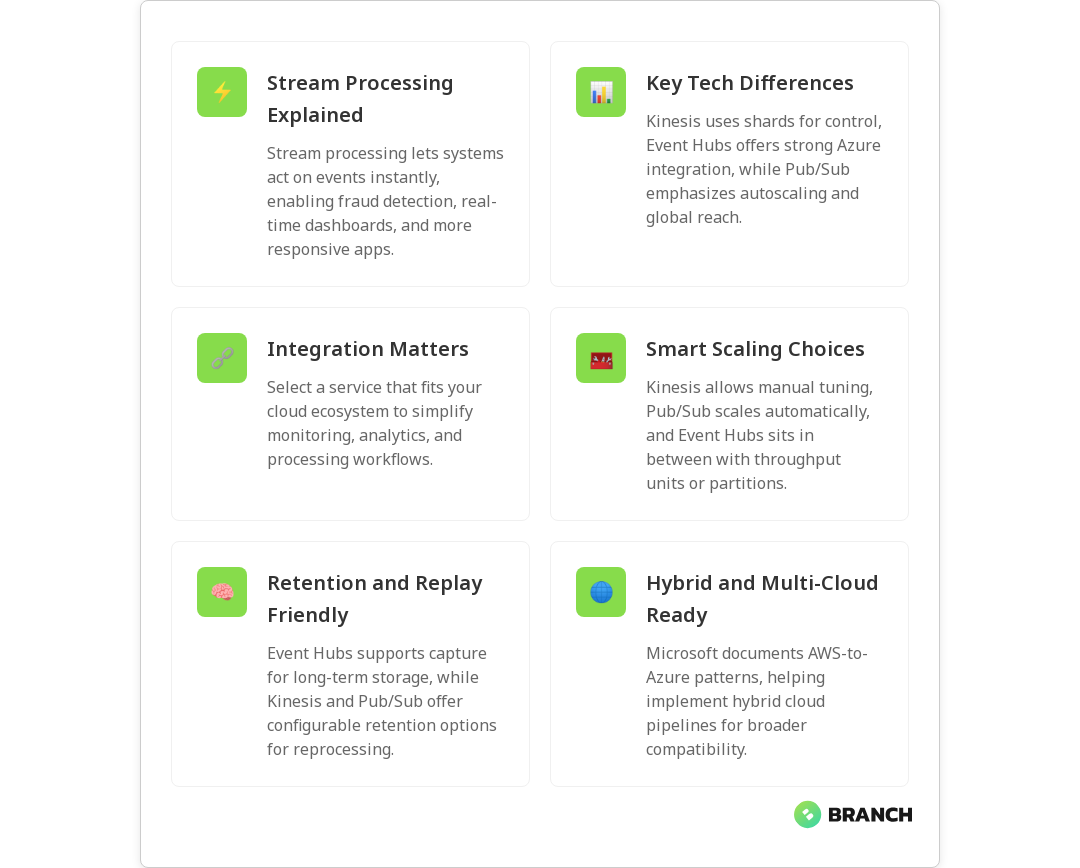
AWS Kinesis vs Azure Event Hub vs Google Pub/Sub for Stream Processing

Stream processing is the engine behind real-time features: fraud detection, live analytics, telemetry from IoT devices, and any system that needs to act on events as they happen. Choosing between Amazon Kinesis, Azure Event Hubs, and Google Pub/Sub matters because each platform offers different guarantees, scaling models, and ecosystem integration — and those differences directly affect reliability, cost, and developer experience. In this article you’ll get a practical comparison of the three, guidance for picking the right one for your use case, and common pitfalls to avoid.

Why stream processing matters (and why it’s more than “messaging”)

Traditional batch processing is like checking a mailbox once a day: you get everything in one go and react afterward. Stream processing is more like watching an inbox that’s constantly refreshing — you can detect patterns, alert, and adjust in near real time. For businesses, that means faster customer experiences, reduced risk, and new product capabilities that simply weren’t possible with periodic processing.


💡 Tip: Start by measuring the shape of your data: event size, arrival rate, and ordering needs. Those three numbers often point clearly to the right streaming platform.

Core concepts to keep in mind

  • Throughput and partitions: How many concurrent events per second, and how the system shards data.
  • Retention: How long messages are kept for reprocessing or late consumers.
  • Ordering guarantees: Whether events are ordered per key/partition and whether exactly-once processing is available.
  • Integration: How well the service plays with your compute, analytics, monitoring, and cross-cloud needs.
  • Operational model: Fully managed convenience vs. control for custom tuning.

Quick overview: What each service is best at

Amazon Kinesis

Kinesis Data Streams is designed for very high write throughput and integrates tightly with AWS compute (Lambda, Kinesis Data Analytics, EMR, etc.). It scales by shards, each shard providing a set throughput. Kinesis also supports multiple consumers via enhanced fan-out and can persist events for replay. If your stack is AWS-centric and you need fine-grained throughput control, Kinesis is a natural fit.

Azure Event Hubs

Event Hubs is a scalable, low-latency event ingestion service built for Azure-first architectures. It offers partitioning, capture to storage, and strong integrations with Azure analytics (Azure Data Explorer, Azure Fabric’s Real-Time Intelligence). If you’re leveraging Azure analytics or want tight integration with Azure’s real-time tooling, Event Hubs is very compelling — Microsoft even documents patterns that connect AWS Kinesis as a source into Azure Eventstreams, which helps hybrid or multi-cloud scenarios.

Microsoft Learn: Add Amazon Kinesis shows practical integration steps if you’re mixing AWS and Azure services.

Google Pub/Sub

Pub/Sub is a globally distributed, fully managed messaging system with automatic horizontal scaling and a focus on simplicity and global reach. It’s a solid match when you need cross-region duplication, global routing, or serverless pipelines with strong autoscaling behavior. Pub/Sub’s model abstracts a lot of partitioning complexity away, which can be a benefit for teams that prefer to avoid manual shard management.

Low-level comparison: operational and technical differences

  • Scaling model: Kinesis requires shard planning (though it can autoscale with tools), Event Hubs uses throughput units or partitions, and Pub/Sub abstracts scaling with automatic horizontal scaling.
  • Retention: Kinesis lets you configure retention up to days (or extended via extended retention features), Event Hubs offers configurable retention and capture into storage for long-term retention, and Pub/Sub keeps messages for a default time with options for snapshotting and replay.
  • Ordering and delivery: Kinesis and Event Hubs provide ordering within a partition/partition key; Pub/Sub can guarantee ordering with ordering keys but requires configuration. For exactly-once semantics, additional layers or processing frameworks are typically used.
  • Integrations & ecosystem: Kinesis is native to AWS services; Event Hubs plugs into Azure analytics and real-time intelligence features (see Microsoft’s comparison of Azure Real-Time Intelligence and comparable solutions); Pub/Sub is tightly coupled with Google Cloud services like Dataflow.
  • Latency: All three are low-latency, but perceived latency depends more on consumer architecture (serverless vs long-running processes), network hops, and regional configuration.

Microsoft Learn: Real-Time Intelligence compare explains how Event Hubs and Azure analytics work together, which helps when you plan an Azure-centric streaming pipeline.

Real-world selection criteria: pick based on business needs, not buzz

  1. Ecosystem alignment: If your systems live mostly in one cloud, default to that vendor’s streaming service — integration saves time and risk.
  2. Operational expertise: Do you have SREs who want to tune shards/throughput, or a small team that prefers hands-off scaling? Kinesis offers strong control; Pub/Sub offers the least operational overhead.
  3. Throughput predictability: For predictable high throughput, Kinesis’s shard model can be cost-effective. For spiky global workloads, Pub/Sub’s autoscaling can reduce headroom waste.
  4. Retention and replay needs: If you anticipate frequent reprocessing, choose a service with easy capture to durable storage (Event Hubs capture to storage is useful here).
  5. Multi-cloud and hybrid: If you need to stitch streams across clouds, plan integration layers early; Microsoft documentation includes patterns for bringing AWS Kinesis into Azure real-time pipelines, which is handy for hybrid scenarios.

💡 Tip: Don’t optimize purely for price. Lower upfront costs can mean higher operational load or limited scaling later. Estimate total cost of ownership with expected growth, not just P50 usage.

Architecture patterns and processing frameworks

Choice of processing framework often matters as much as the messaging layer. Popular frameworks include Apache Flink for stateful stream processing, Kafka Streams where Kafka is used, and cloud-native options like Kinesis Data Analytics or Google Cloud Dataflow. You’ll commonly see these patterns:

  • Ingest → Process → Store: Events land in the broker, a stream processor enriches/aggregates, results go to a database or analytics store.
  • Capture for long-term analysis: Event Hubs’ capture feature or consumer-side writes to object storage are common to enable historical reprocessing.
  • Lambda/event-driven: Serverless functions consume events for lightweight transforms, alerts, or fan-out tasks.

A practical note: many teams use a broker purely for ingestion and buffering, then run stateful processing in a framework that provides stronger semantics (checkpointing, windowing, state backends) to achieve exactly-once or low-latency aggregations.

Scott Logic: Comparing Apache Kafka, Amazon Kinesis, Microsoft Event Hubs is a helpful technical read on differences in retention and messaging behavior across systems.

Costs and performance tuning tips

  • Shard/partition planning: Underprovisioning shards in Kinesis leads to throttling; overprovisioning wastes cost. Monitor throttles and consumer lag.
  • Consumer scaling: For high fan-out, use enhanced fan-out in Kinesis or multiple consumer groups in other systems to avoid impacts to primary throughput.
  • Batching and serialization: Batch small events where possible and choose compact serialization (Avro/Protobuf) to reduce bandwidth and cost.
  • Monitoring: Instrument lag, throughput, and error metrics; set alerts on consumer lag and throttles.

Common challenges and how to avoid them

  • Hidden ordering assumptions: Developers assume global ordering; always design for partition-level ordering and use keys accordingly.
  • Late-arriving data: Implement windows with late data handling and retention strategies to reprocess if needed.
  • Cross-cloud complexity: Integrating streams across providers introduces latency and additional failure modes — use documented connectors and test thoroughly (Microsoft’s docs show patterns for integrating AWS Kinesis into Azure Eventstreams).

💡 Tip: Build replay drills into your runbooks. Practice reprocessing a day’s worth of traffic to validate retention, snapshot restoration, and downstream idempotency.

When to choose each service — quick decision guide

  • Pick Kinesis if: you’re heavily invested in AWS, need precise throughput control, and want tight integration with AWS analytics and Lambda.
  • Pick Event Hubs if: you’re Azure-first, plan to use Azure analytics and capture features, or want a first-class integration with Azure real-time tools.
  • Pick Pub/Sub if: you need global distribution, automatic scaling, and a simple model for serverless pipelines across regions.

Read more:

Data Engineering for AI
– the data pipeline principles here directly apply to designing reliable streaming pipelines.

Whichever service you choose, expect to combine the broker with a processing framework that provides the semantics you need (windowing, state, exactly-once) and plan for observability and reprocessing from the start.


Read more:

Cloud Infrastructure Services
– helps with migration and architecture choices when moving streaming workloads to the cloud.

Trends and what to watch

  • Convergence with analytics: Cloud providers are blurring lines between ingestion and analytics (capture pipelines, integrated real-time analytics). Check provider docs to see best practices for integration.
  • Serverless stream processing: More serverless processors and connectors are emerging to simplify devops.
  • Multi-cloud streaming fabrics: Cross-cloud event meshes and connectors are maturing to support hybrid architectures, but complexity remains.

Read more:

AI Development Services
– if you’re using streaming data to power AI models, this explains how to operationalize inference and model updates.

FAQ

What do you mean by stream processing?

Stream processing is the continuous computation of events as they arrive. Instead of waiting for batches, systems ingest events in real time, apply transformations or aggregations, and produce outputs or actions immediately. It’s the backbone of live dashboards, alerting systems, and many IoT and financial systems.

How is stream processing different from traditional data processing?

Traditional (batch) processing groups data and processes it at intervals. Stream processing handles each event — or small windows of events — continuously, which reduces latency and enables near-instant reactions. Architecturally, stream processing often requires different considerations for state management, windowing, and fault tolerance.

Why use stream processing?

Use stream processing when you need low-latency responses, continuous analytics, or the ability to react to events as they happen (fraud alerts, personalization, telemetry monitoring). It helps businesses reduce time-to-action and create features that rely on immediate context.

What is stream processing in IoT?

In IoT, stream processing handles high-volume telemetry from sensors and devices. It aggregates, filters, and analyzes the data in real time to detect anomalies, trigger actuations, or update dashboards. Given IoT’s scale and often spiky traffic, choosing a platform that can autoscale and handle throughput is crucial.

What is a stream processing framework?

A stream processing framework is the software layer that consumes events from a broker and performs stateful or stateless computations (windowing, joins, aggregations). Examples include Apache Flink and cloud-native services like Kinesis Data Analytics or Dataflow. Frameworks handle checkpointing, state management, and recovery semantics needed for reliable processing.


Read more:

Data Engineering Services
– practical help for building robust pipelines and choosing frameworks that fit your business requirements.
datamodels-image-blog

Data Lake vs Data Warehouse vs Data Lakehouse

Deciding where to store your company’s data can feel like choosing a new kitchen: do you want raw ingredients piled in a pantry (flexible but messy), neatly organized cabinets for quick cooking, or a hybrid space that’s part pantry, part chef’s prep station? In data terms, those choices map to data lakes, data warehouses, and the newer data lakehouse. This article breaks down what each is, when to use them, the technical trade-offs, and how to choose a path that supports analytics, machine learning, and business reporting.

What they are – short and useful definitions

Data Warehouse

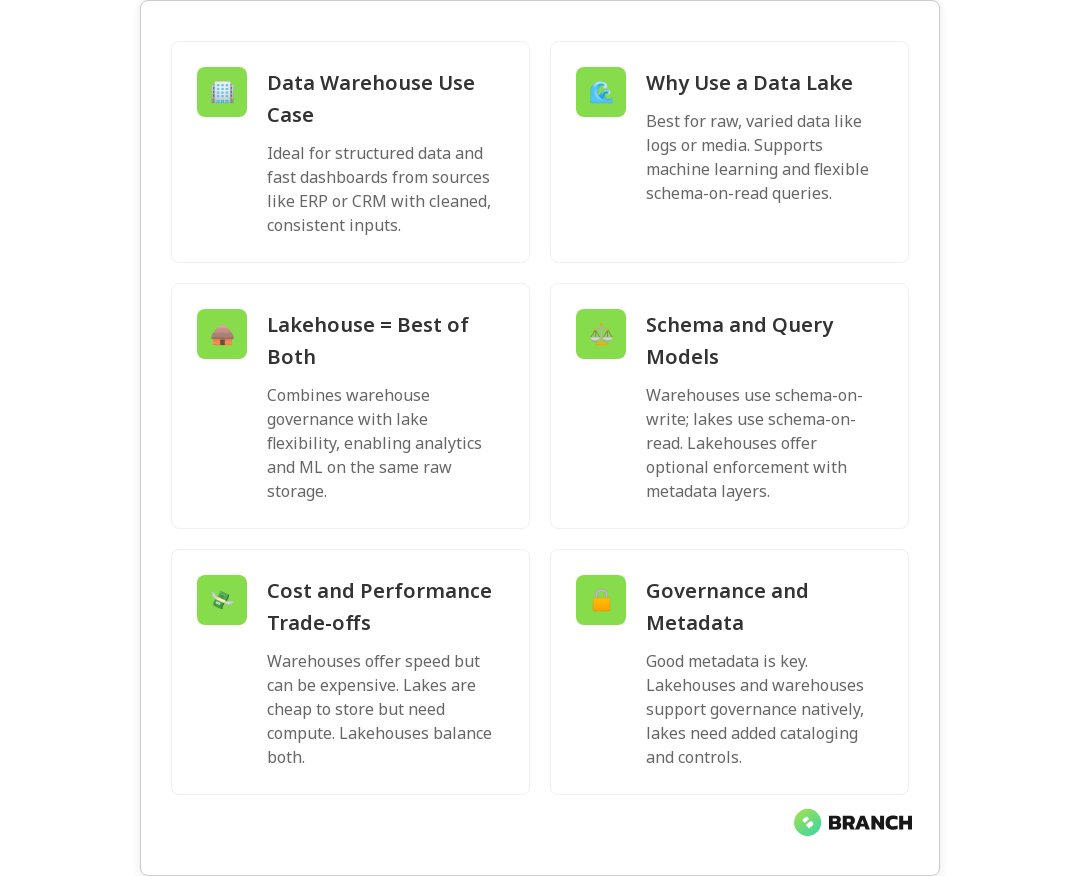
A data warehouse is a structured, curated repository optimized for business intelligence and reporting. It stores cleaned, transformed, and modeled data in predefined schemas so analysts can run fast SQL queries and generate consistent dashboards. Think of it as a tidy, labeled pantry: everything is organized for quick consumption. For a clear comparison of use cases, see IBM’s overview of warehouses, lakes, and lakehouses.

Data Lake

A data lake stores raw, often unstructured or semi-structured data at scale. It’s inexpensive and flexible, accepting everything from application logs and sensor data to images and JSON files. Data scientists and engineers favor lakes for exploratory analysis and machine learning because you can retain original data and transform it later (ELT-style). Microsoft Azure explains how lakes support varied data types and data science workloads in detail.

Data Lakehouse

The lakehouse blends the best of both worlds: the cost and flexibility of a lake with many of the governance, transactional, and performance features of a warehouse. Lakehouses add a metadata and management layer on top of object storage so you can run BI queries reliably while still enabling ML workflows on raw data. IBM and several industry posts describe how lakehouses aim to support both analytics and ML with transactional guarantees.

💡 Tip: If you’re beginning with analytics only, a data warehouse is often the fastest path to value. If you anticipate heavy ML, streaming, or unstructured inputs, plan for a lake or lakehouse architecture instead.

When to choose each: practical business scenarios

  • Choose a data warehouse if your primary need is stable, fast reporting and dashboards built on cleaned, structured data from a few standardized sources (ERP, CRM, sales systems).
  • Choose a data lake if you need to ingest diverse, high-volume raw data (logs, IoT, media) for discovery, experimentation, and large-scale model training – and you don’t need immediate consistency for BI queries.
  • Choose a data lakehouse if you want one platform that supports both exploratory ML and governed analytics, especially when you must reduce operational overhead of maintaining separate lake and warehouse systems.

Real-world teams often use more than one pattern. A common approach is to ingest everything into a data lake and then curate extracts into a warehouse for business reporting. Lakehouses try to collapse that two-step pattern into a single, more maintainable architecture, supporting both ETL and ELT and even streaming workloads, as explained in Striim’s overview.

Read more: Data Engineering for AI – This explains why a sound data pipeline is essential whether you pick lake, warehouse, or lakehouse.

Technical differences that matter

Schema and structure

Warehouses use schema-on-write: data is modeled and validated before it’s stored. This enables consistent, performant queries for dashboards. Lakes use schema-on-read: data is stored raw and interpreted when read – flexible but potentially messy. Lakehouses introduce structured metadata and optional schema enforcement so you can have schema evolution without losing the benefits of raw storage.

Transactions and consistency

One historical advantage of warehouses is transactional integrity (ACID) for updates and deletes; lakes lacked this, making governance and consistent views harder. Lakehouse projects add transactional metadata layers to provide ACID-like features on top of lake storage, enabling reliable analytics and reducing surprise results during reporting, as noted by DATAVERSITY.

Performance and cost

Warehouses excel at fast, concurrent SQL queries, but that performance often comes at higher storage and compute costs. Lakes are cost-effective for storing petabytes of raw data but require additional compute for querying. Lakehouses aim to balance cost by using lower-cost object storage with query engines and caches that accelerate common workflows. Amplitude’s discussion highlights how lakehouses support both structured querying and raw data access without duplicating storage.

Governance and security

Governance tends to be easier in warehouses because the data is curated and structured. Lakes require robust metadata, cataloging, and access controls to avoid becoming a data swamp. Lakehouses typically integrate metadata layers and governance controls to make secure, auditable access easier while still enabling data science workflows.

💡 Tip: Prioritize metadata and data cataloging early — whether your project starts as a lake or warehouse, good metadata prevents chaos as your data scales.
Read more: Data Engineering Solutions – Useful if you need help designing the pipelines and metadata systems that keep lakes and lakehouses manageable.

Migration and integration strategies

Migrations are rarely “lift-and-shift.” The practical playbook often looks like this:

  1. Inventory and classify your data sources (structured, semi-structured, unstructured).
  2. Define business domains and prioritize what must be curated for dashboards vs what can stay raw for ML.
  3. Choose ingestion patterns: batch ETL for stable sources, streaming for real-time events.
  4. Implement a metadata/catalog layer and data quality checks early.
  5. Iterate: start by moving a few high-value datasets and validate queries and access patterns.

Lakehouses make some of these steps simpler by allowing you to keep raw data but still support curated, query-ready tables on top. Tools and platforms vary – but the architectural principles are consistent across vendor recommendations, including Microsoft Azure’s guidance on when lakes are the right fit.

Read more: Cloud Infrastructure Services – Helpful when planning the cloud foundation for storage, compute, and security during migrations.

Common challenges and how to mitigate them

  • Data sprawl and duplication: Multiple copies across lake and warehouse can cause cost and governance issues. Mitigate by setting a clear “source of truth” policy and using cataloging.
  • Skill gaps: Lake and lakehouse work often requires data engineering and platform expertise. Invest in training or partner with specialists.
  • Cost surprises: Query engines over object storage can generate unexpected compute costs. Use cost controls, monitoring, and FinOps practices to keep budgets in check.
  • Latency needs: Real-time analytics requires streaming ingestion and processing; evaluate platforms that support both streaming and batch without excessive complexity, as Dataversity highlights for IoT and ML scenarios.
💡 Tip: Set up observability for both storage and compute (not just the data itself). Knowing who queried what, when, and why saves troubleshooting time and budget headaches.

Trends and where the market is heading

The lakehouse concept gained momentum because it reduces duplicated effort and supports unified analytics and ML. Expect continued investment in open table formats, standardized metadata layers, and query engines that optimize cost and concurrency. Companies are also pushing for better governance and easier migration paths – a natural market response now that hybrid analytics are a business requirement. IBM and Amplitude both discuss how lakehouses bridge the governance and flexibility gap in modern data architectures.

Another trend is the blending of real-time streaming and batch processing. Platforms that handle both with the same data model allow teams to build real-time features and dashboards without maintaining parallel systems. If your use case includes IoT, personalization, or live monitoring, prioritizing streaming-capable architectures will pay off, as DATAVERSITY explains.

Read more: AI Development Services – If you plan to operationalize ML on top of your data platform, this explains how to integrate models and data pipelines effectively.

FAQ

What do you mean by data architecture?

Data architecture is the blueprint describing how data is collected, stored, processed, integrated, and accessed across an organization. It covers the physical and logical storage (lakes, warehouses, databases), the pipelines that move data, metadata and governance, and the patterns used for analytics, reporting, and ML.

What is the difference between data architecture and data management?

Data architecture is the high-level design – the “where” and “how” of data flow. Data management is the operational discipline that executes and maintains that architecture: ingestion, quality, cataloging, security, access controls, backups, and lifecycle management. Architecture sets the plan; management runs and governs it.

What is modern data architecture?

Modern data architecture emphasizes flexibility, scalability, and real-time capabilities. It often combines object storage, event streaming, metadata/catalog layers, governed query engines, and ML-ready pipelines. Lakehouse patterns are a prominent modern approach because they support mixed workloads and enable faster insights without managing redundant systems.

What are the three types of data architecture?

Broadly, you can think of three styles: centralized (traditional data warehouse), distributed or decentralized (data mesh approaches), and hybrid (lakes or lakehouses combining centralized governance with federated data ownership). Each has trade-offs in governance, speed of delivery, and operational complexity.

Is data modelling part of data architecture?

Yes. Data modeling is a core activity within data architecture. It defines schemas, relationships, and entitlements for how data should be structured and consumed. Good modeling ensures that analytics are consistent, reliable, and performant, whether those models are applied at write-time (warehouse) or read-time (lake).

Final thoughts

There’s no one-size-fits-all answer. If your immediate need is fast, reliable dashboards, start with a warehouse. If you’re building ML models and need to keep lots of raw, varied data, start with a lake and invest early in metadata. If you want a single system that supports both analytics and ML while reducing duplication, evaluate lakehouse architectures. Industry leaders like IBM and Microsoft provide helpful comparisons as you map requirements to technologies.

Practical next steps: inventory your data sources, prioritize business outcomes (reporting vs model training vs real-time features), and prototype one high-value workflow. That will surface whether you need the governance of a warehouse, the flexibility of a lake, or the hybrid benefits of a lakehouse – and make your migration decisions much less guesswork and a lot more science (or at least well-organized cooking).

dataops-image-blog

MLOps vs DataOps: Understanding the Difference in Data-Driven Organizations

Data-driven organizations often throw around buzzwords like MLOps and DataOps as if they were interchangeable magic spells. In reality, they solve different (but overlapping) problems: DataOps focuses on the plumbing of reliable data, while MLOps focuses on putting machine learning models into steady, trustworthy production. In this article you’ll learn the core differences, how the two practices complement one another, real-world strategies for adopting them, and practical pitfalls to avoid. Think of this as a friendly field guide so your data and ML teams stop tripping over each other’s cables.

Why the distinction matters

When your business bets on analytics or machine learning to deliver value, the quality and flow of data — and the reliability of the models that consume it — determine whether those bets pay off. Confusing DataOps and MLOps can lead to duplicated work, gaps in ownership, and fragile systems that break on Fridays (or worse, in front of executives).

DataOps and MLOps both borrow from DevOps’ emphasis on automation, testing, and collaboration, but they apply those principles to different life cycles and stakeholders. A clear separation — while encouraging cross-team collaboration — helps teams prioritize investments (data reliability vs model reproducibility) and pick the right tooling and governance approaches. For a succinct overview of how the disciplines align and diverge, see this Coursera article on DataOps vs MLOps.

💡 Tip: Start ownership conversations early. Decide whether data engineering, ML engineering, or a shared platform team will own feature stores, model serving, and data quality checks.

Core differences: lifecycle, scope, and goals

The lifecycle: data vs model

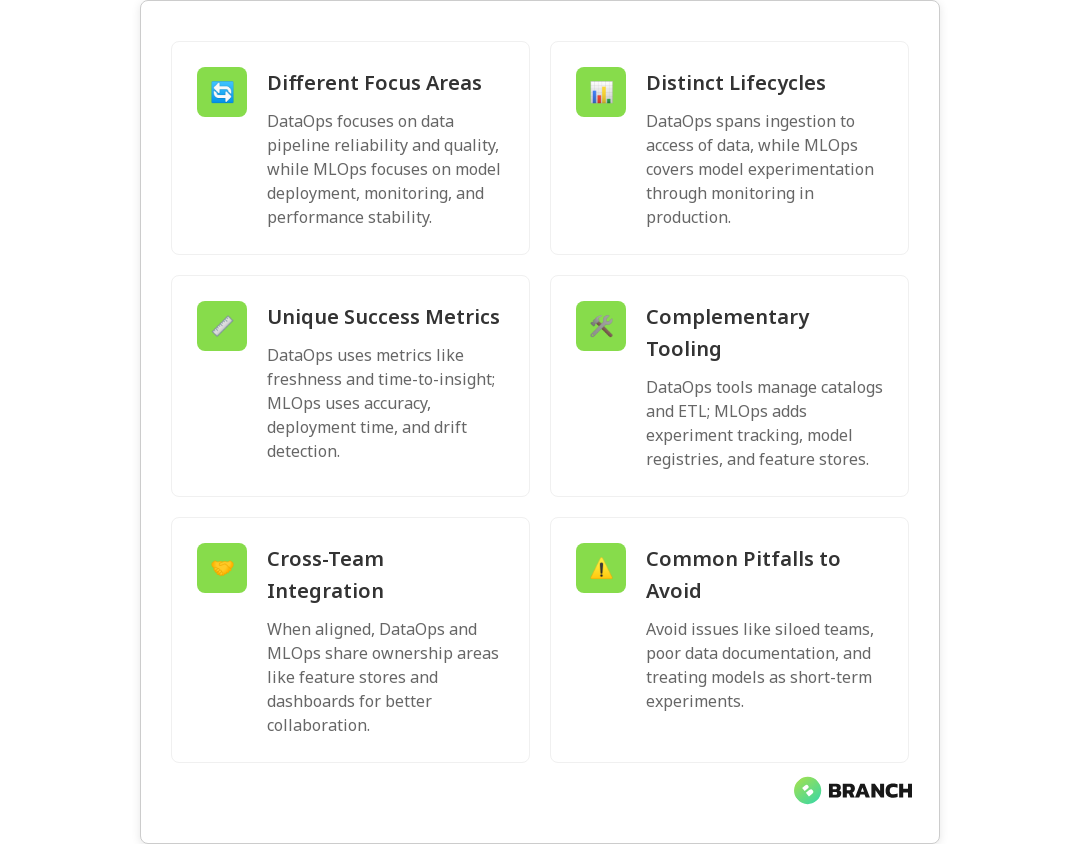
DataOps manages the full data lifecycle — ingestion, transformation, storage, cataloging, and access — with a focus on speed, quality, and reproducibility for analytics and downstream consumers. MLOps, by contrast, is concerned with the ML lifecycle: experiment tracking, training, validation, deployment, monitoring, and automated retraining. While DataOps ensures the data is trustworthy and discoverable, MLOps ensures models leverage that data reliably and behave as expected in production.

Both practices use automation and CI/CD patterns, but the pipelines look different: DataOps pipelines move and validate data at scale, while MLOps pipelines incorporate model artifacts, feature engineering, and drift detection. IBM’s overview of DataOps and MLOps explains how both borrow Agile and DevOps practices but apply statistical controls and model-specific checks where appropriate.

Scope and metrics

  • DataOps success metrics: data freshness, throughput, data quality scores, pipeline failure rates, and time-to-insight.
  • MLOps success metrics: model performance metrics (accuracy, AUC, etc.), latency, uptime, concept/data drift metrics, and time-to-production for models.

Different metrics mean different priorities: DataOps teams optimize for reliable datasets and quick query responses; MLOps teams optimize for consistent prediction quality and scalable serving.

Typical tooling and artifacts

DataOps commonly manages ETL/ELT frameworks, data catalogs, stream processors, and data quality tools. MLOps introduces experiment tracking systems, model registries, feature stores, and model-serving frameworks. There’s overlap — for instance, a feature store is a shared artifact — but the ownership and operational expectations differ.

How DataOps and MLOps complement one another

Think of DataOps as building and maintaining the roads and traffic rules, and MLOps as the transit system that uses those roads. Without well-governed, discoverable, and timely data from DataOps, MLOps teams spend their time debugging root causes in the data rather than improving models. Conversely, sophisticated DataOps without MLOps may produce clean datasets that never translate into reliable, versioned, and monitored models in production.

Practical synergy areas include data lineage for model explainability, shared monitoring dashboards for both data and model health, and joint ownership for feature engineering. For a practical exploration of how these operational practices fit together in an enterprise context, see IBM’s developer article on the family of Ops disciplines.

Read more: Data Engineering for AI – why a strong data engineering foundation is essential before scaling ML initiatives.

Strategies for implementing each practice

Start with the pain points

Begin by documenting the biggest blockers: Is it slow/incorrect data? Unreliable model performance in production? Long lead times for model deployment? Prioritize the practice that addresses your most painful bottleneck first, but plan integration points so the other practice isn’t an afterthought.

Define clear ownership and SLAs

Set explicit responsibilities for data quality, transformation, and feature ownership. For example, DataOps might own ingestion SLAs and column-level quality checks, while MLOps owns model validation, rollout policies, and rollback procedures. Clear SLAs reduce finger-pointing and accelerate incident resolution.

💡 Tip: Establish a shared “golden dataset” and feature contracts. If ML systems rely on specific shapes and ranges, DataOps should enforce those and notify MLOps on violations.

Automate with governance in mind

Automation is the baseline: CI/CD for data pipelines and models, automated testing for data quality and model performance, and deployment gates that require explainability or fairness checks. Layer governance that is lightweight but enforceable — a rigid approval process slows innovation, while lax controls increase risk.

Invest in observability for both data and models

Observability should cover lineage, freshness, missing values, distribution shifts, and performance drift. Integrate monitoring so stakeholders can see how a data pipeline failure impacts model predictions and business KPIs. This integrated view helps prioritize fixes and decide whether to rollback a model or patch a dataset.

Read more: Tailored AI Solutions – guidance on tailoring AI and operational practices to your organization’s needs.

Common challenges and how to avoid them

Pitfall: Treating models as one-off experiments

Many teams celebrate model training success and then forget to industrialize reproducibility. The fix: treat models as versioned artifacts with metadata, tests, and deployment pipelines. Use model registries and enforce reproducible training environments.

Pitfall: Poor data discoverability and documentation

When data is hard to find or poorly documented, teams recreate the same datasets repeatedly. Implement a catalog, data lineage, and robust metadata practices so teams can reuse and trust existing assets.

Pitfall: Siloed teams and tools

Silos lead to duplicated infrastructure and inconsistent SLAs. Create cross-functional platform teams or shared services that provide reusable components (feature stores, registries, observability platforms) while allowing domain teams to iterate quickly.

Read more: AI Development Services – how expert support can help bridge gaps between data engineering and ML engineering in production.

How to measure ROI and progress

Track both technical and business metrics. For DataOps, measure pipeline reliability, time-to-delivery for new datasets, and reductions in data-related incidents. For MLOps, track time-to-deploy, model performance stability, and the number of automated retraining cycles. Ultimately, link these to business outcomes: improved conversion rates, reduced churn, lower fraud losses, or operational efficiencies.

Trends to watch

  • Unified platforms: Tooling that reduces friction between data pipelines and model pipelines (integrated feature stores, lineage-aware model registries).
  • Shift-left testing: More testing earlier in the pipeline for both data schemas and model assumptions.
  • Explainability and governance baked into pipelines as standard checkpoints, not optional extras.
  • More “Ops” consolidation: organizations creating platform teams that provide shared services for both DataOps and MLOps, following DevOps-inspired automation patterns described in sources like Coursera and IBM.
Read more: Data Engineering Services – how tailored data infrastructure can support both DataOps and MLOps goals.

Implementing an initial roadmap

  1. Audit current capabilities: map data pipelines, model workflows, owners, and failure modes.
  2. Choose quick wins: reduce data pipeline flakiness, automate model validation, or create a shared feature contract.
  3. Build shared platform capabilities: feature store, model registry, and unified monitoring dashboards.
  4. Establish governance: SLAs, testing gates, and incident response playbooks.
  5. Iterate and measure: refine based on feedback and business impact.
💡 Tip: Start small and instrument aggressively. A pilot that proves uptime or faster deployment gives the organizational momentum to scale best practices.

FAQ

What is meant by data operations?

Data operations (DataOps) refers to the practices, processes, and tools that manage the end-to-end lifecycle of data in an organization. It emphasizes automation, quality control, collaboration, and rapid delivery of datasets for analytics and downstream users. DataOps borrows from Agile and DevOps and applies statistical controls and observability to data pipelines. For a clear primer, see Coursera’s article.

What is the role of DataOps?

The role of DataOps is to ensure data is reliable, discoverable, and delivered quickly to consumers such as BI analysts, data scientists, and ML systems. Responsibilities include maintaining ETL/ELT pipelines, implementing data quality checks, managing a data catalog and lineage, and collaborating with downstream teams to meet SLAs. DataOps reduces time-to-insight and data-related incidents, improving decision-making.

What is DataOps vs DevOps?

DevOps streamlines software development and operations — building, testing, and deploying application code. DataOps applies similar principles to data workflows. DevOps focuses on application reliability, while DataOps emphasizes pipeline reliability, data quality, and reproducible datasets. Both share automation, CI/CD, and collaboration ideals but differ in artifacts: code vs data.

What does a data operations team do?

A DataOps team builds and operates the data infrastructure, designs pipelines, enforces data contracts and quality checks, maintains catalogs and lineage, and monitors pipeline SLAs. They collaborate with data scientists, analysts, and ML engineers to ensure datasets are fit for purpose and automate repetitive tasks to accelerate delivery. In short: they keep data flowing and trustworthy.

What is a data operations job?

A data operations job typically involves designing and maintaining pipelines and infrastructure, implementing monitoring and alerting for data quality, documenting datasets and lineage, and collaborating across teams to meet needs. Job titles include Data Engineer, DataOps Engineer, Pipeline Engineer, or Platform Engineer, requiring skills in ETL/ELT tools, orchestration systems, modeling, and automation.

Read more: Cloud Cost Strategies – practical considerations for cloud efficiency when running data and model workloads in production.

DataOps and MLOps are not rivals — they’re collaborators with different specialties. When they’re aligned, your organization gets reliable data and dependable models that actually deliver business outcomes. When they’re not, you get the classic “works on my laptop” spectacle. Invest in both thoughtfully, automate aggressively, and keep the lines of communication open. Your future self (and your business metrics) will thank you.

datastructurestorage-image-blog

Schema Evolution Strategies: Handling Data Structure Changes Without Breaking Pipelines

Schema changes happen. Whether a product team adds a new field, a partner renames a column, or an upstream system starts sending slightly different types, your pipelines will notice — and sometimes loudly. This article explains practical strategies to evolve schemas gracefully, so your data flows keep moving, your analytics stay accurate, and your engineers lose fewer gray hairs. You’ll learn why schema evolution matters, concrete tactics for handling changes in real time and batch pipelines, and how to operationalize detection, testing, and rollback with minimal disruption.

Why schema evolution matters (and why it’s trickier than it sounds)

Data schemas are contracts. Consumers assume fields exist with predictable types and semantics. When that contract changes without coordination, downstream jobs fail, dashboards show wrong numbers, and ML models quietly degrade. In modern architectures — where microservices, third-party feeds, and event streams mix — schema drift is inevitable.

Beyond obvious breakage, schema changes can introduce subtle risks: silent data loss when fields are removed, corrupted joins when types change, and analytic blind spots when new fields are ignored. Handling schema evolution well isn’t just about avoiding errors; it’s about keeping trust in your data platform.

💡 Tip: Treat schemas as living contracts. Document changes, version them, and communicate updates to both engineering and analytics teams before they go live.

Core strategies for schema evolution

There’s no single silver bullet, but several complementary strategies will dramatically reduce surprises.

  • Schema versioning — Tag schema changes with versions and allow services to negotiate or opt into a version. Versioned schemas give you a rollback path and a clear audit trail.
  • Compatibility rules — Define compatibility policies (backward, forward, or full) so producers and consumers know what kinds of changes are allowed without breaking contracts. For example, adding optional fields is typically backward compatible; removing fields is not.
  • Validation and gating — Validate schema changes with automated checks before they propagate. Gate deployments of producer changes until consumer teams are ready.
  • Schema monitoring and drift detection — Continuously monitor incoming data for deviations from expected schemas and surface alerts early.
  • Graceful defaults and adapters — When fields change or go missing, use defaults, adapters, or transformation layers to keep older consumers functioning.

For practical, modern guidance on strategies like schema versioning and real-time monitoring, the DASCA guide on managing schema evolution provides a helpful overview and rules of thumb.

Read more: AI Solutions Backbone – useful background on why robust data engineering and schema practices are essential for AI and analytics.

Pattern-by-pattern: What to do when schemas change

1. Additive changes (safe and easy)

Adding new optional fields is the least disruptive change. Consumers that ignore unknown fields continue to work. To take advantage of new fields, implement gradual rollout and update consumers to read the new attributes when ready.

2. Field type changes (risky)

Changing a field’s type (e.g., integer -> string) can break parsing logic and joins. Strategies:

  • Introduce a new field with the new type and deprecate the old one.
  • Use serializers that support union types or nullable variants.
  • Apply transformation layers that cast or normalize types at the ingestion boundary.

3. Field renaming

Renaming is destructive unless handled carefully. Best practice is to write both the old and new field names for a transition period and mark one as deprecated. This dual-write approach gives consumers time to migrate.

4. Field removal and deprecation

Never yank fields. Deprecate first, announce timelines, and remove only after consumers confirm migration. For external contracts, publish a deprecation policy and versioned changelog.

💡 Tip: For critical fields, set up a “legacy mode” adapter that continues to emit the old field for a configurable time window while emitting the new schema in parallel.
Read more: Data Engineering Services – explains practices for building reliable pipelines and governance to minimize schema surprises.

Real-time pipelines: extra considerations

Real-time systems amplify schema issues because there’s less room for human intervention. Event streams and CDC flows must handle evolving schemas gracefully.

  • Additive-first approach: Favor changes that are additive and non-breaking. The Estuary blog on real-time schema evolution highlights how additive changes and explicit deprecation are essential for stream safety.
  • Schema registry: Use a registry (with compatibility checks) to enforce rules and provide centralized access to schemas.
  • On-the-fly adapters: Implement transformation services close to the source. These can coerce types, map names, and enrich records so downstream consumers see a stable interface.
Read more: Technology Services – how technical expertise and tooling choices help keep event-driven and batch systems robust.

Operationalizing schema evolution: tests, monitoring, and rollbacks

Operational readiness wins the day. Implement these practical steps:

  1. Pre-deployment checks: Run schema compatibility tests in CI that simulate consumer behavior. Validate type changes, optionality, and required fields.
  2. Automated contract tests: Producers and consumers should share contract tests that fail fast when compatibility is violated.
  3. Deploy slowly: Canary the producer change to a subset of topics or partitions and monitor downstream failure rates.
  4. Monitoring and alerts: Track schema drift metrics and parser errors. The Matia post on resilient pipelines emphasizes schema drift detection and automated error handling as core practices.
  5. Rollback plans: Every schema change must have a tested rollback path: version switch, adapter toggles, or producer reversion.
💡 Tip: Add a “meta” field to events that stores the schema version and producer ID. That simple tag makes debugging and migrations far less painful.

Testing strategies that actually catch issues

Testing schema changes across disparate systems requires creativity.

  • Contract tests: Run producer and consumer contract checks in CI using sample payloads for each schema version.
  • Integration test harness: Use lightweight environments with the real serializer/deserializer to validate end-to-end behavior.
  • Chaos testing for schemas: Intentionally inject slight schema variations in staging and verify that consumers either handle them gracefully or fail with clear, actionable errors.
  • Schema compatibility matrix: Maintain a matrix showing which consumer versions are compatible with which producer schema versions — it’s like a compatibility spreadsheet but less boring when it saves your dashboard.

Common challenges and how to overcome them

Communication gaps

Engineering teams often operate in silos. Create a lightweight governance process: a short change announcement, owners, and a mandatory compatibility check before merging.

Legacy consumers

Older jobs that can’t be updated quickly are a headache. Provide temporary adapters or a transformation layer in the ingestion pipeline to keep these consumers functional while you migrate them.

Schema registry sprawl

Multiple registries or inconsistent metadata lead to confusion. Centralize schemas and enforce a single source of truth, or at least a synchronized, documented mapping.

Where automation helps most

Automation reduces human error and speeds response:

  • Automatic validation in CI/CD
  • Automated schema drift detection with alerting
  • Auto-generated migration scripts for common changes (e.g., field renames)
  • Self-service tooling for teams to preview how changes affect downstream consumers

Tools and automation are powerful, but they need good governance and observability to be effective.

Read more: Azure Cloud Solutions – useful when choosing cloud-native tooling for schema registries, monitoring, and serverless adapters.

Trends and future-proofing

Look for these trends as you plan long-term strategies:

  • Schema-aware systems: More platforms expose schema metadata natively to make evolution safer.
  • Standardized registries: Open, centralized schema registries with strong compatibility rules are becoming a default for serious data teams.
  • Automated compatibility analysis: ML-assisted tools will soon help predict breaking changes and suggest migration paths.

Adopting these trends early, in a measured way, reduces future technical debt and makes data teams more resilient.

💡 Tip: Start small — add schema versioning and a registry first. Those two moves buy you the most flexibility for later automation and stricter compatibility enforcement.

FAQ

What is meant by data pipeline?

A data pipeline is a set of processes that move and transform data from sources (databases, logs, sensors) to destinations (warehouses, analytics, ML). It’s like a conveyor belt that also inspects and packages data along the way.

How do I build a data pipeline?

Building a pipeline starts with defining sources, outputs, and transformations. Key steps include ingestion, schema validation, transformations, monitoring, and governance. Data engineering services can help design and implement robust architectures.

What is a real-time data pipeline?

A real-time pipeline processes events with minimal latency using streams, brokers, and stream processors. It powers dashboards, personalization, and alerting. Schema changes in real-time systems require extra safeguards for stability.

What are the main 3 stages in a data pipeline?

The three stages are: ingestion (collecting data), processing/transformation (cleaning, enriching), and storage/consumption (warehouses, APIs). Each stage must be schema-aware to maintain consistency.

What is the first step of a data pipeline?

The first step is identifying and connecting to data sources. This includes understanding schema, volume, and frequency, which ensures a stable design for ingestion and downstream processing.

Read more: Infrastructure as Code – explains how automating infrastructure and configuration supports reliable deployments and schema-aware pipelines.

Schema evolution doesn’t have to be scary. With versioning, compatibility rules, registries, and good operational hygiene, you can keep your pipelines resilient and your teams less stressed. When in doubt: add a version, communicate early, and automate the boring checks — your future self (and your dashboards) will thank you.

For detailed, practical advice on managing schema evolution in pipelines, see the DASCA guide, Estuary’s take on real-time evolution, and Matia’s piece on drift detection and resilience.

DASCA guideEstuary blogMatia post

apache-image-blog

Apache Beam vs Kafka Streams: Which Stream Processing Framework to Choose

Stream processing is no longer a niche topic for big data teams — it’s a core capability for businesses that want real-time analytics, responsive user experiences, and faster decision-making. If you’re evaluating Apache Beam and Kafka Streams, you’re asking the right question: both are powerful, but they solve overlapping yet distinct problems. In this article you’ll learn how each framework works, where they shine, the operational trade-offs, and practical guidance to help you pick the best fit for your project.

Why this decision matters

Choosing the right stream processing framework influences developer productivity, operational complexity, cost, and system behavior under failure. The wrong choice can mean expensive rework or architecture constraints that slow growth. We’ll break down the technical and business trade-offs so you can pick a framework that supports your product roadmap — not one that forces you to bend your requirements to its limitations.

High-level comparison: models and philosophies

At a glance, the two projects take different approaches:

  • Apache Beam is a unified programming model for both batch and streaming that runs on multiple execution engines (called runners) such as Flink, Spark, and Google Cloud Dataflow. It’s about portability and consistency across execution environments — write once, run anywhere (within supported runners) — which can be a huge win for teams anticipating changing infrastructure or cloud providers. See the Apache Beam overview for more background.
  • Kafka Streams is a lightweight library specifically designed to process streams from Apache Kafka. It embeds processing in your application and optimizes for Kafka-native patterns — local state per instance, tight integration with Kafka’s consumer/producer model, and the kind of per-record latency modern applications need.

This difference — portability vs Kafka-native simplicity — is the axis that usually decides the choice.

Core technical differences

Programming model and portability

Apache Beam gives you a higher-level abstraction (PTransforms, windows, watermarks) that maps onto different runners. That means one Beam pipeline can be executed on Flink, Spark, or Dataflow without rewriting business logic, making Beam a great choice for teams that value portability or that work across clouds. The Confluent primer on Beam explains the unified model and runner flexibility in practical terms.

Kafka Streams, by contrast, is a library you embed in JVM applications. It’s not portable in the Beam sense — it’s intentionally tied to Kafka and the JVM ecosystem, but that tight coupling brings simplicity and performance advantages for Kafka-centric stacks.

State management and fault tolerance

Both frameworks support stateful processing and fault tolerance, but they approach it differently. Kafka Streams stores state locally with changelog topics in Kafka for durability and automatic recovery. It’s a pragmatic, operationally straightforward approach for Kafka-based deployments.

Beam delegates execution to runners which provide state, checkpointing, and exactly-once guarantees depending on the chosen runner. If you pick Flink as the runner, you get Flink’s advanced state backends and checkpointing behavior. This gives Beam flexibility but also means you’re responsible for understanding the guarantees and operational model of the runner you choose.

Latency, throughput, and performance

If your priority is sub-second per-record processing with minimal overhead, Kafka Streams is often the better fit. Kafka Streams is optimized for Kafka-native use cases and excels at low-latency, lightweight stateful operations — think real-time transforms, aggregations, and enrichment with local state. One comparison of stream engines highlights Kafka Streams’ per-record latency strengths.

Beam’s performance depends on the runner; some runners (e.g., Flink) are competitive for low-latency workloads, while others may be better suited to high-throughput or batch-heavy pipelines. If raw latency is critical, measure with your expected workload and chosen runner — performance characteristics can vary significantly between environments.

💡 Tip: Don’t choose based on hype alone. Benchmark small representative workloads (including state size and windowing behavior) with your expected traffic — both framework and runner choices can change results dramatically.

Operational and developer experience

Both frameworks require operational competence, but their operational profiles differ.

  • Kafka Streams: You operate Kafka and your application instances. Scaling is conventional — run more instances. Local state makes operations simple in many Kafka environments, and deployment integrates well with containerized or VM-based app infrastructure.
  • Apache Beam: You also operate the chosen runner (Flink/Spark/Dataflow). This can mean more moving parts but also allows separation of concerns: Beam for logic, the runner for execution. If you’re using cloud managed runners (e.g., Dataflow), you offload some operational burden at a cost.

Ease of operations often comes down to the team’s skill set and infrastructure preferences. If your team already runs Kafka and JVM services comfortably, Kafka Streams may be the path of least resistance. If you’re standardizing on an execution engine or expect to run processes on multiple backends, Beam’s portability can reduce long-term complexity.

Read more: Data Engineering for AI – useful if your stream pipelines are a foundation for AI features and need robust, production-ready data flows.

Use cases: when to pick each

Pick Kafka Streams when:

  • Your architecture is Kafka-centric and you want simplicity and low-latency per-record processing.
  • You prefer embedding processing logic directly in services rather than managing a separate stream processing cluster.
  • Your language and ecosystem are JVM friendly (Java, Scala, Kotlin).
  • You need lightweight stateful operations that rely on Kafka for durability.

Pick Apache Beam when:

  • You need a unified model for both batch and streaming workloads and want to run pipelines on different runners over time.
  • You anticipate changing execution environments or cloud providers and want portability.
  • Your team values a higher-level abstraction for complex event-time and windowing semantics.
  • You want to leverage runner-specific strengths (e.g., Flink’s stream processing features or Dataflow’s managed operations).
Read more: Tailored AI Solutions – explore how pipeline choices affect AI system design and why custom solutions often beat one-size-fits-all approaches.

Common challenges and trade-offs

No framework is perfect. Here are common trade-offs to weigh:

  • Complexity vs control: Beam offers more abstraction and portability but can introduce complexity when debugging or tuning across different runners. Kafka Streams is simpler but less portable.
  • Operational burden: Running Beam on an unmanaged Flink cluster means extra ops work; managed runners reduce that but add cost and potential vendor lock-in.
  • Language support: Kafka Streams is JVM-based; Beam has SDKs in Java, Python, and other languages depending on runner support. If your team uses Python heavily, Beam may be more attractive.
  • Performance nuances: Throughput and latency depend heavily on topology, state size, and runner configurations — don’t assume one framework will always outperform the other. Compare real-world tests like this streaming comparison to validate expectations.
Read more: Data Engineering Services – if you want help designing, building, and testing streaming pipelines with the right framework and operational model for your business.

Trends and ecosystem considerations

Stream processing ecosystems continue evolving. The move toward serverless and managed services for streaming (like managed runners) reduces operational complexity. At the same time, Kafka itself is broadening its ecosystem, and hybrid approaches (using Kafka for ingestion and Beam or Flink for heavy processing) are common.

Community support, active development, and integration with cloud-native tooling are practical factors. Articles comparing engines note that Beam’s ability to target different runners is a strategic advantage for multi-cloud architectures, while Kafka Streams remains compelling for single-provider Kafka-first stacks.

Read more: Cloud Infrastructure Services – helpful for teams deciding whether to run managed runners or host their own streaming clusters.

Decision checklist: quick questions to guide your choice

  1. Is Kafka already the backbone of your data platform? If yes, Kafka Streams is a natural fit.
  2. Do you need portability across execution engines or clouds? If yes, lean toward Apache Beam.
  3. Is low per-record latency and JVM-native integration critical? Kafka Streams likely wins.
  4. Does your team prefer higher-level abstractions for event-time semantics and complex windowing? Beam provides these features.
  5. What operational resources and expertise do you have? Managed runners vs self-hosted apps is an important operational trade-off.

Practical migration tip

If you need both portability and Kafka-native performance, consider a hybrid strategy: use Kafka Streams for the low-latency front line and Beam for heavier, multi-runner analytics pipelines. This lets you optimize for latency where it matters and maintain flexible, portable analytic pipelines for reporting and batch workloads.

💡 Tip: Prototype both approaches with a narrow, representative workload. Measure latency, throughput, state size, and operational overhead. These metrics tell a clearer story than theoretical comparisons.

FAQ

What do you mean by stream processing?

Stream processing is the continuous, real-time handling of data as it flows through a system. Instead of processing data in scheduled batches, stream processing reacts to each event (or small groups of events) immediately, enabling live analytics, alerts, and real-time transformations.

Why is stream processing important?

Stream processing enables businesses to act on data instantly — think fraud detection, personalization, live metrics, or operational monitoring. It reduces time-to-insight, improves user experiences, and enables new product capabilities that aren’t possible with batch-only processing.

How is stream processing different from traditional data processing?

Traditional (batch) processing collects data over a window of time and processes it in bulk. Stream processing processes events continuously as they arrive, often with stricter latency and state consistency requirements. Stream processing also emphasizes event-time semantics (handling late or out-of-order events) and windowing.

What is a stream processing framework?

A stream processing framework is software that provides the abstractions and runtime for processing continuous data streams. It handles details like event-time processing, windows, state management, fault tolerance, and scaling so developers can focus on business logic. Examples include Apache Beam (with runners), Kafka Streams, Flink, and Spark Structured Streaming.

What are the capabilities of stream processing?

Common capabilities include event-time windowing, stateful processing, exactly-once or at-least-once delivery semantics, fault tolerance, scalability, and integrations with messaging systems and storage. Different frameworks emphasize different capabilities — for example, Beam prioritizes portability and unified batch/stream APIs, while Kafka Streams prioritizes Kafka-native low-latency processing.

Final thoughts

There’s no universally “right” answer between Apache Beam and Kafka Streams. If your world revolves around Kafka and you need low-latency, JVM-native processing with straightforward operations, Kafka Streams will likely get you the fastest path to production. If you value portability, want a unified batch-and-stream API, or need to target multiple execution backends, Apache Beam is the better long-term bet. The smart move is to prototype, measure, and align the choice with your team’s skills and your business goals.

If you’d like help evaluating, building, or operating your streaming pipeline, we design tailored solutions that balance engineering trade-offs with business outcomes — and we promise to explain our choices without too much jargon (or too many metaphors involving rivers and pipelines).

Read more: AI Development Services – useful when your streaming pipelines feed AI models or real-time inference workloads and you need end-to-end solutions.

For additional technical comparisons and practical overviews referenced in this article, see the Confluent Apache Beam introduction, a comparative guide of stream processing frameworks, and recent engine comparisons that examine latency and throughput trade-offs.

Useful external references: Apache Beam overview, stream processing framework guide, engine comparison, and detailed Kafka vs Beam comparison.

dataopsmatter-image-blog

What DataOps Really Is (and How It Transforms Data Team Productivity)

DataOps sounds a little like a trendy gym for data pipelines — and in a way it is: disciplined, repeatable, and focused on measurable improvement. But it’s more than a buzzword. DataOps brings engineering rigor, automation, and cross-team collaboration to the messy world of data so businesses can deliver reliable insights faster. In this article you’ll learn what DataOps actually means, the core principles and components that make it work, practical ways it increases productivity, and a roadmap to get started without tearing down the house.

Why DataOps matters right now

Companies are drowning in data but starving for trustworthy insights. Traditional data projects can be slow, error-prone, and siloed: engineers build pipelines, analysts complain about data quality, and stakeholders wait months for reports that are already stale. DataOps addresses those frictions by applying software engineering practices — automation, CI/CD, testing, and collaboration — to the data lifecycle. The result is faster delivery of analytics, fewer surprises, and teams that can iterate on data products with confidence.

For an overview of how organizations are defining and adopting DataOps, see this practical primer from IBM on applying automation and collaborative workflows across data teams.

💡 Tip: Start small: apply DataOps principles to one high-value pipeline before scaling. Quick wins build trust and demonstrate measurable productivity gains.
Read more: Data Engineering for AI – a clear explanation of why sturdy data pipelines are essential for advanced analytics and AI projects.

Core principles of DataOps

DataOps isn’t a checklist you mark off once; it’s a cultural and technical shift. Leaders in the field highlight a few shared principles:

  • Automation: Remove repetitive manual steps with pipelines, testing, and deployment automation to reduce human error.
  • Collaboration: Break down silos between data engineers, analysts, operations, and business stakeholders so everyone shares ownership of outcomes.
  • Continuous delivery and integration: Apply CI/CD for data and analytics so changes reach production quickly and safely.
  • Monitoring and observability: Treat data pipelines like software systems — instrument them to detect anomalies, performance issues, and data drift.
  • Reusable assets: Build shared data assets, templates, and modules to speed development and standardize quality.

Alation summarizes these ideas well and connects them to practical processes for making analytics repeatable and reliable; their piece on defining DataOps is a useful read for teams shaping policy and tooling (Alation).

The four primary components of DataOps

Different experts phrase components slightly differently, but most agree on four pillars that operationalize the principles above:

  1. Data ingestion and orchestration: Reliable, scheduled, and event-driven pipelines that move data from sources to storage and processing systems.
  2. Data quality and testing: Automated validation, schema checks, and unit/integration tests to ensure accuracy before data reaches consumers.
  3. Deployment and CI/CD: Version-controlled transformations and automated deployments for analytics assets and pipelines.
  4. Monitoring and feedback loops: End-to-end observability with alerts, lineage, and feedback channels so problems are found and fixed quickly.

In practice, these components are implemented with a mix of engineering skills, cloud services, and governance — and when they’re stitched together thoughtfully, productivity leaps. Splunk’s overview of DataOps gives a pragmatic view of pipeline orchestration and observability practices that help teams scale (Splunk).

Read more: Tailored AI Solutions – learn why a thoughtful approach to data tooling and governance is essential when building bespoke AI and analytics systems.

How DataOps transforms productivity — concrete benefits

“Productivity” for a data team isn’t just lines of code — it’s faster delivery of reliable answers that stakeholders can trust. Here’s how DataOps boosts that productivity in measurable ways:

  • Faster time-to-insight: Automated pipelines and deployment mean analysts and product teams get access to up-to-date data sooner.
  • Less firefighting: Monitoring and alerting reduce time spent on surprises and emergency fixes so engineers can focus on improvements.
  • Higher reuse and consistency: Shared modules and templates cut duplicate work and speed onboarding for new team members.
  • Better collaboration: Clear ownership, shared processes, and cross-functional reviews reduce handoff friction between teams.
  • Reduced risk: Tests and approvals in CI/CD reduce the chance that a broken pipeline or bad data propagates to reports or ML models.

In short: fewer interruptions, faster releases, and more predictable outcomes. Informatica frames this as systems thinking across the data lifecycle, which aligns stakeholders and simplifies delivery (Informatica).

Practical roadmap: how to implement DataOps

Implementing DataOps doesn’t require you to rip out your stack overnight. Follow a pragmatic, phased approach:

  1. Map your value streams: Identify the highest-value pipelines (reporting, ML features, billing data) and target them first.
  2. Introduce source control and CI: Store transformations and pipeline definitions in version control and add automated tests and build pipelines.
  3. Automate tests: Start with schema and regression tests, then expand to data quality and performance tests.
  4. Instrument end-to-end observability: Add lineage, metrics, and alerts so teams can detect problems early and measure SLAs.
  5. Standardize and reuse: Create libraries, templates, and documentation to reduce ad hoc work and accelerate new pipelines.
  6. Iterate and expand: Use feedback from the initial projects to adapt processes and scale across domains.

It helps to pair technical changes with cultural shifts: regular standups between engineering and analytics, blameless postmortems, and clear SLAs for data availability. Industry coverage suggests a move toward unified, domain-aware DataOps as teams decentralize responsibilities while keeping shared standards (DBTA).

💡 Tip: Automate the easiest, most frequent checks first — schema validation and freshness. Quick wins build confidence and free time for deeper automation.
Read more: Data Engineering Services – how tailored data engineering practices can build the reliable pipelines DataOps relies on.

Common challenges and how to avoid them

DataOps sounds great — but it’s not magic. Teams often stumble on a few recurring issues:

  • Tool sprawl: Too many disparate tools can make automation and governance harder.
  • Incomplete observability: If you can’t see data lineage or latency, you can’t fix the right problem.
  • Cultural resistance: Without buy-in from analysts and business stakeholders, DataOps becomes an engineering-only initiative.
  • Underinvesting in tests: Teams that treat tests as optional will see data regressions slip into production.

Address these by consolidating around a few flexible, well-integrated tools; documenting ownership and SLAs; and treating DataOps as a product that serves users, not just a platform engineers maintain.

Read more: Cloud Infrastructure Services – cloud practices and cost-conscious architecture that support reliable, scalable DataOps platforms.

Trends to watch

DataOps continues to evolve. Watch for these trends that will shape productivity gains in the next few years:

  • Domain-oriented DataOps: Teams decentralize data ownership by domain while preserving enterprise standards.
  • Increased automation with AI: Automated anomaly detection, data cataloging, and test generation reduce manual overhead.
  • Tighter integration with ML lifecycle: DataOps practices will more closely align with MLOps to ensure models get reliable, versioned data.
  • Stronger emphasis on observability: Tooling that provides lineage, drift detection, and SLA monitoring becomes standard practice.

As DataOps matures, it becomes less about a set of tactics and more about a repeatable operating model that lets data teams deliver value predictably. For organizations building AI and analytics, DataOps is no longer optional — it’s foundational.

Read more: AI Development Services – for teams connecting DataOps to AI, this explains how disciplined data practices support reliable models and business outcomes.

FAQ

What is meant by DataOps?

DataOps is a set of practices and cultural values that apply software engineering principles — automation, testing, CI/CD, and collaboration — to the data lifecycle. It enables faster delivery of reliable, high-quality data and analytics by treating pipelines like software products.

What are the key principles of DataOps?

The key principles include automation, collaboration, continuous integration and delivery, monitoring/observability, and reuse of data assets. These practices reduce manual effort, improve quality, and accelerate insights delivery.

What are the four primary components of DataOps?

The four primary components often cited are data ingestion and orchestration, data quality and testing, deployment and CI/CD for analytics assets, and monitoring with feedback loops and lineage. Together they create repeatable, resilient data pipelines.

What are the benefits of DataOps?

Benefits include faster time-to-insight, fewer production issues, higher reuse of data work, improved collaboration between teams, and reduced risks from data errors. DataOps supports scalable, trustworthy analytics while freeing teams to focus on higher-value work.

How to implement DataOps?

Start by mapping high-value data flows, introduce version control and CI/CD for transformations, add automated tests for data quality, implement observability and lineage, and build reusable components. Scale from a pilot to broader adoption while aligning stakeholders around SLAs and ownership.

Read more: Custom Software Development – here’s why building DataOps automation often benefits from bespoke development that fits your organization’s workflow and tooling.

DataOps isn’t a silver bullet, but it is the operating model that turns data from an unpredictable resource into a dependable asset. With the right mix of engineering practices, cultural alignment, and smart tooling, teams can spend less time fixing pipelines and more time building insights that move the business forward — and that’s productivity worth cheering for.

datasync-image-blog

Change Data Capture (CDC): The Complete Guide to Real-Time Data Sync

Change Data Capture (CDC) is the quiet hero behind real-time dashboards, synced microservices, and analytics that don’t feel ancient the moment they’re displayed. Whether you’re building a customer 360, powering event-driven apps, or keeping a data warehouse fresh, CDC helps systems propagate only what changed — fast and efficiently. In this guide you’ll get a clear view of what CDC is, how it works, implementation patterns, common pitfalls, and practical tips to adopt it without turning your DBAs into caffeine-fueled detectives.

Why CDC matters for modern businesses

Batch jobs have their place, but business moves fast. Waiting minutes or hours for ETL windows to finish means stale insights and slow product experiences. CDC captures inserts, updates, and deletes as they happen so downstream systems — analytics, search indexes, caches, and ML features — receive changes continuously. That brings lower latency, smaller data movement, and often a lower operational cost than repeatedly full-loading big tables.

When implemented correctly, CDC supports event-driven architectures and real-time analytics while minimizing impact on operational databases. For a technical primer on the common CDC approaches and their tradeoffs, see this practical overview at GeeksforGeeks.

💡 Tip: Start by identifying which tables truly need real-time sync — not every table does. Prioritize transactional or frequently-read datasets to get the most business value for the investment.

Core CDC approaches (and when to use them)

CDC isn’t one-size-fits-all. Choose the approach that matches your database, latency needs, and ops tolerance.

  • Log-based CDC — Reads database write-ahead logs (WAL, binlog, redo log). Low impact on source systems and suited for high-volume production systems. This is the most common recommendation for minimal latency and load. See an explanation of real-time change tracking at Informatica.
  • Trigger-based CDC — Database triggers write changes to a shadow table. Works when you can’t access logs, but adds overhead and complexity to schema and migrations.
  • Query- or timestamp-based CDC — Periodically queries for rows updated after a timestamp. Simple, but can miss edge cases or create heavier loads and higher latency.
  • Hybrid approaches — Combine log-based capture with business-level change enrichment in downstream processors for auditability or complex event creation.

How CDC fits into data architecture

CDC typically sits between the operational systems and your downstream consumers. The flow looks like:

  1. Capture: CDC component reads change events (log/trigger/query).
  2. Transform: Optional enrichment, masking, or normalization.
  3. Transport: Publish events to a messaging layer (Kafka, Kinesis) or push directly to targets.
  4. Apply: Sink connectors or consumers apply changes to data warehouses, search, caches, or analytic systems.

This pattern supports event-driven apps and feeds ML feature stores with fresh data. For practical considerations when evaluating CDC tools and streaming architectures, check this guide from Data Engineering Weekly.

Read more: Data Engineering for AI – Learn why well-built data pipelines are the foundation that makes reverse ETL reliable and repeatable.

Common CDC design patterns

When building CDC pipelines you’ll repeatedly use a few reliable patterns:

  • Event streaming — Emit change events into Kafka/Kinesis and handle ordering, compaction, and schema evolution at the consumer layer.
  • Queue-and-apply — For smaller scale, queue changes and have idempotent apply logic on sink systems.
  • Materialized views — Use CDC to keep derived tables or denormalized structures updated for fast reads.
  • Audit trail — Persist change history for compliance, rollback, or replaying changes into test environments.
💡 Tip: Make your apply logic idempotent — updates may be delivered more than once. Idempotency keeps downstream state correct without complex coordination.

Tooling and evaluation

There’s a growing ecosystem of CDC tools and platforms: open-source connectors (Debezium), cloud-managed CDC services, and integrated ETL/ELT products. Evaluating tools means balancing these factors: source compatibility, latency, throughput, ease of schema evolution, delivery guarantees, monitoring, and operational burden.

When assessing options, consider whether the tool supports log-based capture for your DB, how it handles schema changes, and whether it integrates with your message bus and sinks. For a point-by-point evaluation guide, read this overview from Data Engineering Weekly.

Read more: Data Engineering Services – If you need help building the warehouse models and pipelines that feed reverse ETL, this explains how we approach data engineering projects.

Challenges and pitfalls to watch for

CDC simplifies many problems, but it introduces others:

  • Schema evolution: Column additions, type changes, or table renames can break connectors unless you plan for versioning and compatibility.
  • Backpressure and ordering: High write spikes can overwhelm pipelines; ordering guarantees vary by tool and transport layer.
  • Data correctness: Capturing the change is only half the battle — reconciling eventual consistency and handling deletes requires careful design.
  • Security and privacy: Sensitive data may flow through change streams; apply masking or tokenization in the transformation step.
  • Operational complexity: CDC adds more moving parts — monitoring, offset management, and disaster recovery planning are essential.
💡 Tip: Implement a reconciliation job (daily or hourly) that compares key aggregates between source and sink to detect drift early.

Real-world use cases

CDC powers a surprising variety of business needs:

  • Real-time analytics: Fresh dashboards and alerts for product and ops teams.
  • Search/index sync: Keep search services and recommendation engines fresh as product or user data changes.
  • Microservices integration: Broadcast events to other services without tight coupling.
  • Data lake/warehouse updates: Incremental updates to analytical stores without full reloads, reducing cost and time.
  • Auditing and compliance: Maintain immutable trails of changes for regulatory requirements.

For practical examples of CDC used in data lake and warehouse synchronization, see this explanation from Striim.

Read more: Tailored AI Solutions – learn how near-real-time features and RAG strategies rely on fresh, well-engineered data pipelines.

CDC versus traditional ETL/ELT

CDC and ETL/ELT solve overlapping but distinct problems. Traditional ETL moves bulk data on schedules; CDC moves incremental changes continuously. ETL is simpler for full refreshes or initial migrations; CDC is better for low-latency needs and reducing load on source databases. You’ll often see hybrid architectures: CDC streams changes to a landing zone where ELT jobs perform heavier transformations.

The cloud and modern data tooling make it easy to combine both: use CDC for incremental freshness and ELT for periodic deep transformations.

Monitoring, observability, and testing

Operational CDC needs robust observability:

  • Track offsets and lag so you know how far behind each sink is.
  • Monitor throughput, error rates, and repeat deliveries.
  • Build automated tests that simulate schema changes and verify downstream behavior.
  • Log a reconciliation metric and alert on divergence thresholds.
💡 Tip: Treat your CDC pipeline like a product — include SLOs for lag and accuracy, and make those SLOs visible to stakeholders who rely on the data.

Security, compliance, and governance

Because CDC streams operational data, it must meet the same compliance and security controls as the source systems. Consider encryption of data in flight, role-based access to change logs, and transformation-stage masking for sensitive fields. Catalog and schema registry integration will help teams understand what fields are flowing and where.

Products and documentation from established vendors outline common best practices; for an industry-level view of CDC’s role in incremental data movement and low-impact synchronization, see Matillion’s explanation.

Choosing the right time to adopt CDC

Not every organization needs immediate CDC. Consider starting CDC when:

  • You need sub-minute freshness for key use cases.
  • Full-table refreshes are taking too long or costing too much.
  • Downstream services rely on near-real-time events or materialized views.

Start with a limited scope: one database or set of tables, with clear success metrics. Iterate and expand once you’ve proven stability and business value.

FAQ

What is change data capture?

Change Data Capture (CDC) is a set of techniques to detect and record changes (inserts, updates, deletes) in a source database, and then propagate those changes to downstream systems in an incremental, often real-time fashion. It reduces the need for full reloads and enables low-latency data flows for analytics and event-driven systems.

What is the CDC process?

The CDC process typically involves capturing changes from the source (via logs, triggers, or queries), optionally transforming or masking the events, transporting them through a messaging layer or directly to sinks, and applying those changes to downstream targets. Monitoring and reconciliation ensure accuracy.

How does change data capture work?

CDC works by observing the source for changes. Log-based CDC reads the transaction log and converts entries to events. Trigger-based CDC uses database triggers to write changes to a side table. Query-based CDC polls for rows modified since a timestamp. Captured changes are then serialized and delivered to consumers.

What are the use cases of CDC?

CDC powers use cases like real-time analytics dashboards, search and index synchronization, keeping caches fresh, feeding ML feature stores, enabling event-driven microservices, and maintaining audit trails for compliance. It’s ideal where near-real-time freshness and minimal source impact are required.

What is the difference between ETL and CDC?

ETL (Extract, Transform, Load) performs bulk or scheduled data movement and transformation, while CDC streams incremental changes continuously. ETL is suited for initial loads and heavy transformations, whereas CDC enables low-latency sync and reduces load on production systems. Many architectures use both together.

Read more: AI Development Services – how fresh, well-engineered data feeds are critical for successful AI features and models.

Final thoughts

CDC is a practical and powerful pattern for modern data architectures. It reduces latency, lowers data movement costs, and enables event-driven use cases — when designed with attention to schema evolution, monitoring, and security. Start small, measure the impact, and expand. And if the first CDC pipeline you build makes your product feel a little bit faster and your analytics a little bit smarter — congratulations, you’ve just given your users a tiny bit of magic.

Read more: Data Engineering Services – if you want help designing or operating CDC pipelines tailored to your business goals and compliance needs.

For practical alternatives and vendor approaches to CDC, you might also find this vendor-neutral overview helpful: Striim CDC explainer, which walks through how changes flow from operational systems into analytics platforms and data lakes.