Confident businesswoman presents to a diverse team during a collaborative meeting in a stylish office environment, promoting teamwork and communication.

How to Build Leadership Development Programs That Actually Work

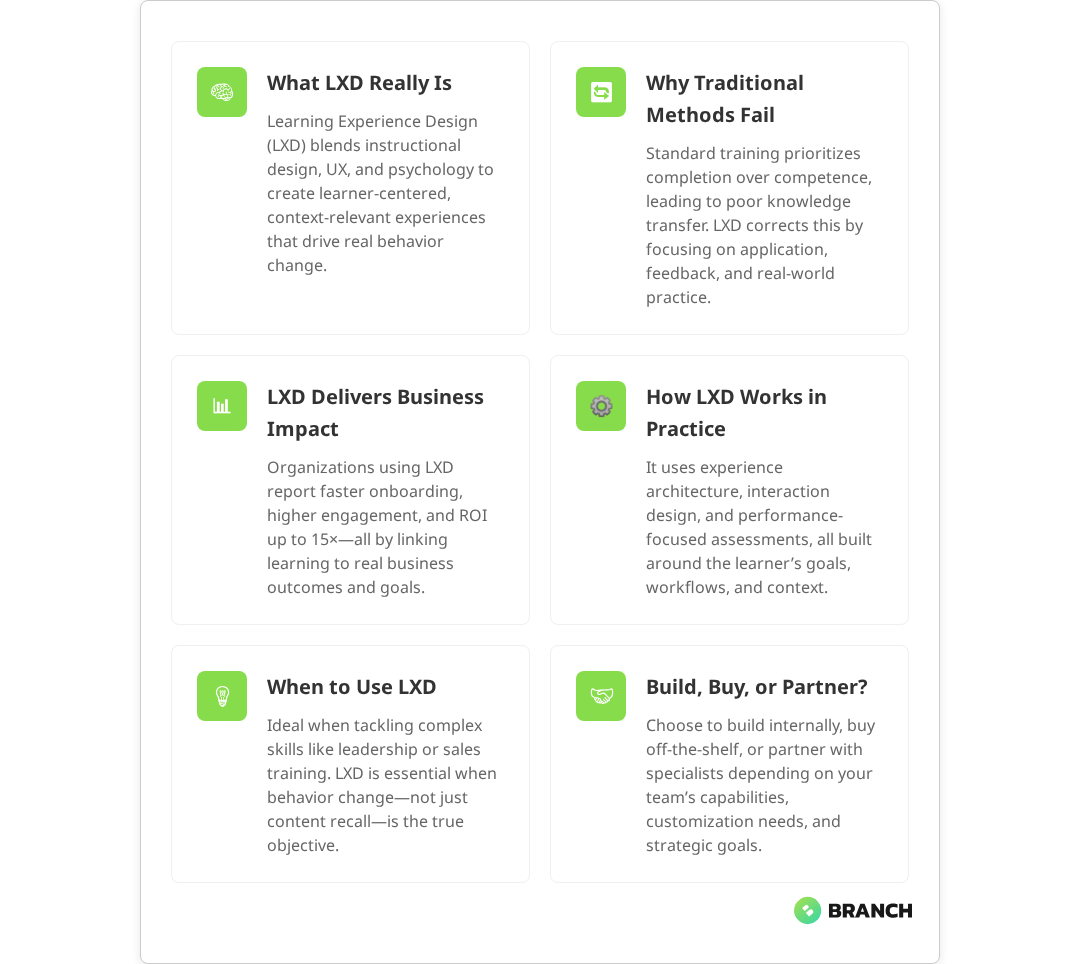
Building effective leadership development programs isn’t just about picking the right training modules or finding the most charismatic facilitators. It’s about solving real organizational challenges through targeted, measurable interventions that help your people grow into the leaders your business actually needs.

Yet most leadership programs fail to deliver meaningful results. They consume budget and time while producing vague outcomes that sound impressive in reports but don’t translate to better decision-making, stronger team performance, or improved business results. The difference between programs that work and those that don’t comes down to how well you understand the problem you’re solving—and whether leadership training is even the right solution.

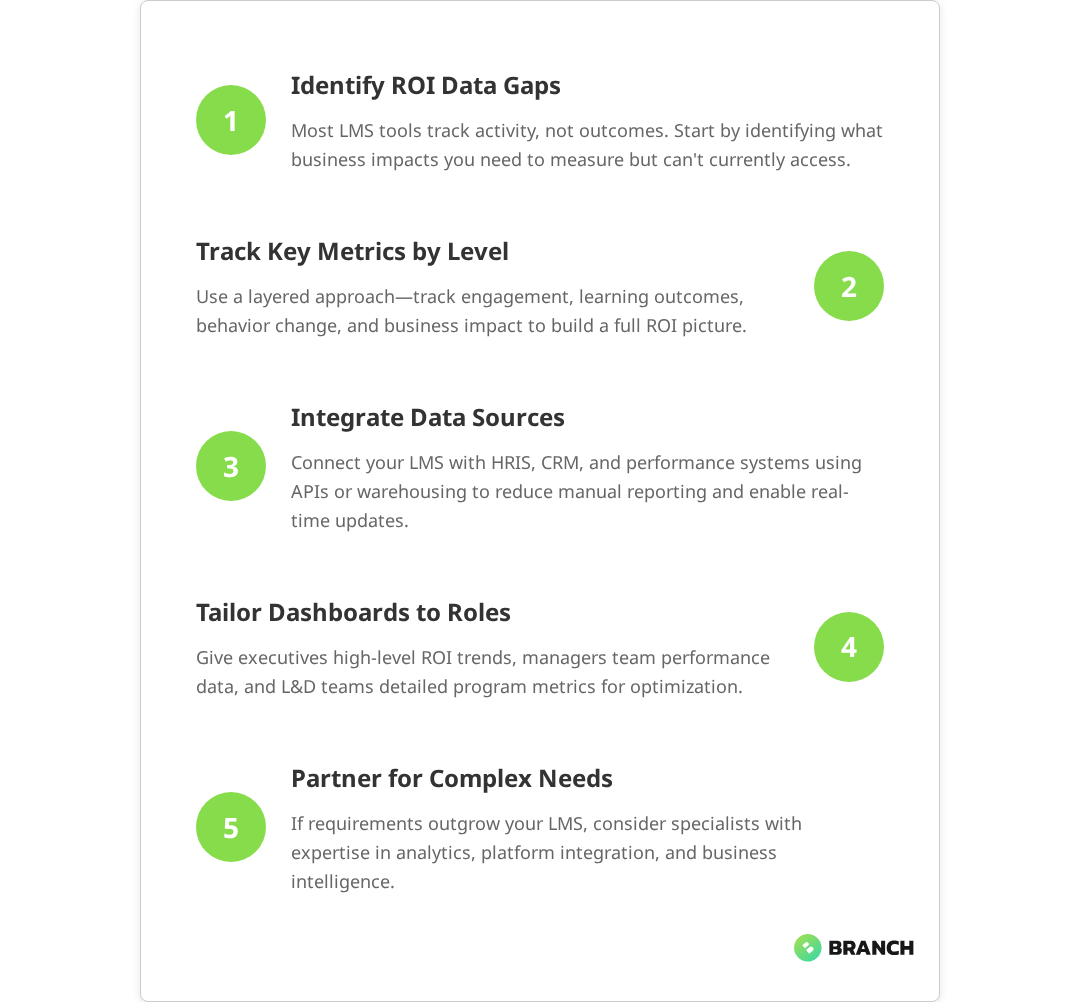
This guide will walk you through building leadership development programs that create real change, from initial discovery through implementation and measurement. Whether you’re an L&D leader, HR director, or executive sponsor, you’ll learn how to avoid common pitfalls and design programs that align with business outcomes.

Start with Discovery, Not Training

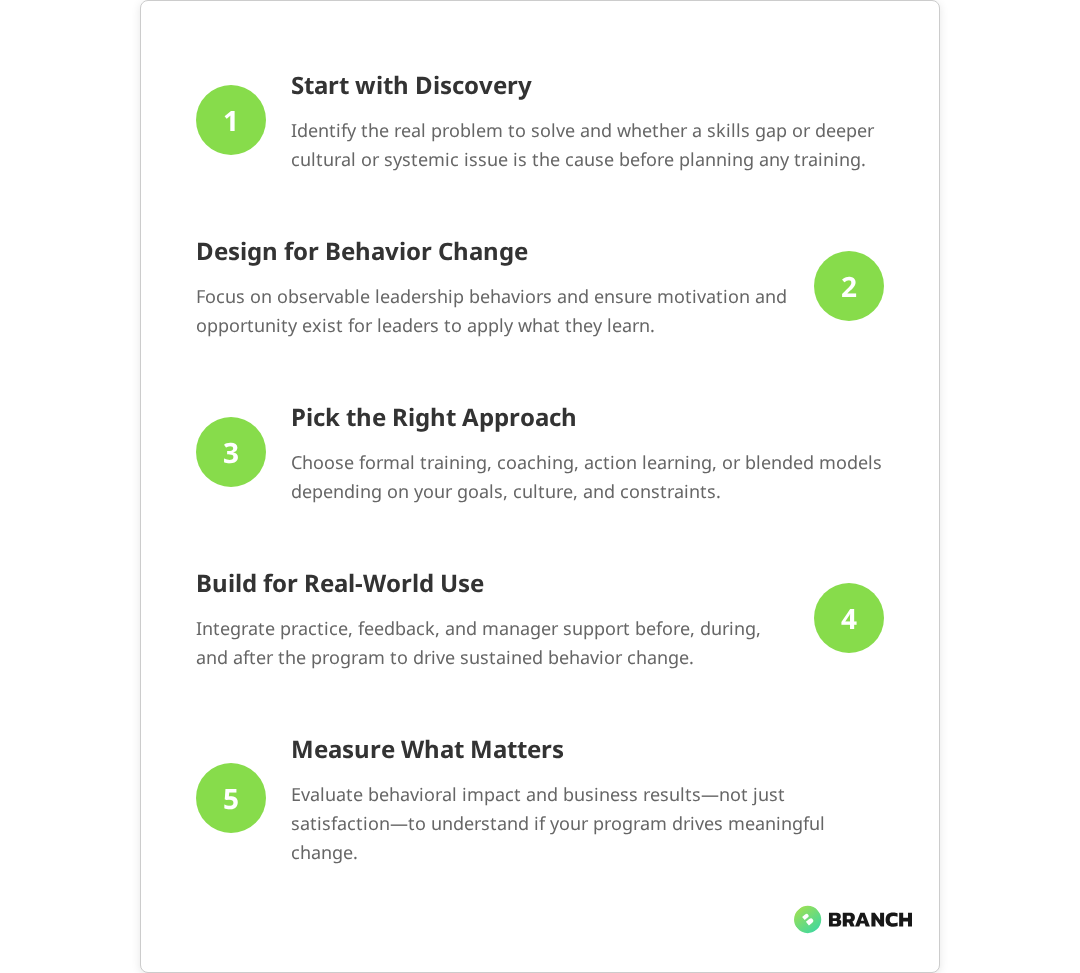
The biggest mistake in leadership development? Starting with the assumption that training is the answer. Leadership development experts emphasize that effective programs should begin with discovery, alignment with business priorities, and assessment rather than assuming training alone will solve leadership gaps. Before you design a single module or book a single facilitator, you need to understand what specific business outcome you’re trying to achieve and whether a skills gap is actually the root cause.

Most leadership challenges stem from one of four areas:

  • Skills deficits: Leaders lack specific competencies (coaching, strategic thinking, conflict resolution)
  • Process barriers: Systems, tools, or workflows prevent good leadership practices
  • Cultural issues: Organizational norms, incentives, or accountability structures undermine leadership effectiveness
  • Motivation problems: Leaders know what to do but aren’t motivated to do it consistently

Training only solves the first problem. Research confirms that traditional training primarily addresses specific skill gaps but falls short when broader developmental outcomes are needed. If your leaders already know how to give feedback but your culture punishes honest conversations, no amount of communication training will fix the underlying issue.
💡 Tip: Start every leadership development conversation by asking 'What do you want leaders to be able to do differently?' Focus on observable behaviors, not abstract concepts like 'better leadership presence.'

Essential Discovery Questions

Use these questions to separate symptoms from root causes:

  1. What specific problem are we trying to solve? Push for concrete examples, not generalizations like “poor leadership” or “lack of accountability.”
  2. What does success look like in the wild? How will you recognize that the program worked? What behaviors, metrics, or outcomes will be different?
  3. Who are the stakeholders? Beyond participants, who else needs to support or reinforce new behaviors?
  4. What have we tried before? Understanding past efforts helps identify what worked, what didn’t, and why.
  5. What happens if we do nothing? This helps quantify the real cost of the problem and the value of solving it.
Read more about structuring effective learning development processes.

Apply the “5 Whys” technique to drill down to root causes. For example:

  • Problem: “Our managers don’t give enough feedback.”
  • Why? “They don’t know how.”
  • Why? “They’ve never been trained.”
  • Why? “We assumed they’d figure it out.”
  • Why? “We promote based on technical skills, not management capability.”
  • Why? “We don’t have clear leadership competencies or development paths.”

In this case, training might help, but the deeper issue is promotion criteria and career development systems. Address both, or the training won’t stick.

Design for Behavior Change, Not Knowledge Transfer

Traditional leadership development focuses on transferring knowledge: teaching concepts, frameworks, and best practices. But knowing what good leadership looks like and consistently practicing it are completely different challenges.

Effective programs are designed around behavior change, which research confirms requires three elements:

ElementWhat It MeansProgram Implications
CapabilityLeaders have the skills and knowledge neededFocused training on specific competencies, not generic leadership topics
MotivationLeaders want to practice new behaviorsClear connection to personal and business outcomes, peer accountability
OpportunityThe environment supports and reinforces new behaviorsManager involvement, system changes, measurement and recognition

Focus Content on Critical Behaviors

Resist the temptation to cover everything. Instead, identify the 3-5 most critical leadership behaviors that will drive your desired business outcomes. Leadership development experts consistently emphasize focusing program content on a small number of critical leadership behaviors that directly support key business objectives. For each behavior:

  • Make it observable: “Gives constructive feedback weekly” vs. “Improves communication”
  • Provide practical tools: Templates, frameworks, and job aids that leaders can use immediately
  • Address common obstacles: What typically prevents leaders from practicing this behavior? How can they overcome those barriers?

Remember: leaders don’t need to know everything about leadership theory. They need to master specific behaviors that solve specific problems in your organization.

What the research says

  • Modern leadership development emphasizes that training alone is insufficient for overall leadership growth – effective programs require integrated approaches including discovery, experiential learning, mentoring, and culture considerations.
  • Multiple studies show that behavioral change in leadership development requires systematic attention to capability, motivation, and opportunity – all three elements must be present for sustainable change to occur.
  • Research consistently demonstrates that focusing on 3-5 critical leadership behaviors produces better outcomes than broad, unfocused curricula that attempt to cover everything.
  • Evidence suggests that most leadership development challenges stem from cultural, systemic, or motivational issues rather than pure skills deficits, indicating that discovery and root cause analysis are essential first steps.
  • Early studies on leadership program effectiveness highlight significant variation in outcomes, suggesting that program design and alignment with organizational context matter more than specific content or delivery methods.

Choose Your Development Approach

Leadership development isn’t one-size-fits-all. The right approach depends on your goals, timeline, budget, and organizational context. Here are the main options:

Formal Training Programs

Best for: Building foundational skills across multiple leaders

Timeline: 3-12 months

Investment: Medium to high

Structured programs work well when you need to develop specific competencies at scale. Research shows that formal leadership training programs are effective for building foundational leadership skills by providing standardized, explicit knowledge and skill development. However, they require significant time investment and may not address unique individual challenges.

Action Learning Projects

Best for: Developing strategic thinking and problem-solving while addressing real business challenges

Timeline: 6-9 months

Investment: Medium

Leaders work in small teams to solve actual organizational problems, developing skills through application rather than theoretical learning. Multiple studies confirm that action learning projects effectively develop strategic thinking and problem-solving skills by engaging leaders in real-world, complex business challenges. This approach drives both leadership development and business results, but requires careful project selection and facilitation.

Mentoring and Coaching

Best for: Personalized development for high-potential leaders

Timeline: 6-18 months

Investment: Medium to high

One-on-one development provides the most personalized approach and can address specific individual challenges. Research indicates that mentoring and coaching are highly effective for developing high-potential leaders through personalized approaches that foster self-awareness, skill enhancement, and leadership competencies tailored to individual needs. It’s resource-intensive but highly effective for developing senior leaders or high-potential employees.

Blended Approaches

Best for: Most organizations

Timeline: Varies

Investment: Medium

Combine multiple approaches to address different needs. For example: foundational training for all managers, action learning for mid-level leaders, and executive coaching for senior leadership.

Read more about tracking training performance to measure program effectiveness.

Build Learning That Sticks

The biggest challenge in leadership development isn’t getting people to participate—it’s ensuring they apply what they learn after the program ends. Studies highlight that behavioral change, skill transfer, and sustained application are difficult to achieve and require targeted strategies such as follow-up coaching, feedback mechanisms, and reinforcement activities. This requires intentional design for skill transfer and behavior change.

Before the Program

  • Set clear expectations: Participants should know exactly what they’ll be able to do differently and how success will be measured
  • Involve managers: Direct supervisors should understand the program goals and commit to supporting new behaviors
  • Establish baselines: Measure current performance so you can track improvement

During the Program

  • Practice in context: Use real scenarios, case studies from your organization, and actual challenges participants face
  • Build peer networks: Create opportunities for participants to learn from and support each other
  • Plan for application: Each learning session should end with specific commitments to practice new skills

After the Program

  • Schedule check-ins: Regular follow-up sessions help maintain momentum and address obstacles
  • Measure behavior change: Track whether participants are actually practicing new skills, not just whether they liked the training
  • Adjust systems: Update performance reviews, goal-setting processes, and recognition programs to reinforce new behaviors
💡 Tip: Use the 70-20-10 model: 70% on-the-job application, 20% learning from others, 10% formal instruction. This means most development happens outside the classroom.

Measure What Matters

Too many leadership programs measure satisfaction (“Did people like it?”) or knowledge transfer (“Did people learn something?”) without tracking the outcomes that actually matter to the business.

Effective measurement happens at four levels:

LevelWhat You MeasureExample MetricsWhen to Use
ReactionParticipant satisfaction and engagementCourse ratings, attendance, completion ratesQuality check, not outcome measure
LearningKnowledge and skill acquisitionAssessments, skill demonstrations, confidence ratingsEnsure content is being absorbed
BehaviorApplication of new skills on the job360 feedback, manager observations, self-reportsMost important for leadership development
ResultsBusiness impact of behavior changeTeam performance, engagement scores, retention, revenueUltimate measure of program success

Focus your measurement strategy on behaviors and results. Leadership development program evaluations emphasize measuring actual behavioral change in participants to assess real impact rather than relying solely on participant satisfaction scores. If leaders aren’t changing how they work, the program isn’t working—regardless of satisfaction scores.

Practical Measurement Approaches

  • Pre/post 360 feedback: Get input from direct reports, peers, and supervisors before and after the program
  • Manager observations: Train supervisors to recognize and document specific leadership behaviors
  • Team metrics: Track engagement, performance, and retention for teams led by program participants
  • Action learning outcomes: If using project-based development, measure the business impact of completed projects

When to Build vs. Buy vs. Partner

Not every organization needs to build leadership development programs from scratch. The right approach depends on your resources, timeline, and specific needs.

Build In-House When:

  • You have experienced L&D staff and sufficient bandwidth
  • Your leadership challenges are highly specific to your culture or industry
  • You’re developing programs for large numbers of leaders over multiple years
  • Budget allows for long-term investment in internal capabilities

Buy Off-the-Shelf When:

  • Your needs align well with existing programs
  • You need to launch quickly with limited internal resources
  • You’re developing foundational skills that are universal across industries
  • Budget is constrained and speed is more important than customization

Partner with Specialists When:

  • You need custom solutions but lack internal expertise
  • You want to blend strategy, design, and technology in sophisticated ways
  • You’re addressing complex organizational challenges that require external perspective
  • You need programs that integrate with existing systems and workflows

A specialist partner can help you navigate the discovery process, design programs that actually change behavior, and build sustainable solutions that grow with your organization. They bring experience from multiple industries and the technical expertise to create integrated learning experiences that work across different roles and contexts.

Getting Leadership Development Right

Building effective leadership development programs requires more than good intentions and engaging content. It demands careful discovery to understand root causes, thoughtful design for behavior change, and measurement systems that track what actually matters.

The most successful programs start with clear business outcomes, focus on specific behaviors rather than general concepts, and create systems that support ongoing application and improvement. They recognize that leadership development is an organizational capability, not just an individual learning experience.

Whether you build, buy, or partner, the key is matching your approach to your specific context and constraints. Start with discovery, design for application, and measure behavior change—not just satisfaction scores.

Ready to build leadership development that drives real results? Our leadership development training services help organizations create programs that align with business outcomes and change how leaders actually work. For more comprehensive solutions, explore our custom eLearning development capabilities or learn about our broader corporate training solutions.

FAQ

How long should a leadership development program be?

The ideal length depends on your goals and approach. Research shows that formal leadership development programs typically span 3-12 months, with foundational skills programs running 3-6 months with monthly sessions, while comprehensive leadership development can span 12-18 months. The key is allowing enough time for practice and behavior change between learning sessions, rather than cramming content into intensive workshops.

What's the biggest mistake organizations make with leadership development?

Starting with training instead of discovery. Most organizations assume their leadership challenges stem from skills gaps, when the real issues are often cultural, systemic, or motivational. Leadership development experts emphasize that effective programs should begin with discovery and assessment rather than assuming training alone will solve leadership gaps. Without proper root cause analysis, you end up solving the wrong problem—which explains why so many leadership programs fail to deliver lasting results.

How do you measure the ROI of leadership development programs?

Focus on behavior change and business outcomes, not just satisfaction scores. Track specific leadership behaviors through 360 feedback, manager observations, and team metrics like engagement and performance. Connect these behavioral changes to business results such as retention, productivity, and revenue growth. Research confirms that measuring actual behavioral change provides a more accurate assessment of program impact than relying on satisfaction ratings alone.

Should we use internal facilitators or external experts?

It depends on your goals and resources. Internal facilitators understand your culture and context but may lack specialized expertise or credibility with senior leaders. External experts bring fresh perspectives and proven methodologies but require more budget and may need time to understand your organization. Many successful programs blend both approaches to leverage the benefits of each.

How do you ensure leadership development actually changes behavior?

Design for application from day one. This means involving managers as supporters, creating peer accountability networks, providing practical tools and job aids, scheduling regular follow-up sessions, and adjusting organizational systems to reinforce new behaviors. Research shows that behavioral change requires systematic attention to capability, motivation, and opportunity. Most importantly, measure behavior change consistently and adjust the program based on what you learn.

Phishing Cyber Security Ransomware Fingerprint Email Encrypted Technology, Digital Information Protected Secured

How to Turn Employees into Cybersecurity Defenders

Your employees might be your biggest cybersecurity vulnerability—or your strongest line of defense. Research consistently shows that 67% of organizations report employees lack basic security awareness, yet comprehensive training programs can transform staff into effective threat detectors and responders. The difference often comes down to how you approach cybersecurity awareness training.

Most organizations treat cybersecurity training like a compliance checkbox: mandatory, generic, and forgotten the moment someone clicks “complete.” Studies confirm that this approach—treating training as information to absorb rather than skills to practice—fails to create lasting behavioral change. But what if we flipped the script? What if instead of just making people “aware” of threats, we actually equipped them to recognize, respond to, and prevent cyberattacks?

This isn’t about turning your marketing team into ethical hackers (though that would be cool). It’s about building a security-minded culture where everyone—from the C-suite to summer interns—thinks like a defender. Here’s how to make it happen.

Why Most Cybersecurity Training Misses the Mark

Let’s be honest: a lot of cybersecurity awareness training exists primarily to satisfy legal requirements and provide organizational cover. When a breach happens, leadership can point to training records and say, “We did our part.” But did you really?

The problem with checkbox training is that it treats cybersecurity like information to absorb rather than skills to practice. Multiple studies confirm this approach is fundamentally flawed—recent research involving 19,500 employees found no significant relationship between annual mandated training completion and phishing susceptibility. Employees sit through presentations about phishing, password hygiene, and social engineering, then return to their desks with no practical way to apply what they’ve learned.

Common training pitfalls include:

  • Vague objectives like “increase security awareness” without defining specific behaviors
  • One-size-fits-all content that doesn’t reflect different roles or risk levels
  • No assessment or reinforcement to measure actual skill development
  • Annual training dumps instead of ongoing, bite-sized learning
  • Generic threat scenarios that don’t match your organization’s actual risk profile
💡 Tip Before launching any cybersecurity training initiative, define 3-5 specific behaviors you want employees to adopt—like verifying sender identity before clicking links or using the IT helpdesk for suspicious emails.

Real behavioral change requires more than awareness. It requires practice, feedback, and reinforcement. Think of it like learning to drive: you wouldn’t send someone onto the highway after just showing them a PowerPoint about traffic laws.

Building Security Behaviors, Not Just Awareness

Effective cybersecurity training focuses on observable, measurable behaviors rather than abstract knowledge. Research consistently shows that behavioral outcomes—such as reduced phishing click rates and increased reporting of suspicious emails—are more meaningful indicators of training effectiveness than knowledge assessments or completion rates. Instead of asking “Do employees know about phishing?” ask “Can employees correctly identify and report suspicious emails in their actual work environment?”

This shift from knowledge to behavior requires rethinking your entire approach to training design and delivery.

Define Clear Learning Outcomes

Start by identifying the specific actions you want employees to take when they encounter different types of security threats. Work with your security team to map out realistic scenarios based on actual threats your organization faces—an approach consistently recommended by cybersecurity training experts who emphasize that training around realistic, role-based threat scenarios significantly improves learning retention and behavior change.

Read more about structuring effective eLearning development processes.
Threat TypeTarget BehaviorSuccess Metric
Phishing emailsReport suspicious messages without clicking links95% of simulated phishing attempts reported correctly
Social engineering callsVerify caller identity through established channelsZero unauthorized information disclosures
Suspicious downloadsScan all files and verify sources before installation100% compliance with software approval process
Password breachesUpdate passwords immediately when notifiedPassword changes completed within 24 hours
Physical securityChallenge unknown individuals in secure areasTailgating incidents reported and addressed

Create Role-Specific Training Paths

A finance team member faces different cybersecurity risks than someone in customer service or IT. Effective training acknowledges these differences and provides relevant, targeted guidance.

Consider these role-based variations:

  • Executives: Focus on targeted attacks, travel security, and decision-making under pressure
  • Finance teams: Emphasize wire fraud prevention, invoice verification, and financial data protection
  • HR staff: Cover candidate verification, sensitive document handling, and recruitment scams
  • Customer service: Practice social engineering resistance and customer identity verification
  • Remote workers: Address home network security, public Wi-Fi risks, and secure communication tools

What the research says

  • Organizations implementing continuous, bite-sized training achieve 86% reductions in phishing click rates over 12 months, compared to minimal improvements from annual training sessions.
  • Behavioral-focused training programs that emphasize specific actions (like verifying sender identity) show significantly better results than generic awareness sessions focused on abstract knowledge.
  • Role-specific training tailored to actual workplace threats generates higher employee engagement and better security outcomes than one-size-fits-all approaches.
  • Early evidence suggests gamification elements can improve engagement, though more research is needed to determine optimal implementation strategies that avoid trivializing serious security topics.
  • Organizations that measure behavioral changes rather than just completion rates report more reliable indicators of actual security improvement and risk reduction.

Designing Training That Sticks

The most effective cybersecurity training feels less like a lecture and more like a video game—challenging, engaging, and immediately rewarding when you get it right. Here’s how to design training experiences that create lasting behavioral change.

Use Realistic Scenarios and Simulations

Instead of generic examples, base your training scenarios on actual threats your organization has faced or industry-specific attack patterns. This relevance helps employees see the direct connection between training and their daily work.

Simulated phishing campaigns, for example, provide safe practice opportunities where employees can make mistakes without consequences. The key is combining these simulations with immediate feedback and coaching rather than punishment.

Implement Spaced Learning and Microlearning

Annual training marathons create information overload and poor retention. Instead, deliver cybersecurity content in small, focused modules spread throughout the year. Research shows that organizations using continuous micro-learning approaches (5-10 minute sessions) achieve dramatically better results than those relying on annual training dumps. A 5-minute monthly scenario is often more effective than a 2-hour annual session.

💡 Tip Schedule cybersecurity training to coincide with real security events or seasonal threats—like tax season phishing scams or holiday shopping fraud—when the content feels most relevant.

Gamify Learning Without Trivializing Risks

Gamification elements like progress tracking, badges, and leaderboards can increase engagement, but avoid turning serious security topics into trivial games. Focus on achievement and mastery rather than competition that might encourage risky shortcuts.

Consider team-based challenges where departments compete to improve their collective security posture, fostering collaboration rather than individual showmanship.

Measuring Real Security Impact

Traditional training metrics—like completion rates and satisfaction scores—tell you nothing about whether employees can actually defend against cyber threats. Research confirms that while knowledge assessments and compliance metrics are common, they do not reliably indicate whether employees actually change their behavior in real-world situations. Effective measurement focuses on behavioral change and security outcomes.

Track Leading and Lagging Indicators

Leading indicators predict future security performance, while lagging indicators measure what already happened. You need both for a complete picture.

Leading indicators:

  • Percentage of employees who report suspicious emails
  • Time between security alert and employee response
  • Accuracy in identifying phishing attempts during simulations
  • Adoption rates for security tools like password managers

Lagging indicators:

  • Reduction in successful phishing attacks
  • Decrease in malware infections
  • Fewer security incidents requiring IT intervention
  • Lower rates of password-related breaches

Create Feedback Loops

Regular assessment isn’t about catching people making mistakes—it’s about identifying knowledge gaps and adjusting training accordingly. Use assessment data to refine content, identify high-risk areas, and personalize future learning paths.

Read more about compliance-focused training design and measurement strategies.

Building a Security-Minded Culture

Training alone won’t turn employees into cybersecurity defenders. You need organizational support, clear policies, and a culture where security concerns are welcomed rather than dismissed as paranoia.

Leadership Modeling and Support

When executives visibly follow security protocols and discuss cybersecurity in company communications, it signals that security isn’t just an IT problem—it’s everyone’s responsibility. Leaders should participate in training, share their own learning experiences, and publicly recognize employees who identify potential threats.

Make Reporting Safe and Rewarding

Many employees hesitate to report suspicious activity because they fear looking foolish or getting in trouble for “crying wolf.” Create clear reporting channels, respond to every report (even false alarms) with gratitude, and share success stories where employee vigilance prevented real attacks.

Integrate Security into Daily Workflows

The best security practices feel like natural extensions of existing work processes rather than additional burdens. Work with department heads to identify opportunities to build security checks into routine workflows—like email verification steps or access review processes.

When to Build vs. Buy Cybersecurity Training

The make-or-buy decision for cybersecurity training depends on your organization’s size, resources, and specific security requirements. Here’s how to evaluate your options.

Off-the-Shelf Solutions Work When:

  • Your security risks align with common industry threats
  • You have limited training development resources
  • Compliance requirements are straightforward and well-defined
  • You need training deployed quickly across the organization

Custom Development Makes Sense When:

  • Your industry faces unique or highly sophisticated threats
  • Existing tools don’t match your technical environment or workflows
  • You need deep integration with existing security systems
  • Off-the-shelf content doesn’t reflect your organization’s risk profile

Hybrid Approaches Often Work Best

Many organizations find success combining commercial platforms for foundational content with custom modules for organization-specific risks. This approach balances cost efficiency with relevance and allows for rapid deployment while maintaining customization where it matters most.

Partnering for Cybersecurity Training Success

Building effective cybersecurity training requires expertise in adult learning, security threats, and behavior change psychology. Unless training development is your core business, partnering with specialists often delivers better outcomes faster.

Look for partners who understand that cybersecurity training is fundamentally about behavior change, not information transfer. The best partners will start by understanding your specific security risks, organizational culture, and existing capabilities before proposing solutions.

At Branch Boston, we work with organizations to design cybersecurity training programs that create measurable behavior change. Our approach combines security expertise with learning design principles to build training that employees actually use—and that actually works.

Whether you need a comprehensive security awareness program or targeted training for specific roles, we can help you turn your workforce into your strongest cybersecurity asset. Our custom eLearning development process ensures training aligns with your organization’s unique risk profile and culture.

Ready to transform your approach to cybersecurity training? Let’s discuss your specific needs and explore how we can help build a more security-minded organization.

FAQ

How often should we conduct cybersecurity awareness training?

Rather than relying on annual training marathons, implement continuous learning with monthly or quarterly micro-sessions. This approach improves retention and allows you to address emerging threats quickly. Supplement regular training with simulated phishing campaigns and just-in-time learning when security events occur.

What's the difference between cybersecurity awareness and cybersecurity training?

Awareness focuses on general knowledge about threats and risks—knowing that phishing exists. Training develops specific skills and behaviors—knowing how to identify and report phishing attempts in your actual work environment. Effective programs combine both but emphasize actionable skills over abstract concepts.

How do we measure if cybersecurity training is actually working?

Move beyond completion rates and satisfaction scores to measure behavioral outcomes. Track metrics like phishing simulation performance, security incident reports from employees, reduction in successful attacks, and adoption of security tools. Combine leading indicators (employee reporting rates) with lagging indicators (actual breach prevention).

Should cybersecurity training be mandatory for all employees?

Yes, but with role-appropriate content and expectations. While everyone needs foundational security awareness, customize depth and focus based on each role's risk level and responsibilities. Executives need different training than customer service representatives, though both need core skills like phishing recognition.

How long does it take to see results from cybersecurity training?

Initial behavior changes often appear within 2-4 weeks of well-designed training, but cultural transformation takes 6-12 months. You should see improvements in simulation performance relatively quickly, while metrics like voluntary threat reporting and security incident reduction develop over time as trust and confidence build.

Businessman check marks,checkboxes with electronic survey form or digital document file.organizations and human resource management.big data analysis for survey statistics

How Does Adaptive Learning Personalize Education?

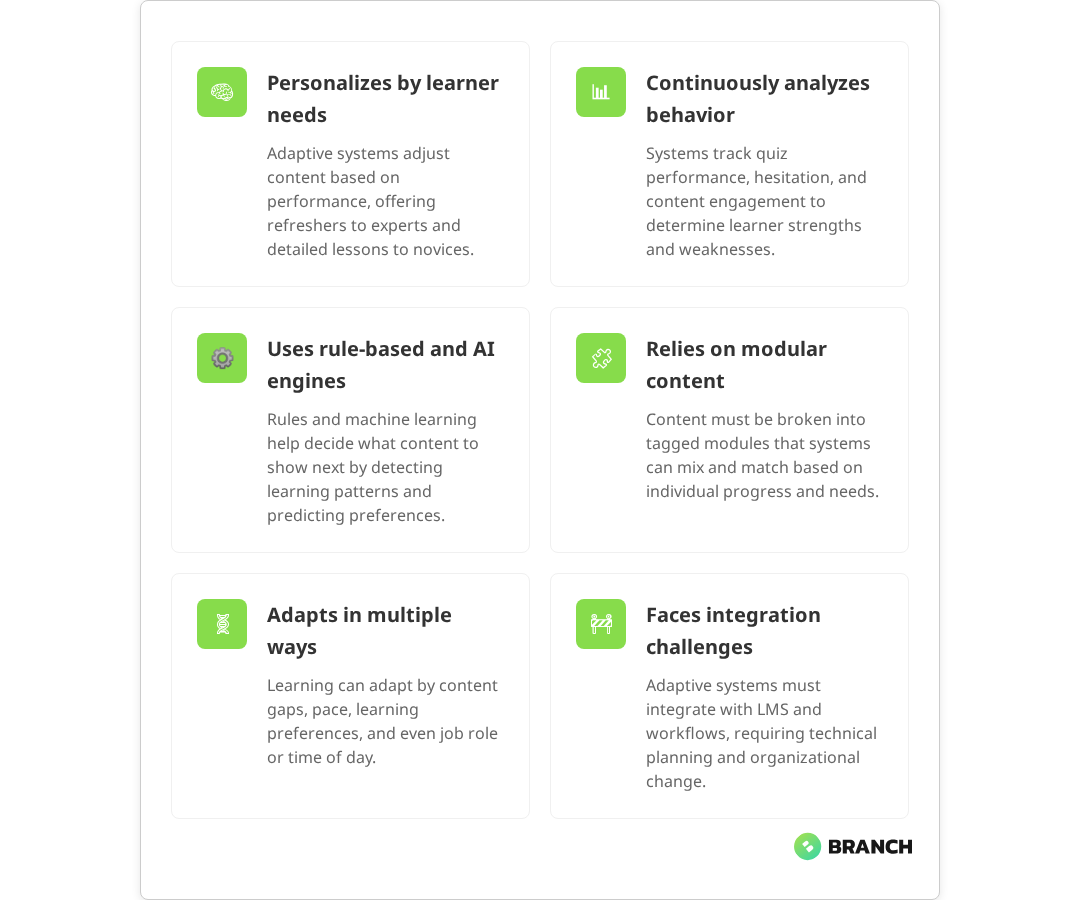
Picture this: two employees are taking the same compliance training. One is a seasoned manager who just needs a quick refresher on updated policies, while the other is a new hire who needs comprehensive coverage of every detail. Traditional eLearning serves them identical content at identical pacing. Adaptive learning, on the other hand, recognizes their different needs and adjusts accordingly delivering targeted refreshers to the manager while providing detailed explanations and additional practice opportunities to the newcomer.

For B2B organizations evaluating learning technologies, adaptive learning represents a shift from one-size-fits-all training to truly personalized education experiences. Research confirms that these systems can effectively adjust content difficulty, pacing, and delivery methods based on individual learner performance. But beneath the marketing promises lies a complex ecosystem of algorithms, content architectures, and integration challenges that decision-makers need to understand before committing resources.

The Mechanics Behind Adaptive Learning

Adaptive learning systems operate on a deceptively simple principle: they continuously assess learner performance and adjust content delivery based on that assessment. Multiple studies demonstrate that this continuous assessment approach, often through real-time diagnostics and interactions, enables systems to dynamically personalize learning paths and improve both engagement and learning effectiveness.

Assessment and data collection forms the foundation. The system tracks not just whether answers are correct or incorrect, but also response time, hesitation patterns, and the types of mistakes being made. Some platforms monitor how long learners spend on different content types, which resources they access repeatedly, and where they tend to drop off.

The algorithmic engine then processes this data to make real-time decisions about what to present next. Simple rule-based systems might follow predetermined branching logic: if a learner scores below 70% on a quiz, they’re routed to remedial content. Research shows that these rule-based systems use “if this, then that” logic to systematically apply predetermined rules for routing learners to appropriate content based on performance thresholds.

More sophisticated machine learning approaches can identify subtle patterns in learning behavior and adjust content difficulty, pacing, or modality accordingly. Current evidence shows that machine learning algorithms can achieve high accuracy in predicting learning preferences and can automatically adjust material based on response times, quiz scores, and individual learning styles.

Content architecture must be designed with granular modularity in mind. Rather than linear courses, adaptive systems require libraries of discrete learning objects that can be dynamically recombined. Research on learning object technology demonstrates that this granular modularity is foundational for enabling true adaptability and individualization in learning systems. This means breaking down traditional training materials into smaller, tagged components that the algorithm can mix and match based on individual learner needs.

💡 Tip: When evaluating adaptive learning platforms, ask vendors to demonstrate how their system handles learners who consistently score well but take unusually long to complete assessments. This reveals whether the platform can distinguish between different types of learning challenges.

What the research says

  • Controlled studies show that adaptive learning systems can effectively personalize content delivery by analyzing learner performance data and adjusting difficulty, pacing, and modality in real-time.
  • Machine learning-based adaptive systems demonstrate high accuracy (up to 96%) in predicting learning preferences and enabling personalized content delivery across different learning styles.
  • Content must be structured as modular, tagged components rather than linear courses research confirms this granular architecture is essential for enabling dynamic content recombination.
  • While learners often report preferences for certain content modalities (visual, auditory, etc.), extensive research shows no reliable evidence that matching instruction to supposed “learning styles” actually improves outcomes.
  • Integration challenges with existing learning management systems and organizational workflows remain a significant barrier, requiring careful technical planning and change management.

Types of Personalization in Adaptive Learning

Not all adaptive learning systems personalize education in the same way. Understanding the different approaches helps organizations choose solutions that align with their specific training objectives and learner populations.

Content-Based Adaptation

This approach adjusts what learners see based on their demonstrated knowledge gaps. If someone struggles with financial regulations but excels at customer service protocols, the system might skip basic customer service modules while providing additional regulatory compliance resources and practice scenarios. Evidence shows that these systems effectively use performance data to identify areas of weakness and provide targeted resources while allowing learners to bypass content they’ve already mastered.

Pace-Based Adaptation

Some learners need time to absorb complex concepts, while others prefer to move quickly through familiar territory. Pace-based systems monitor completion times and comprehension levels to adjust the speed of content delivery. Research confirms that these systems use engagement metrics and comprehension indicators to allow fast learners to accelerate while providing additional context for those who need more time. Fast learners might skip foundational explanations, while those who need more time get additional context and examples.

Learning Style Adaptation

While extensive research shows that the concept of distinct learning styles has limited scientific support, learners do show preferences for different content modalities. Current evidence indicates that matching instruction to presumed learning styles doesn’t improve outcomes, though individuals may have preferences for processing information in different formats. Adaptive systems might present visual learners with more diagrams and infographics, while offering audio summaries to auditory processors. The key is avoiding rigid categorization while still providing variety in content presentation.

Contextual Adaptation

Advanced systems consider factors beyond just learning performance. They might adjust content based on job role, industry context, or even the time of day when learning typically occurs. A sales training platform might emphasize different techniques for enterprise software reps versus retail associates.

Read more: How custom AI applications create more nuanced personalization than off-the-shelf solutions.

Implementation Options and Trade-offs

Organizations have several paths for implementing adaptive learning, each with distinct advantages and constraints that affect both cost and effectiveness.

Implementation ApproachBest ForKey BenefitsPrimary Limitations
Off-the-shelf PlatformStandard training needs, quick deploymentLower upfront cost, established algorithmsLimited customization, generic content approach
Platform + Custom ContentSpecific industry requirementsTailored content with proven technologyHigher content development costs
Custom-Built SolutionComplex organizational needs, unique workflowsComplete control over features and integrationSignificant development time and cost
AI-Enhanced Existing LMSOrganizations with established LMS investmentsLeverages existing infrastructureMay require significant technical integration

The Integration Reality

Many adaptive learning initiatives stumble on integration challenges that weren’t apparent during initial vendor demonstrations. Research identifies that a major challenge in implementation is achieving seamless interoperability with existing educational and organizational infrastructure. Organizations typically need their adaptive learning system to work seamlessly with existing learning management systems (LMS), HR information systems, and content authoring tools.

The complexity isn’t just technical it’s also organizational. Adaptive learning often requires changes to how training content is created, how progress is measured, and how learning analytics are interpreted. Teams accustomed to linear course completion metrics may need to adjust to more nuanced progress indicators.

Making the Build vs. Buy Decision

The choice between custom development and platform adoption depends on several factors beyond just budget considerations.

When Off-the-Shelf Makes Sense

  • Your training needs align with common industry patterns
  • You need to deploy quickly with limited technical resources
  • Content can be adapted to work within platform constraints
  • Integration requirements are straightforward

Evidence shows that off-the-shelf adaptive platforms are particularly effective for standard training needs, offering rapid deployment and lower initial costs with pre-built algorithms that work well for common use cases like compliance training and onboarding.

When Custom Development Is Worth Considering

  • Existing platforms can’t accommodate your specific workflow requirements
  • You have unique data sources that should inform learning personalization
  • Integration with proprietary systems is critical
  • The total cost of ownership for platform licensing exceeds custom development costs

Research confirms that custom solutions provide complete control over features and integration, making them ideal for complex organizational needs, though they require significantly higher development time and cost investment.

Some organizations are finding middle-ground approaches, using AI tools to enhance existing training content with adaptive elements rather than replacing entire learning infrastructure. This can be particularly effective for organizations that have invested heavily in custom training content but want to add personalization features.

💡 Tip: Before committing to any adaptive learning approach, pilot with a small group of learners whose needs vary significantly. This reveals whether the system can actually deliver meaningful personalization or just cosmetic variations.

Measuring Adaptive Learning Success

Traditional learning metrics like completion rates and quiz scores don’t capture the full value of adaptive learning systems. Organizations need more sophisticated approaches to measuring effectiveness.

Learning efficiency becomes a key indicator are learners achieving the same or better outcomes in less time? Knowledge retention over time often improves with adaptive approaches, but requires longer-term tracking to demonstrate. Learner engagement metrics might show reduced dropout rates or increased voluntary exploration of additional content.

Perhaps most importantly, business impact should ultimately validate the investment. This might mean measuring performance improvements in the specific skills being trained, reduced time-to-competency for new hires, or decreased support requests after product training.

Working with Development Partners

Whether pursuing custom development or significant platform customization, choosing the right development partner significantly impacts project success. Look for teams that understand both the technical aspects of adaptive algorithms and the pedagogical principles behind effective learning design.

Effective partners will ask detailed questions about your learner populations, existing content assets, and success metrics before proposing technical architectures. They should be able to explain trade-offs between different algorithmic approaches in plain language and help you understand how various design decisions will impact both development timeline and ongoing maintenance requirements.

For organizations considering custom eLearning development, the partnership should extend beyond just technical implementation to include instructional design expertise and change management support for teams adapting to new learning approaches.

Organizations exploring AI-enhanced training solutions benefit from working with teams that can navigate both the possibilities and limitations of current AI technology, helping avoid over-promising on personalization capabilities while maximizing the value of available tools.

For teams evaluating custom training platforms, look for partners with experience integrating learning systems into existing organizational workflows and data infrastructure.

The Future of Adaptive Learning

Adaptive learning continues to evolve, with emerging AI capabilities opening new possibilities for personalization. Natural language processing enables more sophisticated analysis of written responses, while computer vision can analyze learner engagement during video content. However, the core challenge remains the same: creating learning experiences that genuinely improve outcomes rather than just appearing more sophisticated.

The most successful implementations focus on solving specific, measurable learning challenges rather than pursuing personalization for its own sake. As the technology matures, expect to see more focus on seamless integration with existing workflows and more transparent algorithmic decision-making that instructors and learners can understand and trust.

FAQ

How much data does an adaptive learning system need to start personalizing effectively?

Most systems begin making basic adaptations after just a few interactions, but meaningful personalization typically requires data from 10-20 learning activities per user. The quality and granularity of the data matters more than volume systems that track detailed interaction patterns can personalize more effectively with less data than those relying solely on quiz scores.

Can adaptive learning work with existing training content, or does everything need to be rebuilt?

Existing content can often be adapted, but it typically needs to be restructured into smaller, modular components that the system can recombine dynamically. Linear courses work poorly in adaptive systems. The extent of restructuring required depends on how your current content is organized and tagged. Well-structured content libraries adapt more easily than monolithic courses.

How do you ensure adaptive learning algorithms don't create unintended bias or limit learning opportunities?

This requires ongoing monitoring of learning pathways across different user groups and regular auditing of algorithmic decisions. Effective systems include mechanisms for learners to access content the algorithm might not have recommended, and they track whether personalization is inadvertently limiting exposure to important topics. Transparency in algorithmic decision-making helps identify potential bias issues early.

What level of technical expertise is needed to maintain an adaptive learning system?

Platform-based solutions typically require minimal technical maintenance beyond standard LMS administration. Custom systems need ongoing attention to algorithm performance, content updates, and integration maintenance. Most organizations benefit from having at least one team member who understands learning analytics, whether internal or through a support partnership with the development team.

How do you handle learners who don't want personalized learning experiences?

Effective adaptive systems include options for learners to follow standard pathways or manually override algorithmic recommendations. Some learners prefer predictable, linear progression through content. The key is making personalization feel helpful rather than controlling, and providing clear ways for learners to understand and influence how the system adapts to their needs.

Young woman during class in the university

Why Microlearning Works for Sales Teams

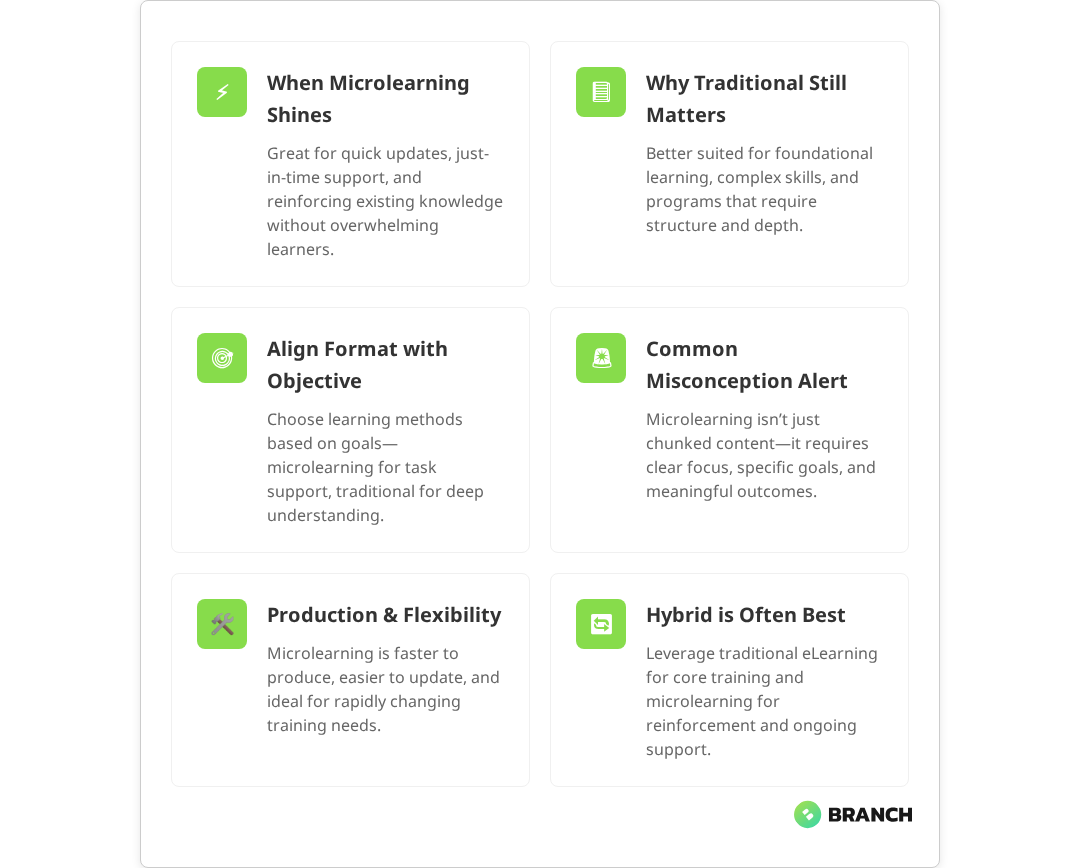
Sales teams face a unique challenge: they need to absorb new information quickly, retain it under pressure, and apply it in real-time conversations with prospects. Traditional training sessions—think day-long workshops or lengthy eLearning modules—often fall short because they dump too much information at once, making it hard for busy salespeople to retain what matters most. Research in sales training consistently shows that information-dense sessions create cognitive overload, leading to disengagement among busy sales professionals.

Enter microlearning for sales: bite-sized, focused learning experiences that deliver just enough information to solve a specific problem or reinforce a key concept. Studies indicate that microlearning increases knowledge retention by up to 80% compared to traditional training formats, with companies reporting an 82% average completion rate and a 130% increase in employee engagement and productivity. But here’s the thing—microlearning isn’t magic. It works brilliantly in some contexts and falls flat in others. The trick is knowing when and how to use it effectively.

If you’re leading a sales organization, managing L&D programs, or evaluating training solutions, this article breaks down why microlearning resonates with sales teams, when it makes sense, and how to implement it without falling into common traps.

What Makes Sales Learning Different

Sales professionals operate in a fast-paced, results-driven environment where time is scarce and attention spans are shorter than a cold call pickup rate. Unlike other roles where learning can happen in controlled environments, salespeople need to apply what they’ve learned immediately—often while a prospect is on the other end of the line. Multiple studies confirm that sales teams operate under high-pressure conditions where knowledge must be applied in real-time during customer interactions.

This creates specific constraints:

  • Just-in-time needs: Sales reps often need quick refreshers right before a call or meeting
  • Mobile-first consumption: Learning happens between meetings, during commutes, or while waiting in lobbies
  • Performance pressure: Every interaction counts toward quota, so training must translate directly to better outcomes
  • Varied experience levels: Teams typically include seasoned veterans and fresh hires who need different approaches

Traditional training methods struggle with these realities. A two-hour product training session might cover everything, but how much will your rep remember three weeks later when they’re explaining features to a skeptical CFO?

💡 Tip: Sales teams retain information better when they can practice applying it immediately. Design microlearning modules that end with a quick role-play scenario or real-world application exercise.

What the research says

Multiple studies support microlearning’s effectiveness for sales teams, but it’s important to understand both the strengths and limitations of the evidence:

  • Knowledge retention improves significantly: Companies using microlearning report up to 80% increases in retention rates compared to traditional formats, with completion rates averaging 82%
  • Mobile-first approaches match sales behavior: Enterprise research shows that sales professionals increasingly rely on mobile platforms for work activities, making mobile-optimized training essential
  • Just-in-time learning reduces performance gaps: Sales teams using bite-sized, accessible content can refresh knowledge immediately before customer interactions, leading to better application of training concepts
  • Engagement increases with shorter formats: Multiple sources document 130% increases in employee engagement when microlearning replaces lengthy training sessions
  • Evidence on complex skill development remains limited: While microlearning excels at knowledge reinforcement, research on its effectiveness for developing advanced sales skills like consultative selling is still emerging

Why Microlearning Fits the Sales Context

Microlearning works for sales teams because it aligns with how they naturally consume information and solve problems. Industry research confirms that sales professionals benefit from short, focused modules that match their need for just-in-time, relevant information. Rather than front-loading everything in lengthy sessions, microlearning delivers focused content when and where it’s needed most.

Reinforcing Existing Knowledge

One of microlearning’s biggest strengths is reinforcing concepts that salespeople already understand but need to keep sharp. Think of it as the difference between learning to drive and practicing parallel parking—you don’t need to re-learn the fundamentals, but you do need regular practice to stay confident.

For sales teams, this might include:

  • Objection handling techniques for common customer concerns
  • Key product differentiators and competitive advantages
  • Pricing and discount approval processes
  • Compliance requirements for specific industries

Just-in-Time Performance Support

The best microlearning acts as performance support—quick reference materials that salespeople can pull up right when they need them. Research shows that microlearning is most effective when used as just-in-time performance support, providing concise, on-demand content at the point of need. This isn’t about teaching new concepts; it’s about providing easy access to critical information during real work moments.

Read more about how professional eLearning projects are scoped to maximize real-world application.

The Anatomy of Effective Sales Microlearning

Not all microlearning is created equal. The most effective programs for sales teams share certain characteristics that make them stick and actually improve performance.

ElementWhat WorksWhat Doesn’t Work
Duration2-5 minutes of focused content10+ minute modules that try to cover too much
Content TypeScenario-based practice, quick reference guides, knowledge checksDense information dumps or overly gamified content
DeliveryMobile-optimized, searchable, integrated with existing toolsDesktop-only platforms that require separate logins
TimingAvailable on-demand, with optional spaced repetition remindersMandatory scheduled sessions that interrupt workflow
Follow-upJob aids, checklists, or templates for immediate useTheoretical knowledge without practical application tools

Job Aids: The Secret Weapon

Here’s something that learning professionals know but many organizations overlook: job aids are often more valuable than the training itself. These are practical reference tools—checklists, templates, decision trees, or quick reference cards—that support performance after the learning moment ends.

For sales teams, effective job aids might include:

  • Discovery question frameworks for different buyer personas
  • Competitive comparison sheets with key talking points
  • Objection response scripts organized by common scenarios
  • Pricing calculator tools with approval workflows

The beauty of job aids is that they bridge the gap between learning and doing. A microlearning module might teach the concept of value-based selling, but a job aid provides the actual questions to ask during a discovery call.

When Microlearning Isn’t Enough

Let’s be honest about microlearning’s limitations. It excels at reinforcement and just-in-time support, but it’s not a silver bullet for all sales training needs.

Microlearning struggles with:

  • Complex skill development: Consultative selling, advanced negotiation, or relationship building require deeper practice
  • New product launches: When your entire value proposition changes, teams need comprehensive understanding, not quick bites
  • Soft skills and leadership: Communication, coaching, and management skills benefit from discussion, feedback, and peer interaction
  • Cultural or process changes: Shifting from transactional to consultative selling requires sustained support and reinforcement over time

This is where blended learning approaches shine. The most effective sales training programs combine microlearning with other modalities—live workshops for complex skills, peer discussions for best practice sharing, and coaching sessions for personalized feedback.

💡 Tip: Start with learning objectives, not modalities. Ask 'What do our salespeople need to do differently?' before deciding whether microlearning, workshops, or blended approaches make the most sense.

Implementation: Getting Microlearning Right

Rolling out microlearning successfully requires more than just chunking existing content into smaller pieces. Here’s how to approach it strategically:

1. Map Content to Real Sales Moments

The most powerful microlearning connects directly to specific moments in your sales process. Instead of generic “product knowledge” modules, create content tied to actual scenarios:

  • Pre-call preparation: Quick competitor intel or prospect research templates
  • During discovery: Question frameworks and qualification criteria
  • Proposal stage: ROI calculation tools and objection response guides
  • Closing: Contract term explanations and negotiation parameters

2. Design for Mobile-First Consumption

Sales teams are rarely at their desks when they need information most. Industry evidence shows that mobile-friendly microlearning enables on-the-go learning and fits into the busy schedules of sales reps, enhancing both engagement and knowledge retention. Your microlearning platform needs to work seamlessly on phones and tablets, with content that’s easily searchable and quickly accessible.

3. Integrate with Existing Workflows

Don’t create another app that salespeople have to remember to use. The best microlearning solutions integrate with existing CRM systems, sales enablement platforms, or communication tools that teams already rely on daily.

4. Build in Spaced Repetition

Microlearning’s effectiveness multiplies when combined with spaced repetition—strategically timed reminders that help move information from short-term to long-term memory. This might mean sending weekly knowledge check quizzes or monthly refreshers on key competitive differentiators.

Read more about tailored eLearning approaches designed specifically for sales team performance.

Measuring What Matters

Here’s where many organizations go wrong: they measure microlearning completion rates instead of business impact. A 90% completion rate means nothing if your sales team isn’t closing more deals or shortening sales cycles.

Better metrics to track:

  • Time to productivity: How quickly new hires reach quota after onboarding
  • Knowledge retention: Performance on scenario-based assessments weeks or months after training
  • Behavior adoption: Actual use of sales methodologies, tools, or processes covered in training
  • Sales outcomes: Changes in conversion rates, deal size, or sales cycle length

This requires connecting your learning data with your CRM and sales performance systems—not always easy, but essential for proving ROI and identifying what’s actually working.

Building vs. Buying: Strategic Considerations

Most organizations face a build-versus-buy decision when implementing microlearning. Here are the key factors to consider:

ApproachBest ForKey Considerations
Off-the-shelf platformsStandard sales skills, quick deploymentLimited customization, generic content, ongoing subscription costs
Custom developmentUnique processes, complex integrations, specific industry needsHigher upfront investment, longer timeline, full control over content and experience
Hybrid approachOrganizations wanting platform flexibility with custom contentBest of both worlds but requires careful vendor evaluation and integration planning

For most B2B sales teams, some level of customization is necessary because your sales process, competitive landscape, and buyer personas are unique. Generic microlearning rarely addresses the specific objections your reps face or the particular value propositions that resonate with your market.

Working with Specialists

Effective microlearning for sales teams requires expertise in learning design, sales methodology, and technology implementation. Many organizations benefit from partnering with specialists who understand both the learning science and the sales context.

A good partner will help you:

  • Conduct learning needs analysis: Identifying specific gaps between current and desired sales performance
  • Design scenario-based content: Creating realistic practice opportunities that mirror your actual sales environment
  • Build integrated delivery systems: Ensuring content is accessible within existing workflows and tools
  • Establish measurement frameworks: Connecting learning metrics to business outcomes that matter

Look for partners who ask detailed questions about your sales process, buyer journey, and existing performance challenges. Anyone who promises a one-size-fits-all solution probably doesn’t understand the complexity of what you’re trying to solve.

At Branch Boston, we’ve helped B2B organizations design and build custom microlearning solutions that connect directly to sales performance outcomes. Our approach combines learning design expertise with technical implementation, ensuring that your content doesn’t just educate—it drives measurable business results. Our custom eLearning development process starts with understanding your specific sales challenges and buyer journey before designing any content or technology solutions.

FAQ

How long should each microlearning module be for sales teams?

Most effective sales microlearning modules run 2-5 minutes and focus on a single concept or skill. This allows busy salespeople to consume content between meetings or during brief downtime. Anything longer risks losing attention or becoming too comprehensive to be truly 'micro.'

Can microlearning replace traditional sales training completely?

No, microlearning works best as part of a blended approach. It excels at reinforcement and just-in-time support but struggles with complex skill development like consultative selling or advanced negotiation. Use microlearning alongside workshops, coaching, and peer discussions for comprehensive sales development.

What's the best way to get sales reps to actually use microlearning content?

Integration is key—embed microlearning within existing workflows rather than creating separate systems. Make content searchable and mobile-optimized, tie it to specific sales moments, and provide immediate value through job aids and reference materials. Avoid mandatory completion requirements that feel like busy work.

How do we measure if microlearning is actually improving sales performance?

Focus on business metrics rather than completion rates. Track time to productivity for new hires, knowledge retention through scenario-based assessments, actual adoption of sales methodologies, and changes in conversion rates or deal sizes. Connect learning data with CRM systems to identify real impact.

Should we build custom microlearning content or use an off-the-shelf platform?

It depends on your specific needs and resources. Off-the-shelf platforms work for standard sales skills and quick deployment, while custom development is better for unique processes, complex integrations, or industry-specific requirements. Most B2B organizations benefit from some level of customization to address their specific competitive landscape and buyer personas.

E-learning, education and university banner, student's desktop with laptop, tablet and books

How to Meet WCAG Standards in eLearning Accessibility

Creating accessible eLearning isn’t just about checking compliance boxes it’s about building learning experiences that work for everyone. While Web Content Accessibility Guidelines (WCAG) provide the technical framework, true eLearning accessibility requires understanding how people with disabilities actually interact with digital content and designing with empathy from the ground up.

For B2B organizations developing training programs, accessibility compliance has shifted from “nice to have” to business-critical. Whether you’re rolling out compliance training, onboarding programs, or skills development courses, WCAG standards ensure your content reaches all learners while protecting your organization from legal risks that are increasing across industries.

The challenge? Most teams approach accessibility as a final audit step rather than a design principle. This reactive approach leads to costly retrofits, frustrated learners, and compliance gaps that undermine your training goals.

Understanding WCAG in the eLearning Context

WCAG guidelines organize around four core principles perceivable, operable, understandable, and robust but applying them to eLearning content requires translating abstract rules into practical design decisions.

Perceivable content means learners can access information through multiple senses. In eLearning, this translates to providing captions for videos, alt text for images, and sufficient color contrast for text. But it goes deeper: complex diagrams need detailed descriptions, and audio narration should supplement visual elements rather than simply reading them aloud.

Operable interfaces ensure learners can navigate and interact with content using different input methods. This means keyboard navigation works seamlessly, interactive elements have clear focus indicators, and timing constraints accommodate different processing speeds. For eLearning platforms, this includes ensuring course navigation, quiz interactions, and media controls all function without a mouse.

Understandable content focuses on clarity and predictability. Learning content should use clear language, consistent navigation patterns, and logical information hierarchy. Error messages need to be specific and helpful, especially in assessment scenarios where learners need to understand what went wrong and how to correct it.

Robust implementation ensures your eLearning content works across assistive technologies. This means following semantic HTML structures, implementing ARIA labels correctly, and testing with actual screen readers not just accessibility scanning tools.

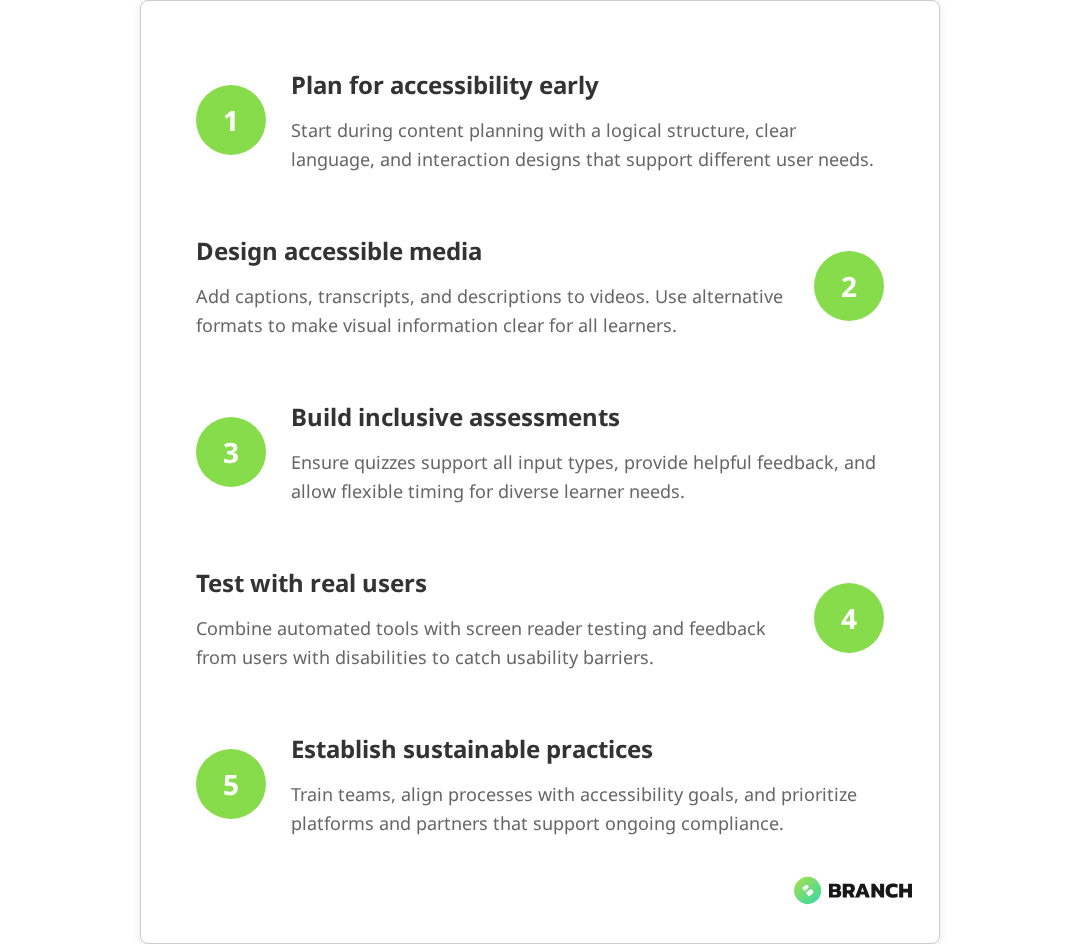
Read more about structuring an accessible eLearning development process from the ground up.
WCAG PrincipleeLearning ApplicationCommon Implementation Gap
PerceivableCaptions, transcripts, alt text, color contrastDecorative images getting descriptive alt text
OperableKeyboard navigation, focus management, timing controlsCustom interactive elements lacking keyboard support
UnderstandableClear language, consistent navigation, helpful errorsTechnical jargon without context or definitions
RobustSemantic HTML, ARIA implementation, cross-platform testingRelying on visual styling instead of semantic structure

What the research says

  • Multiple studies demonstrate that B2B organizations face increasing legal risks from accessibility non-compliance, with ADA lawsuits targeting companies across sectors including those with eLearning platforms.
  • Research consistently shows that automated accessibility scanning tools alone miss 30-50% of accessibility issues, particularly those related to user experience and contextual understanding.
  • Early evidence suggests that implementing accessibility during the design phase costs 2-4 times less than retrofitting existing content, though more comprehensive cost-benefit studies are still needed.
  • Studies of screen reader users indicate that content relying heavily on visual cues creates significant navigation barriers, even when basic alt text is provided highlighting the need for more comprehensive accessibility design.
  • Current research shows mixed results on the most effective timing for accessibility testing, but emerging evidence suggests that involving users with disabilities during design phases improves both compliance and learning outcomes.

Beyond Technical Compliance: Designing for Real Users

The most significant gap in eLearning accessibility isn’t technical it’s empathy. Organizations often approach WCAG compliance as a checklist exercise, running automated accessibility scans and calling it done. But real accessibility means understanding how different users actually experience your content.

Consider a learner using a screen reader navigating through a branching scenario. If your content relies heavily on visual cues arrows pointing to different paths, color-coded feedback, or spatial relationships between elements the screen reader experience becomes confusing or impossible to follow. Technical compliance might be achieved through alt text, but the learning experience fails.

Effective accessible design starts with inclusive personas that represent learners with different abilities and contexts:

  • Visual impairments: Screen reader users, low vision learners who need magnification, and colorblind learners who can’t distinguish color-coded information
  • Motor limitations: Learners who navigate by keyboard, voice control, or switch devices rather than mouse or touch
  • Cognitive considerations: Learners who need more processing time, prefer linear navigation, or benefit from simplified language and clear structure
  • Situational constraints: Learners in noisy environments who can’t use audio, on slow connections that affect media loading, or using older assistive technologies
💡 Tip: Test your eLearning content with actual users who have disabilities during the design phase, not just at the end. Their feedback reveals usability issues that technical audits miss entirely.

Practical Implementation Strategies

Making eLearning accessible requires weaving WCAG principles into every stage of content development, from initial design to final testing. Here’s how to build accessibility into your workflow:

Content Planning and Architecture

Start accessibility work during the content planning phase. Create content outlines that prioritize clear information hierarchy and logical flow. When designing interactive elements like simulations or branching scenarios, map out how screen reader users will understand the relationships between different content sections.

Establish content guidelines that support accessibility by default:

  • Use descriptive headings that create a logical outline structure
  • Write concise, jargon-free explanations with context for technical terms
  • Design interactions that work through multiple input methods
  • Plan alternative formats for complex visual information

Media and Multimedia Accessibility

Video content presents both the biggest accessibility challenges and the greatest opportunities for inclusive design. Captions benefit not just deaf learners, but anyone in noisy environments or non-native speakers. Transcripts serve screen reader users while also improving content searchability.

Audio descriptions for video content require more planning but dramatically improve the experience for learners with visual impairments. Instead of generic descriptions, focus on information that supports learning objectives describing visual demonstrations, charts, or on-screen text that isn’t spoken aloud.

For interactive simulations and software training, consider providing multiple pathways through the content. Some learners benefit from step-by-step text instructions alongside the interactive elements, while others prefer detailed video walkthroughs with comprehensive audio descriptions.

Read more about eLearning technical standards that support accessibility implementation.

Assessment and Interaction Design

Accessible assessment design goes beyond ensuring quiz questions work with screen readers. Consider how different learners process and respond to questions:

  • Timing considerations: Provide generous time limits or allow self-paced progression
  • Multiple response methods: Support both mouse/touch and keyboard input for all interactive elements
  • Clear feedback: Explain not just whether answers are correct, but why, and provide guidance for improvement
  • Error prevention: Use clear instructions and confirmation dialogs to prevent accidental submissions

Organizational Implementation: Building Sustainable Accessibility

Technical accessibility skills matter, but sustainable eLearning accessibility requires organizational change. The most successful implementations establish clear accountability and integrate accessibility into existing quality processes.

Some organizations implement “no accessibility, no publication” policies content that doesn’t meet accessibility standards simply can’t be deployed to the learning management system. This approach requires front-loading accessibility work but prevents costly retrofit projects and ensures consistent learner experiences.

Training teams need both awareness and practical skills. Content creators should understand how their design decisions affect different learners, while developers need hands-on experience with assistive technologies and WCAG testing methods.

RoleKey Accessibility ResponsibilitiesEssential Skills/Tools
Instructional DesignerInclusive content planning, clear information architectureAccessibility personas, content structure planning
Content DeveloperAccessible authoring, alternative format creationAuthoring tool accessibility features, caption creation
Developer/TechnicalWCAG implementation, assistive technology testingScreen readers, accessibility testing tools, ARIA implementation
Project ManagerTimeline planning, resource allocation, compliance trackingAccessibility project planning, budget considerations
💡 Tip: Build accessibility into your content review process alongside quality assurance. Catching accessibility issues during development costs far less than fixing them post-launch.

Technology Choices and Platform Considerations

Your choice of authoring tools and learning management systems significantly impacts how easily you can achieve WCAG compliance. Not all eLearning platforms handle accessibility equally well, and some make compliance nearly impossible despite good intentions.

When evaluating eLearning technology, test accessibility features with actual assistive technologies, not just vendor demonstrations. Common platform limitations include:

  • Custom interactive elements that don’t support keyboard navigation
  • Authoring tools that strip semantic HTML structure during content export
  • LMS interfaces that create accessibility barriers even when content is compliant
  • Media players that lack proper captioning or audio description support

Consider both current compliance and future flexibility. Platforms that use standard web technologies generally provide more options for accessibility customization than proprietary systems with limited modification capabilities.

For organizations building custom eLearning solutions, early architectural decisions determine long-term accessibility success. Choosing frameworks with built-in accessibility support and establishing coding standards that prioritize semantic HTML create a foundation that supports ongoing compliance efforts.

Testing and Quality Assurance

Effective accessibility testing combines automated scanning tools with human evaluation and real user testing. Automated tools catch obvious issues like missing alt text or insufficient color contrast, but they miss context-dependent problems that affect actual usability.

Screen reader testing should be part of your standard QA process, not an afterthought. Popular screen readers like NVDA (free) or JAWS provide insight into how learners actually experience your content. Test not just whether content is announced, but whether the experience makes sense and supports learning goals.

Keyboard navigation testing reveals interaction design issues that affect multiple disability types. Try navigating through your entire course using only the keyboard if it’s frustrating or impossible, it needs design changes, not just technical fixes.

Consider establishing accessibility testing protocols that mirror your existing quality assurance processes:

  • Content review: Check information hierarchy, language clarity, and alternative formats during content development
  • Technical testing: Automated accessibility scans, screen reader testing, keyboard navigation verification
  • User experience validation: Testing with learners who have disabilities, ideally throughout the development process

Working with Digital Partners for Accessible eLearning

Many organizations find that achieving meaningful eLearning accessibility requires expertise beyond their internal capabilities. The right digital partner brings both technical accessibility knowledge and understanding of how accessibility integrates with instructional design and learning effectiveness.

Look for partners who demonstrate accessibility expertise through their process, not just their promises. Ask about their accessibility testing methods, their experience with different assistive technologies, and how they handle accessibility requirements during project planning and budgeting.

Effective partnerships establish accessibility requirements upfront and build them into project timelines and deliverables. Accessibility work that’s treated as an add-on typically receives insufficient attention and resources.

At Branch Boston, we integrate accessibility into our eLearning development process from initial content planning through final testing. Our team includes accessibility specialists who work alongside instructional designers and developers to ensure WCAG compliance supports rather than compromises learning effectiveness. We’ve found that the best accessible eLearning happens when accessibility expertise informs design decisions from the start, rather than trying to retrofit compliance after content is complete.

Whether you’re developing custom courseware, implementing a new LMS, or retrofitting existing content for compliance, we help B2B organizations create learning experiences that truly work for all users. Our approach focuses on sustainable accessibility practices that integrate with your existing content development workflows.

If you’re ready to explore how accessible eLearning can improve both compliance and learning outcomes for your organization, learn more about our custom eLearning development services or discover how we approach LMS implementation with accessibility built in from day one.

For organizations evaluating their full eLearning strategy, our comprehensive eLearning services cover everything from initial accessibility audits through complete platform implementations.

FAQ

What's the difference between WCAG AA and AAA compliance for eLearning?

WCAG AA is the standard most organizations aim for and what's typically required for legal compliance. It covers essential accessibility needs like sufficient color contrast, keyboard navigation, and screen reader compatibility. WCAG AAA has stricter requirements (like higher contrast ratios) but can be difficult to achieve for all content types. For most eLearning applications, AA compliance provides solid accessibility while remaining practically achievable.

How much does it cost to retrofit existing eLearning content for WCAG compliance?

Retrofit costs vary widely depending on your content complexity and current accessibility level. Simple text-based courses might need only captions and alt text additions, while interactive simulations could require significant redesign. Generally, retrofitting costs 2-4 times more than building accessibility in from the start. We recommend conducting an accessibility audit first to understand the scope and prioritize high-impact improvements.

Can our existing LMS handle WCAG-compliant content, or do we need a new platform?

Most modern LMS platforms support accessible content, but the quality varies significantly. The key is testing your specific platform with assistive technologies like screen readers. Some platforms handle accessible content well but have inaccessible interfaces for course navigation or user management. An accessibility audit of your current system helps determine whether you need platform changes or just content improvements.

What's the best way to handle accessibility for complex eLearning interactions like simulations?

Complex interactions require multiple accessible pathways rather than trying to make one interface work for everyone. Consider providing step-by-step text instructions alongside interactive elements, detailed audio descriptions for visual processes, and keyboard alternatives to drag-and-drop interactions. The goal is ensuring all learners can achieve the same learning objectives, even if they interact with content differently.

How do we maintain accessibility compliance as we create new eLearning content?

Build accessibility into your standard content development workflow rather than treating it as a separate task. This means training your content creators on accessible design principles, establishing accessibility checkpoints in your review process, and testing with assistive technologies during development. Many organizations find that 'no accessibility, no publication' policies ensure consistent compliance across all new content.

online test or exam, pass exam on internet, choose correct answer in test

Video-Based Learning vs Interactive Modules

The eternal L&D question: should you build your next training program around video-based learning or interactive modules? If you’re a learning and development leader, operations manager, or product owner wrestling with this decision, you’re not alone. The choice isn’t just about learner preferences it’s about production costs, maintenance overhead, scalability, and whether your content will still be relevant (and editable) six months from now.

Here’s the thing: most conversations about video versus interactive learning get stuck on surface-level benefits. “Videos are engaging!” “Interactive modules are more hands-on!” But the real decision comes down to understanding how each format behaves in the wild how they’re produced, maintained, and experienced by your actual learners over time.

This guide cuts through the hype to help B2B teams make evidence-informed decisions about content formats. We’ll explore the mechanics of each approach, when each format shines (and when it doesn’t), and how to think about the trade-offs that actually matter for your organization’s goals and constraints.

The Real Mechanics Behind Video-Based Learning

Video-based learning feels intuitive record an expert, add some slides, maybe throw in a quiz at the end. But the production and maintenance realities are more complex than they appear on the surface.

Production Workflow and Resource Requirements

Creating professional video content involves multiple specialized roles and tools. A typical corporate training video requires scriptwriting, recording setup, video editing, audio post-production, and often graphic design for supporting materials. Even a simple “talking head” video can involve:

  • Pre-production: script development, storyboarding, equipment setup
  • Production: recording (often multiple takes), backup footage, audio capture
  • Post-production: video editing, audio sync, graphics integration, format rendering
  • Review cycles: stakeholder feedback, revisions, re-rendering

The linear nature of video production means that changes midway through the process can be expensive and time-consuming. Industry analysis confirms that video production’s sequential stages mean adjustments often require redoing previously completed work, with revisions during post-production involving additional editing hours, re-shoots, or complex visual effects workarounds. Unlike text-based content, where you can quickly edit a paragraph, video changes often require re-recording segments or complex editing workarounds.

💡 Tip: Budget 3-4x the recording time for post-production when planning video-based learning projects. A 10-minute training video typically requires 30-40 hours of total production time for professional results.

The Maintenance Challenge

Here’s where video-based learning gets tricky for B2B organizations: content decay. Your software interface changes, your compliance requirements update, or your company restructures. Suddenly, that polished video showing the old dashboard becomes not just outdated it’s actively misleading.

This challenge is well-documented in the learning industry. Research shows that content decay the decline in relevance when underlying facts or interfaces change is particularly problematic for video content. Updating video content isn’t like editing a document. Small changes often require partial re-recording, which means reassembling the production team, matching audio quality, and ensuring visual consistency. Many organizations end up with a growing backlog of outdated videos that teams simply stop using rather than fixing.

Read more about building maintainable eLearning content that scales with your organization.

Interactive Modules: Beyond Point-and-Click

Interactive modules often get reduced to “click-through presentations with quizzes,” but modern interactive learning can include simulations, branching scenarios, adaptive pathways, and contextual feedback systems. The key difference isn’t just engagement it’s learner agency.

Types of Interactive Learning Formats

Format TypeBest Use CasesProduction ComplexityMaintenance Overhead
Text-heavy modulesPolicies, procedures, reference materialsLowLow
Scenario-based simulationsDecision-making, soft skills, complianceHighMedium
Interactive walkthroughsSoftware training, onboardingMediumHigh (if software changes)
Adaptive assessmentsSkill validation, personalized learningHighLow

The Scalability Advantage

Well-designed interactive modules excel at accommodating different learning paces and preferences. Learners can scan content quickly, dive deep into complex sections, or bookmark specific information for later reference. This flexibility becomes particularly valuable in B2B environments where learners have varying expertise levels and time constraints.

Interactive formats also tend to be more searchable and indexable. Studies show that interactive formats provide enhanced learner control and engagement through integrated features like quizzes and scenario simulations, facilitating easier navigation compared to traditional linear videos. When someone needs to quickly reference a specific procedure or policy detail, they can often find and consume the relevant information faster than scrubbing through a video.

The User Experience Reality Check

Let’s talk about what actually happens when learners encounter your content in the wild. The ideal scenario learners sitting quietly through a 20-minute training video rarely matches reality in busy B2B environments.

Learner Control and Pace

Modern digital workers expect to control their learning experience. They want to skip sections they already know, revisit complex topics, and access information just-in-time when they need it. Video content, by its nature, pushes learners into a linear, time-bound experience that may not match their workflow needs.

Interactive modules, especially text-based ones, allow learners to scan, search, and consume content at their own pace. Research confirms that online learning through modules allows learners to easily access educational materials and choose the time and place to study, with the flexibility to control their movement through content. This isn’t just a preference it’s often a practical necessity when learning needs to fit around meetings, deadlines, and interruptions.

Multi-Device and Accessibility Considerations

Consider where and how your learners actually access training content. Video requires significantly more bandwidth typically 1.5-3 Mbps for 720p HD and 5-8 Mbps for 1080p Full HD works poorly on small screens, and can be challenging for learners with hearing impairments or those in noise-sensitive environments. Interactive text-based content is generally more accessible across devices and circumstances.

💡 Tip: Test your training content on the devices your learners actually use, including smartphones and tablets. What looks great on a development workstation might be frustrating on a phone during a commute.

What the research says

The evidence on video versus interactive learning reveals some clear patterns that can guide your format decisions:

  • Production and maintenance costs: Multiple industry studies confirm that video production requires 2-3x more initial investment than interactive modules, with ongoing maintenance costs significantly higher due to the complexity of updates and revisions.
  • Content adaptability: Research consistently shows that interactive formats, particularly those that change frequently, provide better flexibility for updates and revisions compared to linear video content.
  • Learner accessibility: Studies demonstrate that text-based interactive content performs better across different devices and circumstances, with lower bandwidth requirements and better accessibility for diverse learning environments.
  • Engagement patterns: While video can be highly engaging, early research suggests that interactive elements provide learners with more control over their learning experience, though the optimal balance varies by content type and learner context.
  • Long-term viability: Evidence indicates that organizations often struggle with maintaining video libraries over time, with content decay becoming a significant challenge for dynamic business environments.

When Video Excels: The Right Tool for the Job

Despite the challenges, video-based learning has clear strengths that make it the right choice for specific situations. The key is recognizing when those strengths align with your content goals and organizational constraints.

Complex Visual Processes

Some concepts are genuinely easier to understand when shown rather than described. Physical procedures, software demonstrations with multiple steps, or processes that involve spatial relationships often benefit from video format. The moving image can capture nuances that screenshots and text descriptions miss.

Building Human Connection

Video allows learners to connect with subject matter experts in ways that text cannot. When credibility and personal connection matter such as leadership communication, cultural training, or complex change management video can provide the human element that builds trust and engagement.

Standardized Message Delivery

For content that must be delivered consistently across large organizations compliance training, safety procedures, or key policy communications video ensures every learner receives exactly the same message. This consistency can be valuable for audit purposes and reducing interpretation variability.

The Hybrid Approach: Best of Both Worlds

The most effective B2B learning strategies don’t force an either/or choice. Instead, they use each format where it provides the most value, often within the same learning experience.

Content-Based Format Decisions

Rather than choosing video or interactive for an entire program, consider making format decisions at the content level:

  • Introductory overviews: Short videos for context and motivation
  • Detailed procedures: Interactive step-by-step guides with searchable text
  • Complex demonstrations: Video walkthroughs with supplementary text references
  • Assessment and practice: Interactive scenarios and simulations
  • Reference materials: Text-based resources for ongoing access

Progressive Enhancement Strategy

Start with text-based content that covers the essential information, then enhance with video where it adds clear value. Government guidance on progressive enhancement shows this approach allows you to launch faster, test learner engagement, and invest in video production for content that proves its worth over time, while ensuring broad accessibility and compatibility.

Read more about custom eLearning development that combines multiple content formats effectively.

Making the Decision: A Framework for B2B Teams

Here’s a practical framework for deciding between video-based learning and interactive modules based on your specific context and constraints.

Evaluation Criteria

Ask these questions for each piece of content you’re planning:

  1. Update frequency: How often will this content need to change? High-change content favors interactive formats.
  2. Learning context: Will learners consume this during focused study time or as just-in-time reference? Reference use favors interactive.
  3. Content complexity: Does understanding require seeing movement, spatial relationships, or sequential actions? Complex visual processes may benefit from video.
  4. Production resources: Do you have access to video production capabilities, or is text-based development more realistic?
  5. Learner environment: Are your learners in quiet, controlled environments, or do they need flexible access across various contexts?

Resource Planning Considerations

FactorVideo-BasedInteractive Modules
Initial Development TimeHigh (3-4 weeks typical)Medium (1-2 weeks typical)
Skill RequirementsVideo production expertiseInstructional design, some tech
Update DifficultyHigh (often requires re-production)Low to medium
Ongoing MaintenanceDifficult, often neglectedManageable with right tools
AccessibilityRequires captions, transcriptsGenerally more accessible

Implementation and Partnership Considerations

Whether you choose video, interactive modules, or a hybrid approach, successful implementation requires careful planning around production workflows, content management, and ongoing maintenance.

Build vs Buy vs Partner

Consider your options for content creation:

  • In-house development: Best for organizations with existing L&D teams and simple content needs
  • Template-based tools: Good for standardized content formats but may limit customization
  • Specialist partnership: Valuable for complex projects, custom requirements, or when you need to scale quickly

A specialized eLearning development team can help you navigate format decisions based on your specific learner needs, content requirements, and organizational constraints. They can also build content architectures that support both video and interactive elements without forcing you into a single format.

💡 Tip: When evaluating eLearning partners, ask to see examples of how they handle content updates and revisions. The initial build is just the beginning you want a team that makes ongoing maintenance realistic and affordable.

The Path Forward

The choice between video-based learning and interactive modules isn’t really about which format is “better” it’s about which approach fits your specific content, learners, and organizational realities. The most successful B2B learning programs take a pragmatic, evidence-informed approach that prioritizes learner outcomes over format preferences.

Start by understanding your learners’ actual needs and constraints, then choose formats that serve those needs efficiently. Don’t be afraid to start simple and evolve your approach as you learn what works in your environment.

If you’re planning a learning initiative that could benefit from professional guidance on format selection, content architecture, or custom development, consider working with a team that specializes in B2B digital learning solutions. The right partnership can help you avoid common pitfalls and build learning experiences that actually get used and maintained over time.

FAQ

How do I know if my content is better suited for video or interactive modules?

Start with your content's update frequency and learning context. If the information changes regularly (like software procedures or policies), interactive modules are typically easier to maintain. If learners need to see complex visual processes or sequential actions, video may be more effective. Consider also whether learners will use this as reference material (favoring interactive) or as one-time training (where video might work well).

What's the real cost difference between video and interactive learning development?

Initial video production is typically 2-3x more expensive than interactive modules due to equipment, editing, and specialized skills required. However, the bigger cost difference emerges over time: video updates often require partial or complete re-production, while interactive content can usually be edited directly. Budget for the total lifecycle cost, not just initial development.

Can I start with one format and switch to another later?

Yes, but plan for this transition carefully. Many organizations start with interactive text-based content because it's faster to develop and easier to iterate. You can then add video elements where they provide clear value. Going from video to interactive is harder because you'll need to recreate content from scratch rather than enhance existing material.

How do I handle learners who strongly prefer video vs those who prefer text-based learning?

The most effective approach is often hybrid: provide core information in searchable, scannable text format, then enhance with video where it adds genuine value (like demonstrations or expert credibility). This gives fast learners the ability to scan and skip, while providing richer content for those who benefit from video explanation.

What should I look for in a partner if I want help with content format decisions?

Look for teams with experience in your specific industry or use case, and ask to see examples of how they've solved similar format challenges. A good eLearning partner should be able to explain the trade-offs clearly, show you maintenance workflows, and provide realistic timelines for different approaches. They should also be comfortable recommending simpler solutions when appropriate, rather than always pushing for the most complex option.

Source code background created while programming. 3d rendering

Open Source LMS vs Commercial LMS

The learning management system (LMS) landscape can feel like a maze. On one side, you’ve got open source platforms promising complete control and zero licensing fees. On the other, commercial solutions offer polished interfaces and full-service support. For B2B leaders evaluating their training and development infrastructure, this choice often determines not just how employees learn, but how much time and resources your team will spend keeping the whole thing running.

The reality? Most organizations underestimate what it takes to successfully deploy and maintain an open source LMS—and many commercial platforms hide their true costs until you’re already locked in. Let’s cut through the marketing noise and look at what actually matters when choosing between open source and commercial learning management systems.

The Open Source Promise (and Reality Check)

Open source LMS platforms like Moodle, Canvas LMS, and newer options like CourseLit offer compelling benefits upfront. Research confirms these platforms provide no licensing fees, complete customization control, and the ability to modify the source code to fit your exact needs. For organizations with strong technical teams, these platforms can deliver exactly what you’re looking for.

But here’s where things get interesting: the “free” part of open source applies only to the software license. Multiple industry analyses show that everything else—hosting, security updates, customization, integrations, and ongoing maintenance—falls squarely on your shoulders. Many teams discover this the hard way, six months into their implementation when security patches need applying and custom features need debugging.

What Open Source Really Requires

Successful open source LMS deployments need several key components that commercial solutions typically handle for you. Industry experts consistently identify these critical requirements:

  • Server infrastructure management: Regular updates, security monitoring, backup systems, and performance optimization
  • Technical expertise: In-house developers or consultants who understand the platform’s architecture and can troubleshoot issues
  • Integration capabilities: Custom development to connect with your existing HR systems, SSO, or e-commerce platforms
  • Ongoing maintenance: Plugin updates, compatibility testing, and feature development as your needs evolve
💡 Tip: Before choosing open source, honestly assess whether your team has bandwidth for ongoing technical maintenance. Many organizations find that hiring dedicated LMS management ultimately costs more than commercial licensing fees.

Some organizations find creative solutions, like using WordPress-based approaches with plugins such as MemberPress or MooWoodle to integrate learning and e-commerce functions. These can work well if you’re already managing WordPress infrastructure, but they add another layer of plugin dependencies to monitor and maintain.

Commercial LMS: What You’re Really Paying For

Commercial learning management systems like Cornerstone OnDemand, TalentLMS, or Docebo take a fundamentally different approach. Instead of handing you the keys to modify everything, they provide a managed service where someone else handles the technical complexity while you focus on creating and delivering content.

The value proposition extends beyond just “someone else’s problem” maintenance. Research on commercial platforms shows they typically offer:

  • Built-in integrations with popular business tools (Salesforce, Slack, Microsoft Teams)
  • Compliance features for industries with strict training requirements
  • Analytics and reporting that actually help you understand learning effectiveness
  • Mobile-optimized experiences that work consistently across devices
  • Customer support when things break or you need help with complex configurations

Hidden Costs in Commercial Solutions

Of course, commercial doesn’t mean simple. Industry analysis reveals that many platforms use pricing models that can surprise you as you scale:

  • Per-user pricing that gets expensive with large teams
  • Feature tiers that put essential functionality behind premium plans
  • Integration costs for connecting with your existing systems
  • Professional services fees for setup, migration, and customization
  • Storage limits that require upgrades as your content library grows
Read more about planning professional eLearning development to complement your LMS choice.

What the research says

Industry studies and expert analyses provide clear insights into the LMS landscape:

  • Open source maintenance costs add up quickly: Organizations typically underestimate ongoing maintenance expenses, with many finding that dedicated technical support ultimately exceeds commercial licensing fees.
  • Commercial platforms excel in compliance: Most commercial LMS include built-in compliance features for regulated industries, while open source requires custom development for these capabilities.
  • Implementation timelines vary significantly: Commercial solutions offer faster deployment with minimal technical overhead, while open source implementations typically require 2-6 months longer due to customization and testing needs.
  • Hidden costs affect both approaches: Open source platforms require ongoing technical resources, while commercial solutions often include unexpected fees for integrations, storage, and premium features.
  • Technical expertise is the deciding factor: Success with open source depends heavily on having in-house developers or reliable consultants who understand platform architecture and can handle troubleshooting.

Making the Decision: A Framework That Works

The choice between open source and commercial LMS isn’t just about budget—it’s about matching your organization’s capabilities and constraints to the right approach. Here’s a practical framework for making that decision:

Decision FactorOpen Source AdvantageCommercial Advantage
Upfront costsNo licensing feesPredictable subscription pricing
Technical resourcesFull control and customizationManaged infrastructure and support
Implementation speedDepends on customization needsFaster time to launch
Long-term flexibilityComplete customization possibleLimited to platform capabilities
Compliance requirementsCan build exactly what you needPre-built compliance features
Scaling concernsInfrastructure costs on youTypically handled by provider

When Open Source Makes Sense

Consider open source LMS platforms when you have:

  • Strong in-house technical capabilities or reliable development partners
  • Unique requirements that commercial platforms can’t accommodate
  • Budget for ongoing maintenance and development (often 15-25% of initial development costs annually)
  • Time to properly implement and test before launch
  • Specific data sovereignty or security requirements that require complete control

When Commercial Solutions Win

Commercial platforms typically work better when you need:

  • Fast implementation with minimal technical overhead
  • Predictable monthly costs without surprise maintenance expenses
  • Built-in compliance features for regulated industries
  • Extensive customer support and professional services
  • Integration with popular business software your team already uses

The Hybrid Approach: Custom Development on Commercial Foundations

Here’s where things get interesting: you’re not limited to purely open source or purely commercial solutions. Many organizations find success with hybrid approaches that combine the best of both worlds.

For example, you might use a commercial LMS as your core platform while building custom integrations or supplementary tools that address specific business needs. This approach lets you leverage the commercial platform’s reliability and support while extending functionality exactly where you need it.

💡 Tip: Avoid fragmenting your learning ecosystem across multiple platforms if possible. Each additional system increases complexity and maintenance overhead, even if individual components seem simpler.

The key is identifying which parts of your learning infrastructure need customization versus which can work perfectly well with off-the-shelf solutions. Custom development makes sense for unique workflows, specialized reporting, or complex integrations. Standard features like user management, content delivery, and basic analytics rarely need reinventing.

Read more about developing effective eLearning courses that work well with any LMS platform.

Implementation Reality: What Actually Takes Time

Regardless of which path you choose, successful LMS implementations share common challenges that deserve realistic planning:

Content migration and organization often takes longer than platform setup. Moving existing training materials, restructuring courses for digital delivery, and ensuring everything works properly across devices requires significant effort.

User adoption and change management can make or break your investment. The most sophisticated LMS in the world won’t deliver value if people don’t use it effectively. Plan for training, communication, and ongoing support as users adapt to new workflows.

Integration complexity varies dramatically based on your existing technology stack. Simple SSO integration might take a few days, while custom data synchronization between your LMS and HR systems could take months.

Getting Help When You Need It

Whether you choose open source or commercial, most organizations benefit from working with experienced implementation partners who understand both the technical and instructional design aspects of learning management systems.

The right partner can help you avoid common pitfalls, accelerate implementation timelines, and ensure your chosen platform actually serves your learning objectives rather than becoming another piece of unused software.

Making Your Choice: Questions to Ask Now

Before you commit to either open source or commercial LMS solutions, work through these practical questions with your team:

  1. What’s our realistic timeline for launch? Open source implementations typically take 2-6 months longer than commercial solutions.
  2. Who will handle ongoing maintenance and updates? Be specific about names and time allocation, not just “the IT team.”
  3. What happens when our primary technical person leaves? Knowledge transfer and documentation become critical with open source platforms.
  4. How will we measure success? Ensure your chosen platform can provide the analytics and reporting you actually need.
  5. What’s our total cost of ownership over 3-5 years? Include hosting, maintenance, customization, and opportunity costs in your analysis.

The best LMS choice aligns with your organization’s technical capabilities, budget realities, and learning objectives. There’s no universally right answer—just the right answer for your specific situation.

If you’re looking for guidance on implementing either open source or commercial LMS solutions, Branch Boston’s team has experience with both approaches. We can help you evaluate options, plan implementations, and build custom integrations that extend your chosen platform’s capabilities exactly where you need them.

FAQ

How much technical expertise do I really need for an open source LMS?

You'll need someone comfortable with server administration, security updates, database management, and troubleshooting complex technical issues. Many organizations underestimate this requirement and end up hiring consultants or switching to commercial solutions within the first year. At minimum, plan for one dedicated person spending 10-15 hours per week on maintenance and support.

Can I switch from open source to commercial (or vice versa) later?

Platform migrations are possible but complex and expensive. You'll need to export all user data, course content, and completion records, then rebuild everything in the new system. Plan for 3-6 months and significant data cleanup work. It's much better to choose the right platform initially than to switch later.

What's the real total cost difference between open source and commercial LMS over three years?

Open source platforms often cost 40-60% more than expected when you include hosting, maintenance, customization, and staff time. Commercial solutions typically cost 20-30% more than base pricing due to additional features and integrations. The break-even point varies, but organizations with strong technical teams often find open source cheaper at scale, while smaller teams benefit from commercial predictability.

How do I handle compliance requirements with open source LMS platforms?

You'll need to build compliance features yourself or hire developers to create them. This includes audit trails, completion tracking, certification management, and reporting capabilities. Commercial platforms typically include these features out of the box, which can save months of development time for regulated industries like healthcare or finance.

Should I avoid splitting my learning platform across multiple systems?

Generally yes, unless you have specific integration expertise. Managing separate platforms for course delivery, landing pages, and user management increases complexity exponentially. Each system needs maintenance, security updates, and troubleshooting. If you do use multiple systems, invest heavily in integration development to create seamless user experiences.

A mix of people are attending a class together in a computer lab.

When Does Microlearning Beat Traditional eLearning?

If you’ve been in a training planning meeting lately, chances are someone mentioned microlearning as the solution to everything from low engagement to tight budgets. But here’s the thing: research consistently shows that microlearning isn’t a magic bullet, and it certainly isn’t appropriate for every learning scenario. The question isn’t whether microlearning is “better” than traditional eLearning it’s when each approach actually serves your learners and your business goals.

For B2B leaders evaluating training strategies, understanding the real trade-offs between microlearning and traditional eLearning formats can save you from costly misaligned projects. This article breaks down when microlearning genuinely outperforms longer-form content, when it falls short, and how to make informed decisions about your learning architecture.

The Microlearning Misconception

Let’s start with what microlearning actually is and what it isn’t. Research defines true microlearning as targeted, bite-sized content designed for specific moments of need. Think 2-minute videos that walk through a software feature, interactive job aids accessible via QR codes, or quick reinforcement modules that combat the forgetting curve.

What microlearning isn’t is simply chopping up a traditional course into smaller pieces. Unfortunately, many stakeholders conflate microlearning with basic content chunking, leading to projects that deliver neither the depth of traditional eLearning nor the targeted efficiency of genuine microlearning. Studies show that this misunderstanding can result in fragmented content that fails to achieve microlearning’s intended benefits of engagement and retention.

The key distinction lies in purpose and context. Multiple studies confirm that microlearning excels when learners need just-in-time support, behavioral reinforcement, or quick skill updates. Traditional eLearning works better for foundational knowledge, complex procedures, or comprehensive skill development that requires guided practice and feedback.

💡 Tip: Before defaulting to microlearning because it sounds modern, ask what specific outcome you're trying to achieve. If the answer involves deep understanding or complex skill acquisition, traditional formats may serve you better.

When Microlearning Actually Works

Microlearning shines in specific scenarios where traditional eLearning would be overkill or impractical. Research shows that microlearning achieves 80% completion rates and offers 25-60% retention improvements when used for these sweet spots:

  • Just-in-time performance support: Quick how-to guides accessible during workflow moments
  • Reinforcement and spaced repetition: Combating the forgetting curve with targeted follow-up content
  • Rapid response training: Addressing emerging knowledge gaps or trending issues quickly
  • Infrequent task reminders: Annual processes or rarely-used procedures that need quick refreshers
  • Behavior change nudges: Small, consistent interventions that build habits over time

The most successful microlearning implementations often start as reactive solutions. Organizations notice specific performance gaps, create targeted microlearning content to address them, and then incorporate effective modules into broader training curricula once they prove their value. Given that employees spend only 1% of their workweek on formal learning, microlearning’s ability to integrate seamlessly into daily workflows makes it particularly valuable for performance support scenarios.

Read more: Understanding the full eLearning development process helps clarify where microlearning fits in the broader learning strategy.

Where Traditional eLearning Still Wins

Despite the microlearning hype, traditional eLearning formats remain superior for several critical learning scenarios. Educational research indicates that traditional methods excel when structured curricula, extended exploration, and instructor interaction are essential:

  • Foundational knowledge building: Complex concepts that require scaffolded learning and context
  • Certification and compliance training: Comprehensive coverage with formal assessment requirements
  • Skill development requiring practice: Scenarios, simulations, and guided exercises that need extended time
  • Abstract or theoretical content: Topics that benefit from detailed explanation and reflection
  • Behavioral change programs: Comprehensive interventions that require sustained engagement

Traditional eLearning also excels when you need structured progression through material, formal tracking and reporting, or comprehensive assessments that go beyond basic knowledge checks.

Learning NeedMicrolearning FitTraditional eLearning FitWhy
Software feature updateHighLowQuick, targeted, just-in-time need
New employee onboardingLowHighComplex, foundational, requires sequencing
Safety reminderHighMediumReinforcement of known concepts
Leadership developmentMediumHighAbstract concepts need depth and practice
Process troubleshootingHighLowPerformance support during workflow
Regulatory complianceLowHighComprehensive coverage and formal assessment required

What the research says

As organizations evaluate microlearning versus traditional eLearning, several key research findings can guide decision-making:

  • Development efficiency: Studies show microlearning reduces development time by 70-85% compared to traditional eLearning, with modules developed up to 300% faster than conventional materials.
  • Engagement and completion: Microlearning consistently achieves higher completion rates (around 80%) and can improve knowledge retention by 25-60% through targeted, bite-sized delivery.
  • Context matters: Research indicates microlearning excels for reinforcement and just-in-time support, while traditional methods remain superior for foundational knowledge and complex skill development.
  • Implementation challenges: Early evidence suggests that without strategic coordination, microlearning’s flexibility can become a weakness, leading to fragmented content that lacks coherence.

The Production and Deployment Reality

One often-overlooked advantage of microlearning is its production agility. Industry analysis shows that microlearning modules typically have lower production expectations, enabling faster iteration and deployment. A 2-minute explanatory video shot with basic equipment can be more effective than a polished 30-minute course if it reaches learners exactly when they need it.

This production flexibility offers significant advantages:

  • Rapid response capability: Address emerging training needs without lengthy development cycles
  • Lower barrier to content creation: Subject matter experts can contribute directly without extensive instructional design support
  • Easier updates: Modify or replace individual modules without rebuilding entire courses
  • Cost-effective scaling: Create targeted content for specific teams or roles without full course development overhead

However, this same flexibility can become a weakness if quality standards slip or if microlearning modules proliferate without strategic coordination. Research suggests that thoughtful planning is essential to ensure individual modules connect logically and maintain educational coherence.

Making the Strategic Choice

The decision between microlearning and traditional eLearning shouldn’t be based on trends or assumptions about learner preferences. Instead, focus on these strategic considerations:

Start with Learning Objectives

What specific outcomes do you need? Expert guidance emphasizes that if learners must demonstrate complex problem-solving or integrate multiple concepts, traditional eLearning’s structured approach typically delivers better results. If they need quick answers or behavioral nudges, microlearning fits better.

Consider the Learning Context

Where and when will learning happen? Microlearning excels for workflow-embedded learning, while traditional eLearning works better for dedicated learning sessions where learners can focus deeply.

Evaluate Resource Constraints

Microlearning can be more cost-effective for targeted needs, but don’t assume it’s always cheaper. Creating truly effective microlearning still requires instructional design expertise, and managing numerous small modules can become complex.

💡 Tip: Consider hybrid approaches that combine both formats. Use traditional eLearning for foundational training, then deploy microlearning modules for reinforcement, updates, and just-in-time support.

Working with Learning Development Partners

Whether you choose microlearning, traditional eLearning, or a hybrid approach, the development process matters. Look for partners who lead with discovery rather than jumping straight to format decisions. The right team will help you:

  • Clarify actual learning needs beyond stakeholder assumptions about formats
  • Map content to appropriate delivery methods based on learning science, not trends
  • Design scalable content systems that can evolve with your organization’s needs
  • Integrate learning with existing workflows and technology infrastructure

Experienced learning partners also understand the technical considerations that affect format choice from LMS capabilities to mobile accessibility to tracking requirements. They can help you avoid the trap of choosing formats based on surface appeal rather than strategic fit.

For organizations considering custom eLearning development, the key is working with teams who understand both the pedagogical and technical aspects of different learning formats. The best outcomes come from partnerships that prioritize learning effectiveness over trendy delivery methods.

Implementation Recommendations

If you’re moving forward with either microlearning or traditional eLearning, consider these practical steps:

For Microlearning Projects

  • Start with identified performance gaps rather than comprehensive topic coverage
  • Establish clear content governance to prevent module proliferation
  • Design for discoverability learners need to find relevant modules quickly
  • Plan for maintenance and updates from the beginning

For Traditional eLearning Projects

  • Invest in thorough needs analysis and learner journey mapping
  • Design for engagement over information density
  • Build in assessment and feedback mechanisms throughout
  • Plan complementary microlearning for post-course reinforcement

Many successful organizations use both approaches strategically. eLearning course development handles foundational training, while microlearning modules provide ongoing support and updates. This hybrid approach maximizes the strengths of each format while minimizing their weaknesses.

The key is matching format to function, not following the latest learning trends. When you get this alignment right, both learners and business outcomes benefit.

FAQ

How do I know if my stakeholders really want microlearning or just think they do?

Ask them to describe the specific learning outcomes they want to achieve, not just the format they prefer. If they're focused on comprehensive skill development or complex procedures, they likely need traditional eLearning despite requesting microlearning. Lead with discovery conversations that unpack actual needs rather than assumed solutions.

Can microlearning really change behavior, or is it just information delivery?

Microlearning can support behavior change, but it works best as reinforcement rather than the primary intervention. Use microlearning for spaced repetition, just-in-time reminders, and small habit-building nudges. For comprehensive behavior change programs, traditional eLearning provides the depth and structured practice necessary for lasting impact.

Is microlearning always cheaper than traditional eLearning?

Not necessarily. While individual microlearning modules cost less to produce, managing numerous small pieces of content can become complex and expensive over time. Additionally, truly effective microlearning still requires instructional design expertise. Cost-effectiveness depends on your specific use case and long-term content management strategy.

How do I prevent microlearning from becoming just chopped-up traditional courses?

Focus on specific, targeted outcomes for each microlearning module rather than trying to cover comprehensive topics. Each piece should stand alone and address a particular moment of need or performance gap. If you find yourself creating sequential modules that build on each other extensively, you likely need traditional eLearning instead.

What's the best way to integrate microlearning with our existing LMS and training programs?

University student writing while using laptop and studying in the classroom. Copy space.

What Is Learning Experience Design and Why Does It Matter?

If you’ve been hearing whispers about “learning experience design” in boardrooms and wondering whether it’s just another buzzword or something worth your attention, you’re not alone. Learning experience design (LXD) sits at the intersection of instructional design, user experience, and behavioral psychology and research confirms it’s becoming increasingly critical for B2B organizations that need their people to actually learn from training, not just click through it.

Unlike traditional instructional design, which often focuses on information delivery, LXD takes a human-centered approach to creating learning experiences that stick. Multiple studies indicate that people learn better when experiences are designed around how they actually think, work, and solve problems not around how content is easiest to deliver. It’s about designing the entire journey from the moment someone realizes they need to learn something to the point where they’re confidently applying that knowledge in their work.

For B2B leaders evaluating learning and development investments, understanding LXD isn’t just about keeping up with trends. It’s about recognizing when your organization needs more than off-the-shelf training modules and when a thoughtful, designed learning experience could be the difference between compliance theater and actual capability building.

How Learning Experience Design Actually Works

Learning experience design operates on a simple premise: research consistently shows that people learn better when the experience is designed around how they actually think, work, and solve problems not around how content is easiest to deliver.

Traditional instructional design often follows a linear path: analyze learning objectives, create content, deliver it, and assess retention. Expert analyses reveal that LXD flips this by starting with the learner’s context, constraints, and goals. It asks questions like:

  • When and where will learners actually apply this knowledge?
  • What barriers (technical, cultural, or cognitive) might prevent them from succeeding?
  • How does this learning connect to their existing workflows and mental models?
  • What would make them want to engage with this content?

This approach draws heavily from user experience design principles. Just as a well-designed app considers user journeys, pain points, and contexts of use, LXD maps the learning journey from initial motivation through skill application and beyond.

💡 Tip Before investing in any learning solution whether custom or off-the-shelf map out where and when your people will actually use what they're supposed to learn. If there's a big gap between the training environment and the real-world application, you'll need a more sophisticated design approach.

The mechanics involve several layers of design thinking. Experience architecture structures the overall learning journey, considering pacing, sequence, and touchpoints. Interaction design focuses on how learners engage with content and activities. Content strategy ensures information is relevant, contextual, and actionable. And assessment design moves beyond knowledge checks to evaluate real-world application, incorporating scenario-based assignments and practical demonstrations that measure genuine competence.

Read more about how professional eLearning development translates LXD principles into structured implementation.

Why Traditional Approaches Fall Short

Most corporate learning still operates on an industrial model: create standardized content, push it out to employees, track completion rates, and call it success. This approach works fine for compliance training where the goal is documentation, but industry analysis shows it fails spectacularly when organizations need people to actually change how they work.

The problems are structural. Traditional instructional design often treats learners as empty vessels waiting to be filled with information. Studies indicate it prioritizes content coverage over comprehension, completion over competence. The result? Learning that doesn’t transfer. People complete the training, pass the quiz, and return to work doing exactly what they did before.

Learning experience design addresses these limitations by focusing on behavior change rather than information transfer. Research confirms that LXD recognizes learning as fundamentally social, contextual, and iterative. People learn by doing, by connecting new information to existing knowledge, and by getting feedback in realistic situations.

Traditional Instructional DesignLearning Experience Design
Content-centered approachLearner-centered approach
Linear information deliveryContextual, adaptive experiences
Focus on completion metricsFocus on behavior change outcomes
One-size-fits-all solutionsPersonalized learning paths
Knowledge assessmentPerformance-based evaluation
Standalone training eventsIntegrated workflow learning

This shift matters especially for complex B2B skills leadership development, technical training, sales methodology, or change management where context and application are everything. Multiple sources confirm that you can’t learn to be a better manager by reading about management theory. You learn by practicing management decisions in realistic scenarios with meaningful feedback.

What the research says

  • Human-centered design improves outcomes: Systematic reviews demonstrate that learning experiences designed around learner needs, contexts, and goals significantly outperform traditional content-delivery approaches in terms of engagement and knowledge retention.
  • Context matters for complex skills: Research consistently shows that leadership development, technical training, and sales methodology are best learned through realistic scenarios and hands-on practice rather than abstract theory.
  • ROI is measurable when aligned with business goals: Organizations see documented improvements in employee performance, engagement, and retention when learning design connects explicitly to business outcomes and success metrics.
  • Implementation requires expertise: Early studies suggest that simply retrofitting existing content or purchasing platforms without proper design expertise often fails to deliver the promised benefits strategic, context-aware approaches are essential for success.

The Business Case for Better Learning Design

Here’s where learning experience design moves from “nice to have” to “business critical.” Industry data shows that organizations that invest in thoughtful learning design see measurable differences in employee performance, engagement, and retention but only when the design actually connects to business outcomes.

The ROI shows up in several ways. Reduced time-to-competency for new hires or people transitioning roles with some organizations achieving 57% increases in learning efficiency through personalized approaches. Higher completion rates and genuine engagement with learning content. Better knowledge transfer from training to actual job performance. And perhaps most importantly, sustained behavior change that actually improves business metrics, with documented ROI multiples of 10-15× in some implementations.

But here’s the catch: realizing these benefits requires more than just applying LXD principles. It requires understanding your specific organizational context, learner constraints, and performance goals. This is where many organizations stumble they either try to retrofit existing content with interactive elements (which misses the point) or they invest in sophisticated learning platforms without the design expertise to use them effectively.

💡 Tip If your current training completion rates are high but you're not seeing corresponding changes in job performance, that's a strong signal you need a more sophisticated design approach that focuses on application and behavior change.

The most successful learning experience design projects start with clear business problems: “Our sales team isn’t adopting the new methodology,” or “New engineers take too long to become productive,” or “Our managers aren’t having effective performance conversations.” LXD provides a framework for designing learning experiences that address these specific challenges rather than generic skill gaps.

Key Design Principles That Actually Matter

Effective learning experience design isn’t about flashy interactions or gamification gimmicks. It’s built on research-backed principles that address how people actually learn and retain information in work contexts.

Contextual relevance means designing learning experiences that mirror real-world situations as closely as possible. Instead of abstract scenarios, use actual challenges learners face in their roles. Instead of generic examples, incorporate company-specific processes, tools, and constraints.

Progressive complexity structures learning experiences to build confidence and competence gradually. Start with foundational concepts in low-stakes environments, then progressively increase complexity and consequences as learners demonstrate readiness. This prevents cognitive overload while maintaining challenge.

Spaced repetition and reinforcement recognize that learning happens over time, not in single training events. Well-designed learning experiences include multiple touchpoints, refreshers, and opportunities to practice concepts in different contexts.

Social learning integration acknowledges that much workplace learning happens through collaboration, observation, and peer interaction. Effective LXD creates structured opportunities for learners to learn from each other, not just from content.

Performance support bridges the gap between learning and application by providing just-in-time resources, job aids, and reference materials that help people apply what they’ve learned when they need it most.

These principles work together to create learning experiences that feel natural, relevant, and immediately applicable. The best implementations feel less like “training” and more like guided practice with expert coaching.

Read more about comprehensive eLearning solutions that apply these LXD principles to real-world B2B challenges.

When to Build vs. Buy vs. Partner

The strategic question for most B2B organizations isn’t whether learning experience design matters it’s how to actually implement it given real constraints around budget, timeline, and internal capability.

You have three basic paths, each with distinct trade-offs:

Build internally when you have specific learning designers on staff, clear requirements, and ongoing needs that justify the investment. This works best for organizations with dedicated L&D teams and consistent training volumes. However, be realistic about the learning curve good LXD requires specialized skills in instructional design, user experience, and behavioral psychology.

Buy off-the-shelf solutions when your learning needs are straightforward, standardized, and don’t require heavy customization. Many excellent platforms and content libraries exist for common skills like project management, software training, or compliance. But be prepared for limited customization and the risk that generic content won’t transfer to your specific context.

Partner with specialists when you need custom solutions but lack internal expertise, have complex requirements that span multiple disciplines, or need to integrate learning experiences with broader digital transformation initiatives. This approach works best when you have clear success metrics and stakeholders committed to seeing the project through.

ApproachBest ForKey Considerations
Build InternallyLarge L&D teams, ongoing needsRequires specialized skills, longer timeline
Buy Off-the-ShelfStandardized training, limited customizationLower cost, faster deployment, generic content
Partner with SpecialistsCustom solutions, complex requirementsHigher investment, need clear success metrics

Most successful implementations combine elements of all three approaches. You might partner with specialists for high-impact, custom learning experiences while using off-the-shelf solutions for standard skills training and building internal capability for ongoing maintenance and updates.

What Good Implementation Actually Looks Like

Successful learning experience design projects share certain characteristics that separate them from well-intentioned efforts that fail to deliver results.

They start with clear performance goals tied to business outcomes, not just learning objectives. Instead of “learners will understand project management principles,” the goal becomes “project managers will complete projects on time and within budget using standardized methodology.”

They involve stakeholder alignment from the beginning. Learning experience design affects multiple parts of an organization HR, operations, technology, and the learners themselves. Successful projects ensure all stakeholders understand their roles and commit to supporting behavior change, not just content delivery.

They include iterative design and testing with real learners in realistic situations. Like any good design process, effective LXD involves prototyping, testing, gathering feedback, and refining the experience based on actual usage patterns and outcomes.

They plan for measurement and improvement beyond completion rates. Good learning experience design projects track leading indicators (engagement, progression, confidence) and lagging indicators (job performance, business metrics) to demonstrate ROI and identify improvement opportunities.

💡 Tip Don't start a learning experience design project without identifying how you'll measure success and getting stakeholder agreement on what those success metrics look like. 'People liked the training' is not a success metric.

Most importantly, they recognize that technology is an enabler, not a solution. The most sophisticated learning management system in the world won’t fix poorly designed learning experiences. Focus on the design first, then select technology that supports your learning goals.

How Branch Boston Approaches Learning Experience Design

When organizations partner with Branch Boston for learning experience design, they’re getting more than instructional design expertise. They’re getting a team that understands how learning experiences integrate with broader digital ecosystems and business processes.

Our approach combines strategic learning design with technical implementation capabilities. We start by understanding your specific business context, learner constraints, and performance goals. Then we design learning experiences that work within your existing technology stack and organizational culture.

We’re particularly effective at bridging the gap between learning theory and technical implementation. Many learning design projects fail because they create beautiful experiences that can’t be deployed effectively or maintained sustainably. Our team ensures that learning experience design decisions are informed by technical realities and business constraints from the beginning.

For organizations evaluating custom eLearning development, we bring a data-informed approach that treats learning experience design as a product development challenge. We use rapid prototyping, user testing, and iterative improvement to create learning experiences that actually change behavior.

We also recognize that most organizations need more than just custom learning content. They need help with LMS implementation and integration, performance support systems, and ongoing optimization. Our approach to learning experience design considers the entire learning ecosystem, not just individual courses or modules.

FAQ

What's the difference between instructional design and learning experience design?

Instructional design focuses primarily on creating effective training content and delivery methods. Learning experience design takes a broader view, considering the entire learner journey, workplace context, and how learning experiences integrate with job performance. LXD borrows heavily from user experience design principles to create more engaging, contextual, and effective learning experiences.

How do I know if my organization needs learning experience design?

Consider LXD if you're seeing high training completion rates but limited behavior change, if your learning needs are complex and context-specific, or if traditional training approaches aren't delivering measurable business results. Organizations with sophisticated workforce development needs, technical training requirements, or change management challenges typically benefit most from LXD approaches.

What should I expect to invest in a learning experience design project?

Investment varies significantly based on scope, complexity, and delivery requirements. Simple experiences might cost $15,000-50,000, while comprehensive learning ecosystems can range from $100,000-500,000 or more. The key is aligning investment with business impact effective LXD should deliver measurable ROI through improved performance, reduced time-to-competency, or other business outcomes.

How long does it take to design and implement a learning experience?

Timeline depends on complexity and stakeholder availability, but most projects range from 3-9 months from initial strategy through full deployment. Simple experiences can be developed in 6-12 weeks, while comprehensive learning ecosystems typically require 6-12 months. Factor in additional time for stakeholder alignment, content review cycles, and technical integration.

Can learning experience design work with our existing LMS and technology stack?

Yes, good LXD considers your existing technology constraints and opportunities. Experienced designers can create effective learning experiences within most LMS platforms, though some technical limitations may require workarounds or supplementary tools. The key is designing experiences that work within your technical reality rather than requiring wholesale platform changes.

Financial data interface with bar charts, circular diagrams, and graphs on a futuristic digital background. Concept of market analysis. 3D Rendering.

How to Measure Training ROI with LMS Analytics

Most L&D teams know their training programs feel valuable, but proving it with hard numbers? That’s where things get messy. You’ve got completion rates in one spreadsheet, engagement data in another, and business impact scattered across three different systems. Meanwhile, your CFO is asking pointed questions about training spend, and you’re left cobbling together reports that barely scratch the surface of what’s actually happening.

Here’s the thing: measuring training ROI doesn’t have to be a quarterly nightmare of manual data wrangling. With the right LMS analytics approach, you can move beyond basic completion tracking to understand real learning outcomes and business impact. This guide walks through practical strategies for B2B organizations looking to build evidence-based training programs that demonstrate clear value to stakeholders.

Why Most Training ROI Measurement Falls Short

The problem isn’t that organizations don’t want to measure training effectiveness—it’s that they’re often working with incomplete data and outdated approaches. Traditional LMS platforms offer basic activity reporting, but that leaves teams manually tracking everything else in spreadsheets.

Here’s what we typically see in training ROI measurement:

  • Activity-focused metrics: Completion rates, login frequency, and time spent become proxies for learning effectiveness, though these don’t directly measure knowledge gain or behavioral change
  • Siloed data sources: Training data lives separately from performance management, sales results, or customer satisfaction metrics
  • Lag time problems: By the time you see business impact, the training cohort has moved on and variables have changed
  • Attribution challenges: Isolating training impact from external variables like market conditions or seasonal trends remains a complex analytical challenge
💡 Tip Start with leading indicators rather than waiting for lagging business outcomes. Engagement patterns, knowledge checks, and skill assessments can predict performance changes weeks before they show up in business metrics.

The key insight here is that meaningful ROI measurement requires connecting learning analytics to business outcomes in ways that most standard LMS reporting simply can’t handle. You need data integration, not just data collection.

Essential LMS Analytics for ROI Measurement

Effective training ROI measurement starts with capturing the right data points at the right level of detail. Based on what actually matters to business stakeholders, here are the core metrics that drive meaningful insights:

Metric CategoryKey Data PointsBusiness ValueCollection Method
Engagement & CompletionCourse completion rates, module-level progress, quiz performance, time-on-taskIndicates learning investment and content effectivenessStandard LMS tracking
Learning OutcomesSkill assessments, knowledge retention, competency progressionMeasures actual learning transferIntegrated assessments, manager evaluations
Application & BehaviorOn-the-job application, process adherence, tool usageShows workplace behavior changePerformance tracking systems, observational data
Business ImpactPerformance metrics, customer satisfaction, revenue attributionDirect business outcome connectionCRM, HRIS, customer feedback systems

The magic happens when these data streams connect. Research shows that tracking learners through course completion to skill demonstration to improved customer satisfaction scores creates a comprehensive ROI narrative that stakeholders can act on.

Read more about building structured eLearning programs that support effective measurement from day one.

Data Integration Challenges and Solutions

Most organizations struggle with connecting LMS data to broader business systems. The typical scenario involves manual exports, spreadsheet gymnastics, and reports that are outdated before they’re distributed. Here’s how to move beyond that:

  • API-driven connections: Modern LMS platforms integrate directly with your HRIS, CRM, and performance management systems
  • Automated reporting workflows: Set up triggers that update stakeholder dashboards when key metrics change
  • Role-based access: Different stakeholders need different views—managers want team performance, executives want organizational trends
  • Real-time updates: Monthly reports are fine for compliance, but ongoing program optimization needs current data

What the research says

  • Studies show that organizations tracking comprehensive learning-to-business-outcome pathways report 24% better performance improvements compared to those using activity metrics alone
  • Research indicates that API-driven LMS integrations with business systems reduce manual reporting time by up to 60%, enabling more frequent optimization cycles
  • Multiple analyses confirm that Level 3 behavioral metrics (tool adoption, process adherence) are stronger predictors of business outcomes than completion rates
  • Early evidence suggests that predictive analytics using engagement patterns can forecast performance improvements 4-8 weeks before they appear in business metrics, though more research is needed on optimal prediction models
  • Industry data shows 55% of businesses now integrate their LMS with HRIS systems, indicating this has become standard practice rather than an advanced capability

Building a Practical ROI Measurement Framework

Effective ROI measurement isn’t about tracking everything—it’s about tracking the right things in ways that connect to business decisions. Here’s a framework that works for most B2B training programs:

Level 1: Reaction and Engagement

This covers immediate learner response and participation patterns. While not directly tied to business outcomes, engagement metrics predict downstream success and help identify content or delivery issues early.

  • Course completion rates by department, role, or training type
  • Engagement depth (time spent, interactions, resource downloads)
  • Learner satisfaction and feedback sentiment
  • Drop-off points and completion patterns

Level 2: Learning and Knowledge Transfer

Research confirms that pre/post assessment score improvements, skill demonstrations, and knowledge retention checks effectively connect engagement to competency development.

  • Pre/post assessment score improvements
  • Skill demonstration in controlled settings
  • Knowledge retention over time
  • Competency progression tracking

Level 3: Behavior Change and Application

The critical bridge between learning and business impact. Multiple studies show that tracking process adherence, tool adoption, manager observations, and peer feedback reliably measures whether training translates into workplace behavior change.

  • Process adherence and compliance rates
  • Tool adoption and usage patterns
  • Manager observations of changed behaviors
  • Peer feedback and collaboration indicators
Read more about integrating training performance data into your broader talent management systems.

Level 4: Business Results and ROI

This connects learning programs to measurable business outcomes. The key is establishing clear attribution models and tracking cohorts over time. Evidence shows that effective Level 4 measurement includes performance metric improvements in sales, quality, and efficiency, along with customer satisfaction changes and cost savings.

  • Performance metric improvements (sales, quality, efficiency)
  • Customer satisfaction and retention changes
  • Compliance and risk reduction
  • Revenue impact and cost savings
💡 Tip Use control groups when possible. Compare performance between trained and untrained employees in similar roles to isolate training impact from other variables like market changes or seasonal trends.

Technology Considerations for LMS Analytics

The right technology stack can make ROI measurement seamless, while the wrong one turns it into a monthly data archaeology project. Here’s what to look for:

LMS Platform Capabilities

Your LMS should handle more than just course delivery. Look for platforms that offer:

  • Flexible reporting engines: One-click reports filtered by time period, department, training type, or custom segments
  • API integration: Seamless data flow to and from other business systems
  • Real-time dashboards: Current data for ongoing program management
  • Custom field tracking: Ability to capture organization-specific data points

Data Integration and Warehousing

For organizations with complex training ecosystems, consider dedicated data integration approaches:

  • Data warehouse solutions that aggregate training, performance, and business data
  • ETL processes that clean and standardize data from multiple sources
  • Business intelligence tools that create executive-ready visualizations
  • Automated alert systems for significant changes or trends

When to Build vs. Buy vs. Extend

ApproachBest ForProsCons
Off-the-shelf LMSStandard training programs, limited integration needsQuick setup, proven functionality, vendor supportLimited customization, may not fit complex workflows
Extended/integrated platformsExisting LMS with specific analytics gapsBuilds on current investment, targeted improvementsIntegration complexity, potential vendor lock-in
Custom developmentUnique business requirements, complex data needsPerfect fit, complete control, competitive advantageHigher upfront cost, ongoing maintenance responsibility

Making ROI Data Actionable for Stakeholders

The best analytics in the world won’t drive business value if stakeholders can’t understand or act on them. Here’s how to translate training ROI measurement into business intelligence:

Executive Dashboards

C-level stakeholders need high-level trends and business impact summaries. Focus on:

  • Training investment vs. performance outcome trends
  • Department-level ROI comparisons
  • Predictive indicators for business risk or opportunity
  • Cost per outcome metrics (e.g., cost per competency developed, cost per performance improvement)

Manager Reports

Front-line managers need actionable data about their teams. Provide:

  • Individual learner progress and engagement patterns
  • Team competency gaps and development priorities
  • Correlation between training completion and team performance
  • Recommended actions for underperforming learners

L&D Analytics

Training professionals need detailed program optimization data:

  • Content effectiveness analysis (which modules drive the best outcomes)
  • Learner pathway optimization (ideal sequencing and timing)
  • Resource allocation insights (where training investment has highest impact)
  • Continuous improvement recommendations
💡 Tip Create different reporting cadences for different stakeholders. Executives might want quarterly business reviews, managers might need monthly team updates, and L&D teams might want weekly program optimization data.

Working with Specialists for Advanced ROI Measurement

Many organizations reach a point where their ROI measurement needs outgrow standard LMS capabilities. When should you consider working with specialists who understand both learning technology and business intelligence?

Signs You Need Specialized Help

  • Your training programs impact multiple departments with different success metrics
  • You need to connect learning data to complex business outcomes (customer lifetime value, operational efficiency, compliance risk)
  • Manual reporting is consuming too much L&D team time
  • Stakeholders are asking for predictive analytics or trend forecasting
  • You’re evaluating major LMS platform changes or integrations

Teams like Branch Boston specialize in connecting learning technology to broader business intelligence systems. This might involve LMS implementation services that prioritize analytics from day one, or custom eLearning development that builds measurement into the learning experience itself.

The key is working with teams who understand that training ROI measurement isn’t just a reporting problem—it’s a business intelligence challenge that requires connecting learning outcomes to organizational performance in ways that drive real decisions.

For organizations with particularly complex evaluation needs, specialized evaluation and talent performance solutions can provide the advanced analytics infrastructure that turns learning data into competitive advantage.

FAQ

What's a realistic timeframe to see ROI from training programs?

Most organizations see engagement and knowledge transfer results within 30-60 days, but business impact typically takes 3-6 months to become measurable. The key is tracking leading indicators (engagement, skill assessments) while you wait for lagging indicators (performance improvements, business outcomes). Don't expect instant ROI, but you should see positive learning trends quickly if your program is working.

How do you handle attribution when multiple factors affect performance?

Use control groups when possible—compare trained vs. untrained employees in similar roles. Also track multiple variables and use statistical analysis to isolate training impact. Consider cohort-based analysis where you follow specific groups over time. The goal isn't perfect attribution but reasonable confidence that training is contributing to positive outcomes alongside other factors.

What if our current LMS doesn't provide the analytics we need?

You have three main options: extend your current platform with third-party analytics tools, integrate LMS data into a broader business intelligence system, or evaluate platforms with stronger native analytics. Start by clearly defining what ROI data you actually need, then assess whether your current system can be enhanced or if you need to make a platform change.

How detailed should ROI tracking be for different types of training?

Compliance training needs basic completion and knowledge retention tracking. Skills development requires deeper engagement analytics and behavior change measurement. Leadership development demands long-term performance tracking and 360-degree feedback integration. Match your measurement complexity to the business importance and expected impact of each training type.

What's the most common mistake organizations make with training ROI measurement?

Focusing only on activity metrics (completions, logins, time spent) instead of connecting training to actual business outcomes. These engagement metrics matter, but they're not ROI. Real ROI measurement requires tracking learners through to performance improvement, behavior change, or business impact. Start with the business outcome you want and work backward to identify the learning metrics that predict success.